




New Trade Zone
Trade Zone is now live
Use the new Trade Zone for auctions and instant-price trades so Pokemon and item offers are easy to find.


Williwu
Registered User
-
Joined
-
Last visited
Everything posted by Williwu
-
WTB pm on discord: WilliWu#1994

-
WTB Contact me on Discord: WilliWu#1994
 WTB Contact me on discord: WilliWu#1994
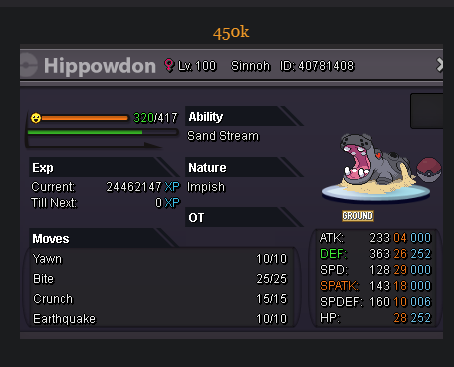 wtb 350k one wtb 250k three which is 750k Contact me on discord: WilliWu#1994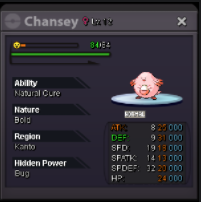
 Marstonz#XXXX what is the number behind the #?1. What's your Player name (IGN)? 2. Number of hours played? 3. What's your favorite Pokemon? 4. Do you use discord? Basically answer these thanksMy Ingame name is WilliWu I didnt know the person i trade with Lordavdhut didnt start sinnoh so i traded my wobbuffet to him, may i please take it back? I am on Gold Server Kind Regards WilliWu Hello, Since the wobbuffet is back in your possession I am noting the completion of this. Sincerely, PolteageistWTB Contact me on discord: WilliWu#8888
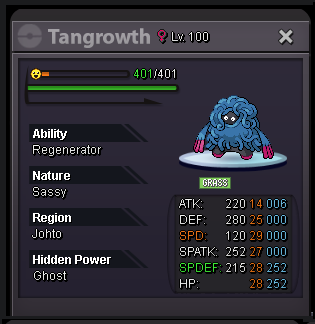 WTB Contact me on discord: WilliWu#8888
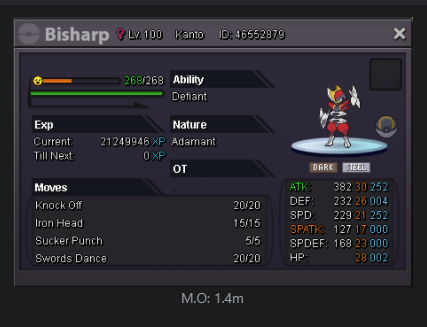 WTB Contact me on discord: WilliWu#8888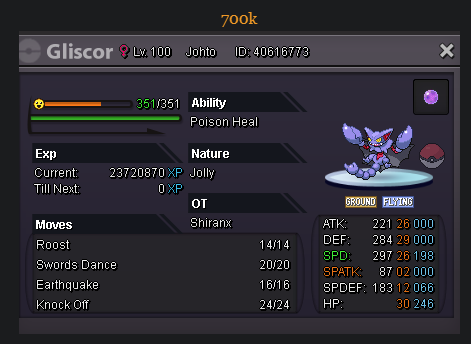
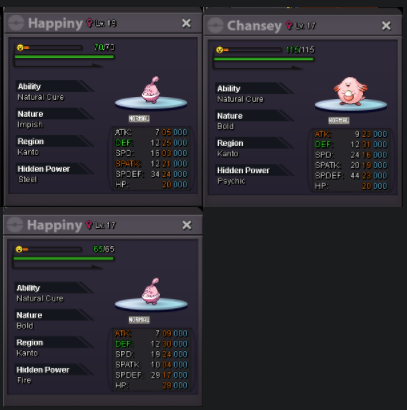
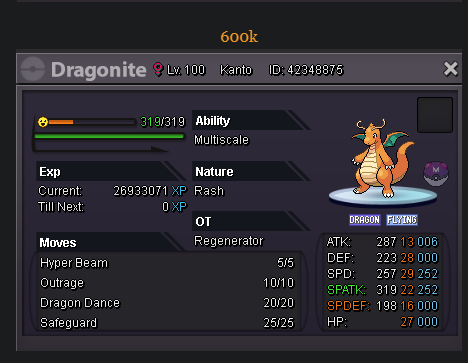 Hey i need lvl and ev service, around 25 pokemons do you do wynaut and happiny or chansey? contact me: IGN: WilliWu Discord: WilliWu#8888Server: Gold IGN: WilliWu 3 legendaries flex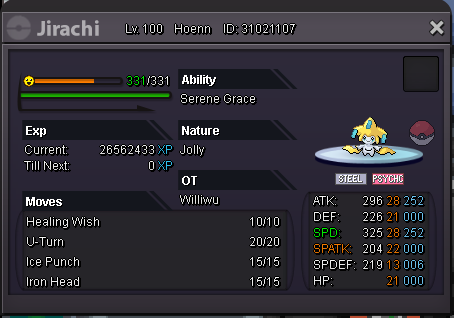
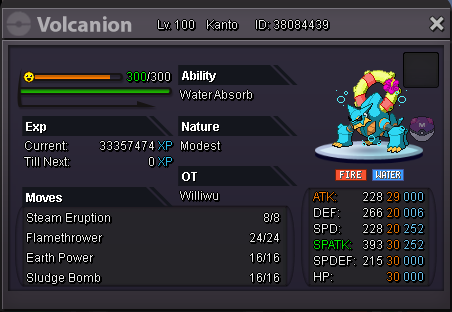
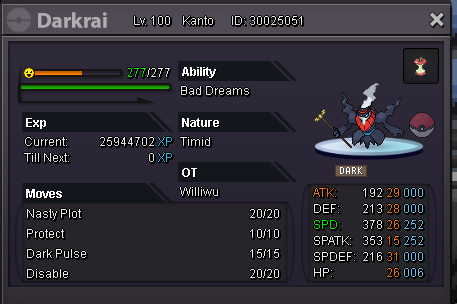 WTB Contact me on discord: WilliWu#1437
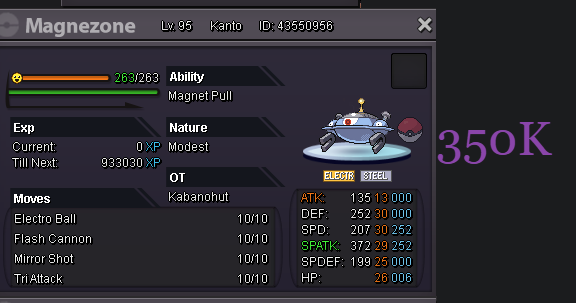 now i am
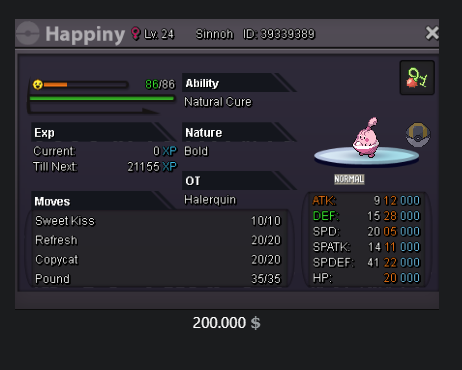


Account
Navigation
Search
Configure browser push notifications
Chrome (Android)
- Tap the lock icon next to the address bar.
- Tap Permissions → Notifications.
- Adjust your preference.
Chrome (Desktop)
- Click the padlock icon in the address bar.
- Select Site settings.
- Find Notifications and adjust your preference.
Safari (iOS 16.4+)
- Ensure the site is installed via Add to Home Screen.
- Open Settings App → Notifications.
- Find your app name and adjust your preference.
Safari (macOS)
- Go to Safari → Preferences.
- Click the Websites tab.
- Select Notifications in the sidebar.
- Find this website and adjust your preference.
Edge (Android)
- Tap the lock icon next to the address bar.
- Tap Permissions.
- Find Notifications and adjust your preference.
Edge (Desktop)
- Click the padlock icon in the address bar.
- Click Permissions for this site.
- Find Notifications and adjust your preference.
Firefox (Android)
- Go to Settings → Site permissions.
- Tap Notifications.
- Find this site in the list and adjust your preference.
Firefox (Desktop)
- Open Firefox Settings.
- Search for Notifications.
- Find this site in the list and adjust your preference.