New Trade Zone
Trade Zone is now live
Use the new Trade Zone for auctions and instant-price trades so Pokemon and item offers are easy to find.


Donuts02
Registered User
-
Joined
-
Last visited
Everything posted by Donuts02
-
-
Ok I’ll try them out later, I’ll need to wait for my friend with the shelmet to get on again
-
[MEDIA=twitter]1266751308972699648[/MEDIA] As you can see (I hope), my karrablast isn't evolving to escavalier when traded with a shelmet. Is it a bug or is there any other requirements I need to do?
-
-
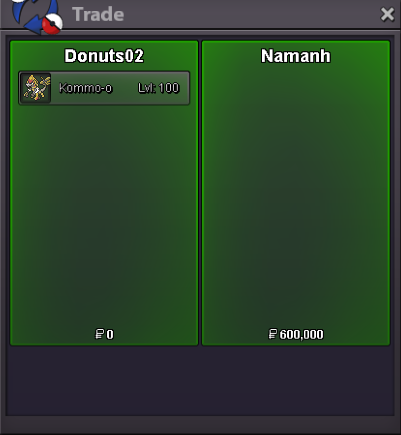
Careful kommo-o sold to NamAnh for 600KCareful kommo-o 1hrs leftCareful kommo-o 2hrs leftCareful kommo-o 4hrs leftcareful kommo-o 9hrs left13hrs left for careful nature kommo-oI am also facing the same problems but I think it’s not a problem on your side, I think it’s just a bug with the server currently with the range of view from your character.Noted, started careful kommo. Since u msg'ed 6hrs ago ill set the remaining time 18hrs left.Starting price loweredWeavile sold
 Username: Donuts02 Server: Silver Country/Timezone: GMT+8 (Malaysia Timezone)Changed the layoutIf any of the pictures or information provided is unclear, please let me know, thank you.