New Trade Zone
Trade Zone is now live
Use the new Trade Zone for auctions and instant-price trades so Pokemon and item offers are easy to find.

Icedcola
Registered User
-
Joined
-
Last visited
-
Trade done
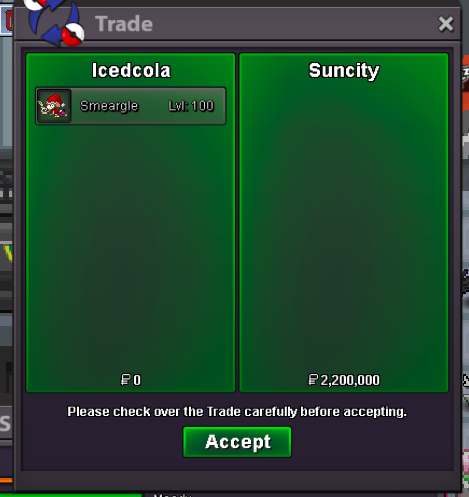
-
c.o 600k
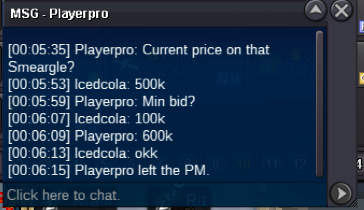
-
started
-
Start 100k Insta 3m Minimum bid - 100k Duration - 5 hrs after started Accept Pokedollars only
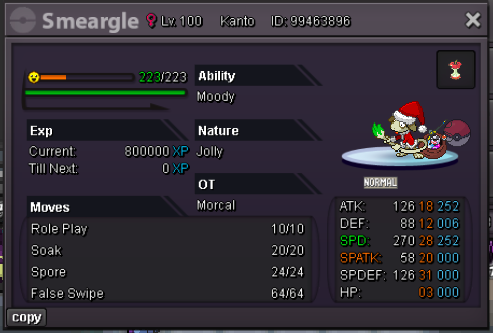
-
-
@aymi11 u won gz thnx , I can be online now if u r free
-
-
-
-
Start : 100k Minimum bid: 50k Ends at : https://countingdownto.com/?c=3676992 (48hrs) If no one start I'll cancel the auction when time ends. I can accept cc(400k) and Pokemoney only.
-
-
My character is still stuck..
-
-1 for me, unless they fixed the repel step disappearing when u goes dc, because imagine if u use 10+ repels at once then u got disconnect for having net problems, afk and etc. your 2000+ repel step will disappear and ik that's a hella waste of repels for me.
-
This acc is in silver I currently ran out of ideas of how can I move my character with limited resources, I'm stuck in the middle of pokecenter with only having 1 pokemon in my party, I'm out of escape rope and I'm on frickin island at vulcan which doesn't exist anymore so I can't get help from someone to give me even just 1 escape rope, ik this is a bug and hoping for someone to resolve this.
-
ID: 35679877 poke: Happiny