




New Trade Zone
Trade Zone is now live
Use the new Trade Zone for auctions and instant-price trades so Pokemon and item offers are easy to find.


Cruelgreen
Registered User
-
Joined
-
Last visited
Everything posted by Cruelgreen
-
yes you can add when you want but can't change when add
-
1 m 101k
-
c.o is 1m and there is no min bid huh ? I Bid 1m 1k
-
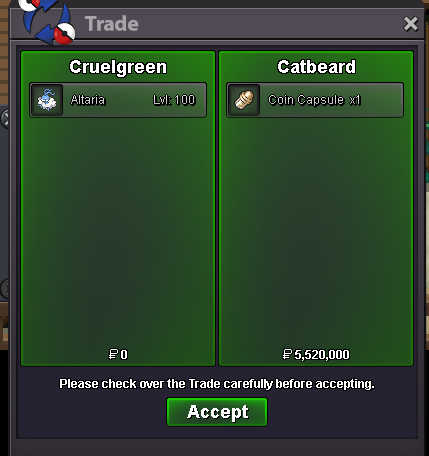
*bump**bump*umm.. nonopeı am a tough guy (you can't even be winner for a minute ! ı am fast !)yeaı won againnope ı am the winnerit's high starting offer lower the starting offer pleasepokemon : conkeldurr or evolves ability : guts nature : adamant ivs : 26+ hp , 30+ atk, others 22+ (or something near to that) budget : 9M pokemon : dragonite or evolves ability : multiscale nature : adamant ivs : 29+ atk , 30+ spd , others 20+ (or something near to that) budget : 8M pokemon : staraptor or evolves ability : Reckless nature : adamant ivs : 31 spd , 27+ atk ,others 20+ budget : 3M DİSCORD : Nagito#5486 IGN : Cruelgreen show your poke in this thread or pm me in discord with price@Catbeard you won discord : Nagito#5486*bump*6 wobbuffet vs 48 boss = %99.99 wobbuffets win (don't try trash , bad nature wobbuffets) use wobbuffet like thoses , wobbuffet only needs def , spdef and hp
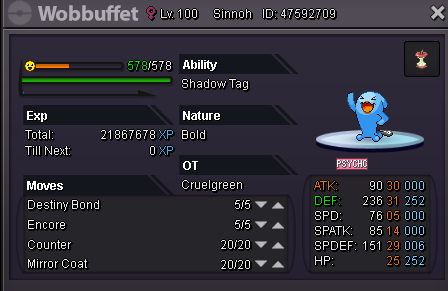
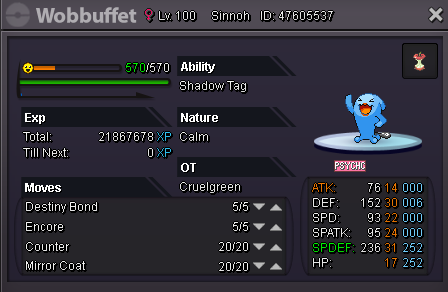
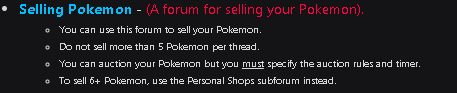
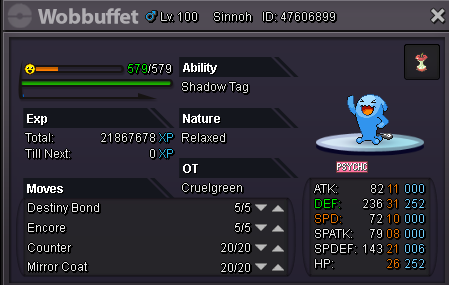 hehe ı was going to bid 5m but realized it isn't bulletproofif you have more than 5 pokemon to sell you have to create your thread in poke shops
 *bump
*bump



Account
Navigation
Search
Configure browser push notifications
Chrome (Android)
- Tap the lock icon next to the address bar.
- Tap Permissions → Notifications.
- Adjust your preference.
Chrome (Desktop)
- Click the padlock icon in the address bar.
- Select Site settings.
- Find Notifications and adjust your preference.
Safari (iOS 16.4+)
- Ensure the site is installed via Add to Home Screen.
- Open Settings App → Notifications.
- Find your app name and adjust your preference.
Safari (macOS)
- Go to Safari → Preferences.
- Click the Websites tab.
- Select Notifications in the sidebar.
- Find this website and adjust your preference.
Edge (Android)
- Tap the lock icon next to the address bar.
- Tap Permissions.
- Find Notifications and adjust your preference.
Edge (Desktop)
- Click the padlock icon in the address bar.
- Click Permissions for this site.
- Find Notifications and adjust your preference.
Firefox (Android)
- Go to Settings → Site permissions.
- Tap Notifications.
- Find this site in the list and adjust your preference.
Firefox (Desktop)
- Open Firefox Settings.
- Search for Notifications.
- Find this site in the list and adjust your preference.