New Trade Zone
Trade Zone is now live
Use the new Trade Zone for auctions and instant-price trades so Pokemon and item offers are easy to find.

Silverfox07
Registered User
-
Joined
-
Last visited
Everything posted by Silverfox07
-
Hunter X hunter and demon slayer
-
-
It's really good must watch
-
One piece
-
17
-
Boruto is so trash. 😞
-
Bleach
-
Aot is wonderful. But I'll not say it is greatest
-
Gengar
-
Naruto ,one piece, demon slayer, attck on Titan
-
-
Chopper and ussop
-
-
SOLD

-
Kemalinc pm me in game or on discord BadKarma#5198
-
insta by kemalinc auction closed
-
k will update
-
C.O. = INSTA (kemalinc) INSTA = 1.5m Min Bid = 200k 24 hrs Auction Accepting items CC = 400K IV REROLL = 700K NATURE REROLL 350K
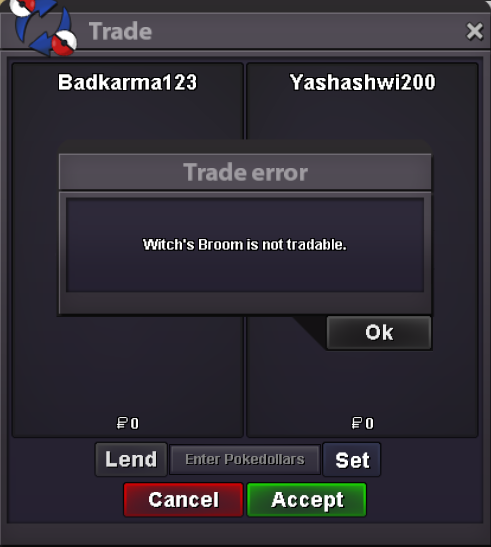
 Hello, @M3ru3m I can trade my broom now thnx a lot for the help. You can close this thread now.Thnx a lot M3ru3m for forwarding it to the Devs. Also this recent server update did not fix this issue, just wanted to let you know.I think this is some kind of bug. I attached a screen shot of what happens when i try to trade it. I hope this get resolved soon.
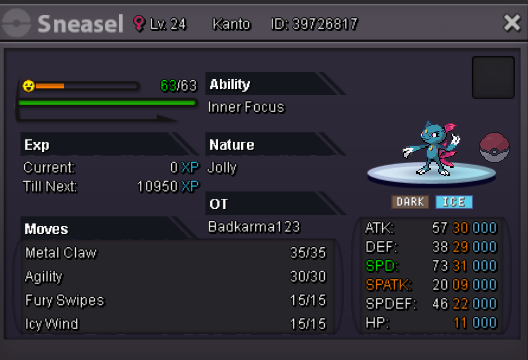
 i have a jolly ha exca 30 spd and 29 atk if u r still intrested i can send screen shot or dm me in discord to BadKarma#5198I have godly scizor 31/31 but sadly it's jolly if you are still interested u can on pm me in-game or i can send screenshot here.This is my alt acc which I am now able to use. Thanks a lot again