New Trade Zone
Trade Zone is now live
Use the new Trade Zone for auctions and instant-price trades so Pokemon and item offers are easy to find.


Katowiczanin
Registered User
-
Joined
-
Last visited
Everything posted by Katowiczanin
-
Yo Quick auction of this beauty S.o 100k Bi 50k Insta 1m 24h after start GL! CD: https://www.tickcounter.com/countdown/3350682/kangashkan
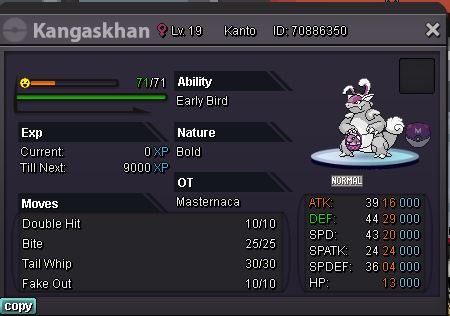 2x event kangaskhan for 2x cc?700kHi I just released my slowpoke by accident Sadge can I get it back please? ig name Katowiczanin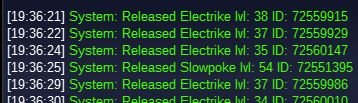
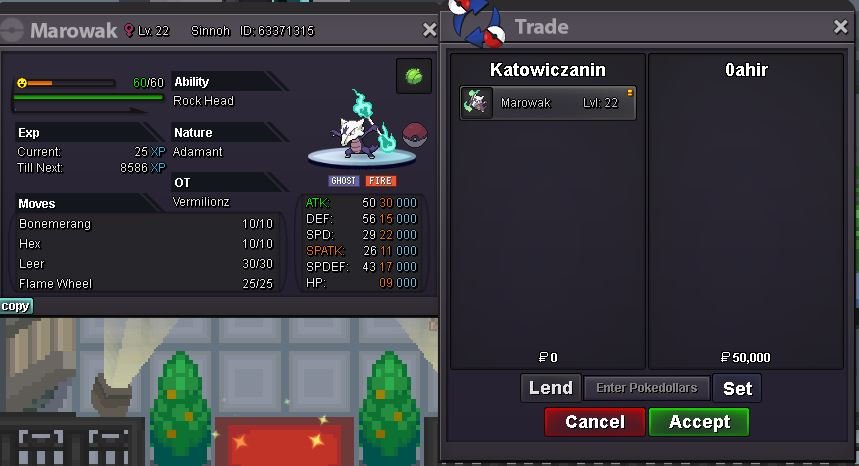
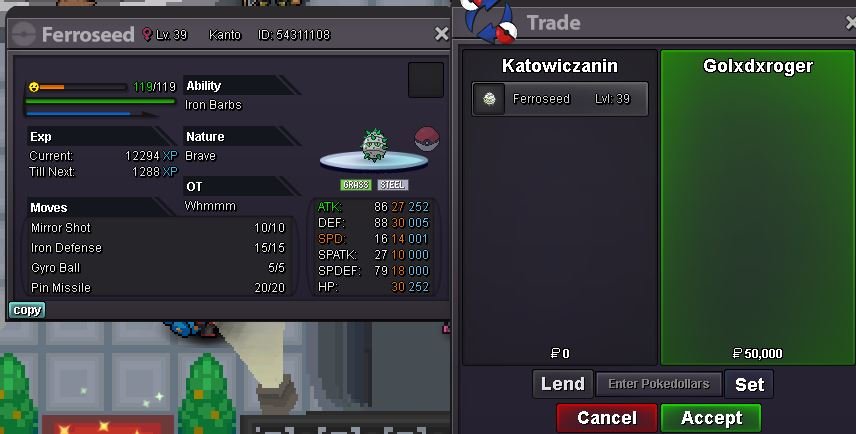
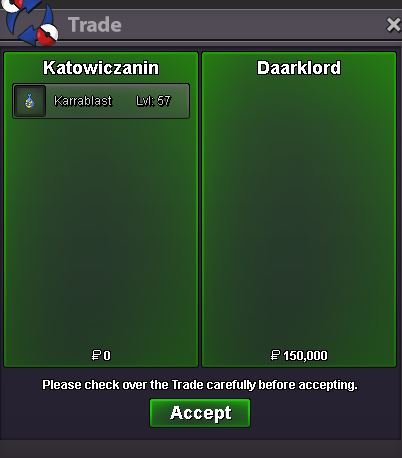
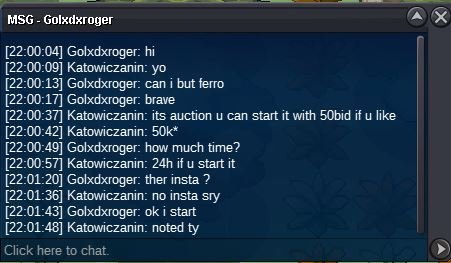
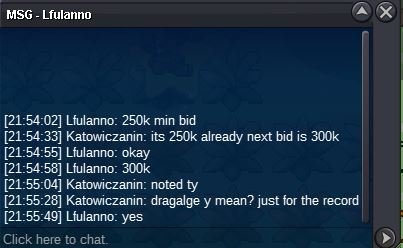
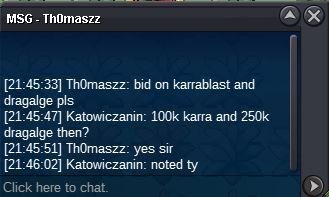
 Yea you won ferro @GolxDxrogerand @Ahirwon marowak@DaarkLordu won karrablast with 150k bid @lFulannou won dragalge with 300k bidYO I got something for ya again 😉 Accept: poke$ only Start:50k Bid:50k No insta Duration: 24h Start: 200k Bid:50k No insta Duration: 24h


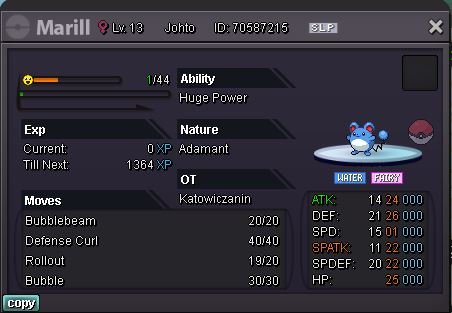
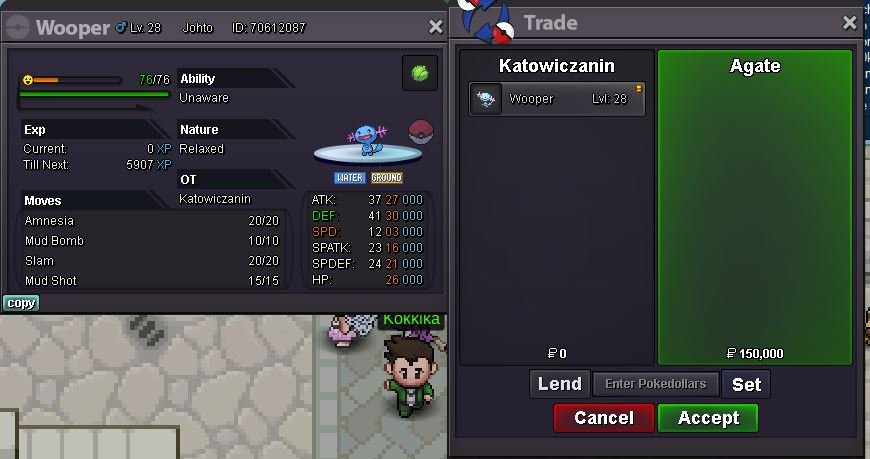
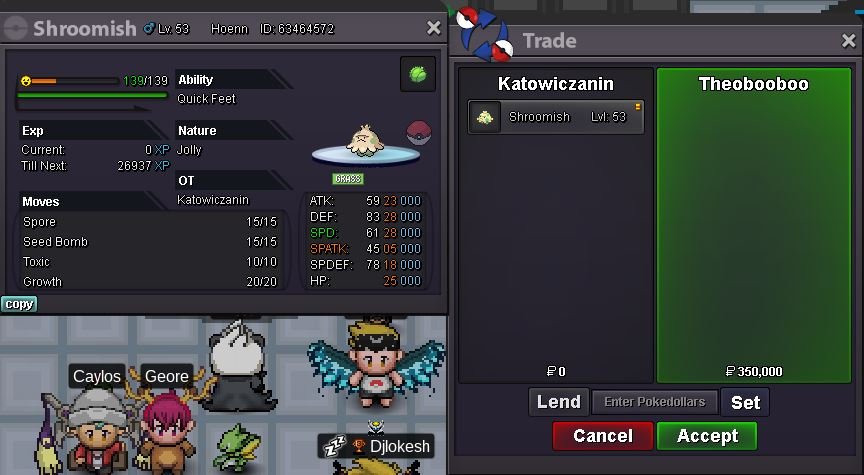
 2.62.2mI buy 400k excadrill. I’ll be on tomorrow cuz I got busy day today add me on discord pls KAT'owiczanin.#1423wooper won by Agate with 150k bidshroomish won by @TheoBooBoo with 350k bid
Account
Navigation
Search
Configure browser push notifications
Chrome (Android)
- Tap the lock icon next to the address bar.
- Tap Permissions → Notifications.
- Adjust your preference.
Chrome (Desktop)
- Click the padlock icon in the address bar.
- Select Site settings.
- Find Notifications and adjust your preference.
Safari (iOS 16.4+)
- Ensure the site is installed via Add to Home Screen.
- Open Settings App → Notifications.
- Find your app name and adjust your preference.
Safari (macOS)
- Go to Safari → Preferences.
- Click the Websites tab.
- Select Notifications in the sidebar.
- Find this website and adjust your preference.
Edge (Android)
- Tap the lock icon next to the address bar.
- Tap Permissions.
- Find Notifications and adjust your preference.
Edge (Desktop)
- Click the padlock icon in the address bar.
- Click Permissions for this site.
- Find Notifications and adjust your preference.
Firefox (Android)
- Go to Settings → Site permissions.
- Tap Notifications.
- Find this site in the list and adjust your preference.
Firefox (Desktop)
- Open Firefox Settings.
- Search for Notifications.
- Find this site in the list and adjust your preference.