




New Trade Zone
Trade Zone is now live
Use the new Trade Zone for auctions and instant-price trades so Pokemon and item offers are easy to find.

Fec
Registered User
-
Joined
-
Last visited
Everything posted by Fec
-
5m
-
Hey guys😃 Currently we have to bring our forms to collector Joro to get 5 PVE Coins for them and even though on most event Pokecenters theres a collector NPC it takes some time to go back and forth with 5 mons. Now i thought maybe it would be more convenient if you would automatically get 5 PVE by releasing them. Im not sure if that is feasible and need to be checked by the Devs but it would be so convenient to just go to your Box after the event and release the forms you dont want for PVE.
-
26.5m
-
24m
-
4m *edit nvm i already won 😁
-
3.8m
-
22m
-
20m
-
3.5m
-
3m
-
1.2m
-
bump last 40 minutes1.7m1.5m1.3mbump800kWTS Start price: 10m min bid: 500k Auction End: Saturday 30.08. 22:00 UTC/GMT Accepted payments: Pokedollar, CC @ 450k, IV Reroll @ 700k If a bid is received in the final 15 minutes of the auction, the end point will be delayed by 15 minutes from that bid, and will be delayed by 15 minutes for each new bid thereafter, until the current offer has been held for a full 15 minutes.
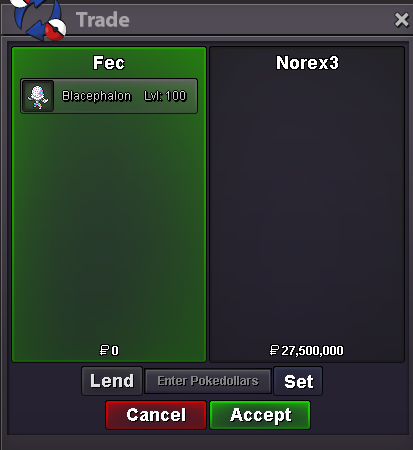
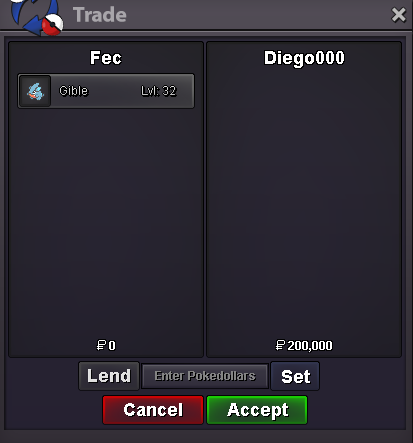
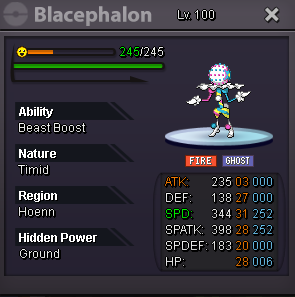 25m23mWTS S.O. 100k min bid: 50k Accepted payments: Pokedollar CC @ 450k IV Reroll: 650k Auction end: 24h after start offer is met


Account
Navigation
Search
Configure browser push notifications
Chrome (Android)
- Tap the lock icon next to the address bar.
- Tap Permissions → Notifications.
- Adjust your preference.
Chrome (Desktop)
- Click the padlock icon in the address bar.
- Select Site settings.
- Find Notifications and adjust your preference.
Safari (iOS 16.4+)
- Ensure the site is installed via Add to Home Screen.
- Open Settings App → Notifications.
- Find your app name and adjust your preference.
Safari (macOS)
- Go to Safari → Preferences.
- Click the Websites tab.
- Select Notifications in the sidebar.
- Find this website and adjust your preference.
Edge (Android)
- Tap the lock icon next to the address bar.
- Tap Permissions.
- Find Notifications and adjust your preference.
Edge (Desktop)
- Click the padlock icon in the address bar.
- Click Permissions for this site.
- Find Notifications and adjust your preference.
Firefox (Android)
- Go to Settings → Site permissions.
- Tap Notifications.
- Find this site in the list and adjust your preference.
Firefox (Desktop)
- Open Firefox Settings.
- Search for Notifications.
- Find this site in the list and adjust your preference.