New Trade Zone
Trade Zone is now live
Use the new Trade Zone for auctions and instant-price trades so Pokemon and item offers are easy to find.

Mrdeadpoolrp
Registered User
-
Joined
-
Last visited
-
AMD123 you have won trade with me
-
Mrdeadpoolrp changed their profile photo
-
Only 3 hours and 46 minutes left
-
Pokemon which I want was already sold
-
Good luck bro
-
Ty now I don't have any doubt
-
Should I need to upload trade screenshot on auction chat after auction
-
If you can't cancel this auction then I don't have any doubt
-
Plz cancel it then you will be very pleased
-
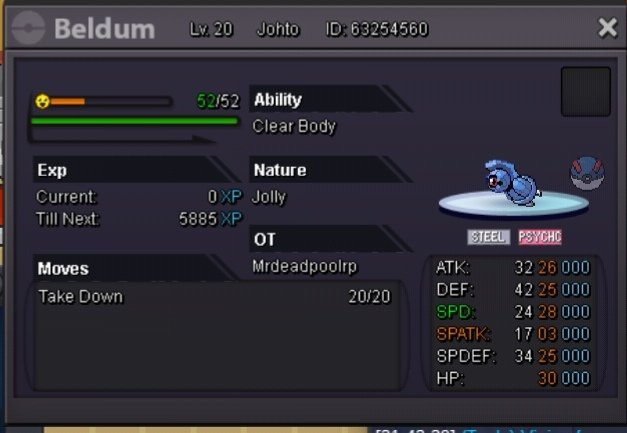
https://pokemonrevolution.net/forum/topic/183039-selling-beldum-25-jolly/?do=findComment&comment=1027822
-
Yeah auction was already started
-
Can I cancel my auction
-
Bump
-
Payment method Accept only pokedollar Auction start after first bid and will end after 72 hours Start bid=1m min raise= 250k No Insta contact method Discord=MrdeadpoolRP#1218 Ign=MrdeadpoolRP