




New Trade Zone
Trade Zone is now live
Use the new Trade Zone for auctions and instant-price trades so Pokemon and item offers are easy to find.

Hulkbusters
Registered User
-
Joined
-
Last visited
Everything posted by Hulkbusters
-
@Deritmaiyou won auction. Meet me in game
-
Less than 1 hour left
-
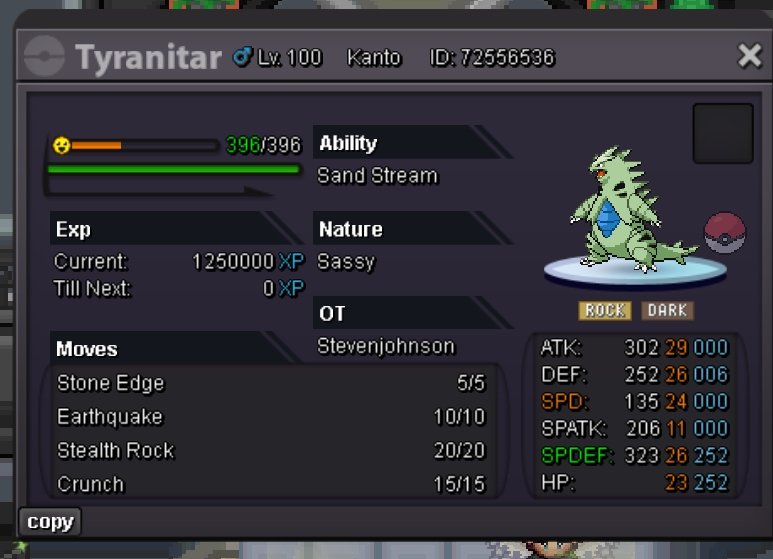
S.O: 500k Min bid 50k No insta End Point: 24 hours (after start offer) Accepted Payments: Pokedollars, Coin Capsules (x1 Coin Capsule = 450k), iv reroll (x1 iv reroll = 550k) Only accept trades in gold server If a bid is received in the last 15 minutes of the auction, the end point will be delayed by 15 minutes from that bid, and will be delayed by 15 minutes for each new bid after that, until the current bid has been held for the full 15 minutes.
-
Up
-
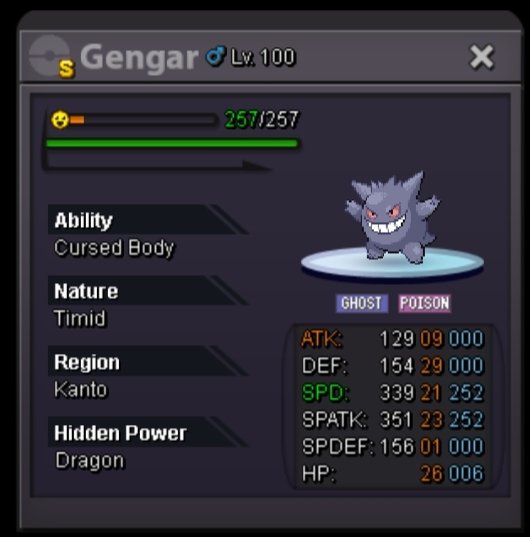
Auction details : * Start price : 1m * Minimum bid : 100k * Insta price : 3m * Accept payment : pokedollars , coin capsule (450k) , IV rerol ticket (550k), nature rerol (250k) * End point : 24 hours after first bid

-
Sold in-game
-
Up
-
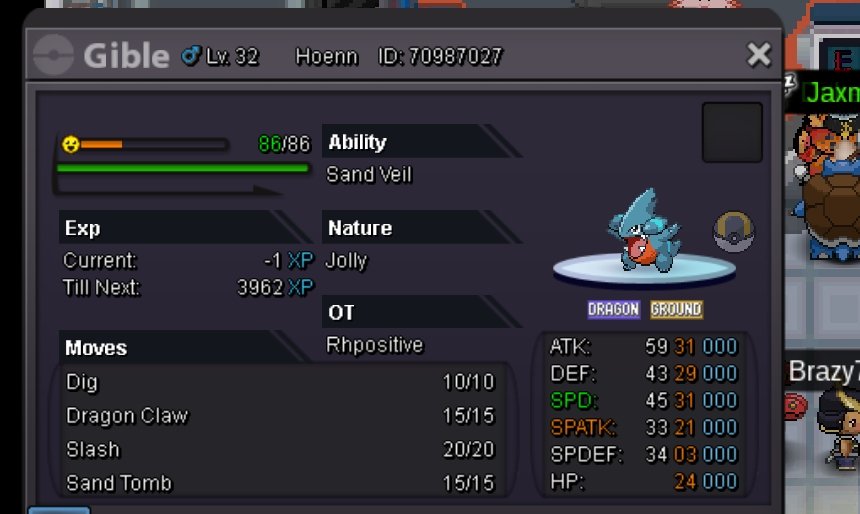
Wts jolly gible 31 spd and 31 atk for 1.5m which is negotiable. I can accept cash, cc 400k, nature rr 260k, iv rr 550k.
-
Current Guild Name : Trident New Guild Name : Supreme Squad Server : Gold
-
Jolly chimchar 25+ Spd atk and rest 20+. Pm with price
-
Any changes in price
-
I m online now
-
Silver
-
I will pay 1m if u want to sell it to me
-
Ok
-
450k
-
-
When will you come online
-
At vermilion
-
You have any other your own OT 100 lvl Gallade ?? If no then you need to catch a new male ralts to evolve in Gallade.
-
Can't see Image
-
600k
-
you have jangmo o
-
25+ def, spdef and hp rest iv 20+
-
25+ def, spdef and hp rest iv 20+

