




New Trade Zone
Trade Zone is now live
Use the new Trade Zone for auctions and instant-price trades so Pokemon and item offers are easy to find.

Nobodycj88
Suspended
-
Joined
-
Last visited
Everything posted by Nobodycj88
-
It says a name change can take up to 48 hours, how long does it normally take? My alt account has been standing still on :your request is pending: all weekend. Thank you in advance 🙂
-
-
Leaf Ball For all those grassy encounters 🙂 Same ideas to the left and right just diffrent designs. <-->


-
-
180k
-
130k
-
Congratulations Hohlyeraser. Closing the auction.
-
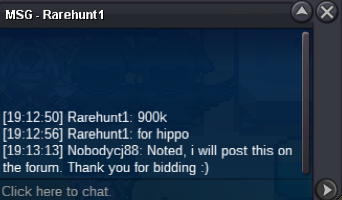
bumpPokemon Being Auctioned: Starting Price: 500k Starts/Ends: 72:h after first bid Available payments: Pokedollars, cc(380k) Minimum Raise: 100k Time Left:https://www.tickcounter.com/countdown/4205493/hippowdon
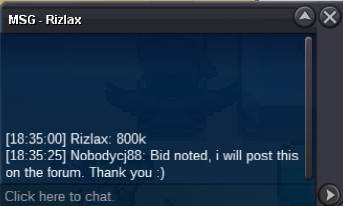
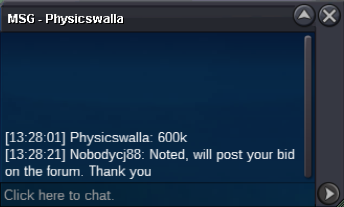
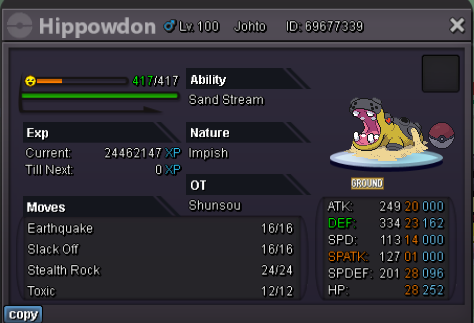 Congratulations to Raikaisa665. Closing the auction1234642Oh come on xD well, start !Started on 750k.Ghost, if it wasnt id be much higher.Pokemon Being Auctioned: ---> Starting Price: 750k Starts/Ends: 78:h after first bid InstaPrice: 3m Available payments: Pokedollars, cc(380k) Minimum Raise: 50k Timer: https://www.tickcounter.com/countdown/4062301/my-countdown
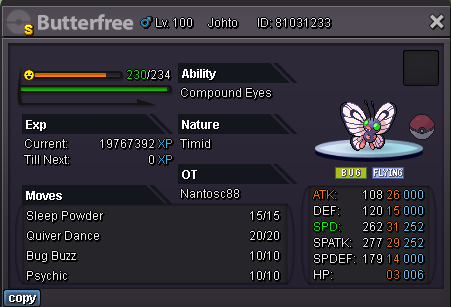
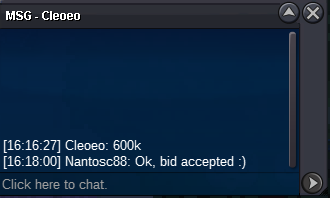
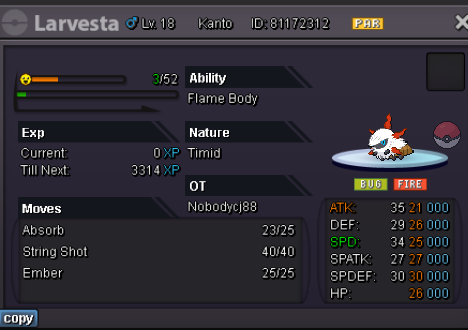 Congratulations Cleoeo. Closing the auction.Pokemon Being Auctioned ----> Starting Price: 500k Starts/Ends: 48h after first bid InstaPrice: None Available payments: Pokedollars, cc(350k) Minimum Raise: 100k Time Left: https://www.tickcounter.com/countdown/4044972/butterfree-shiny
 Thank you man! Turned out super nice 🙂


Account
Navigation
Search
Configure browser push notifications
Chrome (Android)
- Tap the lock icon next to the address bar.
- Tap Permissions → Notifications.
- Adjust your preference.
Chrome (Desktop)
- Click the padlock icon in the address bar.
- Select Site settings.
- Find Notifications and adjust your preference.
Safari (iOS 16.4+)
- Ensure the site is installed via Add to Home Screen.
- Open Settings App → Notifications.
- Find your app name and adjust your preference.
Safari (macOS)
- Go to Safari → Preferences.
- Click the Websites tab.
- Select Notifications in the sidebar.
- Find this website and adjust your preference.
Edge (Android)
- Tap the lock icon next to the address bar.
- Tap Permissions.
- Find Notifications and adjust your preference.
Edge (Desktop)
- Click the padlock icon in the address bar.
- Click Permissions for this site.
- Find Notifications and adjust your preference.
Firefox (Android)
- Go to Settings → Site permissions.
- Tap Notifications.
- Find this site in the list and adjust your preference.
Firefox (Desktop)
- Open Firefox Settings.
- Search for Notifications.
- Find this site in the list and adjust your preference.