




New Trade Zone
Trade Zone is now live
Use the new Trade Zone for auctions and instant-price trades so Pokemon and item offers are easy to find.

Shiirahoshi
Suspended
-
Joined
-
Last visited
-
Thank u 🙂 , but i have stopped playing the game , so u can give it to somebody else .
-
u still sell ?
-
bartolomew kuma and katakuri
-
So basically there is smogon , is this the best tool to use to see what pokes are good to build a team ? I fear that i will hunt and train for some poke example for a rain team ,and than somebody tells me theres something better stronger than this , than how i make sure that doesnt happen.
-
-
I dont want end up going to hunt for some poke and then next month or something all changes and its usless and need complete new team now
-
Hi i want start pvp , what i want to do is start to go hunting for the specific team i want to build . Is there something like a full page with diffrent type of teams that show the full build like , full 6 pokes with evs and attack moves . I need some well detailed list , not just scatterd around info like smogon , on smogon its like this is a strong combo this two pokes can work and this could work too.. Something better than that ?
-
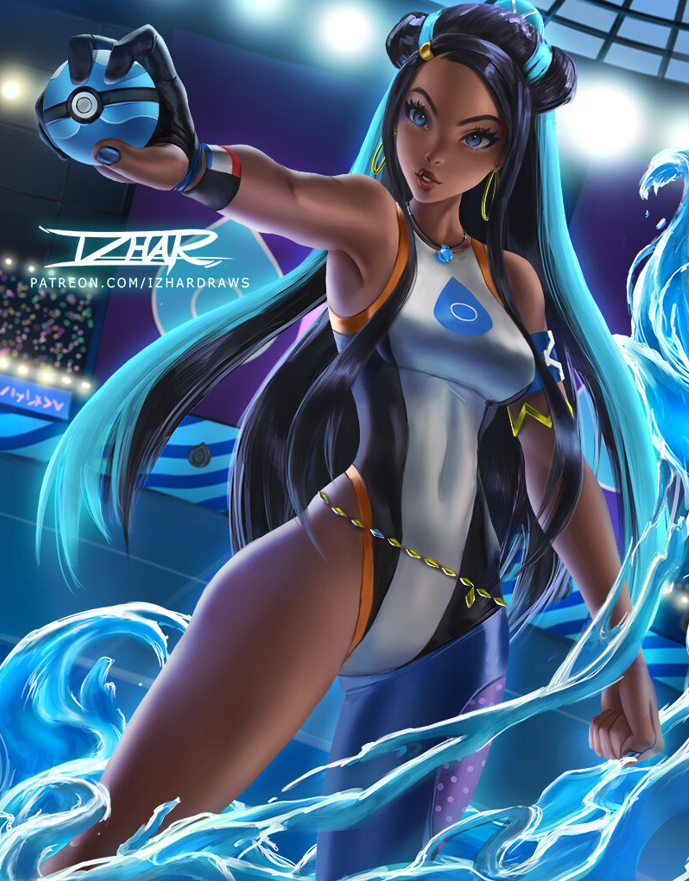
I need an well animated profile picture please . Idk if all this is possible. My wishes : I would like to have the signature removed The water a bit softly animated like it splashed around make it a bit alive to have the feeling it moved from an impact The pokeball middle circle glowing up dark blue(or myb red , idk what looks better ) - not to fast blink, more kind of a glow up , charge up ,2 seconds probably if possible. The area where to ball opens , have a soft steam coming out , like its keeping something strong or is about to open. Her eyes a bit shimmering beautiful like of an angel in the same color. Softly animated hair like a few hair strings moving around in the wind from the movement or wind But please consider the gravity too , like if the water goes splashing some direction , the hair should realistic go some way where the impact came from to make it look real and not unnormal . + the steam of the pokeball cannot go just straight up if there was a blast infront so it goes more to the right and softly up And if possible make the the animated pic be able to fit fully in the profile . And send the same in original size too , so if it looks trash i will just crop it in somehow . Original picture Where i like the changes Example from past work : This is some artwork that not have to much but just to have an idea for u how it could be maken more alive .I remember this was just an prototype picture , i told him to change then the steam to more go the direction from where he is punching cause it looked like clouds around . That it go more out of his hands from the move . And the red blink slower


-
but i have no friends
-
Guide page must have moved to far down , so i started to far ahead xd and than confused
-
Figured it out with the player Riegnhard that helped me solve it , i mistakenly did the tornadus first ,and now need go north
-
I Killed landorus and thundurus , but now i cant get to tornadus . there is just normal npcs and no cave , even i talk many time to jirachi
-
Quote ▹ The last route will have us go East from Mauville City. Just like the previous two routes, a few Team Magma members will be waiting for you along the path before you can enter the Tornadus Cave. But when i go there nothing changes and no magma members appear . If i talk to jirachi say give me more time yes nothing changes also if i say no
-
question above
-
why does the image not load anymore ?

