New Trade Zone
Trade Zone is now live
Use the new Trade Zone for auctions and instant-price trades so Pokemon and item offers are easy to find.

Evan1011
Registered User
-
Joined
-
Last visited
Everything posted by Evan1011
-
301k
-
100k
-
That Is not max speed
-
So 125k Min bid 10k No insta Ends 24 hours after first bid
-
150k vulpix
-
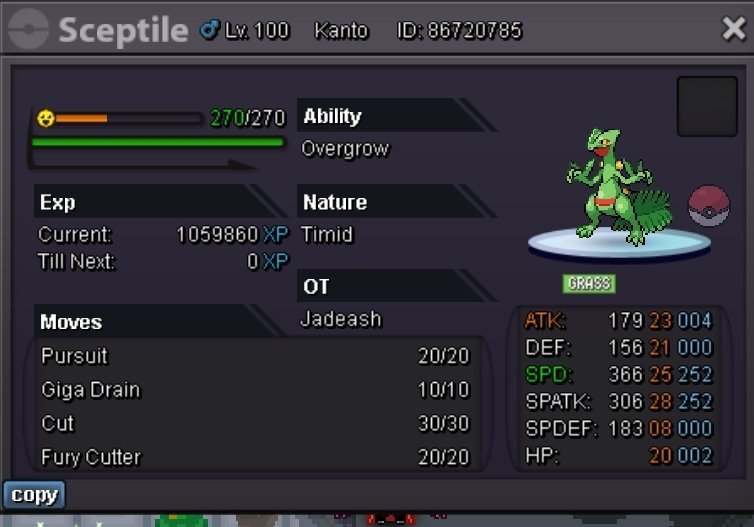
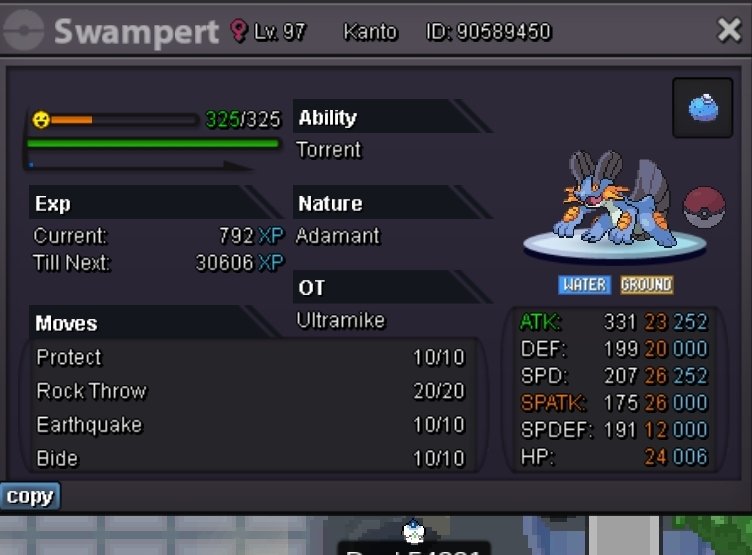
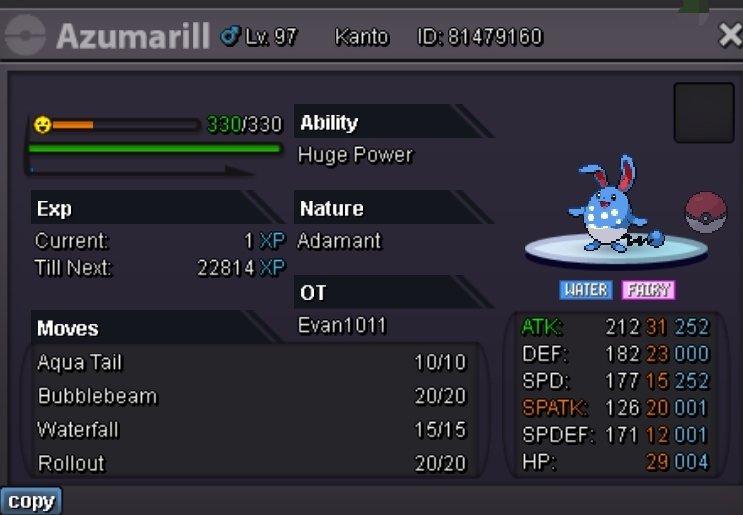
So basically I setup my pokeshop on forums, on my screen it shows it as I would like it to be , but when people look at my shop they're saying none of the pictures are there and I can't fix it because it shows that they are there on my screen, any help would be appreciated, thank you
-
I been having trouble with it not showing on other peoples screens but it is showing on mine, I went through and reuploaded the pictures again, it should work now if not it's beyond me at this point
-
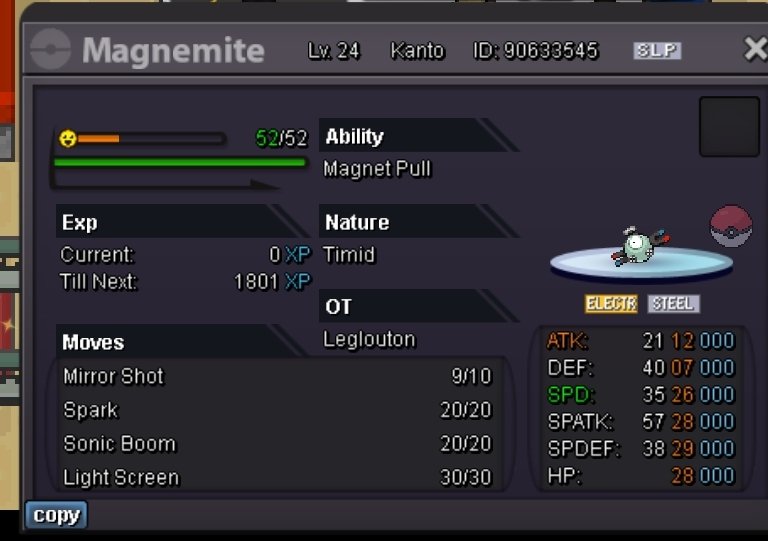
I just noticed those screenshots don't say hidden power , but both magnemite are hp fire.
-
I'll be in touchSo 500k Min bid 25k Insta 2 mil If no insta it will end 48 hours after first bid, ty 🙂
 350k zorua202k deino200k deinoJust realized , 110k70k deinoAlright you got that T-T1 mil 110k1 mil plus 10k900k750k also if I win I need an hour to do transaction I gotta drive home soon:)660k600k