




New Trade Zone
Trade Zone is now live
Use the new Trade Zone for auctions and instant-price trades so Pokemon and item offers are easy to find.


Lacomus
Registered User
-
Joined
-
Last visited
Everything posted by Lacomus
-
Time up, you win @Alyson02
-
Thanks! @Oakprofessor

-
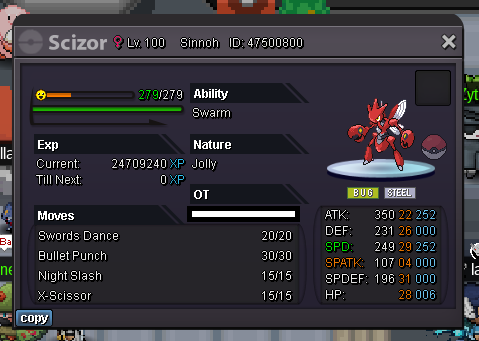
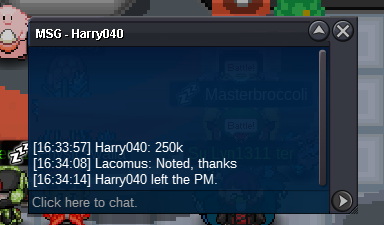
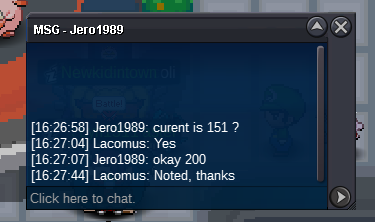
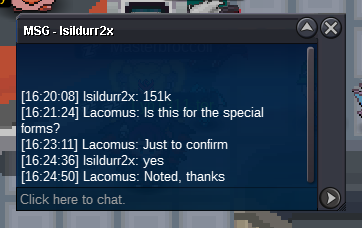
Approx 40 minutes remaining Countdown: https://www.tickcounter.com/countdown/4223596/af-special-forms - Extra time. If a bid is received in the final 15 minutes of the auction, the end point will be delayed by 15 minutes from that bid, and will be delayed by 15 minutes for each new bid thereafter, until the current offer has been held for a full 15 minutes. Must be accurate to the minute that the auction is set to end. › e.g. If the auction ends at 15:00, it will end at 15:00:00. If a late bid is received in the final 15 minutes, at 14:46, the auction will end at 15:01. If another user bids at 15:00, the auction will be extended again, and will end at 15:15, this will be repeated until the current offer has been held for a full 15 minutes.@Frarenekton We are way passed 20k, sorry@Marcot11 Its now at 301k with @Fitri@Leoxa Invalid, sorry. User above did 251kJust to reiterate that its a bundle. If people start saying "each", then people may get the impression that they can bid on one, and not others. You don't need to say "each" @Hapkaizv2 leads at 5k@Darklight0 Its a bundle, they're coming together regardless. You can have just 2k, if you likeRemovedPlusle 300kTime up, you win @Lordleo100@Rarehunt1 That was a close call lol. I'm in vermi btw to close the other dealCountdown: https://www.tickcounter.com/countdown/4222893/scizor - Extra time. If a bid is received in the final 15 minutes of the auction, the end point will be delayed by 15 minutes from that bid, and will be delayed by 15 minutes for each new bid thereafter, until the current offer has been held for a full 15 minutes. Must be accurate to the minute that the auction is set to end. › e.g. If the auction ends at 15:00, it will end at 15:00:00. If a late bid is received in the final 15 minutes, at 14:46, the auction will end at 15:01. If another user bids at 15:00, the auction will be extended again, and will end at 15:15, this will be repeated until the current offer has been held for a full 15 minutes.Approx 15 minutes remaining Countdown: https://www.tickcounter.com/countdown/4222893/scizor - Extra time. If a bid is received in the final 15 minutes of the auction, the end point will be delayed by 15 minutes from that bid, and will be delayed by 15 minutes for each new bid thereafter, until the current offer has been held for a full 15 minutes. Must be accurate to the minute that the auction is set to end. › e.g. If the auction ends at 15:00, it will end at 15:00:00. If a late bid is received in the final 15 minutes, at 14:46, the auction will end at 15:01. If another user bids at 15:00, the auction will be extended again, and will end at 15:15, this will be repeated until the current offer has been held for a full 15 minutes.@Lyn1311 and if you complain, another 10k play hourStarted: https://www.tickcounter.com/countdown/4222893/scizorStart: 1 Min bid: 1 Duration: 1 hour (after the first bid) Payment: Pokedollars Note: HP Water. No cancellations, no insta Countdown: https://www.tickcounter.com/countdown/4222893/scizor - Extra time. If a bid is received in the final 15 minutes of the auction, the end point will be delayed by 15 minutes from that bid, and will be delayed by 15 minutes for each new bid thereafter, until the current offer has been held for a full 15 minutes. Must be accurate to the minute that the auction is set to end. › e.g. If the auction ends at 15:00, it will end at 15:00:00. If a late bid is received in the final 15 minutes, at 14:46, the auction will end at 15:01. If another user bids at 15:00, the auction will be extended again, and will end at 15:15, this will be repeated until the current offer has been held for a full 15 minutes. Closed: @Lordleo100 250k




Account
Navigation
Search
Configure browser push notifications
Chrome (Android)
- Tap the lock icon next to the address bar.
- Tap Permissions → Notifications.
- Adjust your preference.
Chrome (Desktop)
- Click the padlock icon in the address bar.
- Select Site settings.
- Find Notifications and adjust your preference.
Safari (iOS 16.4+)
- Ensure the site is installed via Add to Home Screen.
- Open Settings App → Notifications.
- Find your app name and adjust your preference.
Safari (macOS)
- Go to Safari → Preferences.
- Click the Websites tab.
- Select Notifications in the sidebar.
- Find this website and adjust your preference.
Edge (Android)
- Tap the lock icon next to the address bar.
- Tap Permissions.
- Find Notifications and adjust your preference.
Edge (Desktop)
- Click the padlock icon in the address bar.
- Click Permissions for this site.
- Find Notifications and adjust your preference.
Firefox (Android)
- Go to Settings → Site permissions.
- Tap Notifications.
- Find this site in the list and adjust your preference.
Firefox (Desktop)
- Open Firefox Settings.
- Search for Notifications.
- Find this site in the list and adjust your preference.