




New Trade Zone
Trade Zone is now live
Use the new Trade Zone for auctions and instant-price trades so Pokemon and item offers are easy to find.

Everything posted by Lacomus
-
Started: https://vclock.com/timer/#countdown=24:00:00&date=2023-04-26T16:18:41&title=Ursaring+%2F+Golduck
-
Sorry, I had to do it
-
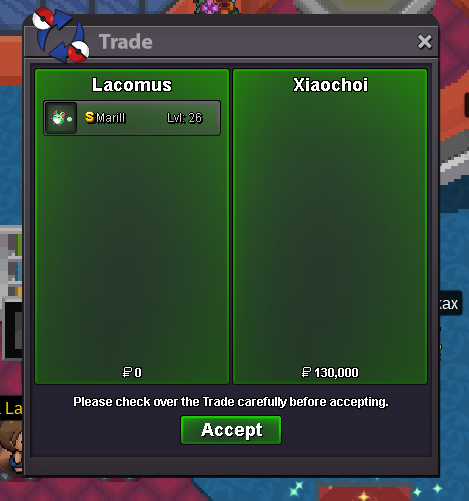
Thanks! @Xiaochoi
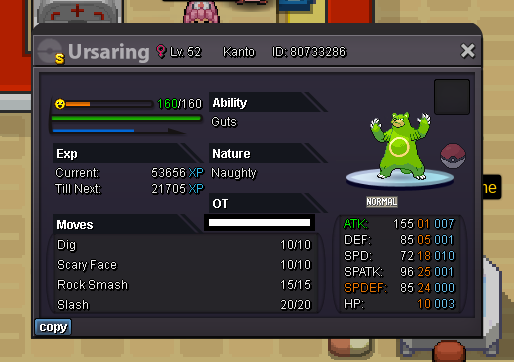
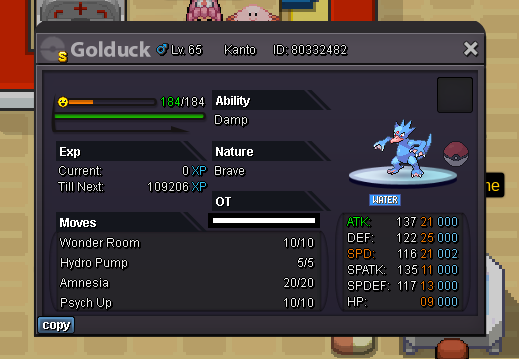
 Welcome to the auction Start: 1 Min bid: 1 Duration: 24 hours (after the first bid) Payment: Pokedollars Note: Not a bundle. Make bids clear. Example: "Ursaring 2" or "Ursaring 2 Pokedollars". If "each", then say each / ea. No cancellations, no insta Countdown: https://vclock.com/timer/#countdown=24:00:00&date=2023-04-26T16:18:41&title=Ursaring+%2F+Golduck Closed: Ursaring @Ozzymate 35k / Golduck @Karthick1111 39,007
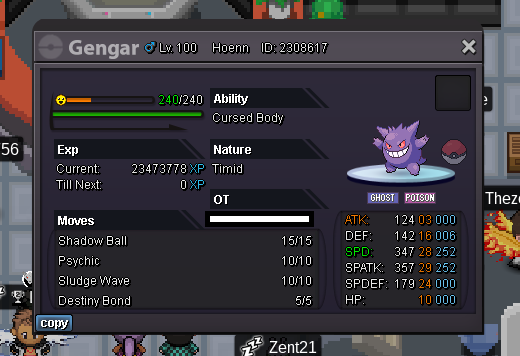
 Congrats @Xiaochoi you've taken this one. I'm in vermi for the transaction, if convenient for you. Let me know. ThanksStarted: https://vclock.com/timer/#countdown=24:00:00&date=2023-04-26T14:45:25&title=Gengar+%2F+ShedinjaWelcome to the auction Start: 1 Min bid: 1 Duration: 24 hours (after the first bid) Payment: Pokedollars Note: Not a bundle. Make bids clear. Example: "Gengar 2" or "Gengar 2 Pokedollars". If "each", then say each / ea. No cancellations, no insta Countdown: https://vclock.com/timer/#countdown=24:00:00&date=2023-04-26T14:45:25&title=Gengar+%2F+Shedinja Closed: Gengar @Raikaisa665 30k / Shedinja @Raikaisa665 30k
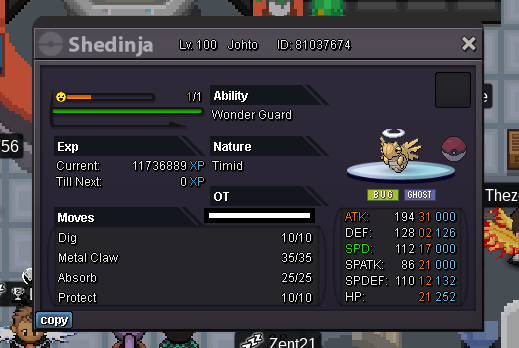 @Zoruami ❤️That's Charizard closed too, you've taken that one @Luckytea again I'm in vermi, if you're around. Let me know when its convenient. ThanksThanks again! @Ultramike
 Snorlax closed, you win @Ultramike I'm hanging around vermi at the minute, if you're nearbyNote: @Suncity alt account (Arunt) Thanks again! @Suncity
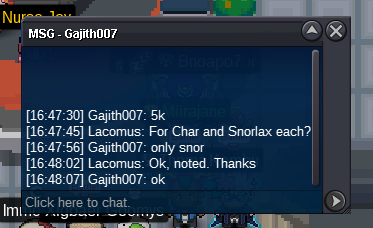
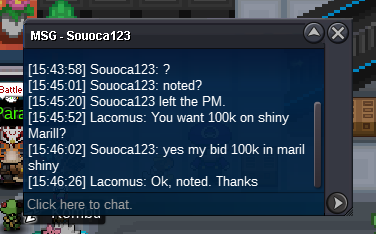
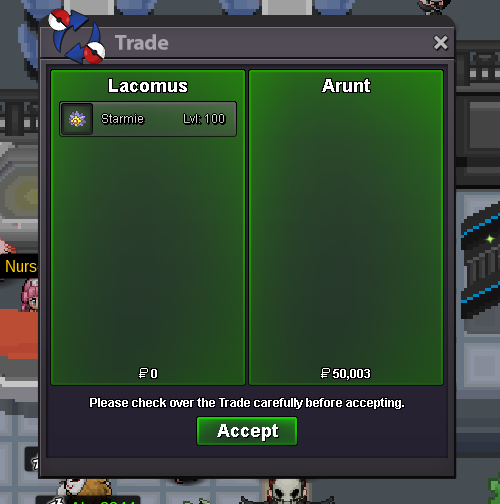 Marill countdown: https://vclock.com/timer/#countdown=24:00:00&date=2023-04-25T15:15:22&title=Marill Little time leftSnorlax countdown: https://vclock.com/timer/#countdown=24:00:00&date=2023-04-25T13:40:54&title=Snorlax Charizard countdown: https://vclock.com/timer/#countdown=24:00:00&date=2023-04-25T13:48:28&title=Charizard Little time left@Lightaq Whens the end?- CO Snorlax @Gajith007 6k - CO Charizard @Luckytea 90k
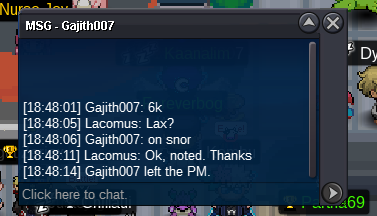 - CO Snorlax @Taelfan 5,005 - Charizard @Luckytea 90k
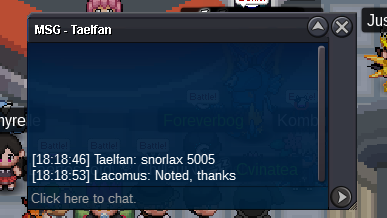 I think he said he wants to sell his Marill for 200k, but he doesn't know how to... @Redvarti Maybe put your question forward in your language (in a simple and clear way), then it can be translated. Just my advice@Ultramike You're right, I'm blind. Ugh. Got there in the end lol. Was distracted by a bunch of people messaging me@Ultramike Just corrected it now - CO Snorlax @gajith007 5k - CO Charizard @Sasuke69 50k- CO Snorlax @gajith007 5k - CO Charizard @Sasuke69 50k
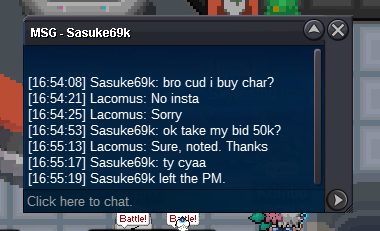 Marill started: https://vclock.com/timer/#countdown=24:00:00&date=2023-04-25T15:15:22&title=Marill



Account
Navigation
Search
Configure browser push notifications
Chrome (Android)
- Tap the lock icon next to the address bar.
- Tap Permissions → Notifications.
- Adjust your preference.
Chrome (Desktop)
- Click the padlock icon in the address bar.
- Select Site settings.
- Find Notifications and adjust your preference.
Safari (iOS 16.4+)
- Ensure the site is installed via Add to Home Screen.
- Open Settings App → Notifications.
- Find your app name and adjust your preference.
Safari (macOS)
- Go to Safari → Preferences.
- Click the Websites tab.
- Select Notifications in the sidebar.
- Find this website and adjust your preference.
Edge (Android)
- Tap the lock icon next to the address bar.
- Tap Permissions.
- Find Notifications and adjust your preference.
Edge (Desktop)
- Click the padlock icon in the address bar.
- Click Permissions for this site.
- Find Notifications and adjust your preference.
Firefox (Android)
- Go to Settings → Site permissions.
- Tap Notifications.
- Find this site in the list and adjust your preference.
Firefox (Desktop)
- Open Firefox Settings.
- Search for Notifications.
- Find this site in the list and adjust your preference.