New Trade Zone
Trade Zone is now live
Use the new Trade Zone for auctions and instant-price trades so Pokemon and item offers are easy to find.


Lacomus
Registered User
-
Joined
-
Last visited
-
Currently
Viewing Topic: [Tool] Pro Tracker & Database — Version 1.0.6
Everything posted by Lacomus
-
I feel old when people say they've played since 2008. I've played since the 90s. Congrats on your gym victories too @Yagg98

-
Welcome to the game @Daddyj1583
-
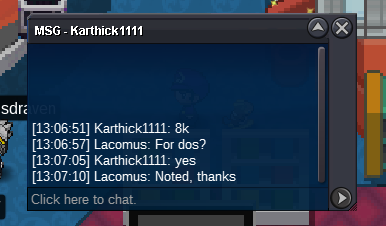
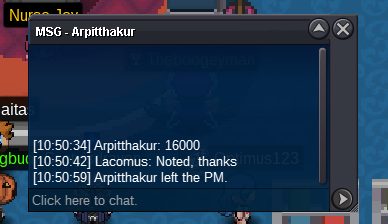
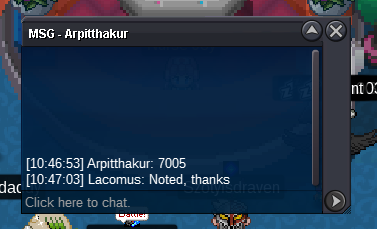
@Darksoul56 You read my mind perfectly@Epithet Can you confirm if "anything" tradable is allowed to be put up for auction?Approx 3 hours remainingApprox 3 hours remaining@Wakaranaii Ah ok. Maybe it is allowableIf this is one of those dumb questions that has been asked before, or if I've missed it in a rule somewhere, sorry. Can "anything" be auctioned that is tradable? Or just Pokémon@Hiimorestis You can raise the above bid, if you want to. Current offer is 111 with @Darksoul56Welcome to the auction 🙂 Start: 1 Pokedollar Min bid: 1 Pokedollar Payment: Pokedollars Duration: 1 Day (24 hours, after the first bid) UPDATES - Highest bidder @Antonio425 32,001 Pokedollars - Auction closed
 Welcome to the auction 🙂 Start: 1 Pokedollar Min bid: 1 Pokedollar Payment: Pokedollars Duration: 1 Day (24 hours, after the first bid) UPDATES - Highest bidder @Acetzy33 96,690 Pokedollars - Auction closed
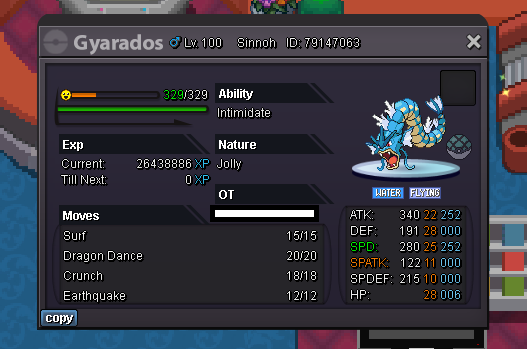 Enjoy! @JanithAgree with @Lordleo100 think I caught mine at the time from the mansionApprox 17 hours remaining
Account
Navigation
Search
Configure browser push notifications
Chrome (Android)
- Tap the lock icon next to the address bar.
- Tap Permissions → Notifications.
- Adjust your preference.
Chrome (Desktop)
- Click the padlock icon in the address bar.
- Select Site settings.
- Find Notifications and adjust your preference.
Safari (iOS 16.4+)
- Ensure the site is installed via Add to Home Screen.
- Open Settings App → Notifications.
- Find your app name and adjust your preference.
Safari (macOS)
- Go to Safari → Preferences.
- Click the Websites tab.
- Select Notifications in the sidebar.
- Find this website and adjust your preference.
Edge (Android)
- Tap the lock icon next to the address bar.
- Tap Permissions.
- Find Notifications and adjust your preference.
Edge (Desktop)
- Click the padlock icon in the address bar.
- Click Permissions for this site.
- Find Notifications and adjust your preference.
Firefox (Android)
- Go to Settings → Site permissions.
- Tap Notifications.
- Find this site in the list and adjust your preference.
Firefox (Desktop)
- Open Firefox Settings.
- Search for Notifications.
- Find this site in the list and adjust your preference.