




New Trade Zone
Trade Zone is now live
Use the new Trade Zone for auctions and instant-price trades so Pokemon and item offers are easy to find.

Lacomus
Registered User
-
Joined
-
Last visited
Everything posted by Lacomus
-
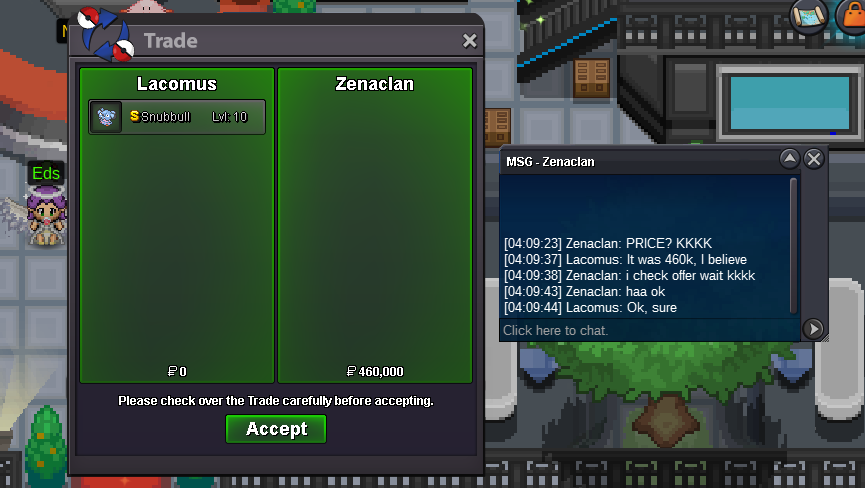
Updated 26/03/2023+1 Fair suggestionUpdate: 14 hours remainingCongrats again @Zenaclan and thanks to everyone who took partSorry @Kresx the start bid was taken by @Leeluckya took me a little time preparing the screenshot
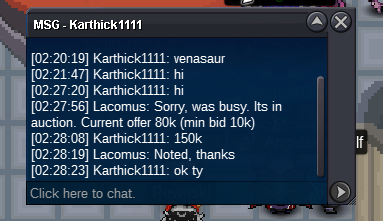
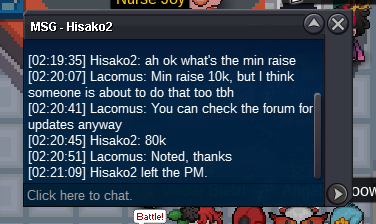
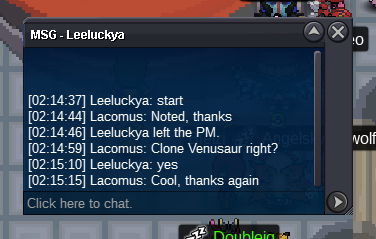 If this has been mentioned in the past, apologises. In theory, if our forum account was compromised, then everything is compromised. Mods control the game really well, but the option to have a different password would be good IMO@Zenaclan Just letting you know, you won the Snub auction. I'll be in vermi all dayWelcome to the auction. Yadi yadi yada Start: 50k Min bid: 10k Payment: Pokedollars Duration: 48 hours (after the first bid) No fake offers, no cancelling UPDATES - Highest bidder: @Isildurr2x 420k - Auction closed
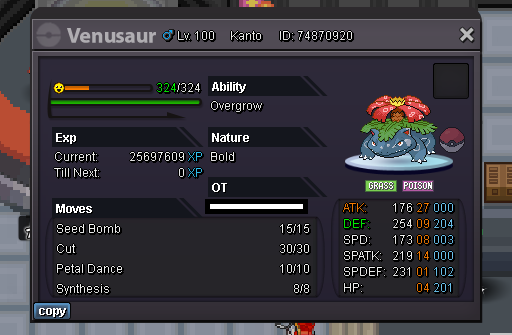 You win @Zenaclan I'm in vermi all day to complete the transaction. Whenever you're freeWelcome to the auction. Yadi yadi yada Start: 100k Min bid: 10k Payment: Pokedollars Duration: 48 hours (after the first bid) No fake offers, no cancelling UPDATES: - Highest bidder: @Pablo12321zh 330k - Auction closed
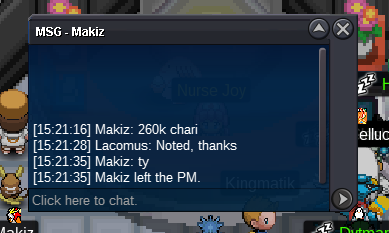
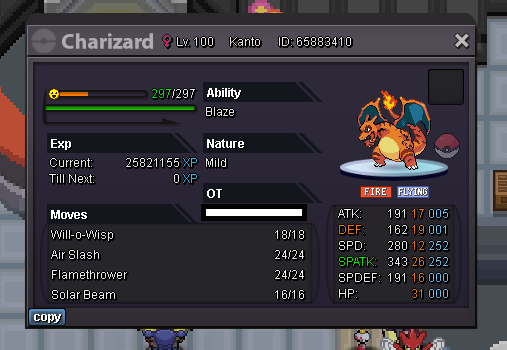 Welcome frenMmm, unfortunate. Hope you get it sorted out@Thatkid Kindness. Nice pokesSlowbro 300kUpdate: 17 hours remaining





Account
Navigation
Search
Configure browser push notifications
Chrome (Android)
- Tap the lock icon next to the address bar.
- Tap Permissions → Notifications.
- Adjust your preference.
Chrome (Desktop)
- Click the padlock icon in the address bar.
- Select Site settings.
- Find Notifications and adjust your preference.
Safari (iOS 16.4+)
- Ensure the site is installed via Add to Home Screen.
- Open Settings App → Notifications.
- Find your app name and adjust your preference.
Safari (macOS)
- Go to Safari → Preferences.
- Click the Websites tab.
- Select Notifications in the sidebar.
- Find this website and adjust your preference.
Edge (Android)
- Tap the lock icon next to the address bar.
- Tap Permissions.
- Find Notifications and adjust your preference.
Edge (Desktop)
- Click the padlock icon in the address bar.
- Click Permissions for this site.
- Find Notifications and adjust your preference.
Firefox (Android)
- Go to Settings → Site permissions.
- Tap Notifications.
- Find this site in the list and adjust your preference.
Firefox (Desktop)
- Open Firefox Settings.
- Search for Notifications.
- Find this site in the list and adjust your preference.