




New Trade Zone
Trade Zone is now live
Use the new Trade Zone for auctions and instant-price trades so Pokemon and item offers are easy to find.

Lacomus
Registered User
-
Joined
-
Last visited
Everything posted by Lacomus
-
@Manbat Attempted getting in touch with the winner in-game, but not having any luck. Not sure if he's in the forum either. Might need your help...Mini wall, awesome (credit to those involved). Maybe name the thread simply "Pokewall", so it isn't just limited to Gyarados. More posts, locations and variety
 Phew, chaos@Arceas4286 I think he's coming to you, enjoy your poke@Bhimoso Just in vermiAlright, I think that's enough. After looking at the official start by @Bhimoso and that bid of 31k, I view this as the highest bid within time. Of course this has been chaotic, my fault...just a bit of harmless fun in the end. If a mod wants to overrule anything, please do. But for now, my decide stands@Bhimoso What have I got myself into. We might need to consider this an exceptionUpdate: 10 mins remaining@Bhimoso Good heart ❤️I'm waiting for that one guy to raise it to 1k at the final minute. ShhneakyWelcome to the auction. Yadi yadi yada Start: 1 pokedollar Min bid: 1 pokedollar Payment: Pokedollars Duration: 1 hour (after the first bid) No fake offers, no cancelling UPDATES: - Highest bidder: @Bhimoso 50k - Auction closed
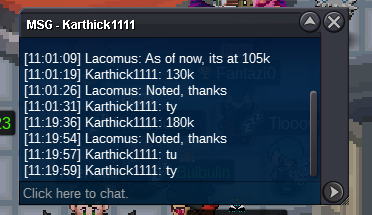
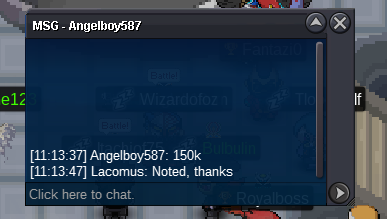
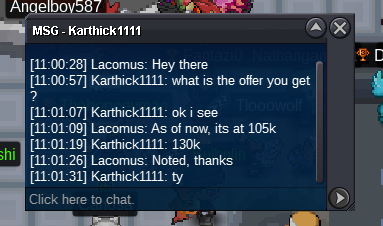
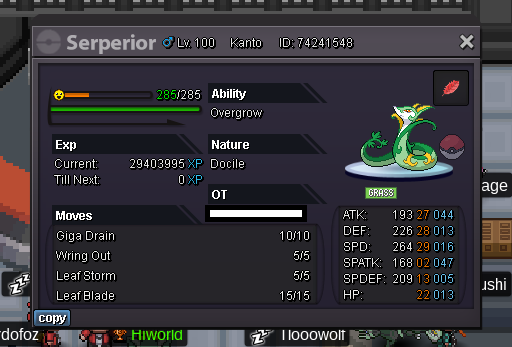 I'd take the Nidoran, but I'm silver server 😞Updated 28/03/2023300k




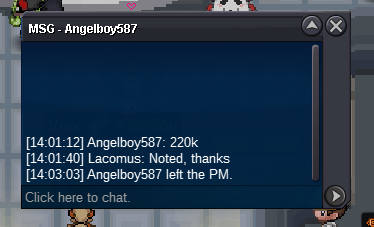
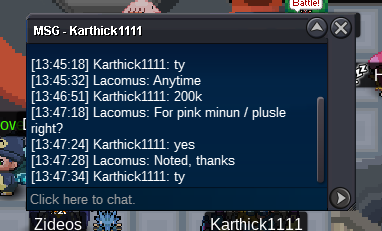
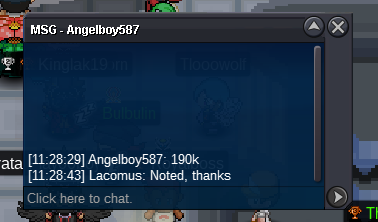
Account
Navigation
Search
Configure browser push notifications
Chrome (Android)
- Tap the lock icon next to the address bar.
- Tap Permissions → Notifications.
- Adjust your preference.
Chrome (Desktop)
- Click the padlock icon in the address bar.
- Select Site settings.
- Find Notifications and adjust your preference.
Safari (iOS 16.4+)
- Ensure the site is installed via Add to Home Screen.
- Open Settings App → Notifications.
- Find your app name and adjust your preference.
Safari (macOS)
- Go to Safari → Preferences.
- Click the Websites tab.
- Select Notifications in the sidebar.
- Find this website and adjust your preference.
Edge (Android)
- Tap the lock icon next to the address bar.
- Tap Permissions.
- Find Notifications and adjust your preference.
Edge (Desktop)
- Click the padlock icon in the address bar.
- Click Permissions for this site.
- Find Notifications and adjust your preference.
Firefox (Android)
- Go to Settings → Site permissions.
- Tap Notifications.
- Find this site in the list and adjust your preference.
Firefox (Desktop)
- Open Firefox Settings.
- Search for Notifications.
- Find this site in the list and adjust your preference.