




New Trade Zone
Trade Zone is now live
Use the new Trade Zone for auctions and instant-price trades so Pokemon and item offers are easy to find.

Eocc
Registered User
-
Joined
-
Last visited
Everything posted by Eocc
-
Start
-
-
15k
-
No it changed to 159 rc after some time. It seems that it resolved it self. Thanks for the answer anyway.
-
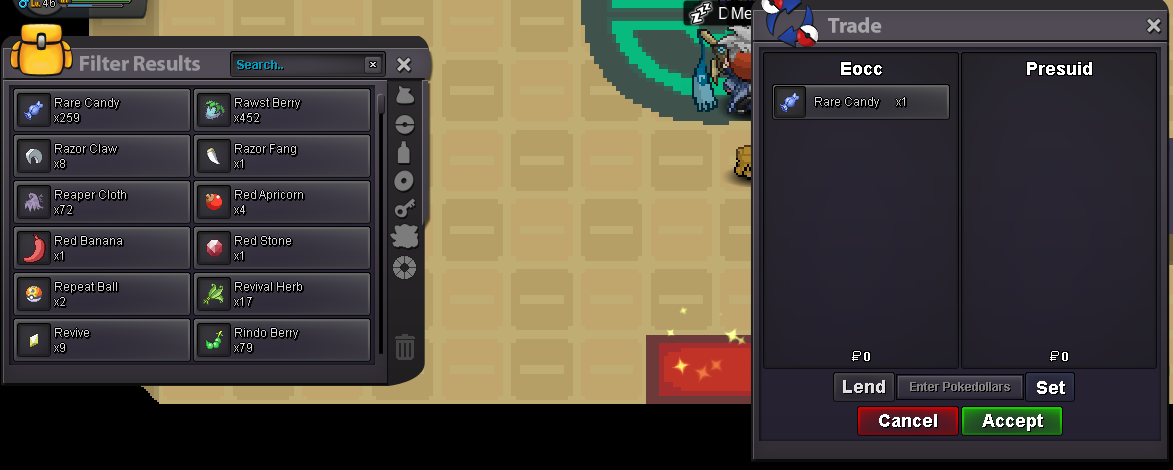
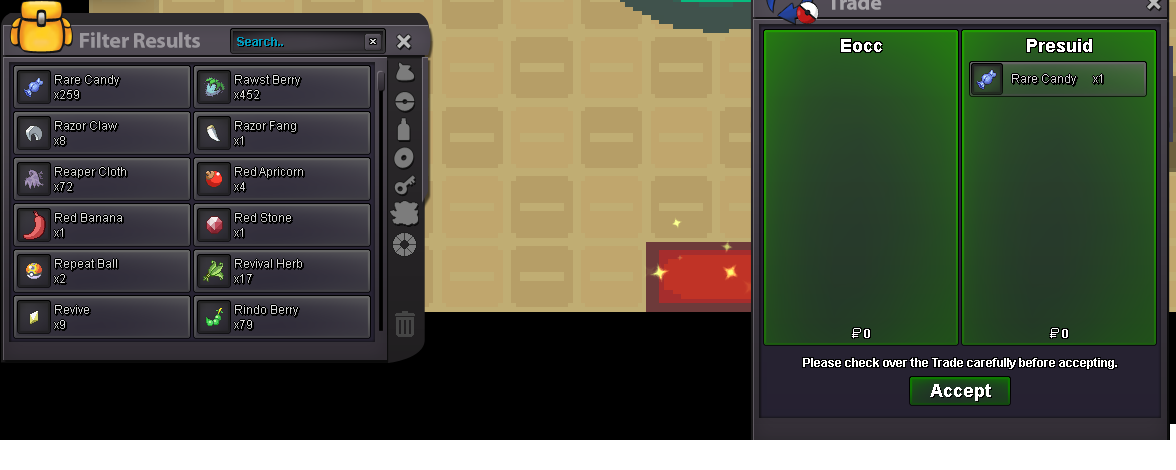
I have the Problem i sold 1x20, 1x50, and 1x30 rc via Player Trade for 6k, but they are still in my inventory. I could not ask the player if the have got their rc, i hope i didnt scam them. I tried it again with a test rc with a player, the player got the rc, the rc count in my inventory stayed the same. If the player trades me an Rc, it disappears for him, but the number of Rc does not change for me. Further testing with a Choise Scarf and Berries, showed it also affects other items. It seems to be fixed.


-
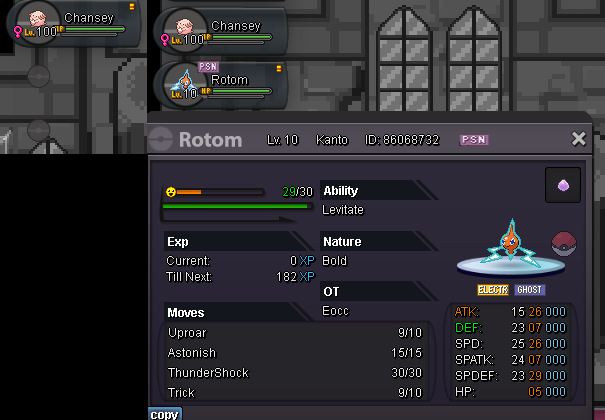
Hello in the forlorn dungeon (lavender Dungeon) in the treasure room the Rotom can steal the item from my own poke with the move trick.
-
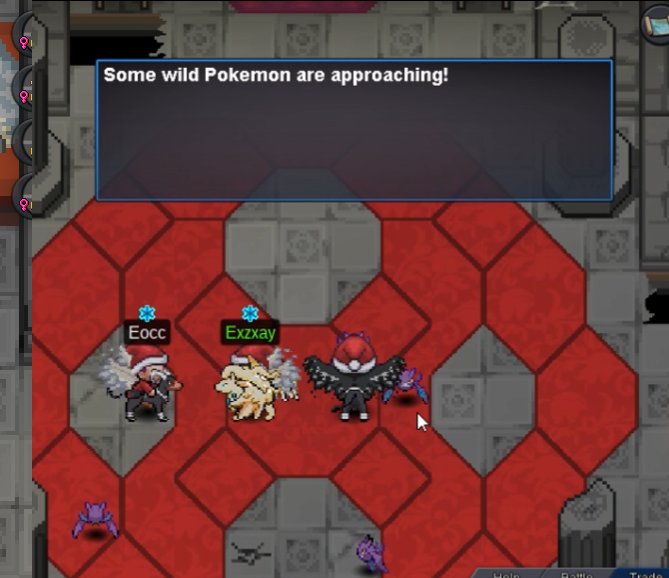
We had the problem today in Forlorn Dungeon that after defeating the 1 Gardevoir boss in Normal Mode, the Crobats spawned only for the player who defeated Gardevoir. Not for the other players. The Crobats also disappeared for this player after he defeated the first one. After that, the dungeon could not be continued.

-
3.6m
-
3.2m
-
2,8m
-
2,5m
