New Trade Zone
Trade Zone is now live
Use the new Trade Zone for auctions and instant-price trades so Pokemon and item offers are easy to find.

Malav
Registered User
-
Joined
-
Last visited
Everything posted by Malav
-
Natural - Bounsweet, Pineco, Weedle, Sewaddle (unsure of other spawns)
-
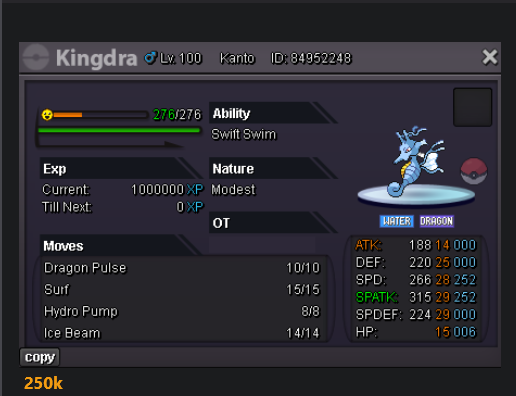
WTB Kingdra 250k
-
Malav / Gold
-
Malav / Gold Well Wishes
-
This is a completely fair assessment. I personally was speaking about Trade Chat advertisements with an emoji posted after every word. This wasn't and shouldn't be taken as a complaint. This was meant to be merely feedback on a new system added into the game, that in my opinion, could use a small amount of tweaks to be better than what it already is.
-
Malav / Gold Well Wishes 🙂
-
I like the new emoji system, but I see it being overused specifically within Trade Chat already by some players. Maybe an emoji limit per message also could be something to consider. I do not consider this to be a huge deal, just thought I would mention my thoughts here because it has been recently implemented. Thanks.
-
Malav / Gold Who has the hot dice?!
-
Malav / Gold Cool idea gl everyone
-
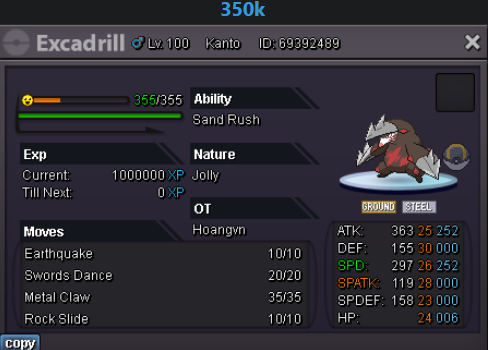
buy exca 350k
-
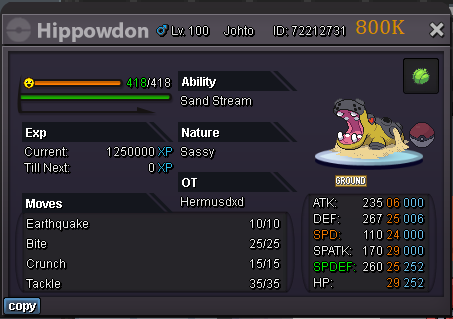
Would like to buy hippowdown 800k.