




New Trade Zone
Trade Zone is now live
Use the new Trade Zone for auctions and instant-price trades so Pokemon and item offers are easy to find.

Zio0the8keeper
Registered User
-
Joined
-
Last visited
Everything posted by Zio0the8keeper
-
250k cynda
-
250k trapinch
-
150k cyndaquil
-
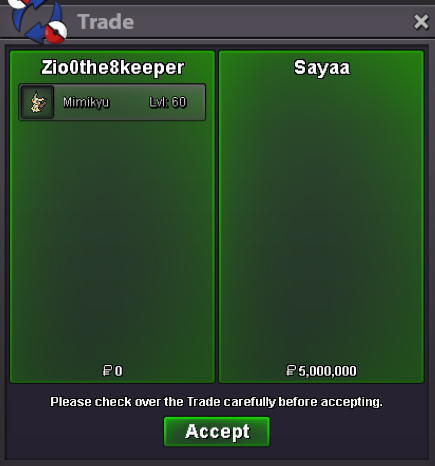
@Humbertto traded from this alt name Sayaa
-
Forum: If a bid is received in the final 15 minutes of the auction, the end point will be delayed by 15 minutes from that bid, and will be delayed by 15 minutes for each new bid thereafter, until the current offer has been held for a full 15 minutes. Must be accurate to the minute that the auction is set to end.
-
are you online rn @Humbertto?
-
if thats true then my apologies
-
thats how thats works?
-
no it won't if nobody bid for next 15mins from your bid then the auction will get over
-
Auction has ended and the winner of this auction is Humbertto
-
only 13mins
-
if the bid is placed in last 15mins of auction it should stand for 15mins till its confirmation its an last 15min rule and this goes on until final bid stands for 15mins straight
-
wdym xd
-
c.o 5m by Humbertto stands for 4mins till it's confirmation
-
c.o 4.75m by Jeremyi6 10mins till offer confirms
-
.
-
20mins left
-
60mins left
-
approx 4:30 hrs left
-
approx 8 hrs left
-
.
-
.
-
ohh you got me xd
-
wtb h.a serperior 26+ speed other stat 20+ or 20 [hp rock], i know hp rock serp is not common but if anyone have it pls pm me here or ig my ig name is: zio0the8keeper
-
kit ,i binned that guy rip xd

