New Trade Zone
Trade Zone is now live
Use the new Trade Zone for auctions and instant-price trades so Pokemon and item offers are easy to find.
(2).gif.e0f17c08b366007b2f3d9c3a507551b0.gif)

Kjumaster
Registered User
-
Joined
-
Last visited
-
@Kvar any feedback?
-
-
-
BUMP! Any feedback? I caught some more Pokémon and I want to evolve them.
-
@Kvar Hi, Look, I think I had evolved this one and they're not counting it. I don't know if there were more or not. About 17 Pokémon that needed to be evolved. (I don't remember all of them 100%) or so. Thanks for the reply, I'll wait to see what to do.



-
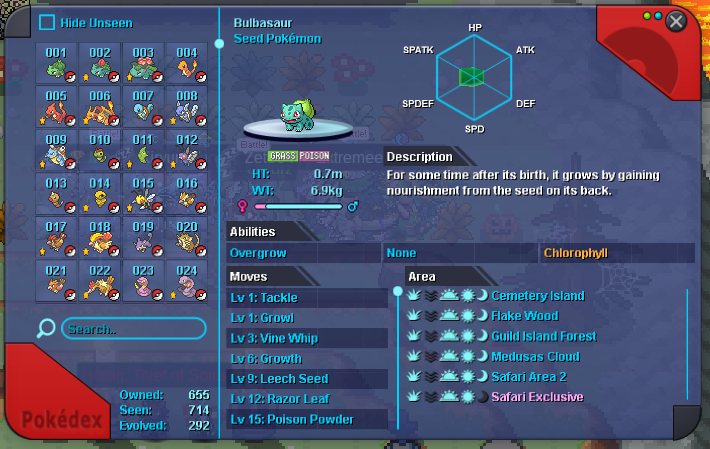
BUMP! I've already caught Latios and Latias, proving that I have over 300 evolutions. It's showing 292. There are some examples below the screenshot (there are more Pokémon that evolve besides these that aren't being counted).
-
Hello, The evolutions are bugged on my account. I know I have more than 300. I did a quest that requires more than 300. There are other guild members who are also having this same problem. There are some Pokémon I put here that I'm sure evolved but don't have a star (there are more, I just haven't looked at the full list).


-
I lowered the auction value
-
-
-
-
-
-
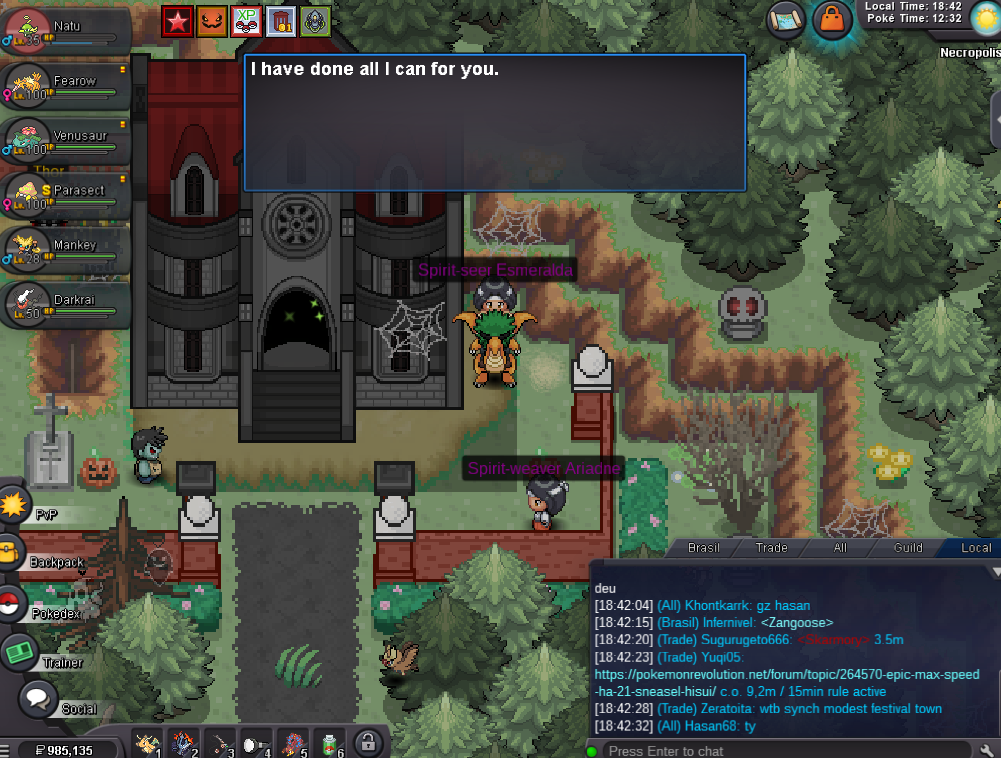
@Bitterblade Or other support please could you answer me. I did the whole quest... I can't reroll. 2 PROBLEMS: 1 - No starter clone Pokémon. (Screenshot above) had a spot on the team; 2 - Reroll is not allowed. What do I do now??
-
Did you die 3 times during your run? I can't say.