




New Trade Zone
Trade Zone is now live
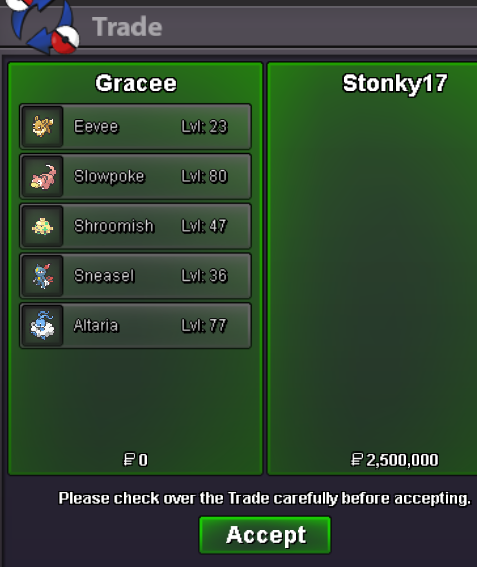
Use the new Trade Zone for auctions and instant-price trades so Pokemon and item offers are easy to find.
.jpeg.be845f7196fd3a0df3b5fb479236a5f0.jpeg)

Gracee
Registered User
-
Joined
-
Last visited
Everything posted by Gracee
-
last 6hrs left
-
+1 to all it took tiem to read, but ya i read it all in the end, and ya these are pretty good suggestion
-
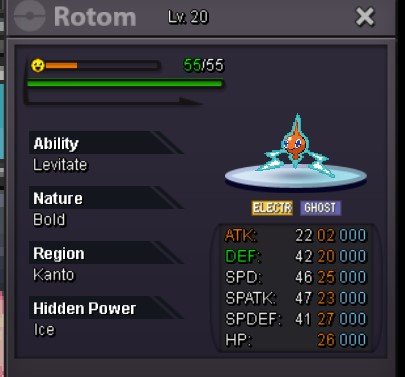
@P3drinho47 but Xiohazard already bid 150kS.O-100K MIN RAISE-50K INSTA-N/A ACCEPTED CURRENCY - CC-450K,RR-700K,RC-5K TIME LIMIT-24HR AFTER S.O
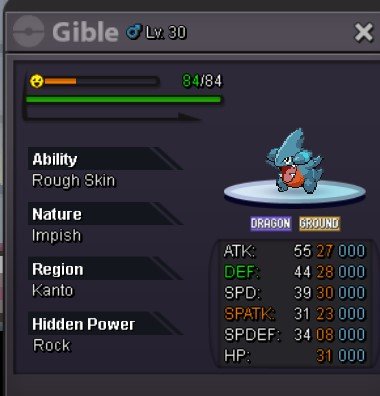
 @Glitterwing will keep that in mind, but the auction is itself 12hr ones, either ways Thankyou and @Agatethe auction ended way before ur bid, u miss this one but heyy we got a lot of mons to auction and will continue to auction mons for a while @Bisnorlaxu won the gible let me know when u can be onlinelast 1hr 40min leftS.O-100K MIN RAISE- 100K INSTA-N/A TIME LIMIT -12HR AFTER S.O currency accepted- cc-450k, rr-700k,rc-4k & cash
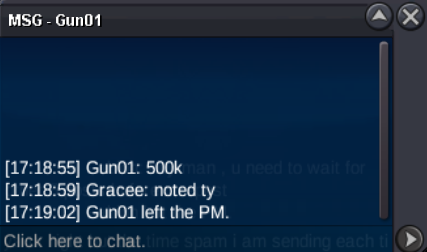
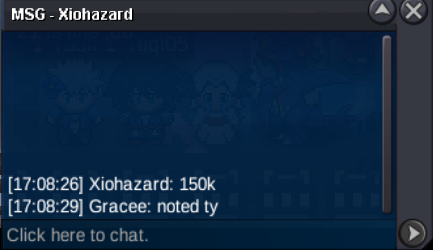
 COOL!, looking forward to seeing you1.4 clef@Daddyzard sorry for the late reply , will be online in the following 3hr900k feraligatorstartstart@Soares1 Sorry, But u have to Honor the outcome of the auction, and with what u said u can just sell it to the player for 2m, after u traded it with Gun01 But Either ways u cannot change the ouctome of the auction based on if u want it or not Kind Regard Gracee@Gun01 winner of the auction is @Soares1 with the bid of 1.9m , the bid of @Basantes25 is invalid as it is bidded 2hr later after the auction ended Kind Regard Gracee1m7 serp150k beed, 150k anni , 100k ludicolo, start primeape2200001@Stonky17 please tell me a time when u can be online


Account
Navigation
Search
Configure browser push notifications
Chrome (Android)
- Tap the lock icon next to the address bar.
- Tap Permissions → Notifications.
- Adjust your preference.
Chrome (Desktop)
- Click the padlock icon in the address bar.
- Select Site settings.
- Find Notifications and adjust your preference.
Safari (iOS 16.4+)
- Ensure the site is installed via Add to Home Screen.
- Open Settings App → Notifications.
- Find your app name and adjust your preference.
Safari (macOS)
- Go to Safari → Preferences.
- Click the Websites tab.
- Select Notifications in the sidebar.
- Find this website and adjust your preference.
Edge (Android)
- Tap the lock icon next to the address bar.
- Tap Permissions.
- Find Notifications and adjust your preference.
Edge (Desktop)
- Click the padlock icon in the address bar.
- Click Permissions for this site.
- Find Notifications and adjust your preference.
Firefox (Android)
- Go to Settings → Site permissions.
- Tap Notifications.
- Find this site in the list and adjust your preference.
Firefox (Desktop)
- Open Firefox Settings.
- Search for Notifications.
- Find this site in the list and adjust your preference.