




New Trade Zone
Trade Zone is now live
Use the new Trade Zone for auctions and instant-price trades so Pokemon and item offers are easy to find.

Envymeister
Registered User
-
Joined
-
Last visited
Everything posted by Envymeister
-
Bump
-
Bump
-
Pokémon Tower - Concept OverviewA repeatable PvE game mode where players battle through an infinite tower of trainers. The difficulty increases every 20 floors, providing progressively harder challenges while rewarding long-term progression. Entering the TowerBefore starting a run, the player selects: 3 Pokémon species they want to farm. Preferred Nature for those Pokémon. The encounter rates are based on the rarity of the selected Pokémon: Common: Eligible every floor. Uncommon: Eligible every 10 floors. Rare: Eligible every 20 floors. The system also checks whether the player has an active BMS to determine the Hidden Ability rate: 5% HA by default. 25% HA with an active BMS. Tower ProgressionThe tower has infinite floors. Every 20 floors, the difficulty increases. Players continue until they lose. Pokémon RewardsEvery 20 floors, the player receives one Pokémon based on their selected farming list. The generated Pokémon follows the normal encounter mechanics: Hidden Ability chance: 5% normally. 25% with an active BMS. 50% chance for Synchronize to match the player's selected Nature. Tower TokensWhen the tower run ends (the player loses), they receive Tower Tokens based on their progression. Tower ShopTower Tokens can be spent in a dedicated Tower Shop, offering exclusive rewards and long-term progression items. Potential rewards include: CosmeticsPvE-exclusive Chromas. Exclusive outfits, titles, mounts, or other cosmetics. UtilityReroll Tickets. New TMs. PvE and PvP consumables/items. Pokémon EncountersPlayers can purchase special Pokémon encounters rather than receiving the Pokémon directly. These would behave similarly to wild encounters. Standard Encounter (Cheaper) 5% Hidden Ability chance. 50% Synchronize chance. Premium Encounter (More Expensive) 50% Hidden Ability chance. 100% Synchronize chance (guaranteed preferred Nature). This creates an additional token sink while allowing players to chase specific Pokémon without making them guaranteed rewards. Long-Term GoalsThe Tower could also feature extremely expensive milestone rewards, such as: Exclusive Pokémon unavailable elsewhere. A Legendary encounter locked behind significant Tower progression.
-
Bump
-
IGN: envymeister Server:Gold Time zone:GMT +1 Discord name: envyle100
-
ING: envymeister TZ: Gmt+0
-
Start
-
10m
-
6.5m
-
bump
-
Sure can, we can discuss over in discord. What's ur discord?
-
Hello do you have discord? 😄 so we can talk there
-
Of course 😄 Can you give me your discord so we can freely talk there? 😄
-
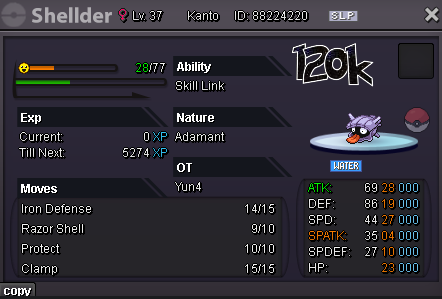
Wtb
-
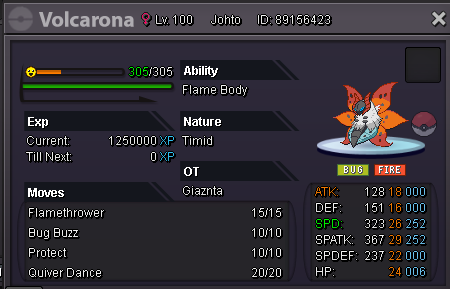
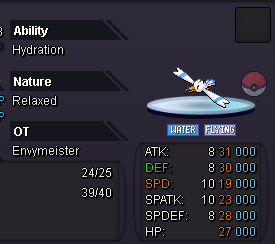
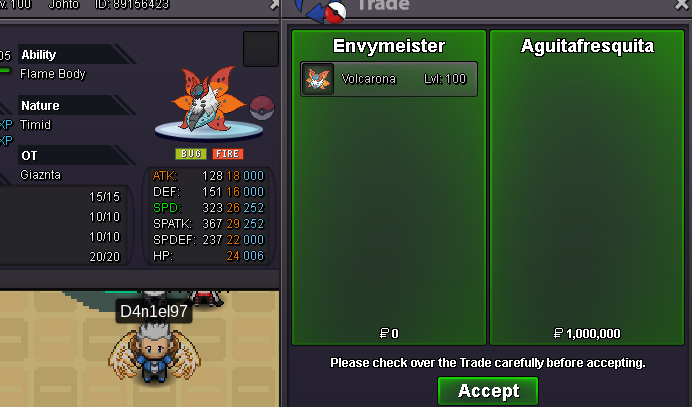
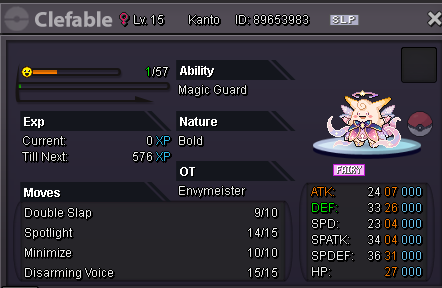
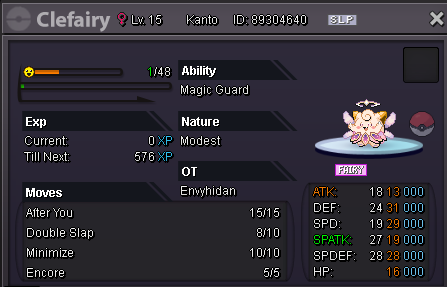
S.O. 300k Min Bid: 50k Insta 1M Time 48hrs after first bid CC=500k // RR=700k
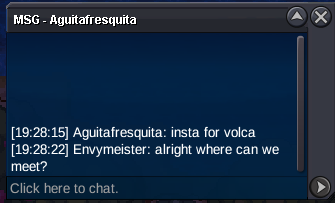
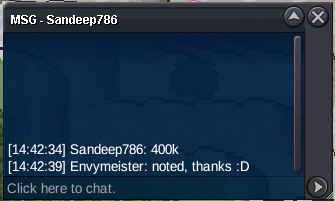
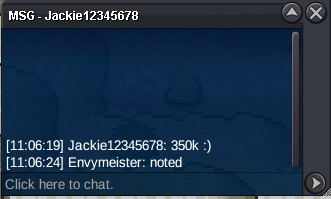
 Hi, when will you be around? 😄Oki, im onlineHello @Repure I will be around today, let me know when you around2m


Account
Navigation
Search
Configure browser push notifications
Chrome (Android)
- Tap the lock icon next to the address bar.
- Tap Permissions → Notifications.
- Adjust your preference.
Chrome (Desktop)
- Click the padlock icon in the address bar.
- Select Site settings.
- Find Notifications and adjust your preference.
Safari (iOS 16.4+)
- Ensure the site is installed via Add to Home Screen.
- Open Settings App → Notifications.
- Find your app name and adjust your preference.
Safari (macOS)
- Go to Safari → Preferences.
- Click the Websites tab.
- Select Notifications in the sidebar.
- Find this website and adjust your preference.
Edge (Android)
- Tap the lock icon next to the address bar.
- Tap Permissions.
- Find Notifications and adjust your preference.
Edge (Desktop)
- Click the padlock icon in the address bar.
- Click Permissions for this site.
- Find Notifications and adjust your preference.
Firefox (Android)
- Go to Settings → Site permissions.
- Tap Notifications.
- Find this site in the list and adjust your preference.
Firefox (Desktop)
- Open Firefox Settings.
- Search for Notifications.
- Find this site in the list and adjust your preference.