




New Trade Zone
Trade Zone is now live
Use the new Trade Zone for auctions and instant-price trades so Pokemon and item offers are easy to find.

Pvpking1
Registered User
-
Joined
-
Last visited
Everything posted by Pvpking1
-
u won
-
6h left, co 3.2m
-
15h left , co 3m by michaelx
-
Ok, no problem Bro. I can Wait till u got unban if u win the bid. U start the bo. 20h left
-
up
-
Yes. U gonna start the bid??
-
the rewards are good, but there are a big problem with this contest, i think. If it is random weekly , and only take a 1h30min, people that works or they are sleeping on that time will cant play this quest on many weeks if they are unlucky . i think if is once per week , at least 12h or 24h the quest , or more than one time per week
-
up
-
up
-
up
-
sorry, so is 3m, i got 4 offer of 2.5m start and i refused xd
-
Up
-
up
-
600k
-
Up
-
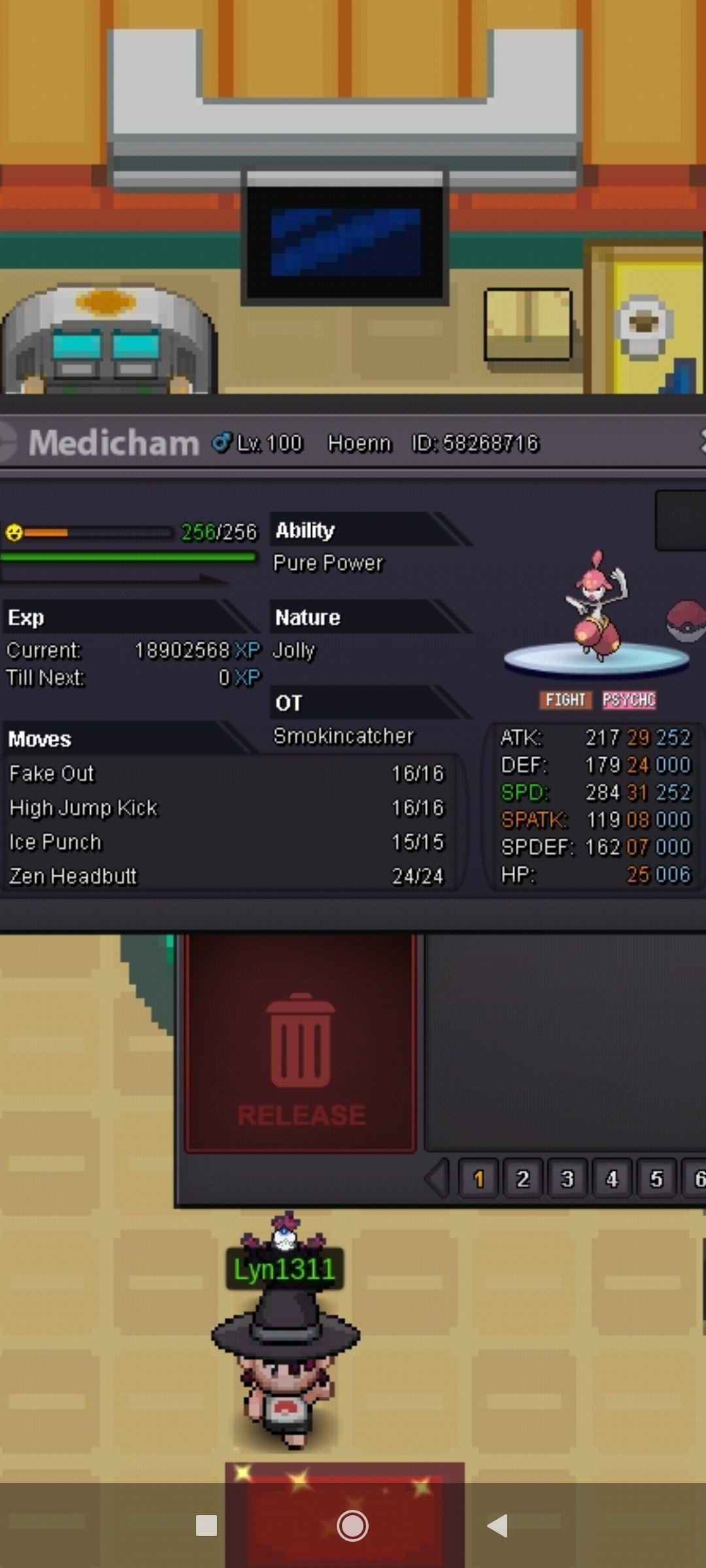
Hi. Wts this medicham. 24h of BID after first offer 3m so , 5m insta , min BID 100k I Accept CC=350k , nature reroll=350k , rerol ticket 700k Pm here , in Game or in discord dcp19#3887 Gl bidding , hace nice day
-
Player name: Pvpking1 Showdown name: dcp21 Server: Silver Timezone: GMT +1 (España) Rank on ladder: 19
-
Username : pvpking1 Server: silver Country: Spain/ GMT +1
-
Player name: pvpking1 Showdown name: dcp21 Server: Silver Timezone: GMT+1 Rank on ladder: 14
-
Player name: pvpking1 Showdown name: dcp21 Server silver Timezone: Gmt +1 Rank on ladder: 6
-
ei, that poke was sold in game time ago, i forgot update that
-
-
Man, doing teams with ninja or ageislash some useless. And if u dont explain how to use each team, wont work much. And u should do this with pro meta. But gj anyways
-
4.7m
-
4m
