New Trade Zone
Trade Zone is now live
Use the new Trade Zone for auctions and instant-price trades so Pokemon and item offers are easy to find.

Hayoungie
Suspended
-
Joined
-
Last visited
Everything posted by Hayoungie
-
Shellder 590k
-
how much rotom wash sir?
-
Okay i’ll reach u once im login
-
3m
-
2.5m
-
2m
-
Akatsuki robe? And black cat ears sir?
-
got the jolly already, just slot for impish is left. let me know in game or this thread thanks
-
Sorry just arrived at home im online now
-
Gible 2.05m
-
-
Looking For good ivs Jolly/Impish Gible with H.A, show the pokes here or PM me in game, Thank You
-
yes sir
-
i'm online now sir
-
I’m outside now maybe 5hrs ahead i can online
-
1m666k
-
1m510k sorry
-
1m51k
-
bump
-
bump
-
1. 2. 1. EPIC JOLLY O.B : 300k INSTA : 1M 2. 31 SPD JOLLY O.B : 700K INSTA : 2M I'm not frequently into the game right now, so you can drop me an offer by discord : Hayoung #5481 DURATION : 68hrs FROM THIS THREAD POSTED. THANKS STAFF & ADMIN
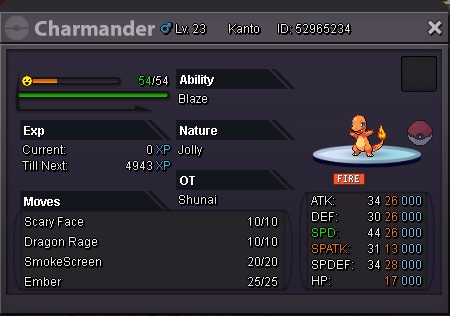
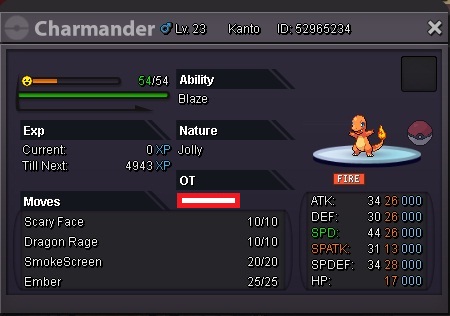
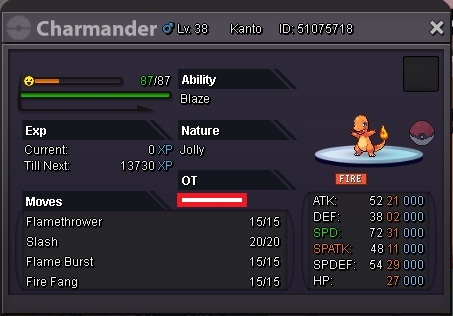
-
My IGN : Hayoungie Gimme Dollars PLS :3
-
The game already fixed by now, thank you for the advice Shinohara-sama ^^
-
I Alreaady did all the step above but still having the same problem :(
-
Excuse me Staff, GM and fellow members, IGN : Hayoungie Server : Silver I had an issue right after i downloaded the new client for playing PRO as per today (3rd March 2019), The game won't coming out after i changing my area through portal and it kinda stuck everytime i tried to change area, is it caused from the new client ? or maybe it can be fix by myself ? please give me some advice and thank you.