New Trade Zone
Trade Zone is now live
Use the new Trade Zone for auctions and instant-price trades so Pokemon and item offers are easy to find.


Popopop1279
Registered User
-
Joined
-
Last visited
Everything posted by Popopop1279
-
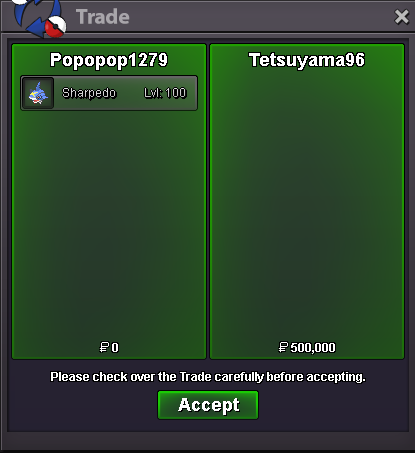
@Tetsuyama96 You won I'm heading to bed soon, but I'll send you a convo with my discord so we can do the trade later.Bump, 2 hrs 18 minutes left ( assuming my time is correct ) On the sharpedo auctionS.o: 200k Insta: 500k The auction lasts 24hrs after the first bid is made - Minimum bid is 50k+ - I accept CC as payment ( 1 cc = 400k ) -I can ship anywhere, but can't ship to silver
 I'll start these 3, I'm from gold. Edit: Sorry, unsure why but the forum double posted my reply.

 I'll start these 3, I'm from gold.
I'm stupid, I completely forgot to add a insta and forgot about the new rule. Guess there's no insta on the shark rip, thanks for reminding me thoI'd like to buy these 3
I'll start these 3, I'm from gold.
I'm stupid, I completely forgot to add a insta and forgot about the new rule. Guess there's no insta on the shark rip, thanks for reminding me thoI'd like to buy these 3
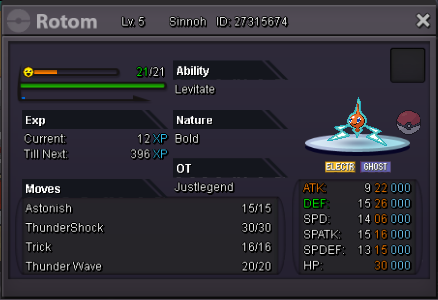
 Bump, you guys can bid nowIv rerolls added and changed to 700kClosed I'll sell them ingame laterbump, sold infernape and loppuny ingameBumppBump, sold medicham added Kommo-oBumpBump, added a new swampert and medicham. Sold chandalureBump, sold dragonite and swampert I'll be adding a few new pokes in later todayBumps bump Sold Cloyster ingameI'll bid Mandibuzz* didn't realize it was a auction lmaoBump bumpppp+1Bump Removed Exca, sold ingame. lowered price on dragonite