




New Trade Zone
Trade Zone is now live
Use the new Trade Zone for auctions and instant-price trades so Pokemon and item offers are easy to find.

Sneakyseal
Registered User
-
Joined
-
Last visited
-
If thats possible it would be a nice touch since sometimes it becomes difficult to press some butons on phone due being too small!!
-
I got rare candy x1 from tickets (in case u wanna add it to the list )
-
You can close it i joined Phoenix. Thanks
-
1. SneakySeal 2. 450+ 3. Cyndaquil 4. Greece 5. 27 6. 1/8/1991
-
Im a returing player and i got more than 400 hours ingame I love hunting pokemons more than everything else and thats my main focus ingame Im 27 y/o from Greece but im comfortable with English too Im looking for a casual and active guild to meet new people and have fun!! Feel free to leave me message here or ingame (my IGN: SneakySeal) Thanks :)
-
Bump!
-
Sold
-
u fixed it!! Thanks a lot <3
-
-
-
-
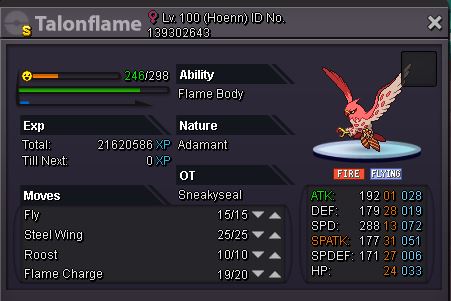
Could you fix the shiny talonflame sprite please? At the moment its a shiny chimecho :(

-
Im in!! Good luck to everyone
-
Bump!!
-
Up!!!
