Skip to content
View in the app

A better way to browse. Learn more.

Pokemon Revolution Online

A full-screen app on your home screen with push notifications, badges and more.

To install this app on iOS and iPadOS
  1. Tap the Share icon in Safari
  2. Scroll the menu and tap Add to Home Screen.
  3. Tap Add in the top-right corner.
To install this app on Android
  1. Tap the 3-dot menu (⋮) in the top-right corner of the browser.
  2. Tap Add to Home screen or Install app.
  3. Confirm by tapping Install.
New Trade Zone
Trade Zone is now live
Use the new Trade Zone for auctions and instant-price trades so Pokemon and item offers are easy to find.

Open Trade Zone

Desumi

Suspended
  • Joined

  • Last visited

Everything posted by Desumi

  1. Desumi replied to Eldir's topic in Playground
    319
  2. Desumi replied to Desumi's topic in Playground
    706
  3. Enjoy dreaming about the good ol World Quest days while I slowly win this forum game uwu
  4. 100 all according to my plan uwu
  5. Desumi replied to Eldir's topic in Playground
    317
  6. Can't relate, spent 12 hours looking for a ghost - ehem I mean a Normal type Eevee. I guess PRO has lost their touch. But well, as the great Professor Oak once said:
  7. No tier 9s, easier WQ times
  8. Desumi replied to Desumi's topic in Playground
    704
  9. Desumi replied to Eldir's topic in Playground
    315
  10. Desumi replied to Eldir's topic in Playground
    313
  11. Desumi replied to Desumi's topic in Playground
    702
  12. Desumi replied to Eldir's topic in Playground
    311
  13. Desumi replied to Desumi's topic in Playground
    700
  14. Desumi replied to Eldir's topic in Playground
    309
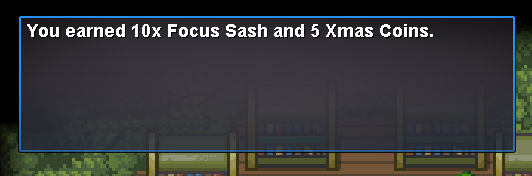
  15. Have you interacted with the reporters yet? They are found in Littleroot town near the exit. You might have already done that by accident, so you should also go check the TV in the starter house for this message: Also, are you following this guide? If not, I recommend doing so.
Account

Navigation

Search

Search

Configure browser push notifications

Chrome (Android)
  1. Tap the lock icon next to the address bar.
  2. Tap Permissions → Notifications.
  3. Adjust your preference.
Chrome (Desktop)
  1. Click the padlock icon in the address bar.
  2. Select Site settings.
  3. Find Notifications and adjust your preference.