New Trade Zone
Trade Zone is now live
Use the new Trade Zone for auctions and instant-price trades so Pokemon and item offers are easy to find.


Desumi
Suspended
-
Joined
-
Last visited
Everything posted by Desumi
-
Almost better than Pokemon Revolution Online uwu
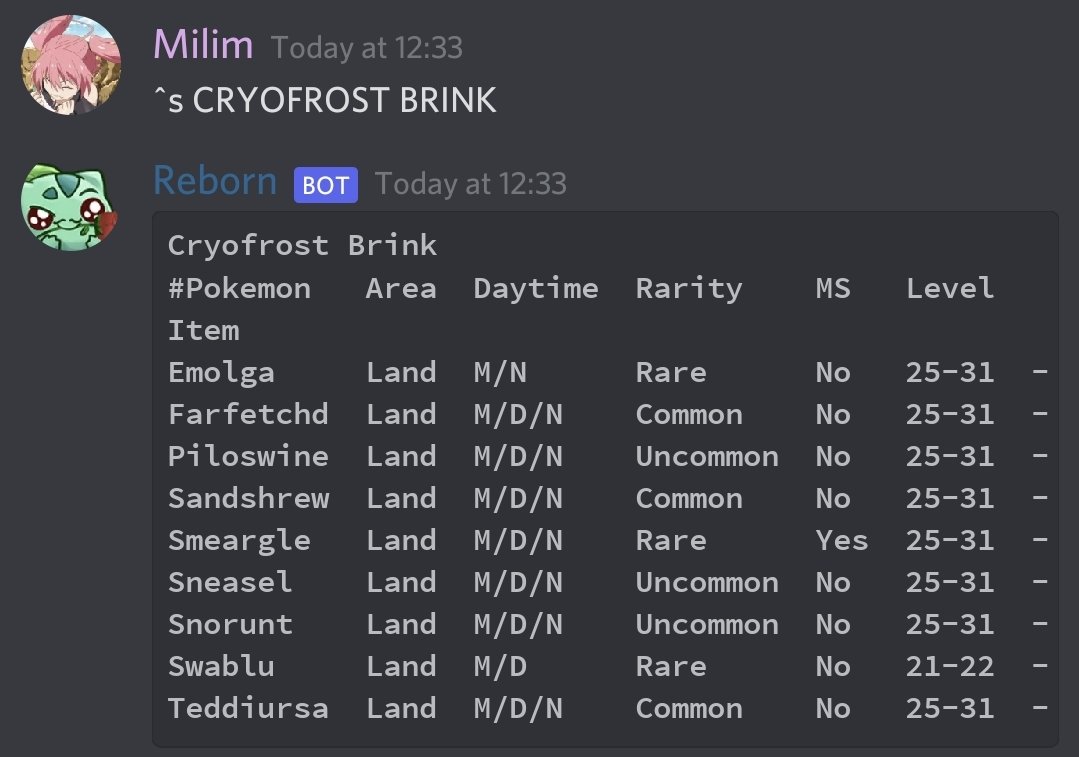
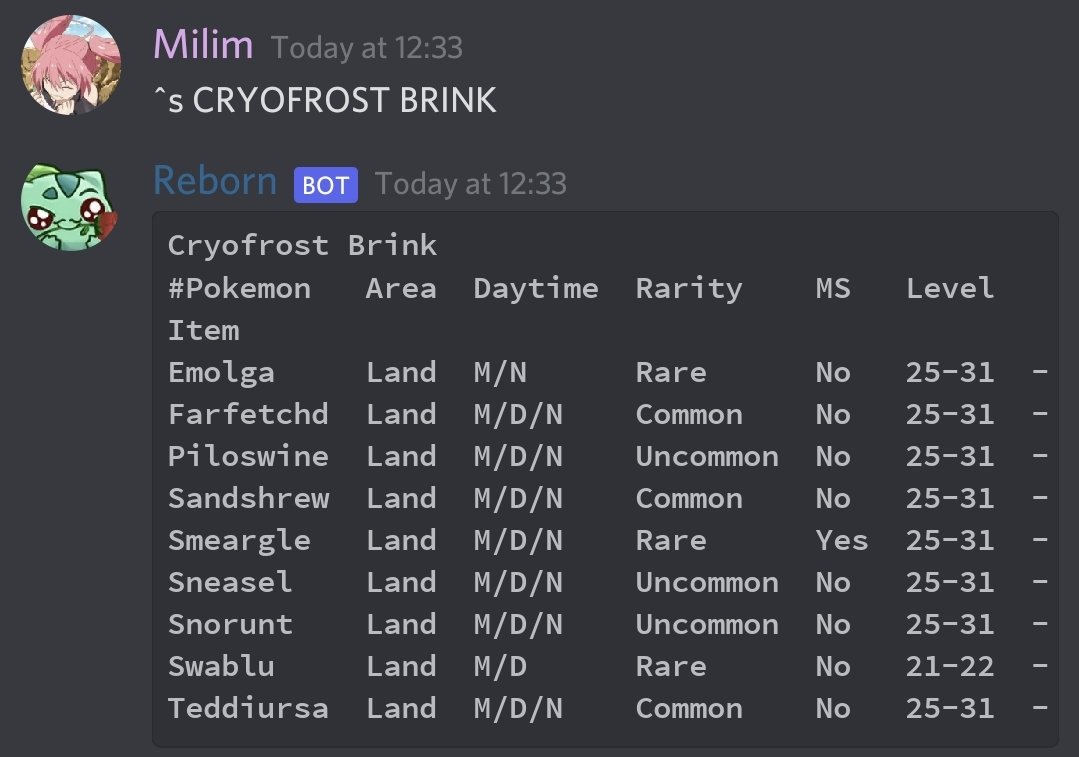
 Its a MS (aka membership) only spawn. Also, its rarity is between 7 and 9, which means that its the hardest to find and it is all RNG and luck based. But according to Reborn bot, it should spawn there, so I doubt its a bug. Unless they messed up the spawns which is unlikely, but not entirely out of the picture with the recent weird mysterious spawns.
 Merry xPRO and a happy new Pokemon year.I should just stick to editing my megapost, but it takes sooooooooooooooooooooooooooooo much time to fix. I rather spend that amount winning this particular forum game uwu