




New Trade Zone
Trade Zone is now live
Use the new Trade Zone for auctions and instant-price trades so Pokemon and item offers are easy to find.

Raininglies
Registered User
-
Joined
-
Last visited
-
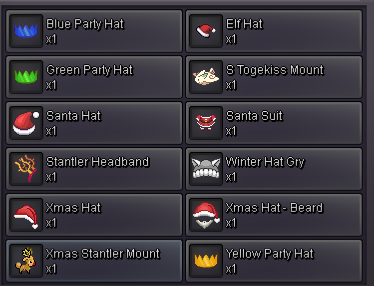
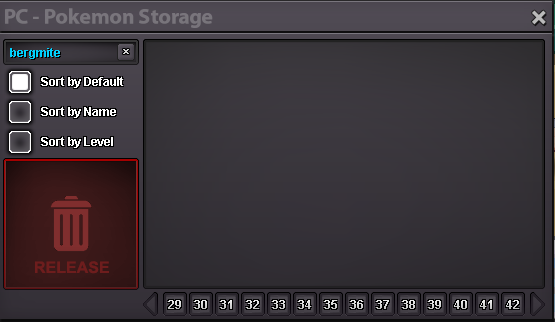
Hello guys I played this game last during the x mas event and I am so sure the x mas event had a Bergmite as one of the pokes (don't remember if it was 2017 or 2018 x mas event) I even had the santer mount and I found multiple Bergmites but where are they? They are not in my box and they are also not even in my pokedex. I just find this situation weird. Is this a bug? Where are all my Bergmites I caught?

-
when you manually edit the game can I sign in to my account?
-
how did you get them back? I still can't see mine.
-
I am just posting this to let you know I posted something if you might have missed it earlier[uSER=2540608] @WhiteBaron[/uSER] edit: nvm, it looks like you merged the threads I did not see the earlier posts.
-
nvm my computer is bugging, the thread it still there.
-
The same thing happened to me. Do I submit a support ticket? Server: Silver IGN: RainingLies Description: Walked into Littleroot Town truck and npc disappeared, including paul. Now nowhere to be found. Also never battled anyone.
-
Will Brock come back if i rejected his quest? Because I rejected his quest by accident.