




Skip to content
View in the app

A better way to browse. Learn more.

Pokemon Revolution Online

A full-screen app on your home screen with push notifications, badges and more.

To install this app on iOS and iPadOS
  1. Tap the Share icon in Safari
  2. Scroll the menu and tap Add to Home Screen.
  3. Tap Add in the top-right corner.
To install this app on Android
  1. Tap the 3-dot menu (⋮) in the top-right corner of the browser.
  2. Tap Add to Home screen or Install app.
  3. Confirm by tapping Install.

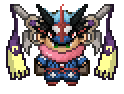
breloom h.a jolly 31spd, ferrothorn sassy 31def 31spdef 28hp, gengar timid 31spd 24+, greninja timid protean 25spd 2x31 1x30, slowbro 31def 3x26
Featured Replies

  • Replies 122
  • Views 22.2k
  • Created
  • Last Reply

Top Posters In This Topic

Most Popular Posts

  • @fetxize To clarify, you've announced the winners correctly in your opening post. Please post the trade windows when you complete the trades (noticed you already traded the Gengar and Slowbro, please

  • Kitretsu05
    Kitretsu05

    600k breloom

  • Hektoras
    Hektoras

    Me i ll wait the moderator @eon to check the times...if im correct according the 08:37 gmt +2 end of auction..my 5m Was the last valid....anyway things will be cleared soon

Posted Images

Guest
This topic is now closed to further replies.

Account

Navigation

Search

Search

Configure browser push notifications

Chrome (Android)
  1. Tap the lock icon next to the address bar.
  2. Tap Permissions → Notifications.
  3. Adjust your preference.
Chrome (Desktop)
  1. Click the padlock icon in the address bar.
  2. Select Site settings.
  3. Find Notifications and adjust your preference.