New Trade Zone
Trade Zone is now live
Use the new Trade Zone for auctions and instant-price trades so Pokemon and item offers are easy to find.
All Activity
Past hour
-
really thanks
-
hello i want to buy from u
-
can i buy life orb silver server
-
Kaiza0 joined the community
-
still open?
-
Hello, You've received a reply elsewhere. As mentioned before, please do not spam every forum subforum with posts, as this could lead to actions taken against your account. Regards, Drakloak
-
Newtorange joined the community
-
Beefpunch joined the community
-
hello, do u have thor set?
-
Maggotpad joined the community
Today
-
No Problem, Goodluck.. Before placing an bid be careful in future..
-
ty for reply i will report iy. have a nice day
-
Martin9797 joined the community
-
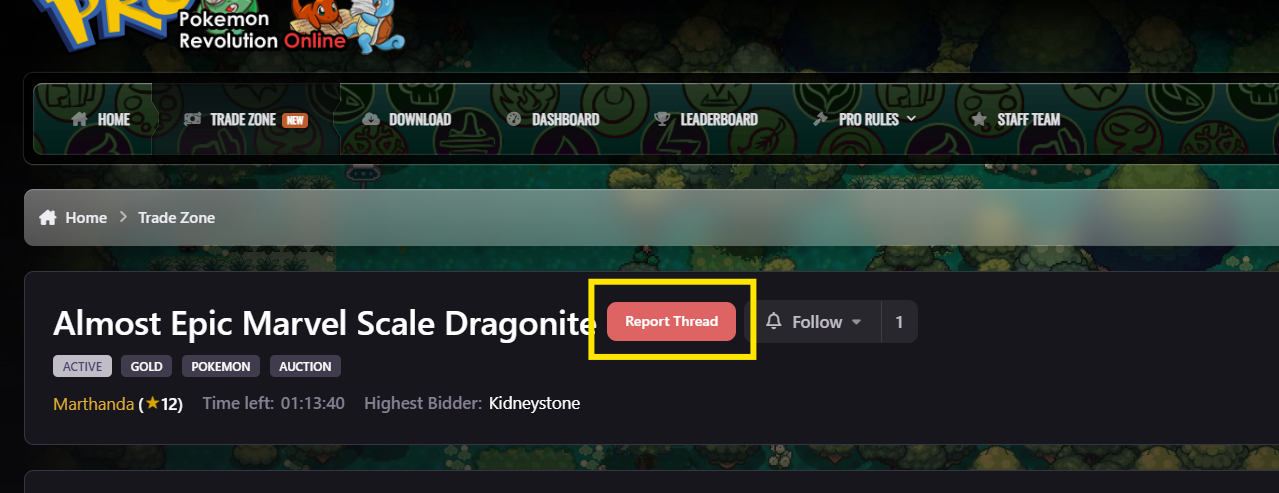
Hello @Kidneystone If you're okay with transferring your server from Silver to Gold, you can transfer your server and then complete the deal afterward. However, please keep in mind that there is nearly an hour left before the auction ends, so there is a possibility that someone else may place a higher bid. You can transfer your server by going to Dashboard > Server Transfer. Server transfers are free once every 30 days; additional transfers require 100 Coins. You can access the Server Transfer page here: Server Transfer If you don't want to transfer your server, you can report the auction using the Report button and explain the issue in detail. Please keep in mind that the auction still has about an hour remaining, so you may want to consider your options before it ends. Goodluck!
-
Lanlamlan joined the community
-
Huinan joined the community
-
https://pokemonrevolution.net/forum/trade/5913/ i am silver and that is gold. can you help me pls? was my mistake. sorry
-
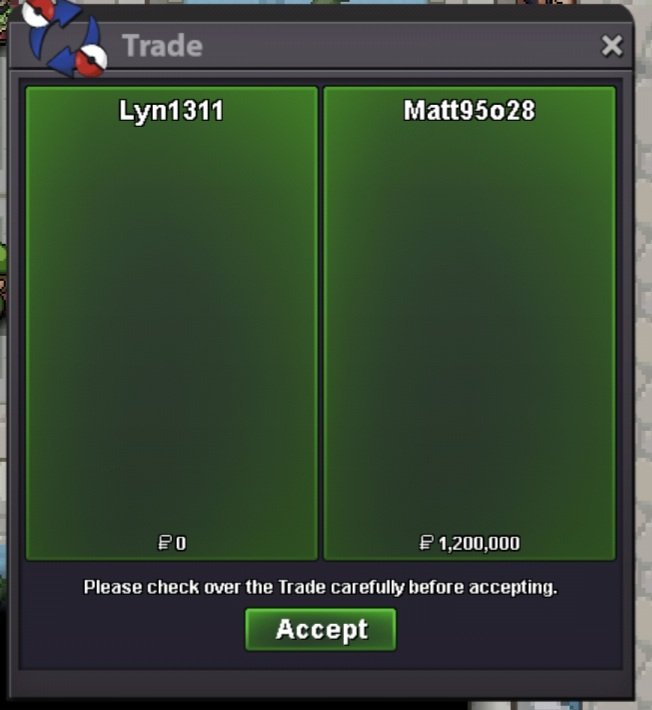
Hello @Vnbodoi You can check the reason for your Trade Ban by going to Dashboard > Infraction History. If you are asked to enter your username and password, please use your IGN (in-game name) and your account password to log in. To make things easier, you can access your Infraction History directly here: Infraction History If you believe the ban was unfair, you can submit an appeal here: Discipline Appeal Goodluck! ~Regards
-
Kinnako joined the communitybump :)Hello, you can now closed this thread or mark this as a resolve thread thanks for your response :3Ogispielt joined the communityLequancuti joined the communityUpService quest Minigames x8, minigames boss and rocket hideout quest. Thnx much, glhf! Shop announcement!!!! Shop will be open until next sunday and it will be closed till halloween! Grab your victini, victini and latis twin summer form when you have chance!!!
 Hello there, During my daycare leveling services, I frequently train with a full party of six Pokémon in the Trainer Tower. I’ve observed that after certain battles, 1–2 Pokémon fail to gain experience, while the rest of the party does.The battle message still states that all Pokémon gained EXP, but in reality, those specific Pokémon show no increase in their experience bar or level progression. This discrepancy occurs randomly and has been noticed multiple times. Could you kindly investigate this issue and confirm whether it is a bug or an intended mechanic? Thank you for your time. ~Best regardsbumpDue to inactivity, I'll go ahead and close this thread now. Please make another if you require further assistance!I see you were able to fix your details, that's great! I'll go ahead and close this thread now. Please make another if you require further assistance!Due to inactivity, I'll go ahead and close this thread now. Please make another if you require further assistance.Due to inactivity, I'll go ahead and close this thread now. Please make another if you require further assistance.Due to inactivity, I'll go ahead and close this thread now. Please make another if you require further assistance.Due to inactivity, I'll go ahead and close this thread now. Please make another if you require further assistance.Due to inactivity, I'll go ahead and close this thread now. Please make another if you require further assistance.