New Trade Zone
Trade Zone is now live
Use the new Trade Zone for auctions and instant-price trades so Pokemon and item offers are easy to find.
All Activity
Past hour
-
Rainor joined the community
-
bump
-
bump
-
bump
-
bump
-
bump!
-
Veenixis joined the community
Today
-
You know its sus when the post creator is suspended
-
bump
-
Esrcfftw joined the community
-
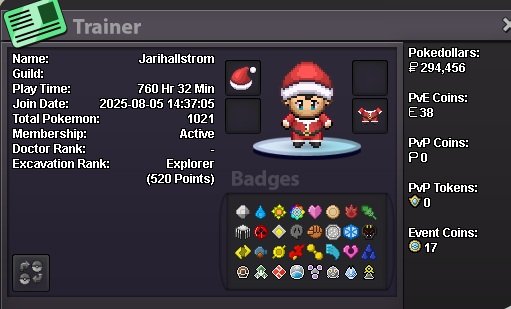
Does posts get deleted here sometimes? BC i could have sworn i applied but cant find my application :/ just posting my card this time
-
Mengoxyz joined the community
-
Jacopo27 joined the community
-
Tmlyioxf joined the community
-
Nortbr joined the community
-
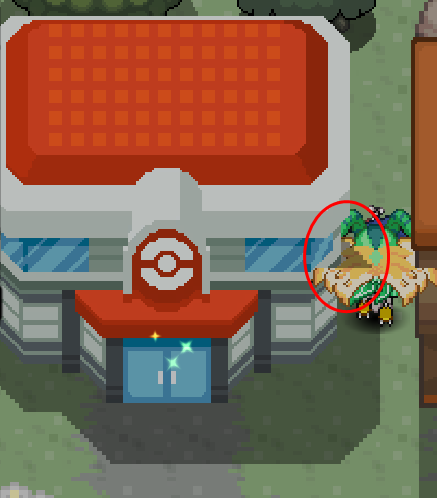
Hello there, I would like to report a minor layer bug. At the edge of the Pokécenter tile, a shadow appears on top of the player instead of behind it. This happens only at the tile edge, as shown in the attached screenshot. Location: Pokécenter tile edge Vermillion City. Thank you for your time. Kind regards, DivineGold
-
Mlcpfxfl joined the community
-
Unbanme joined the community
-
Qjwvzljd joined the community
-
SLOTS ARE FULL FOR STORY SERVICES!
-
Wtb sinnoh service
-
-
Hi, I currently purschase 2 reroll ticket from PVE shop, and they haven't appeal in my bag. I think they are missing. My PVE coins was 92 coins before I bought the reroll IVS ticket

-
+1
-
@Pokehunter279 thanks for the information
Yesterday
+1Each prof is giving me the same time of 0 and I've already beaten all the regions. I can't get through the cave of origin without 50hrs playtime in hoenn.png.8729742b1b9013e949911cab780e7673.png) bump!upHello! Could you please provide a few screenshots showing the issue? This will help me better understand the situation and assist you accordingly. Thank you for your cooperation. Kind regards. Hallowglow.+1 u should be able to see to see it
bump!upHello! Could you please provide a few screenshots showing the issue? This will help me better understand the situation and assist you accordingly. Thank you for your cooperation. Kind regards. Hallowglow.+1 u should be able to see to see it