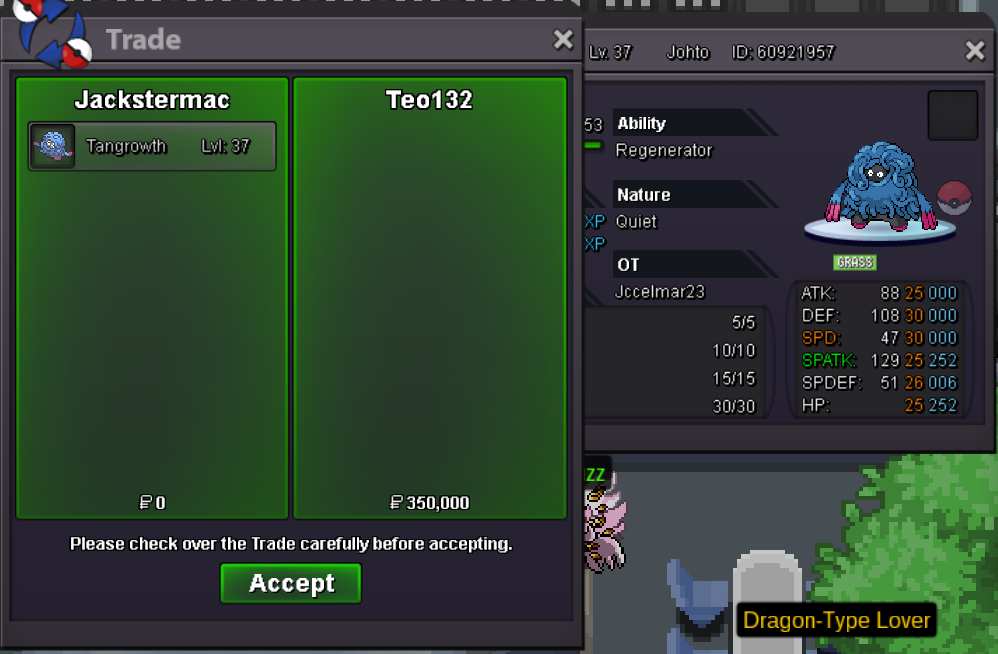
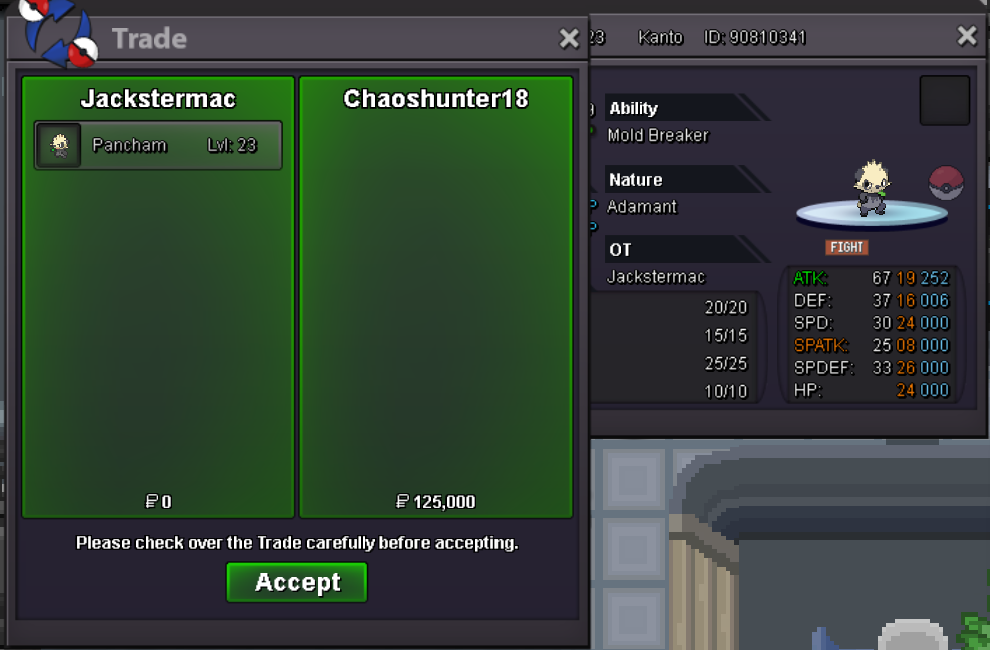
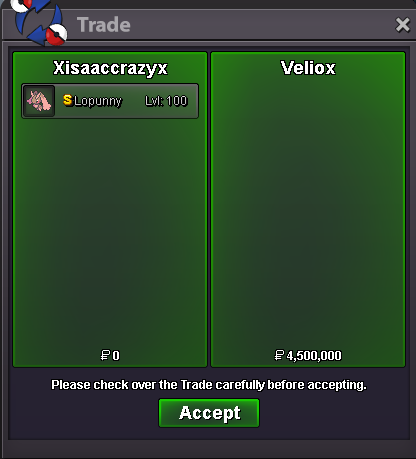
New Trade Zone
Trade Zone is now live
Use the new Trade Zone for auctions and instant-price trades so Pokemon and item offers are easy to find.
All Activity
Past hour
-
-1 Mods, can you ban him as a preventive measure so he doesn't get any more stupid ideas like that?
Today
-
Scorpii2 joined the community
-
Zacian731 joined the community
-
appology its done now. the requirement is satisfied
-
Instead of reworking every existing boss, how about they add some new expiremental bosses that ban different strategies such as baton pass. They would have their own reward pool and difficulty tiers seperate from that of normal bosses and have a seperate cool down aswell.
-
Goldenpaper joined the community
-
-1 Dont see myself hunting another boss team just for a boss which can have drop you dont like. Baton pass is fine.
-
Thaihoathan joined the communityHave you tried ANY other boss strat besides Baton Pass to clear Bosses on Hardmode. If so - which (if u don't mind sharing) and what was the result?Hello! First of all, I sincerely apologize for the incorrect information provided in my previous response. If a Legendary Pokémon is defeated on Birth Island, it won't respawn in its original location. The respawn mechanic I mentioned only applies to Legendaries defeated after completing their respective quest. This is why Latias didn't respawn as I previously stated. I'm also sorry for the delay in getting back to you. Since Latias was defeated on Birth Island, you'll need another Mysterious Ticket for another chance to encounter it. Once you use a new ticket, Latias will have a chance to spawn again according to the usual Legendary spawn system. You can obtain one Mysterious Ticket from each World Quest where you reach the required 0.5% contribution. World Quests are generally around the beginning of each season. For future Birth Island encounters, I recommend bringing a Master Ball with you. Master Balls can be obtained from PvE Shop for 60 PvE Coins, PvP Shop for 50 PvP Coins, and potentially from the Professor Rowan, Spectify, and Battle Bot boss NPCs. They can also potentially be obtained as a 1st Place reward from the Bug Catching Contest, 6th Day reward from the Solaceon Town News Reporter or through the Item Recycler. Unfortunately, there is no further solution we can provide for this encounter. I apologize for the inconvenience and appreciate your understanding. Kind regards. Hallowglow.Conappe joined the communityselling if selling dms me on discord i want to negotiate my discord is : lunarbymysidestill selling?
Yesterday
Jjakc joined the community-1-1-1huge +1! auction "flooding", where one user posts several listings back to back makes the feed hard to navigate. it hurts buyers, who have to sift through the clutter to find what they want, and it hurts sellers who don't flood or prefer to stagger their auctions, since their listings get buried and end up missing the exposure they should have. imo users should only be able to make around 5 listings at one time.+1Trying to draw for the first time, saw a lot of anime halloween form, i like froakie and thought it could fit with gojo so i tried to give froakie a "gojo form", hope u like it Exosilky joined the communityBumpTouchgrassmagoo joined the communitybump!sold
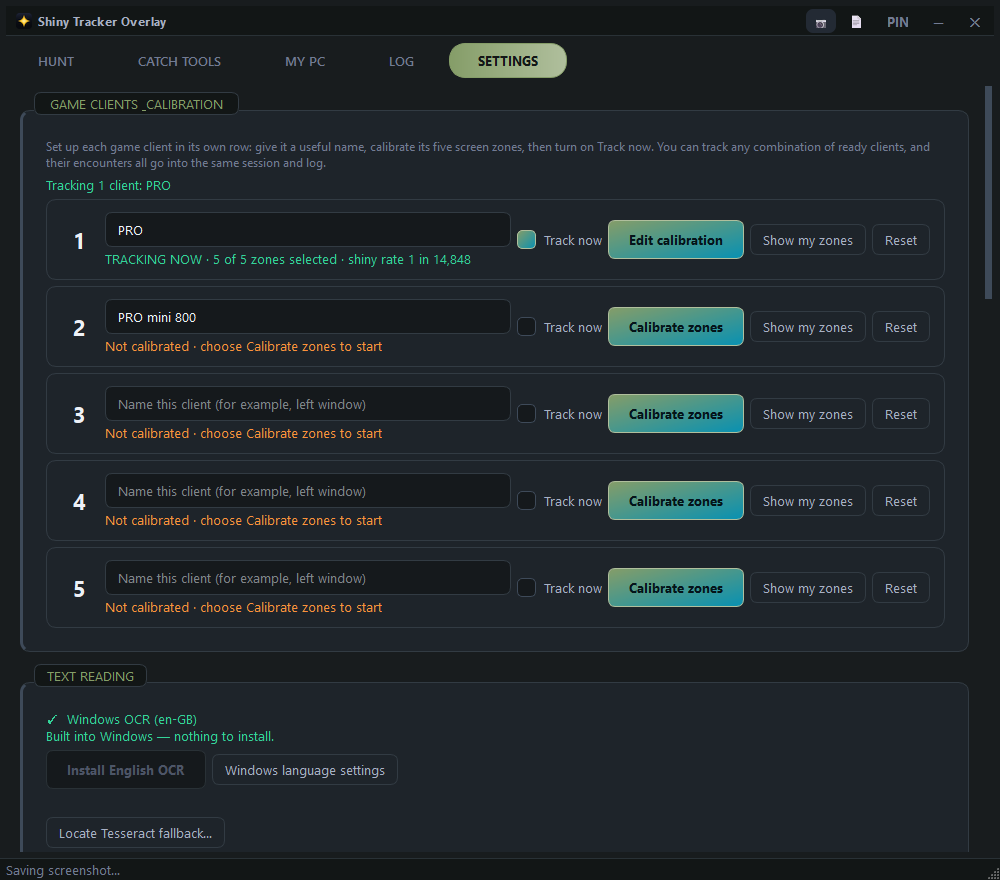
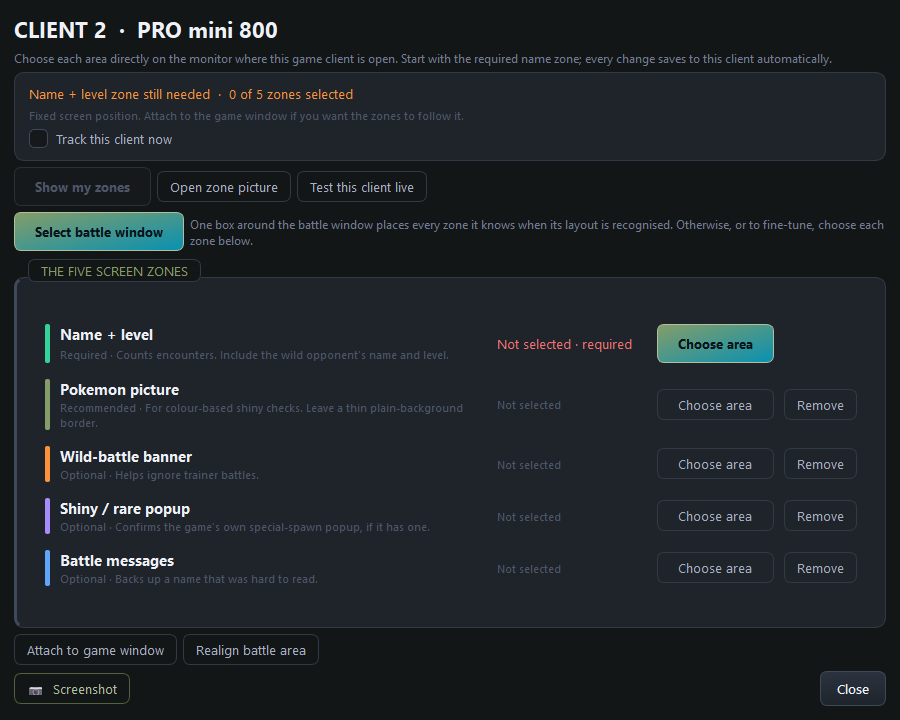
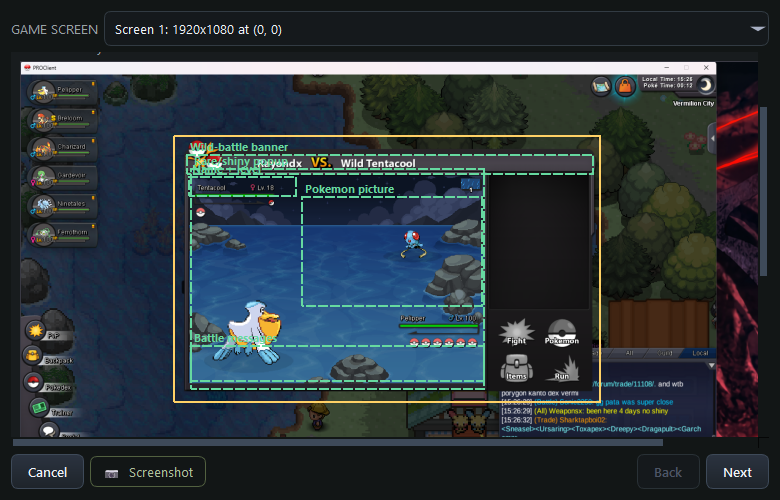
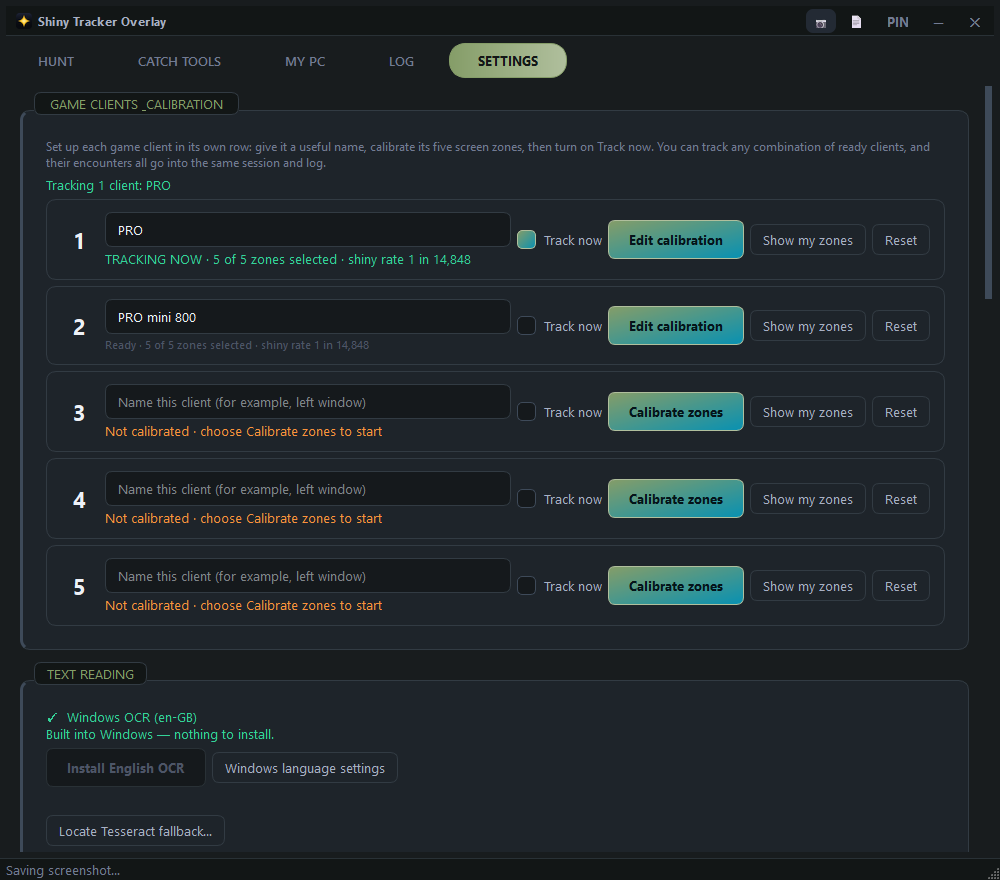
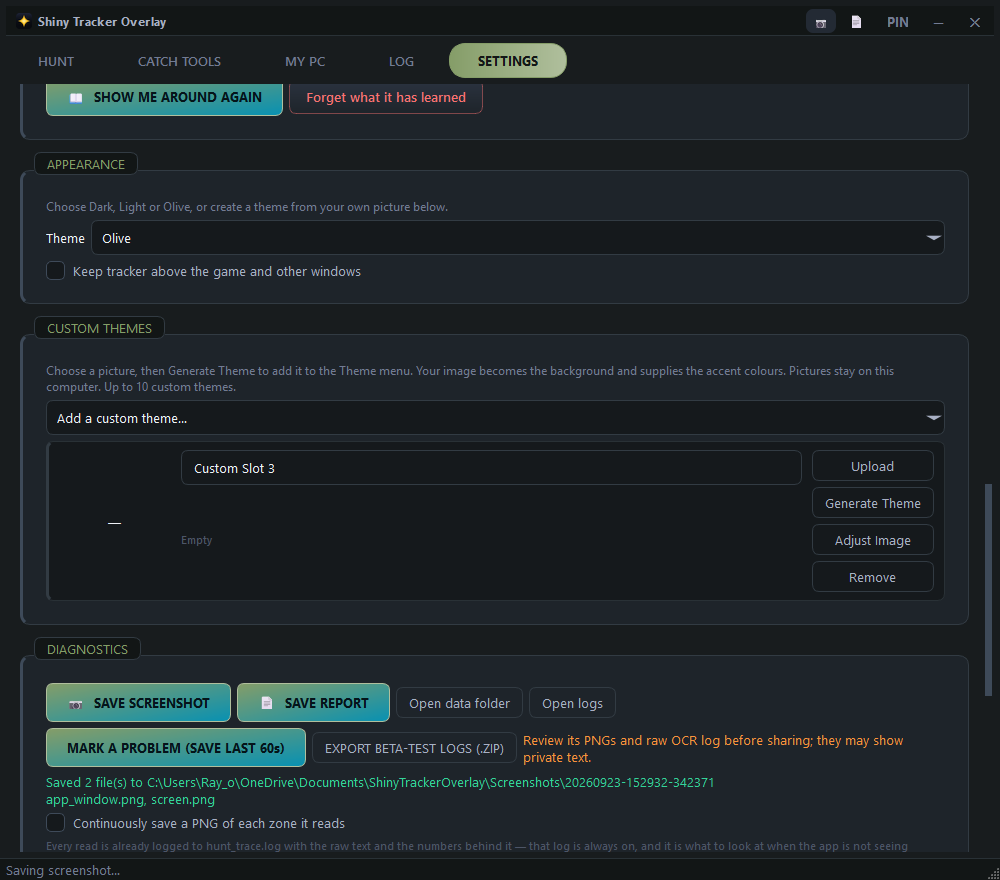
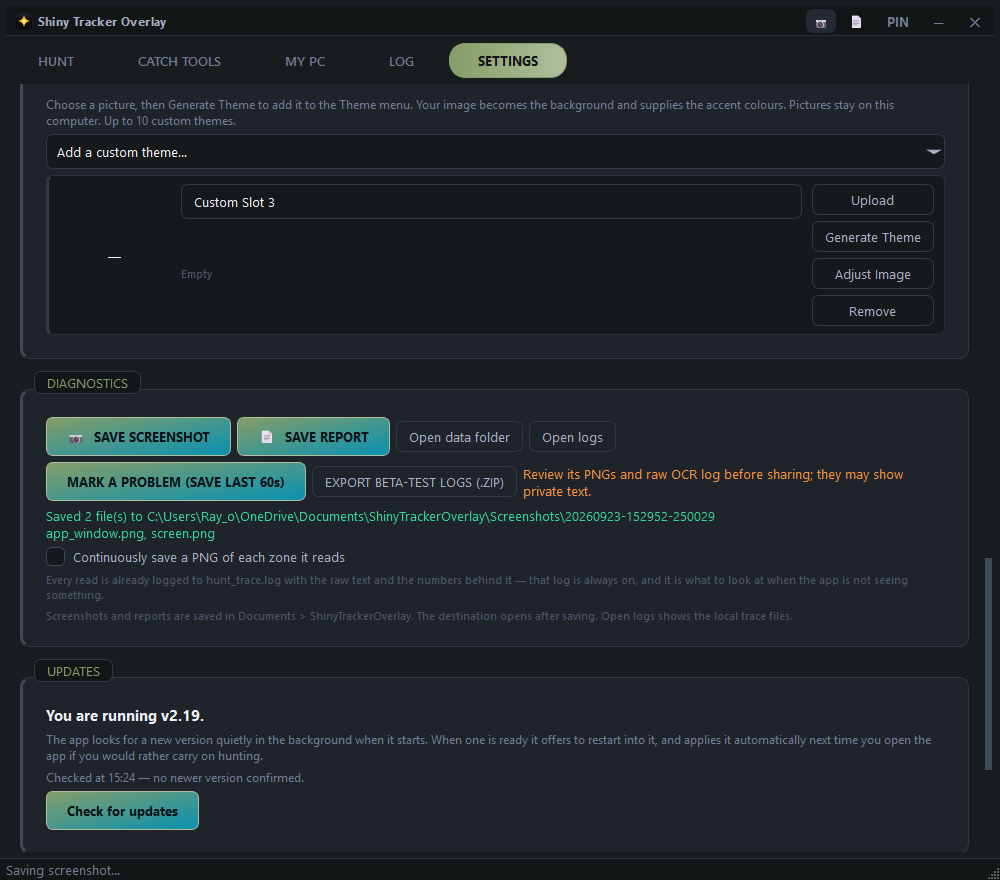
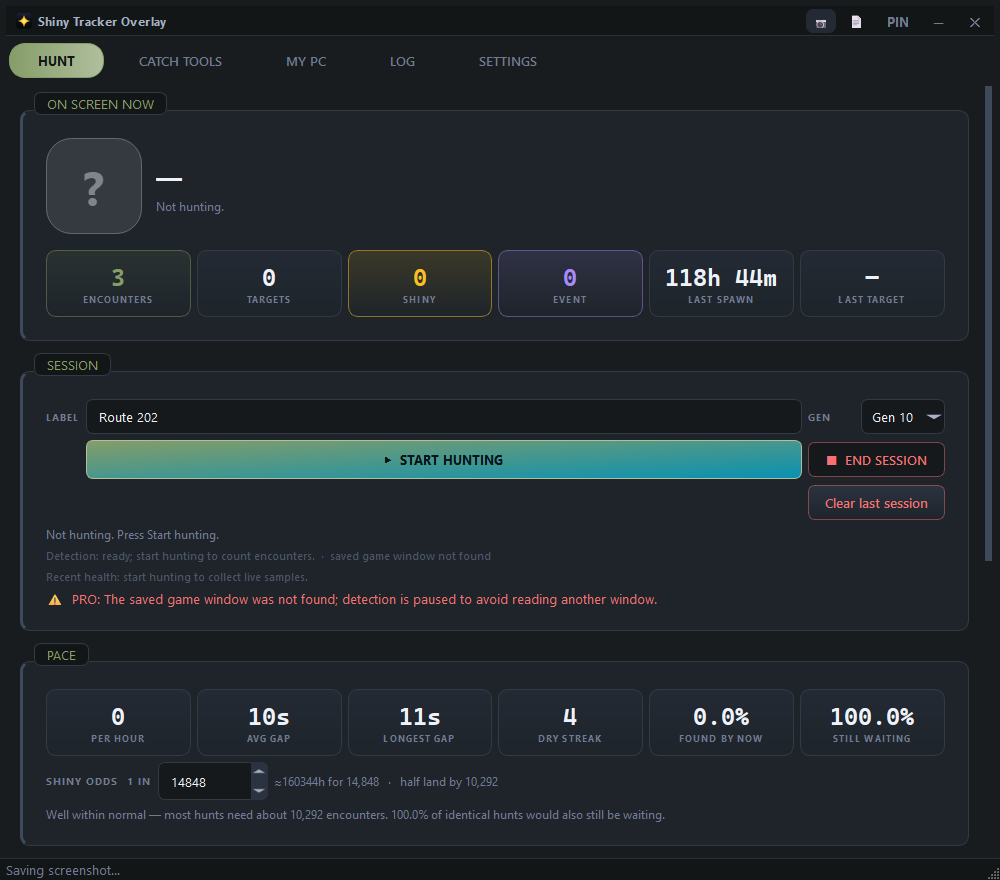
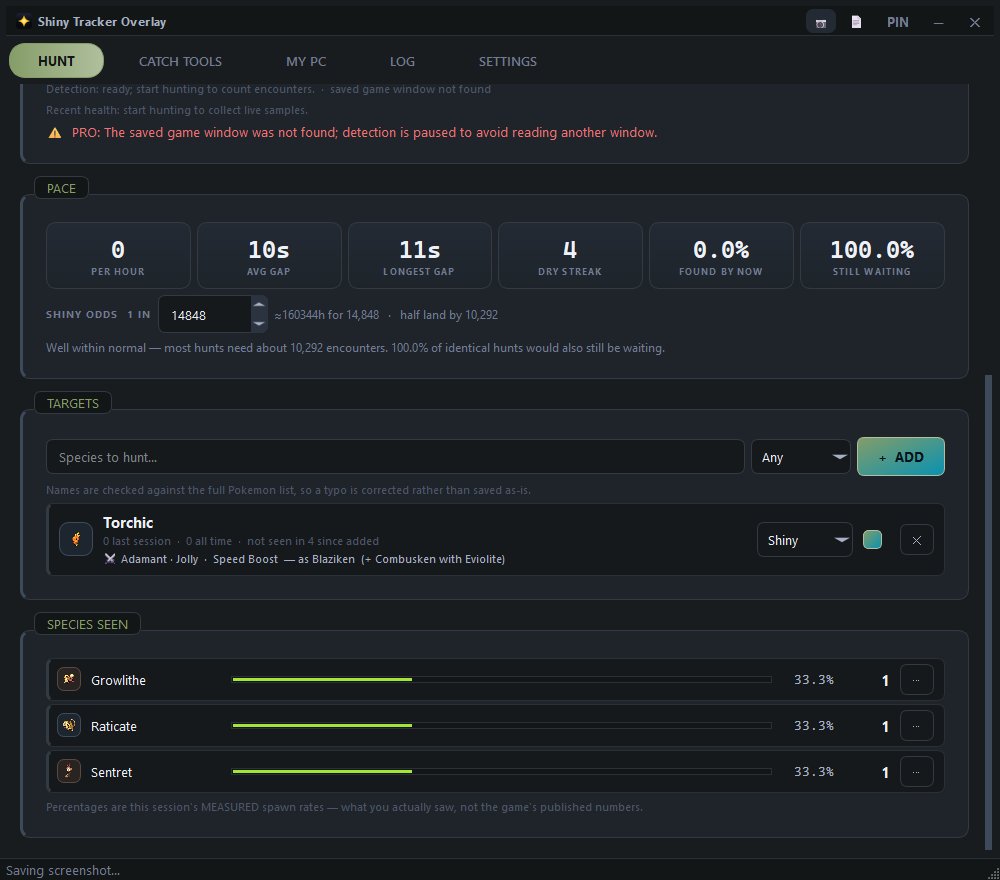
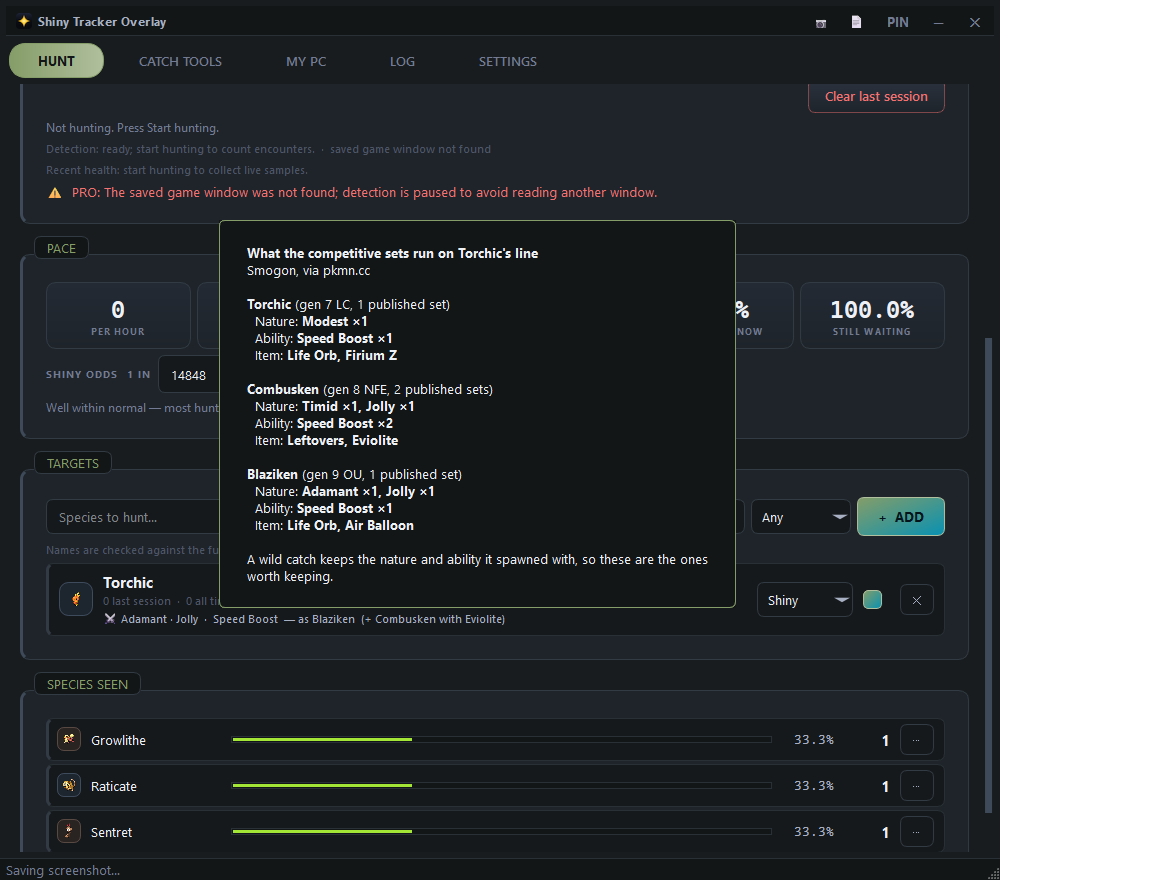
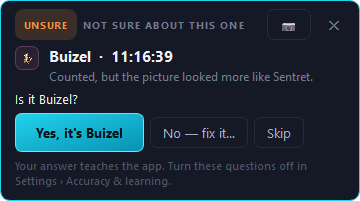
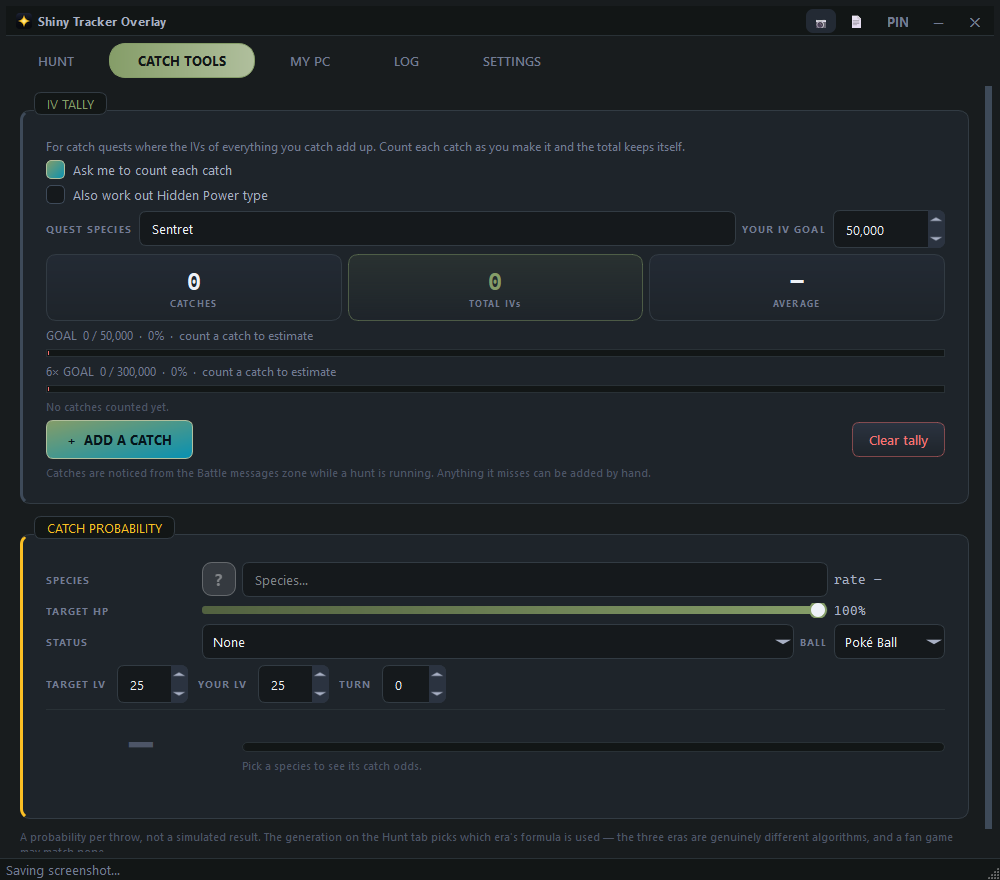
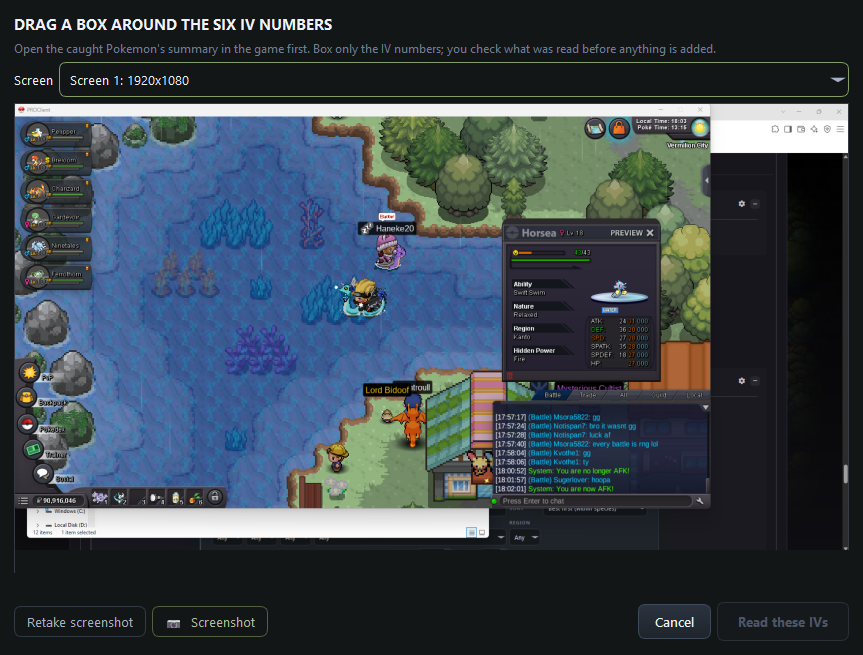
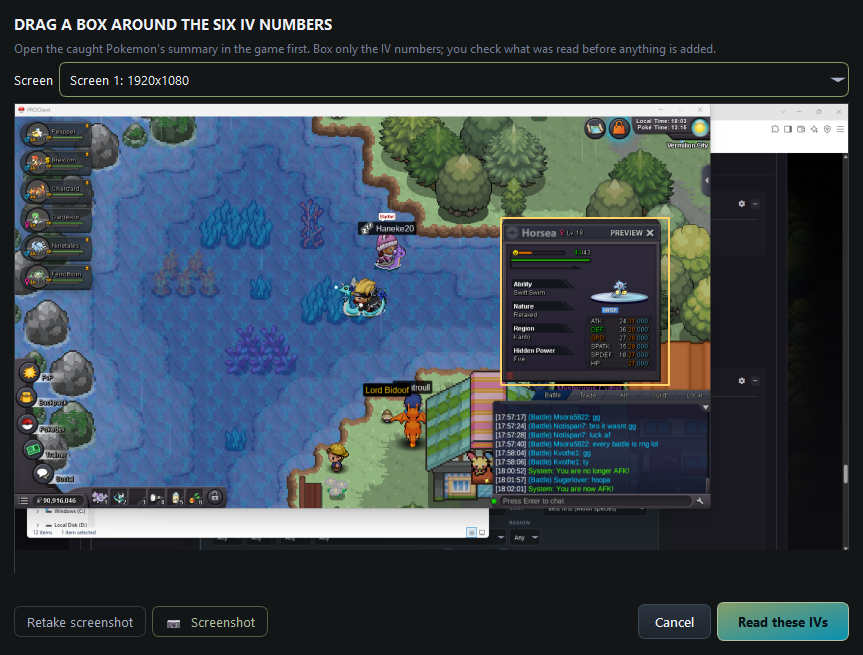
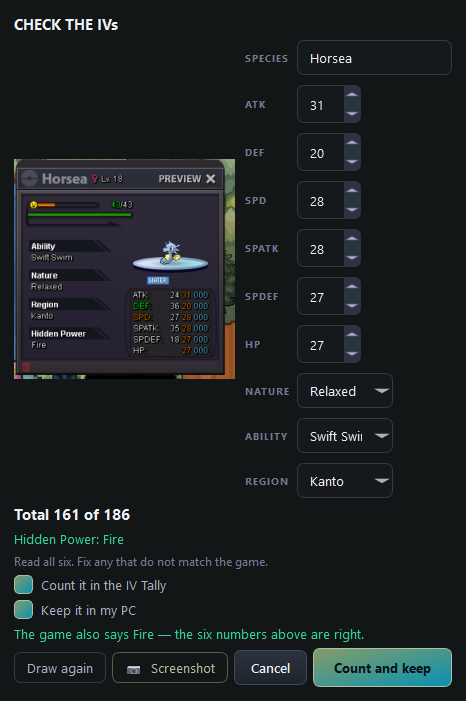
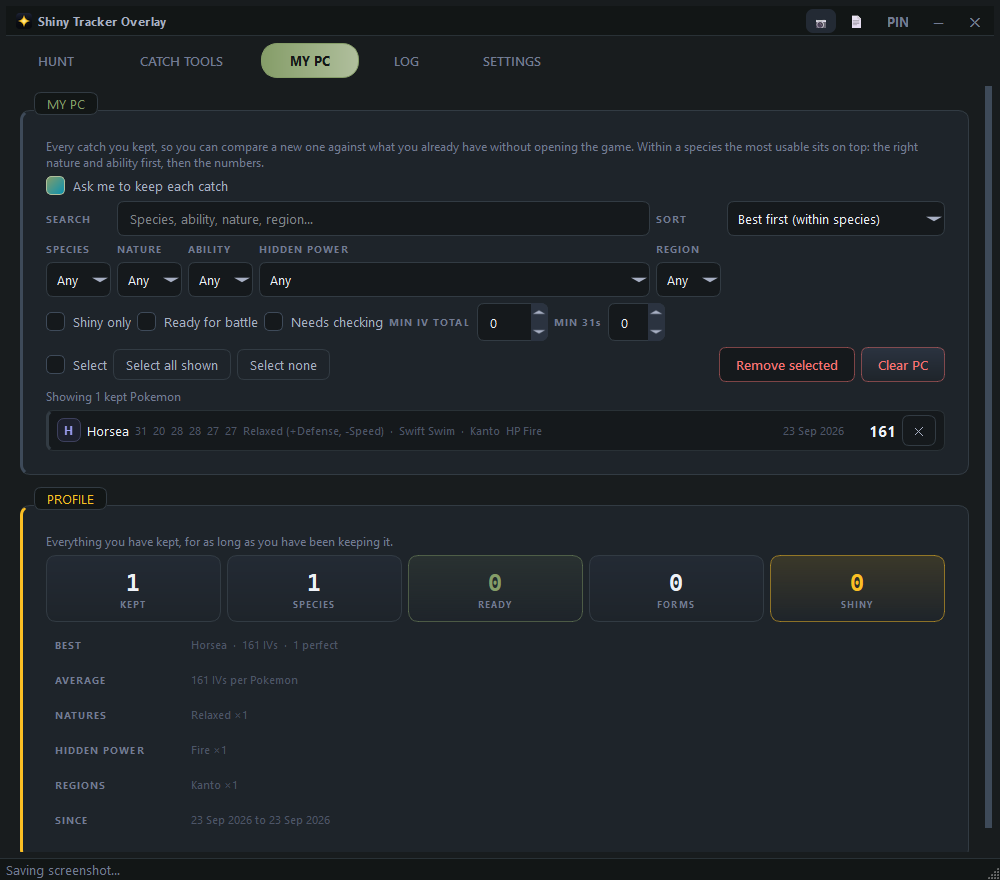
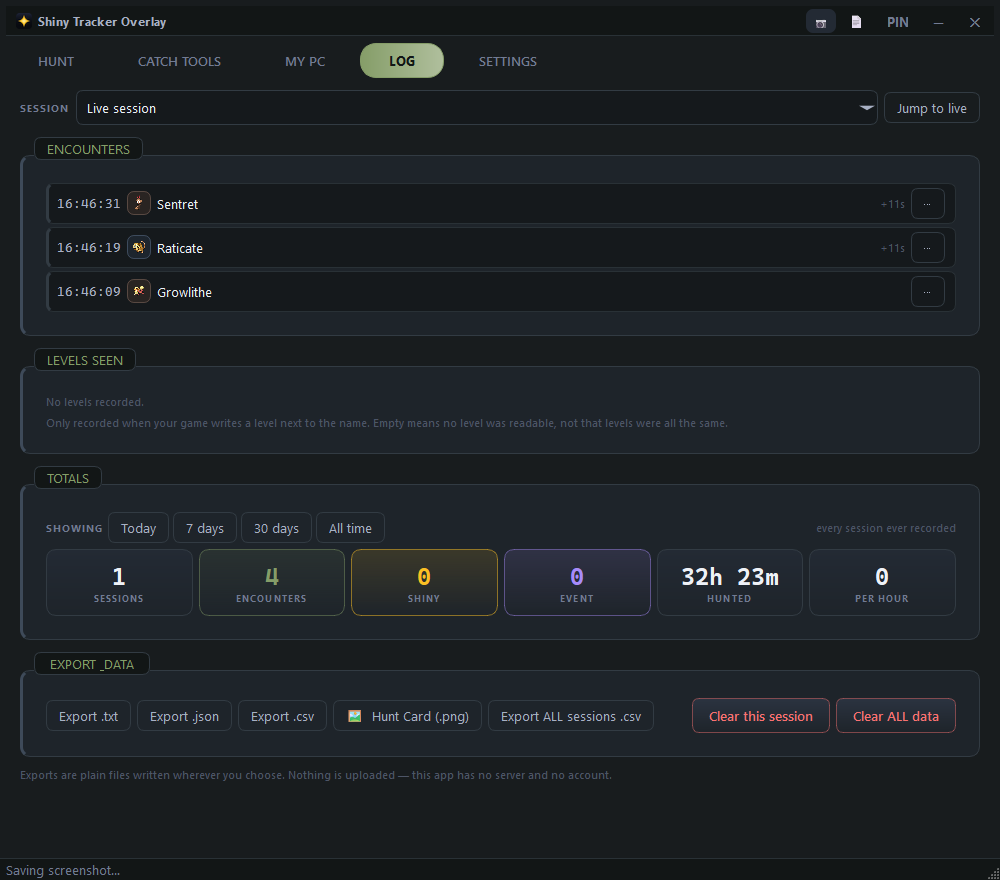
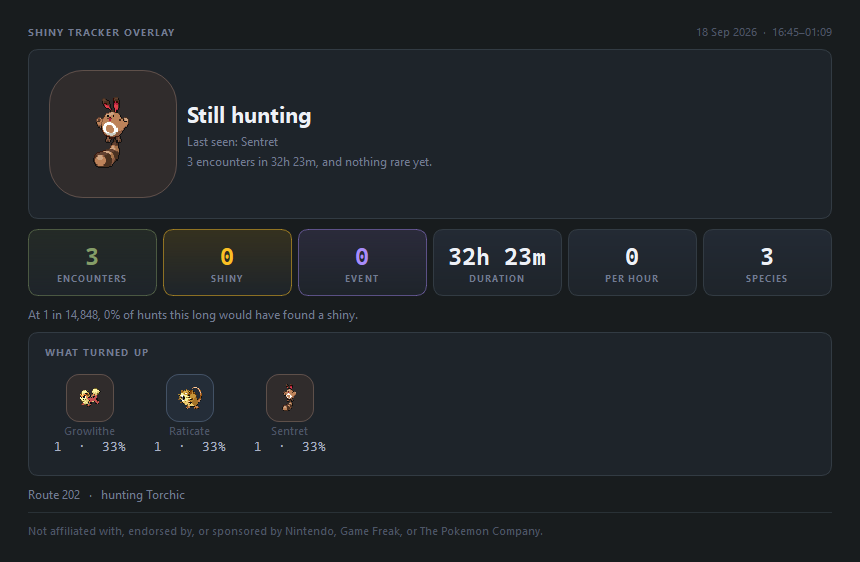
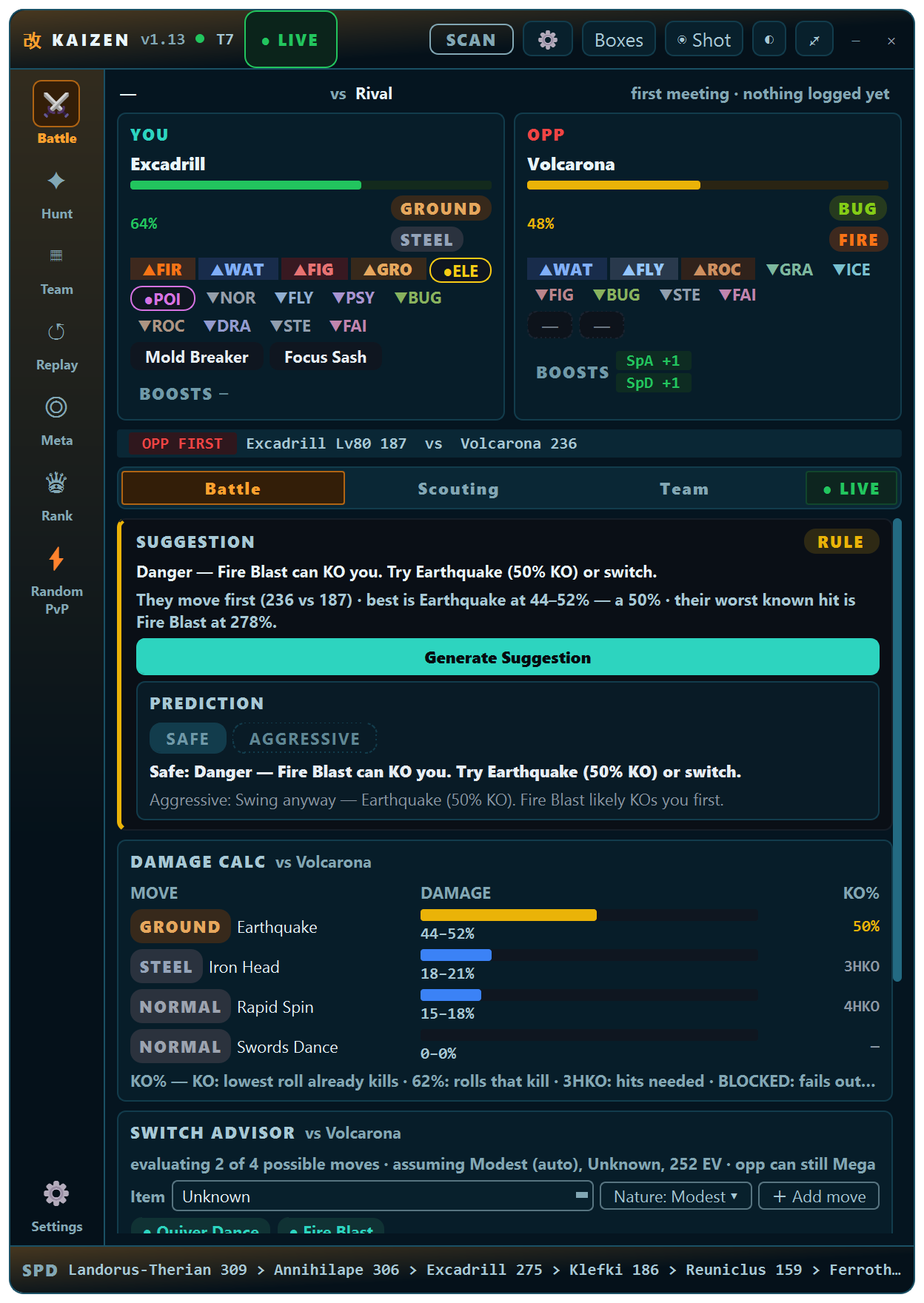
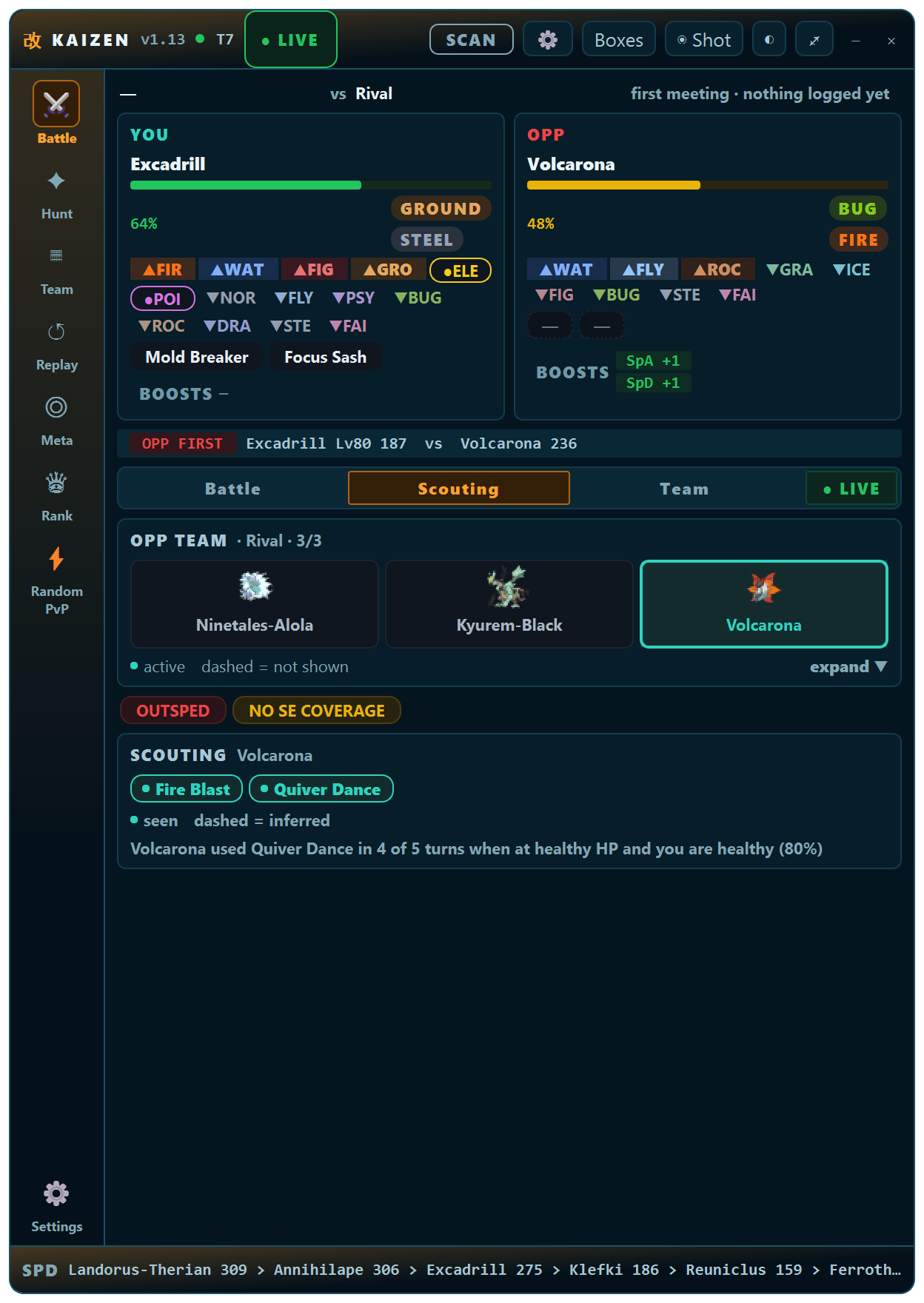
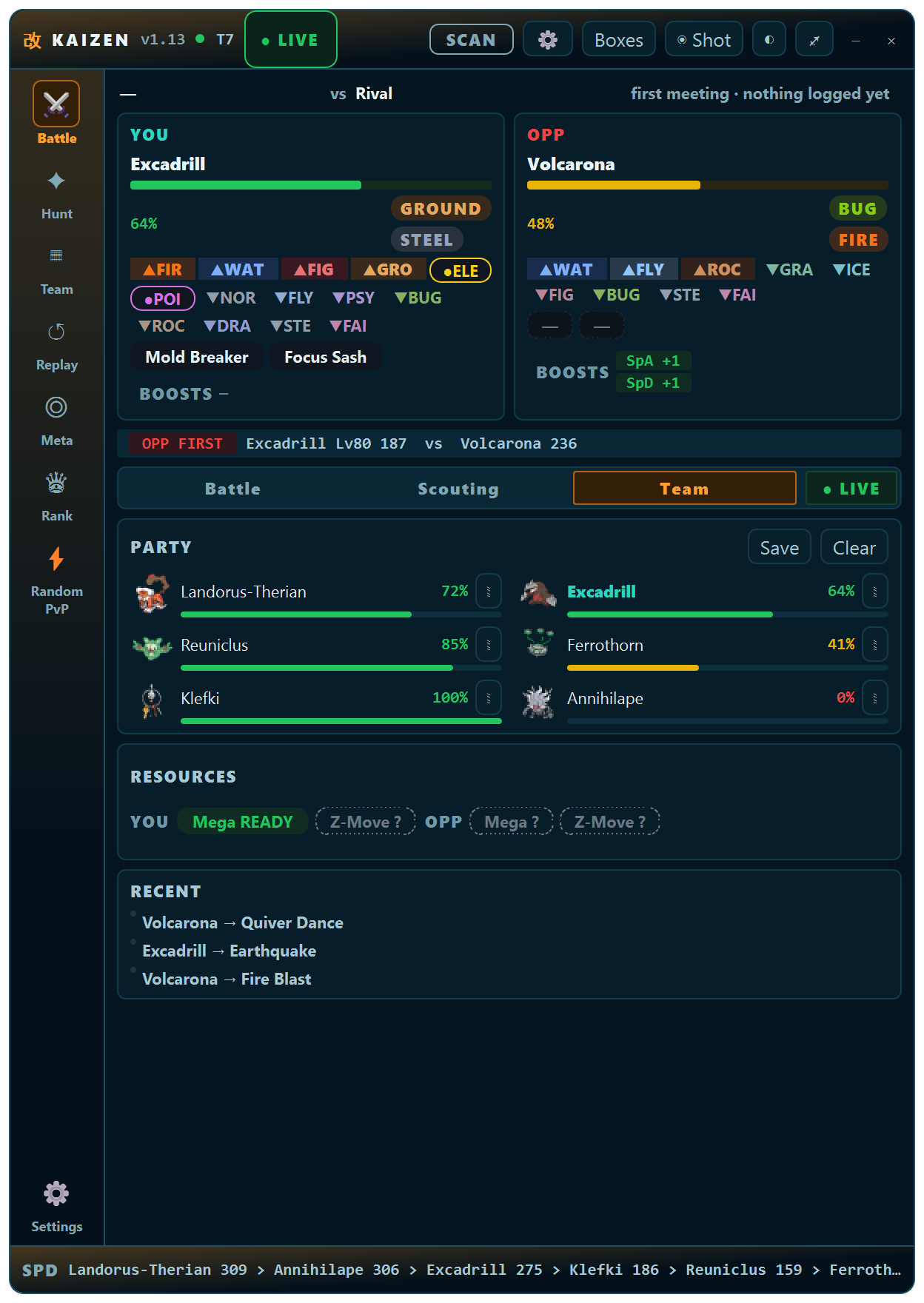
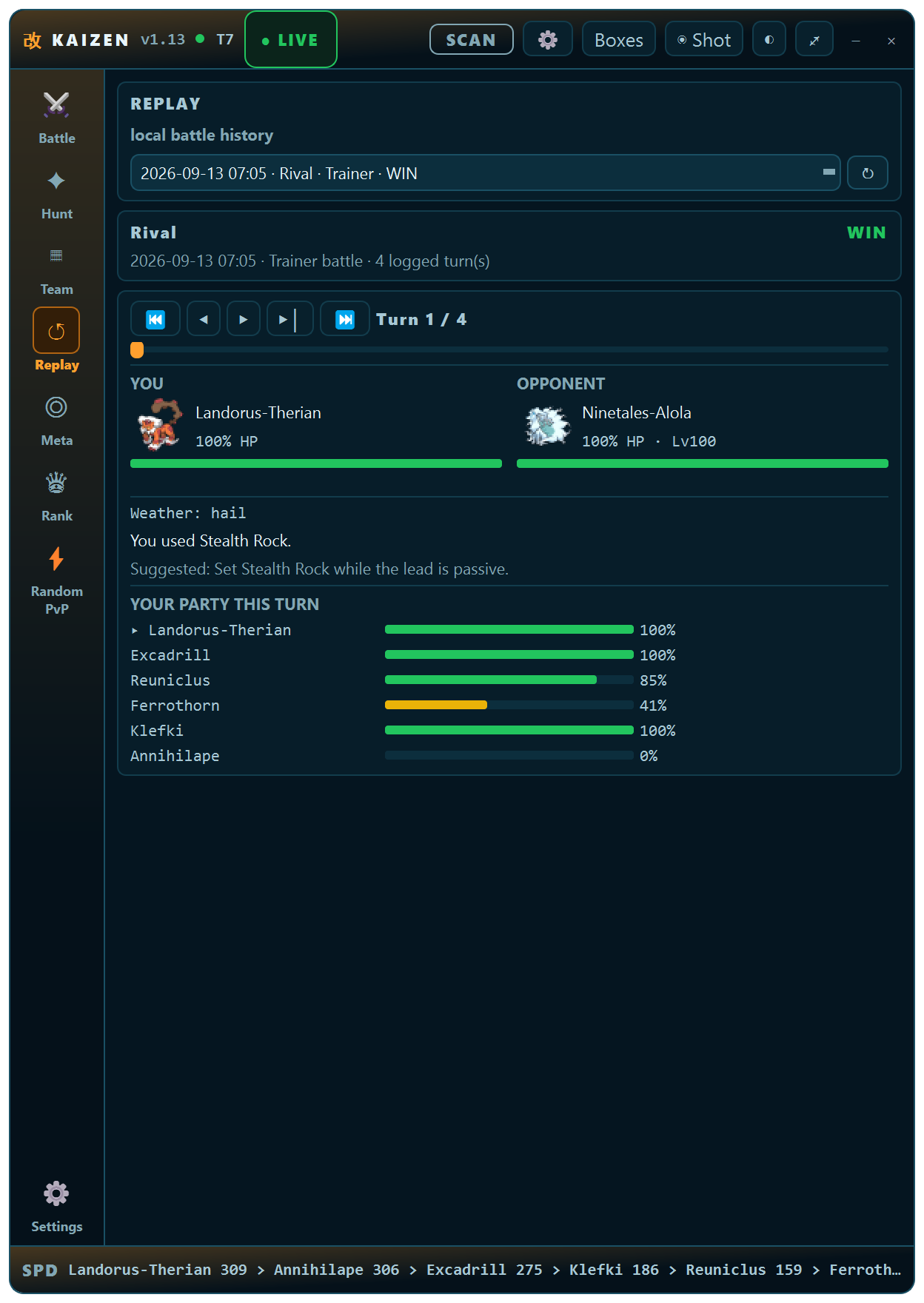
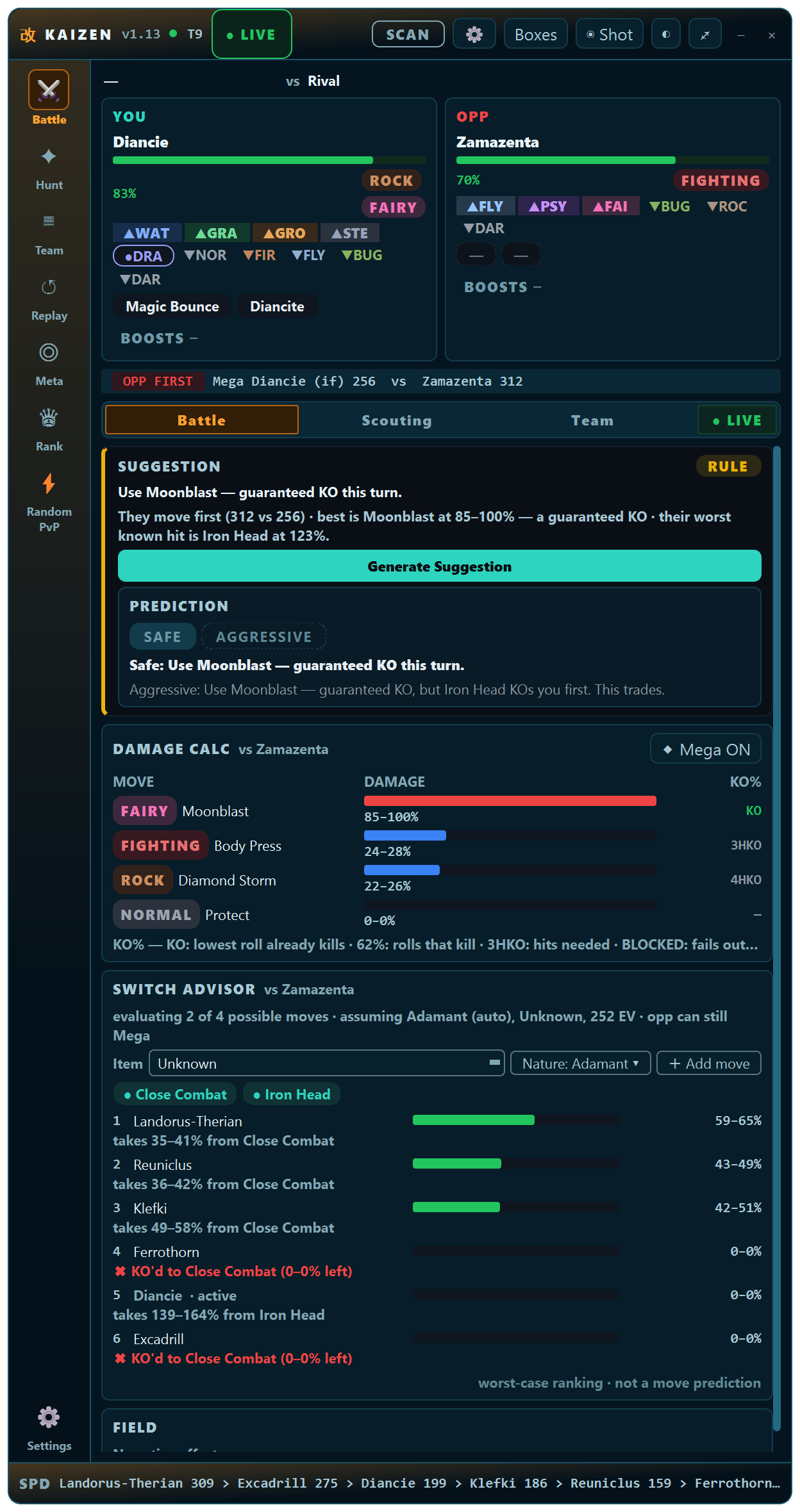
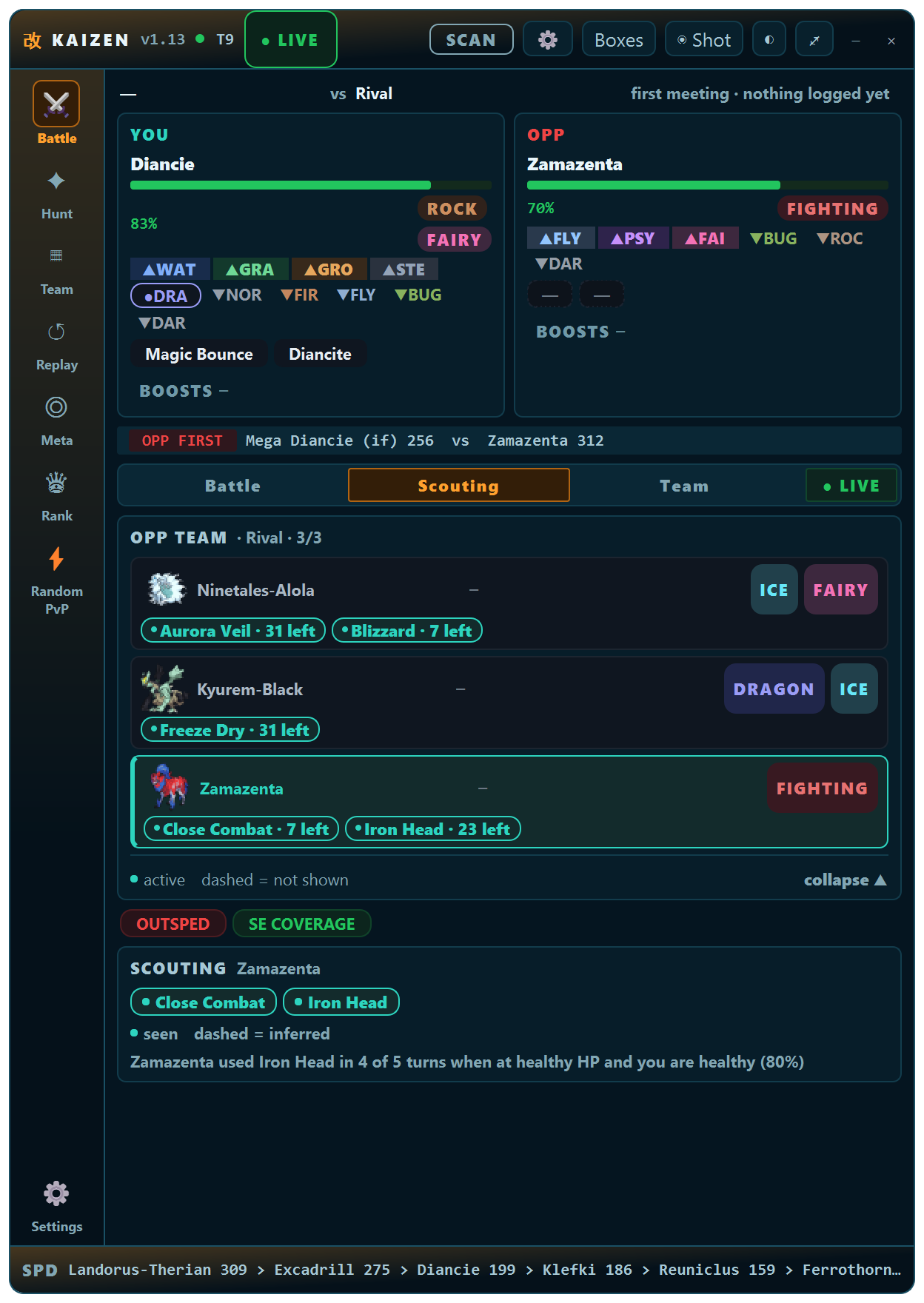
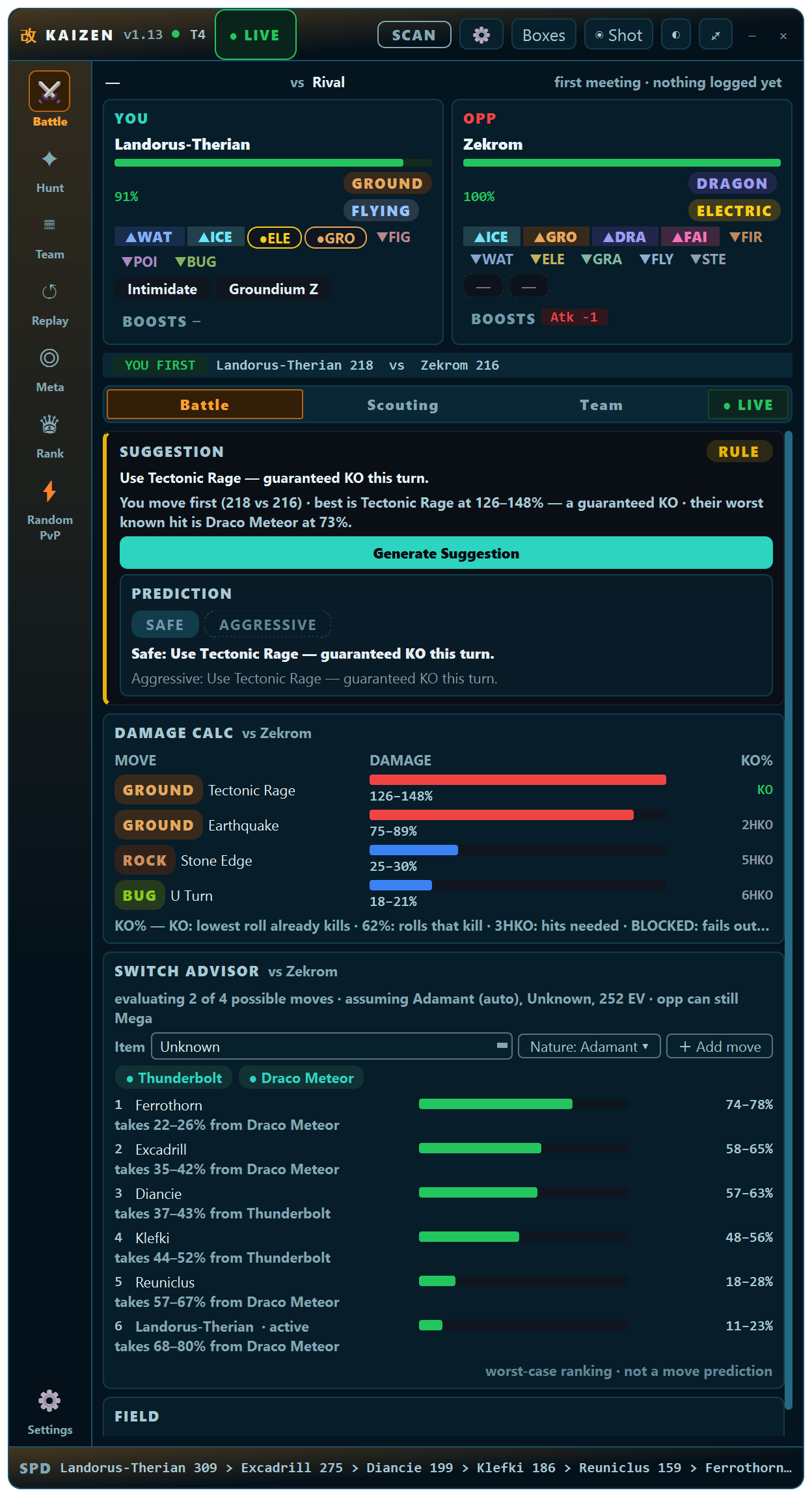
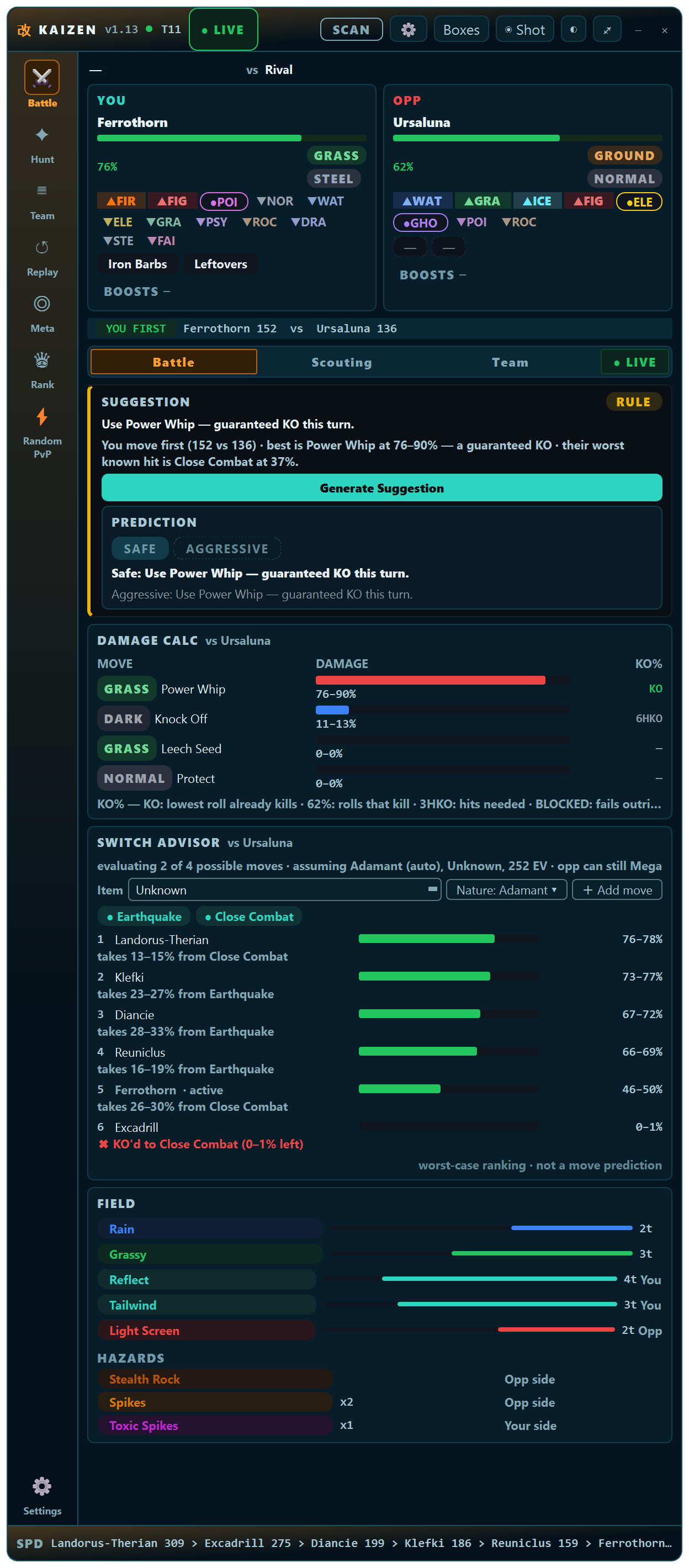
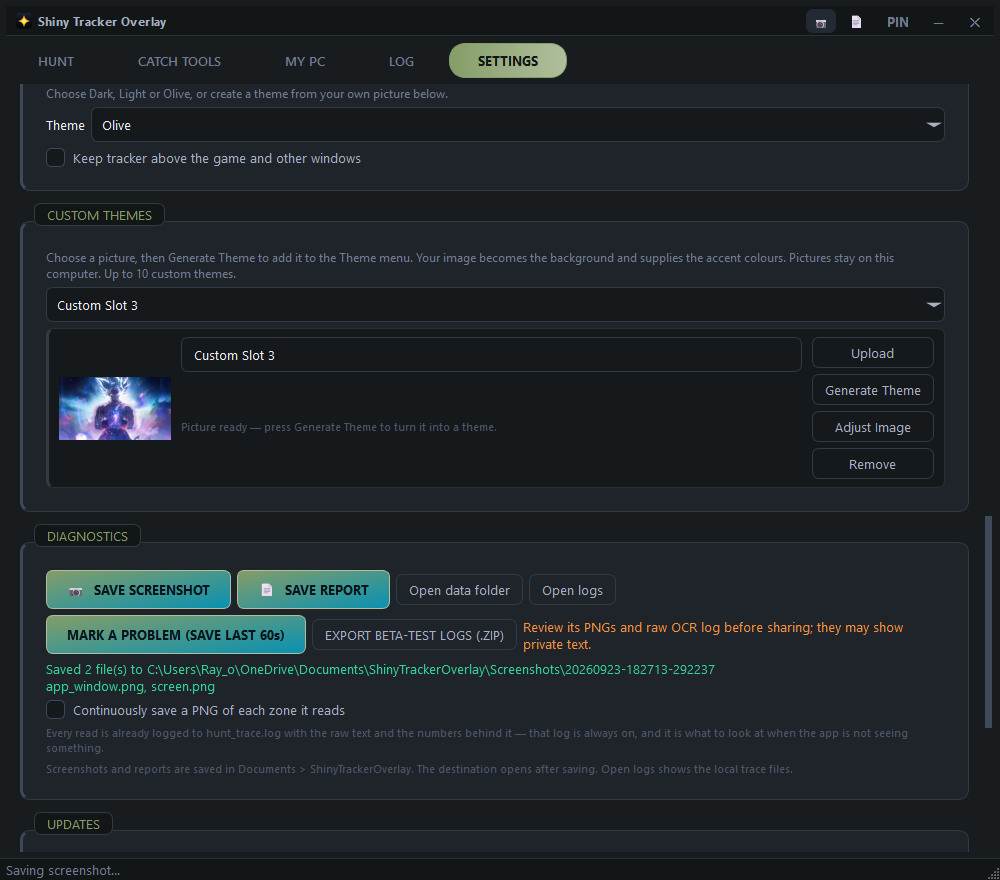
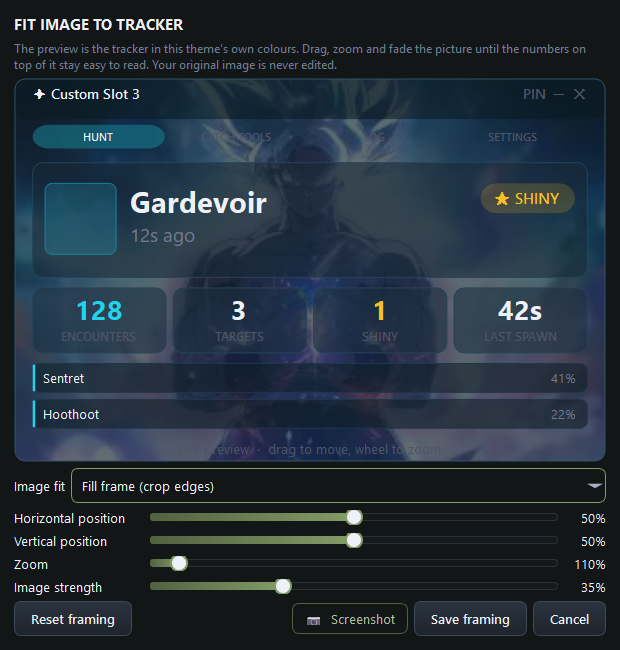
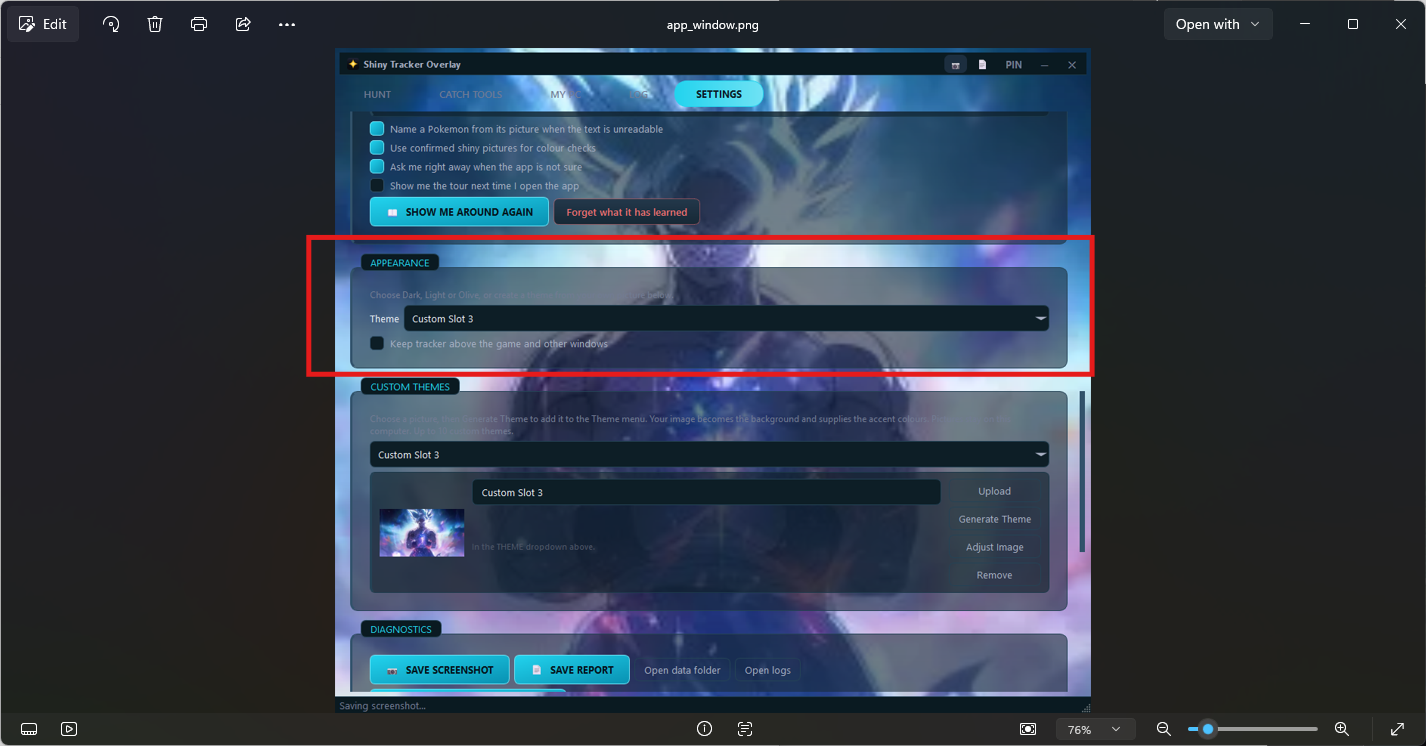
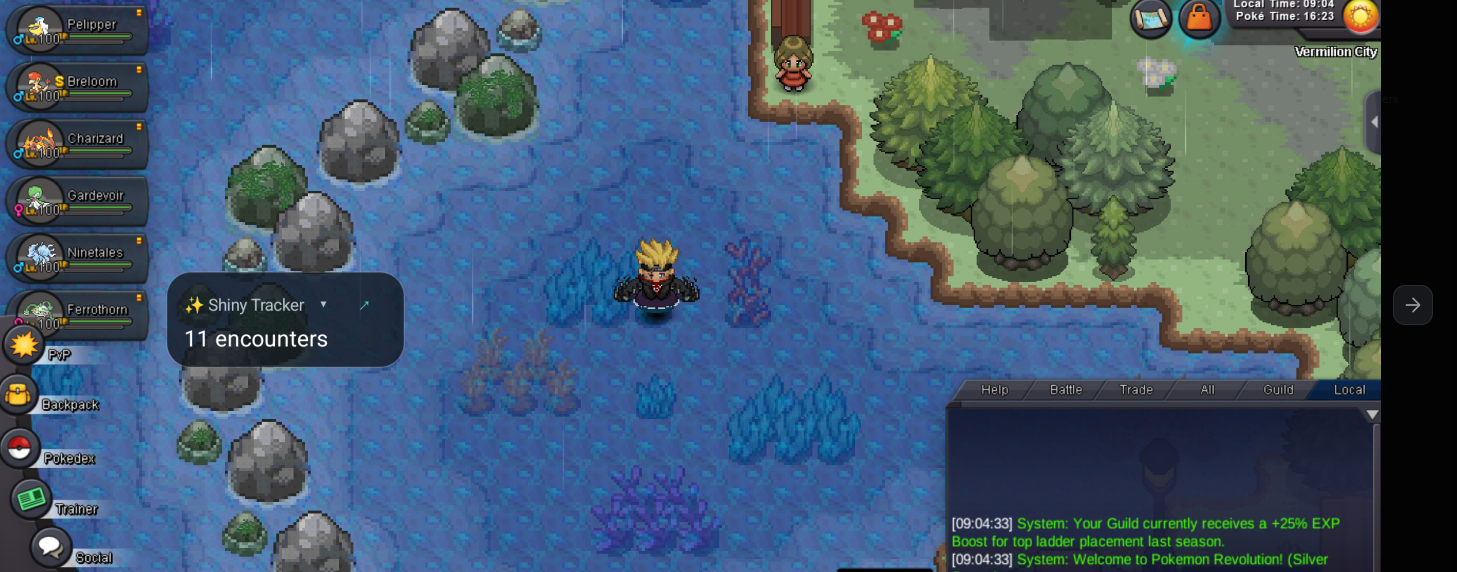
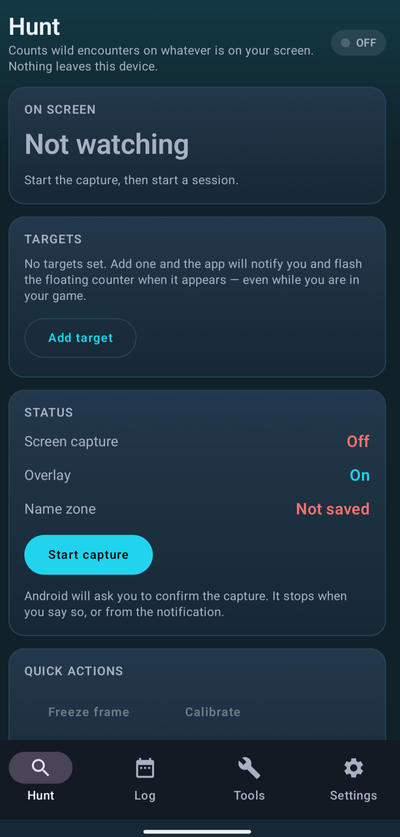
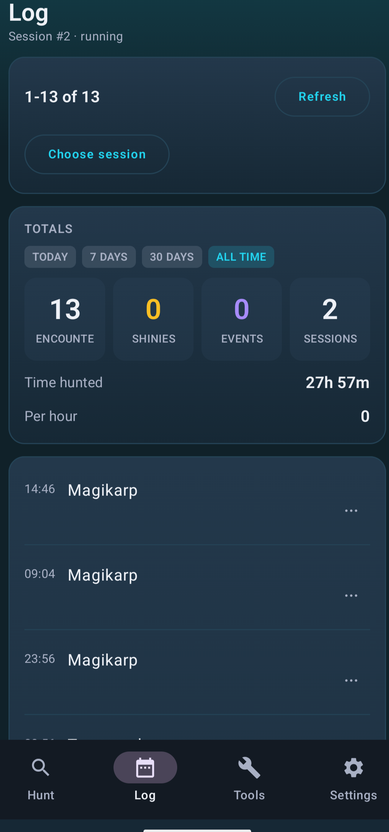
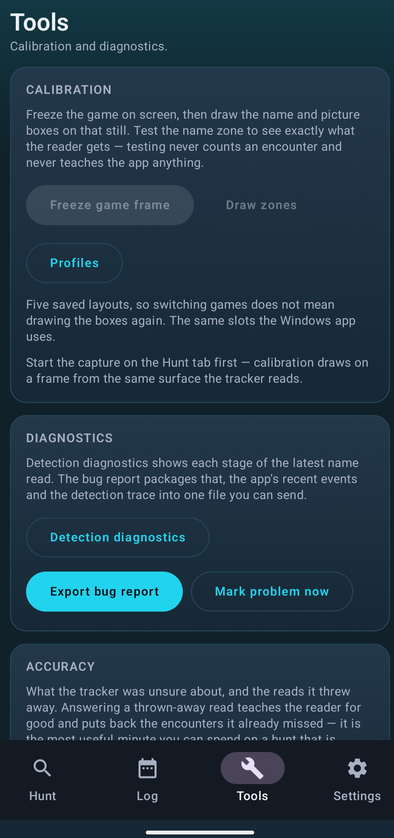
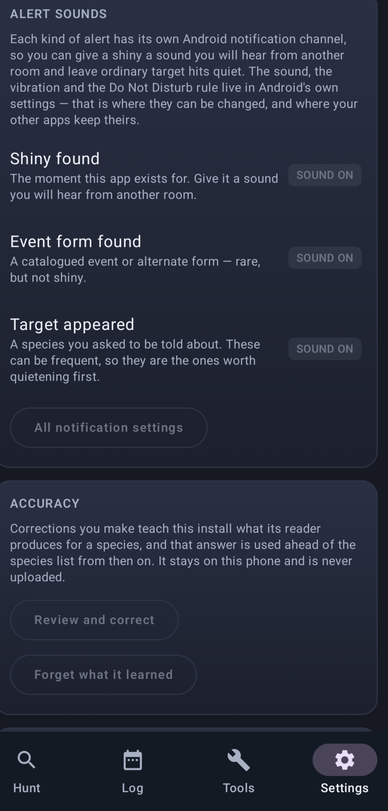
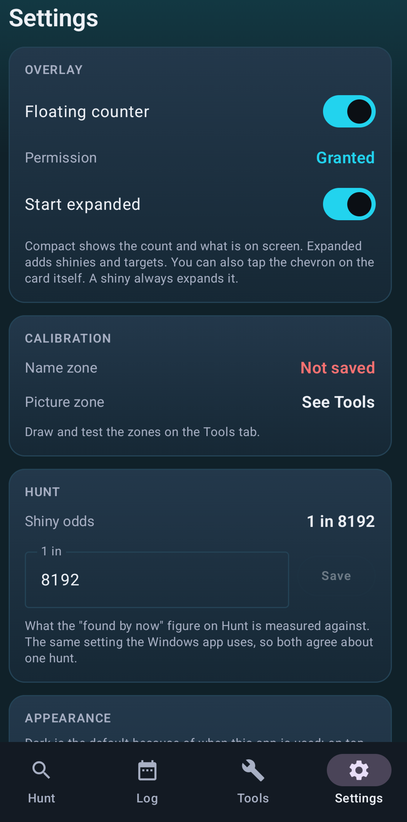
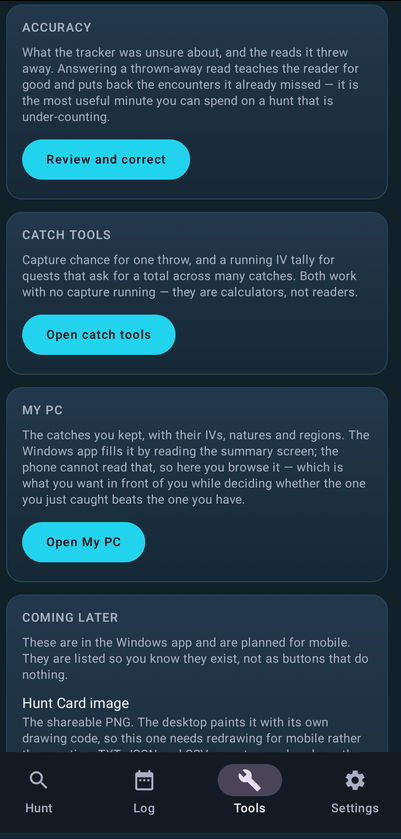
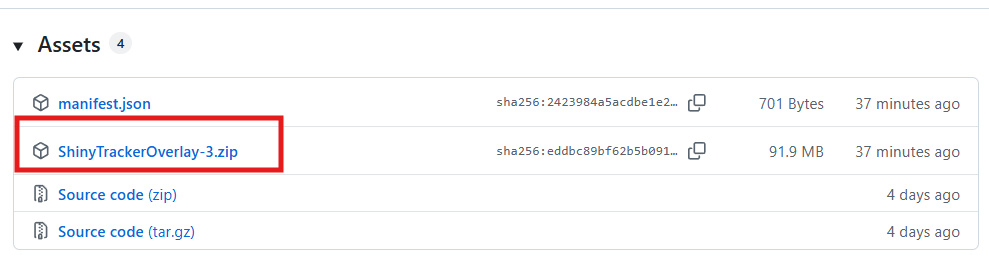
 [Tool] Shiny Tracker Overlay — v3 beta Shiny Tracker Overlay is a free screen-reading companion for hunting. It watches only the small parts of the game window that you choose during calibration. It does not inject into the game, control the game, click anything, or play for you. This does not inject or automate anything with the game, it simply reads the screen, specifically text found on the screen, and relays that information to the program. It is safe to use. The app can record encounters, show measured spawn rates, alert for hunting targets, keep a searchable catch list, total IVs for catch quests, calculate catch probability, and export hunt summaries. Important beta warning: detection is approximate and shiny detection is still experimental. Always check the game yourself before leaving or running from a valuable encounter. ## Download ## Windows 10/11, 64-bit — v3: Mac and Linux in development (Need a beta tester on these systems would be nice) https://github.com/KaizenMMO/shinytracker-builds/releases ## Installation ## Extract the ZIP into a normal writable folder, keep the _internal folder next to ShinyTrackerOverlay.exe, and run the EXE. Python is not required. Because the beta is unsigned, Windows may show SmartScreen. Only choose **More info > Run anyway** if you trust the downloaded file. Once installed it has a built in auto-updater function, so no need to download a new link. ## Privacy and safety ## Hunt history, settings, learned corrections and calibration stay on your PC. - There is no account, subscription, advertising or automatic hunt-data upload. - Species data and artwork are fetched from PokeAPI, competitive set advice is fetched from Smogon through pkmn.cc, and GitHub is checked for updates. - Screenshots, reports and diagnostic ZIPs are created locally. Review them before choosing to share them because they can contain screen text. - The app is not affiliated with, endorsed by or sponsored by Nintendo, Game Freak or The Pokemon Company. ## Quick setup ## 1. Open the game in windowed or borderless mode and enter a wild battle. 2. Open Settings in the tracker. 3. Name a client and press Calibrate zones. 4. Select the battle window, then drag the a box over the battle window. The app will auto assign the regions. Works on any resolutions and multiple screens and clients. Can have 5 clients running at the same time. 5. Turn on Track now for that client. 6. Return to Hunt and press Start hunting. Screenshots of steps below ## Settings and game clients ## The Settings tab is arranged in a simple order: setup, behaviour, appearance, then support. - Game clients: save up to five different calibrations and track any combination of them into one hunt. - Text reading: shows whether OCR is ready and offers setup help if it is not. - Alerts: choose separate sounds and volumes for shiny, event and ordinary target alerts. - Accuracy & learning: decide whether confirmed pictures and corrections may help future reads. Everything learned stays local and can be forgotten. - Appearance: choose a built-in theme, keep the tracker above the game, or create a theme from your own picture. - Diagnostics: save screenshots and reports, preserve the last 60 seconds after a problem, or export a reviewable local ZIP for a bug report. - Updates: manually check whether a newer Windows build is available. ## Hunt tab ## This is the main hunting screen. - On screen now: the latest detected Pokemon, level, target status, chain, rarity and time since it appeared. - Session: give the hunt an optional name, choose the catch-calculator generation, then start or end recording. - Pace: measured encounters per hour, average and longest gaps, current drystreak, and probability estimates based on the shiny rate you enter. - Targets: add the species you care about and choose when it should alert: any encounter, shiny only, rare/event only, or one named form. - Species seen: shows what actually appeared in this session. The bars are measured shares of your encounters, not published spawn rates. Correct last fixes a wrong result and can teach the tracker. Undo last removes the latest count and can restore it until another encounter arrives. The three-dot buttons beside species open the same correction tools for the most recent encounter of that species. Recommended natures and abilities suggestions from Smogon when you hover over the Target. ## When the tracker is not sure ## The tracker does not silently guess when important evidence disagrees. - Yes, it's [species]: confirms the displayed answer and teaches from it. - No — fix it: opens the correction panel. - Skip: leaves the encounter marked unsure so it can be reviewed later. - Screenshot: saves the popup locally. ## Catch tools ## The IV Tally is for catch quests where the six IVs of every catch are added together. Set a quest species and goal, or leave the species blank to use your hunt targets. Catches can be offered automatically or added by hand. The Catch Probability card gives the chance for one throw. Choose the species, remaining HP, status condition and ball. Level and turn fields are used by the balls that need them. The generation selected on the Hunt tab chooses the formula. ## Checking a catch ## After the tracker reads a caught Pokemon's summary, check the six IVs and any nature, ability or region text before saving. - Count it in the IV Tally: adds the IV total to the current quest tally. - Keep it in my PC: stores the catch for later comparison. - Draw again: takes another screenshot and lets you select the IV area again. - Count and keep / Save: performs the selected actions. - Cancel: discards the read. ## My PC ## My PC is the permanent list of Pokemon you chose to keep. It is separate from the temporary IV Tally. Search by species, nature, ability, region or note. Use the dropdowns and checkboxes to filter for shinies, battle-ready catches, Hidden Power, minimum IV total. Use Select for removing several rows together, or the row X for one catch. Clear PC removes the whole kept list only after confirmation; it does not erase the hunt log or IV Tally. The Profile card summarises kept Pokemon, species, useful nature-and-ability matches, named forms, shinies and other lifetime details. ## Encounter log and totals ## [The Log keeps every encounter in every session. - Pick a past session or use Jump to live. - Press a row's ... button, or right-click it, to confirm an unsure result, correct it, mark or unmark shiny, remove a trainer/duplicate read, or delete it. - Load 40 more shows older encounters from the selected session. - Today / 7 days / 30 days / All time changes the period shown in Totals. - Export the selected session as TXT, JSON or CSV. - Hunt Card (.png) creates a shareable picture. - Export ALL sessions .csv writes the complete lifetime encounter list. - Clear this session removes only the selected session after confirmation. - Clear ALL data removes all sessions and encounters after confirmation. No export is uploaded automatically. ## Shareable hunt card ## The Hunt Card is a compact image containing the session's headline numbers, rare finds, measured species shares, targets and odds note. It uses the current theme and is designed for posting after a hunt. ## Custom theme image editor ## Upload a PNG, JPG or WEBP in Settings and choose Generate Theme. The image editor then lets you choose fill or fit, move the image, zoom it, and reduce its strength so the tracker text stays readable. Save framing keeps the layout; the original image is never edited. ## Feedback ## This is still a beta. So expect some bugs but if you do find them please export the log by pressing the above button and DM me on Discord at https://discord.com/users/129558483149389824 or #goatfarmer69 or join my Discord channel https://discord.gg/ZQvJafRCD If you have made it this far, I am working on 2 other PRO project, 1 is a PVP helper tool and 2 is the mobile version of this app. Screenshots of the mobile version below and PVP tool below. PVP Helper in Development Mobile Version in Development - (Could use some beta testers for mobile) Thanks in advance for your support.
 -1Cucycuacuy joined the community-1Monkisha joined the community^bumpId like to see a purchasable item in the coin shop that you can put in your hot bar or type /pc and it would open your pc from where ever you are. would save on people running back and forth in long hunts or having 30 boxes fill up when you can just access your pc and empty them out. would also be nice in some situations like bosses etc when you need to switch up your team fast. just a QOL system to save people from constantly going to pokecenter to change teams etc.but why does it matter if they are simple to run once figured out? its pve late game content for making money etc so people want to do it the most efficient way. nothing is stopping people from trying other teams but as it stands theres nothing wrong with everyone using the same mons. you arent competing with anyone just something you do every few days for money.