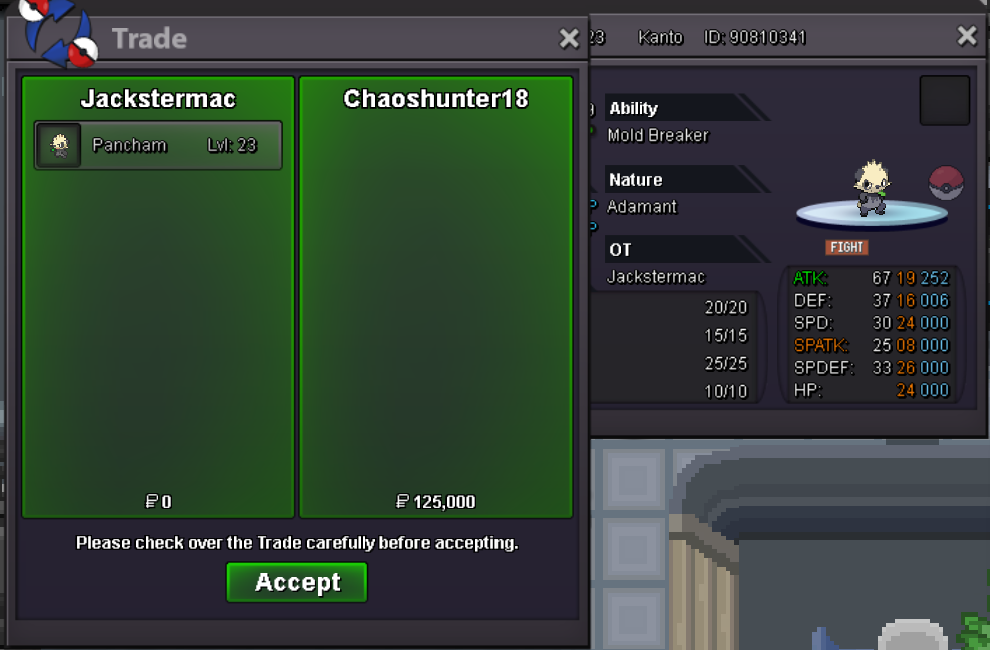
New Trade Zone
Trade Zone is now live
Use the new Trade Zone for auctions and instant-price trades so Pokemon and item offers are easy to find.
All Activity
Past hour
-
Exosilky joined the community
-
Bump
-
Touchgrassmagoo joined the community
Today
-
bump!
-
sold
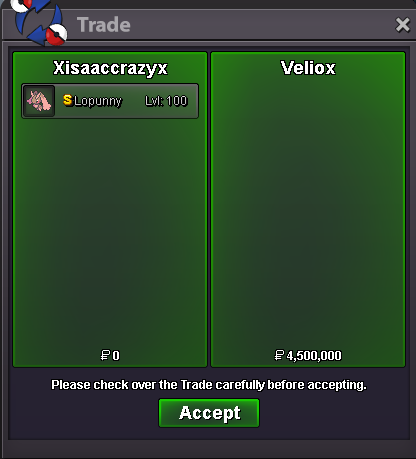
-
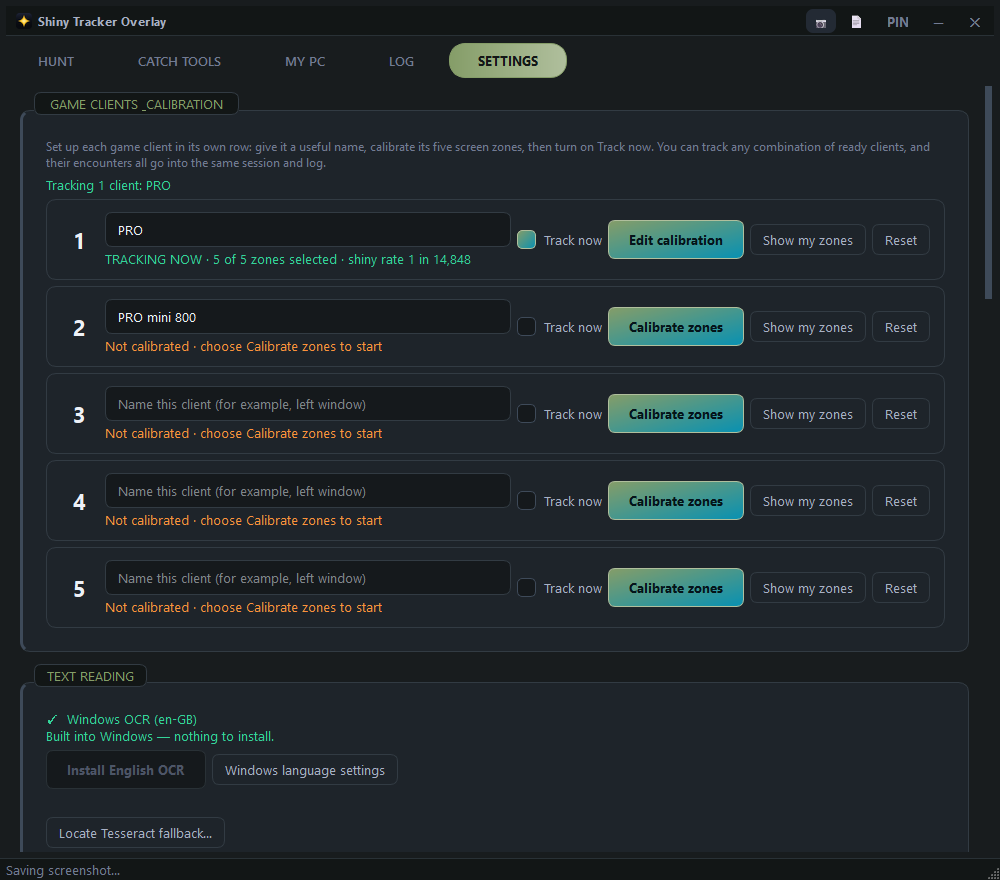
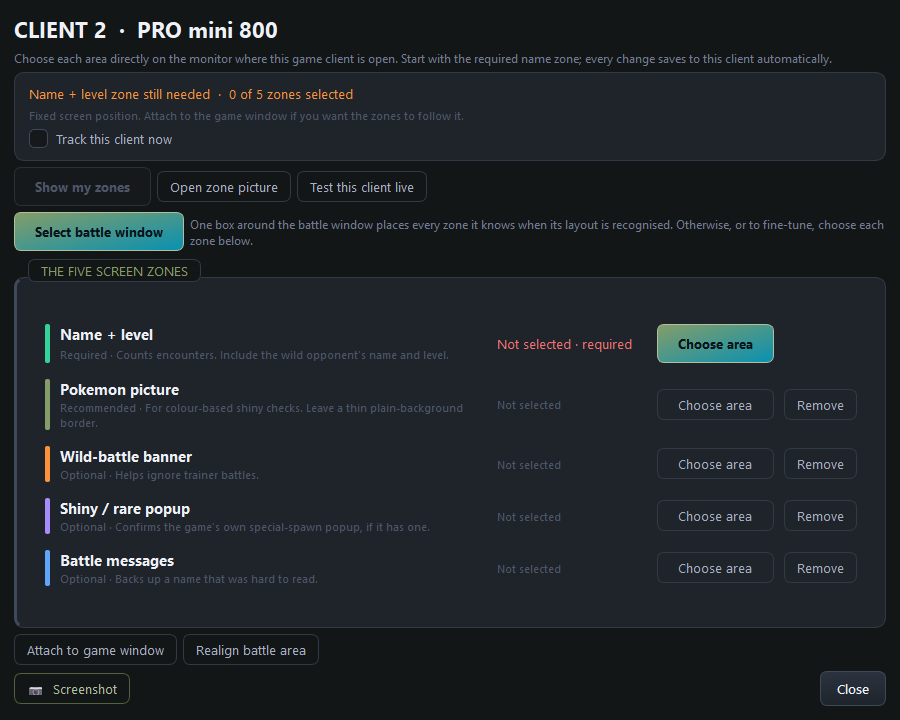
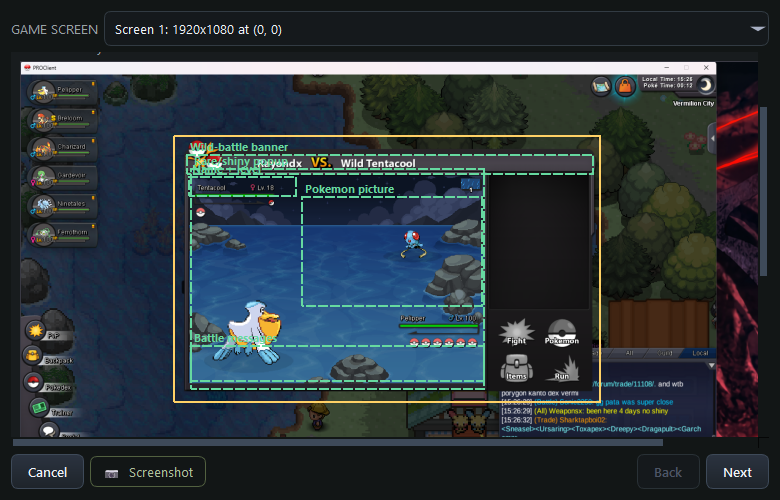
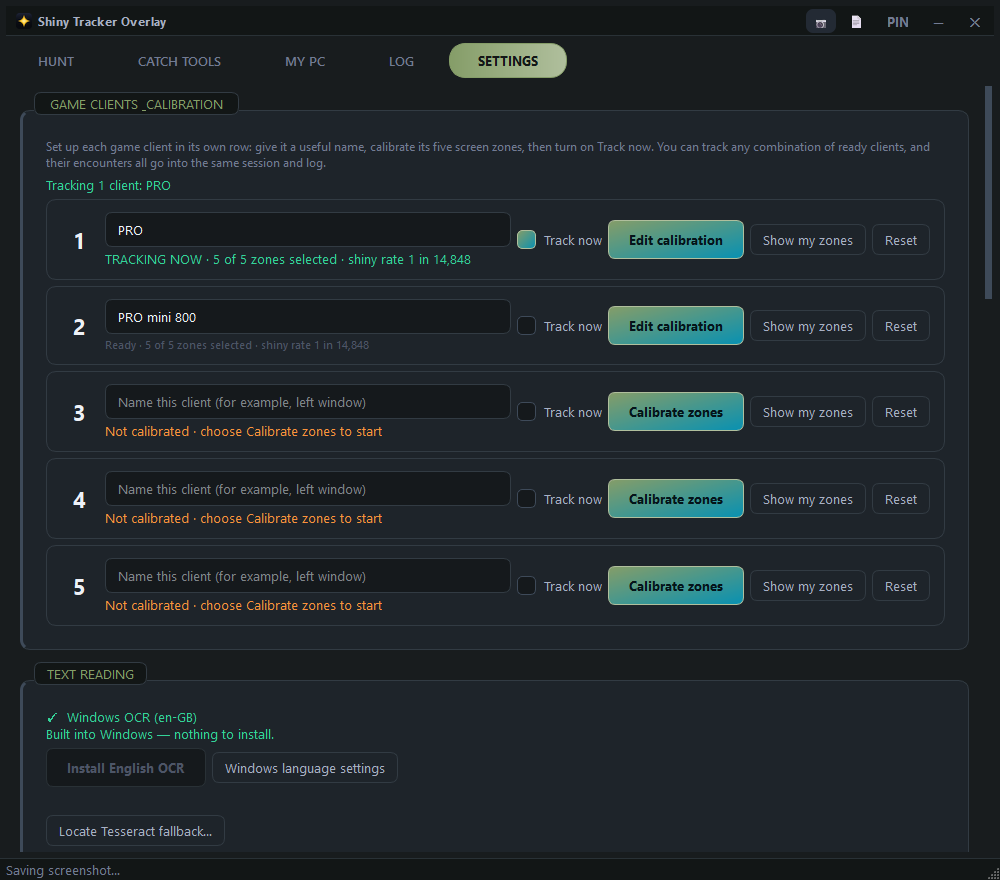
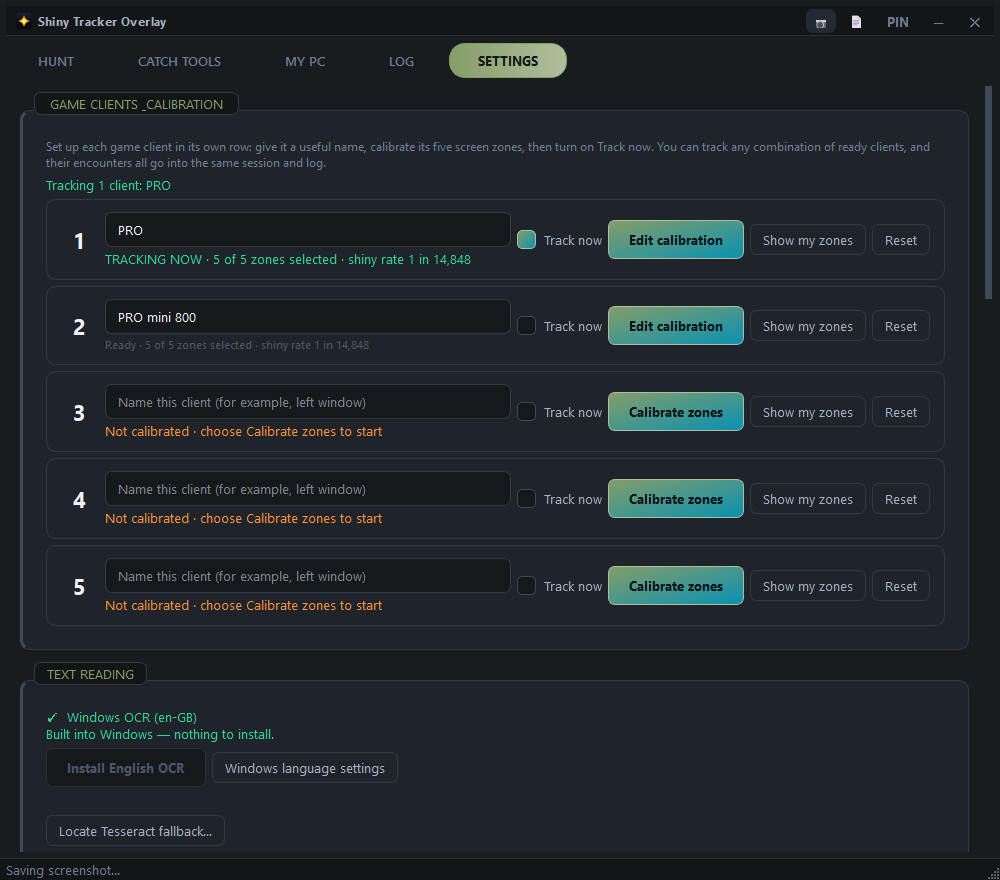
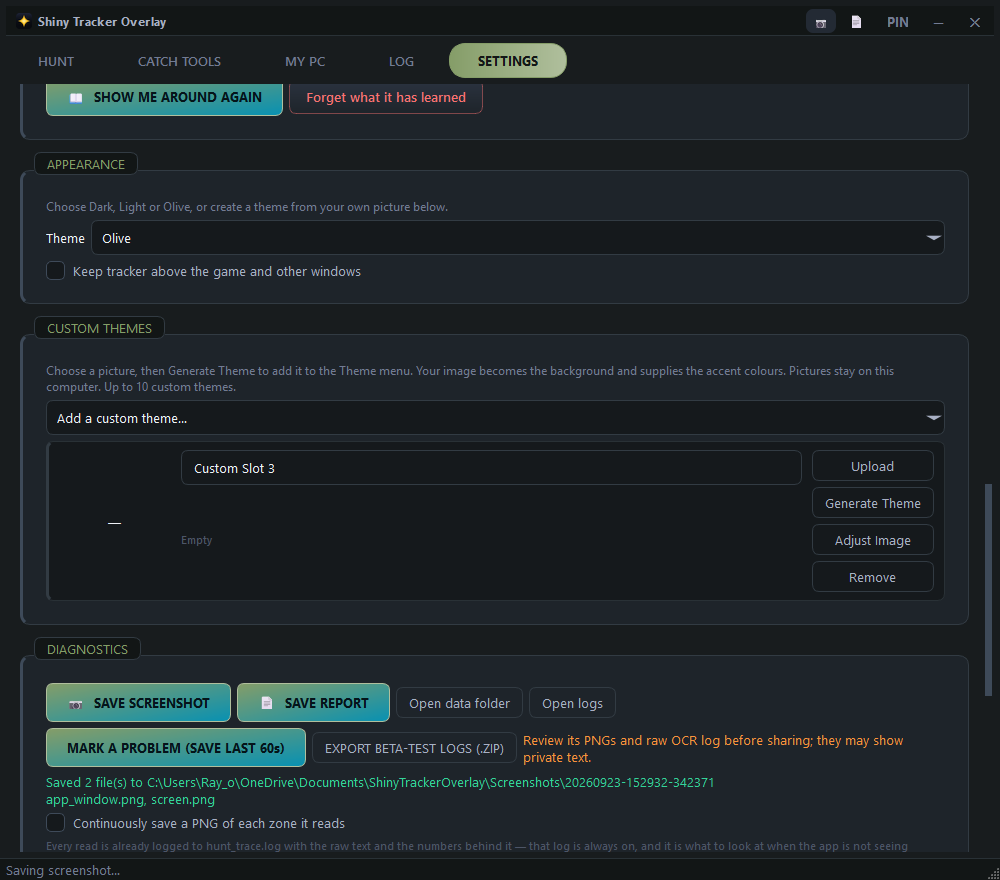
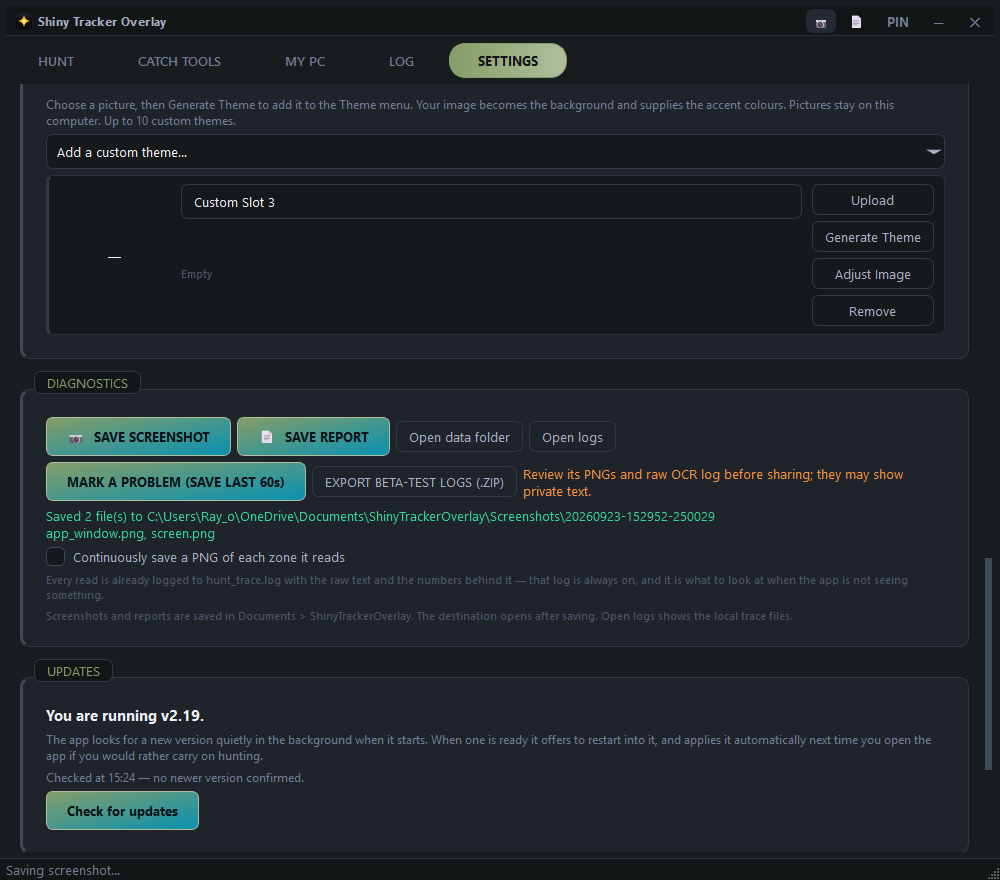
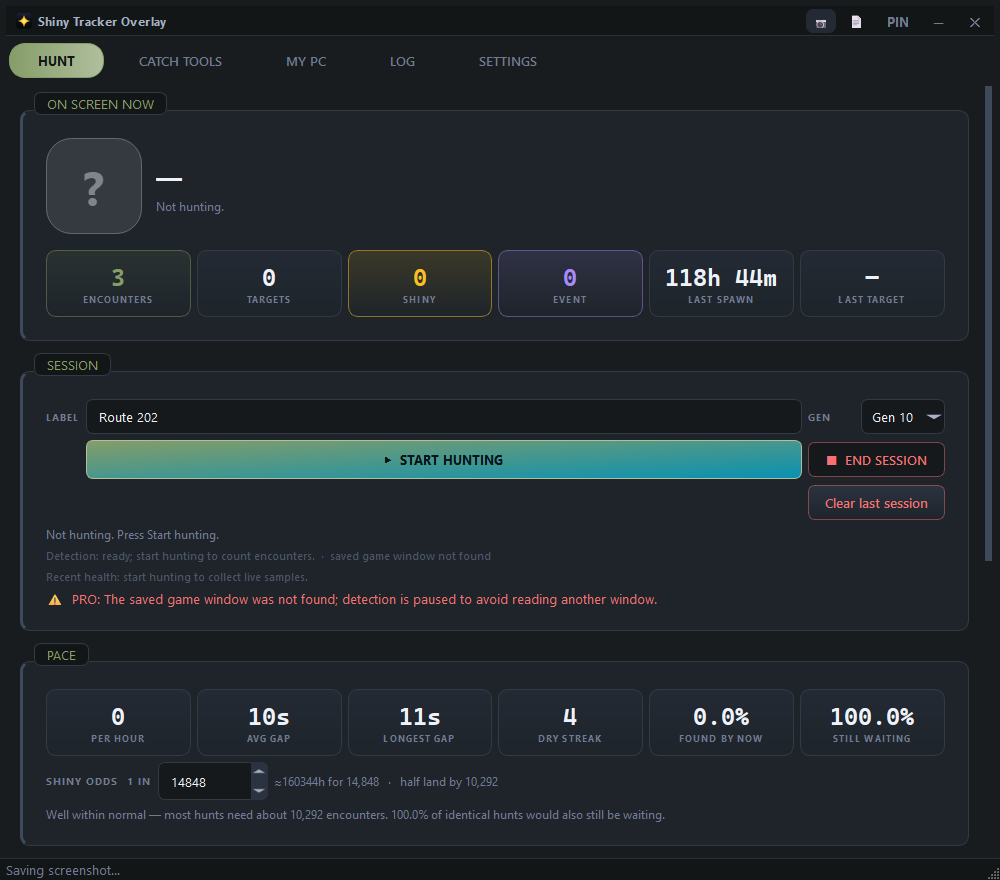
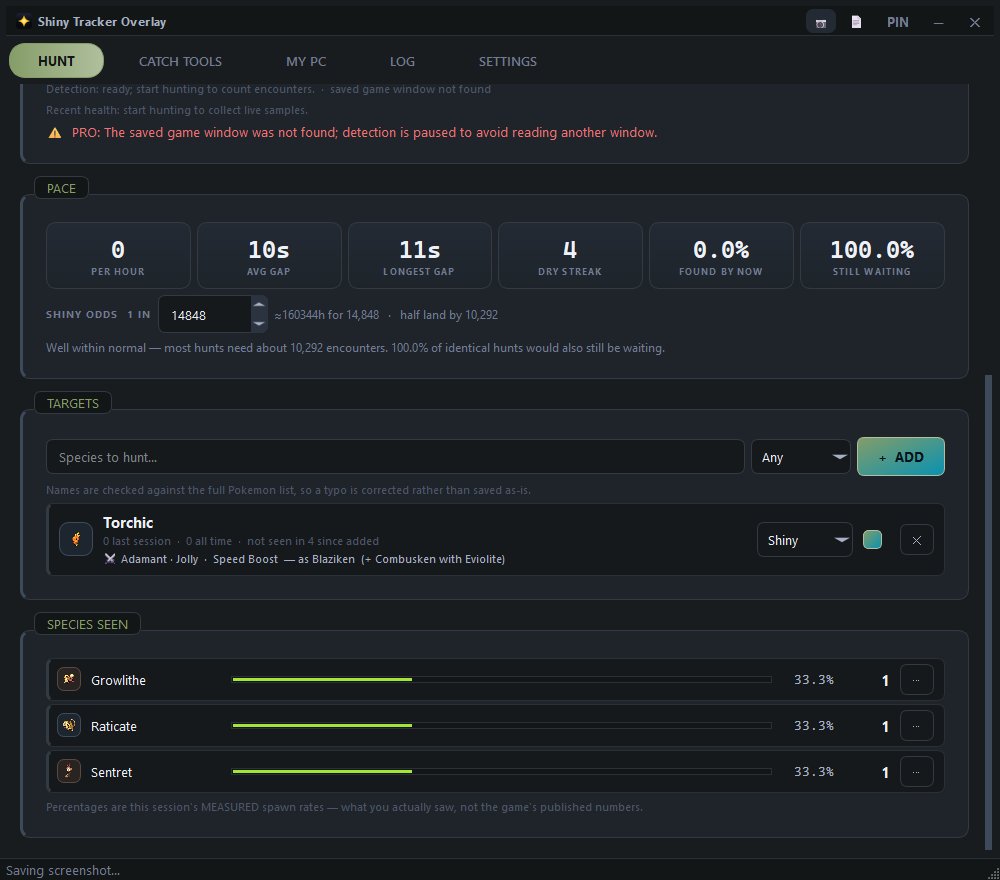
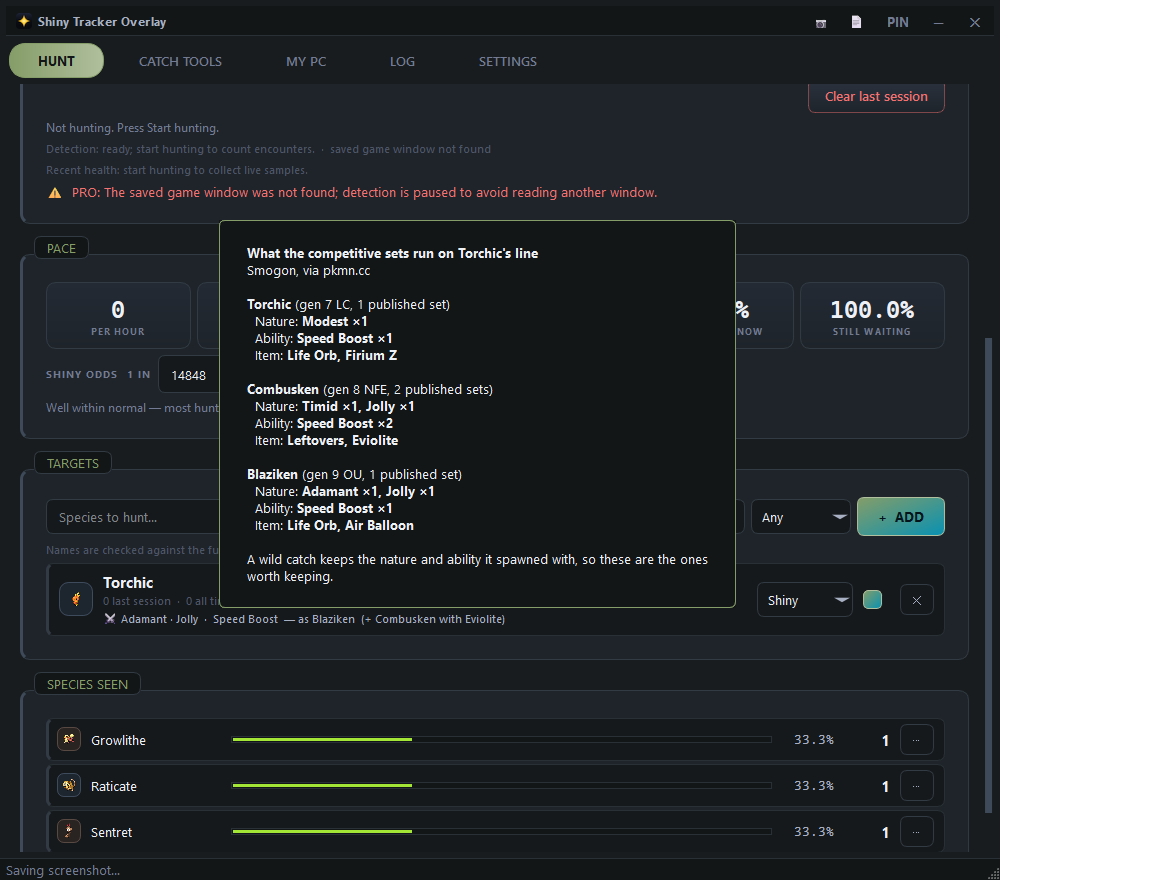
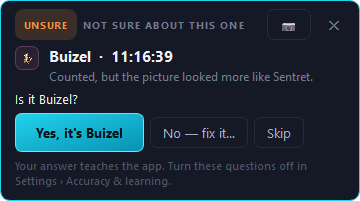
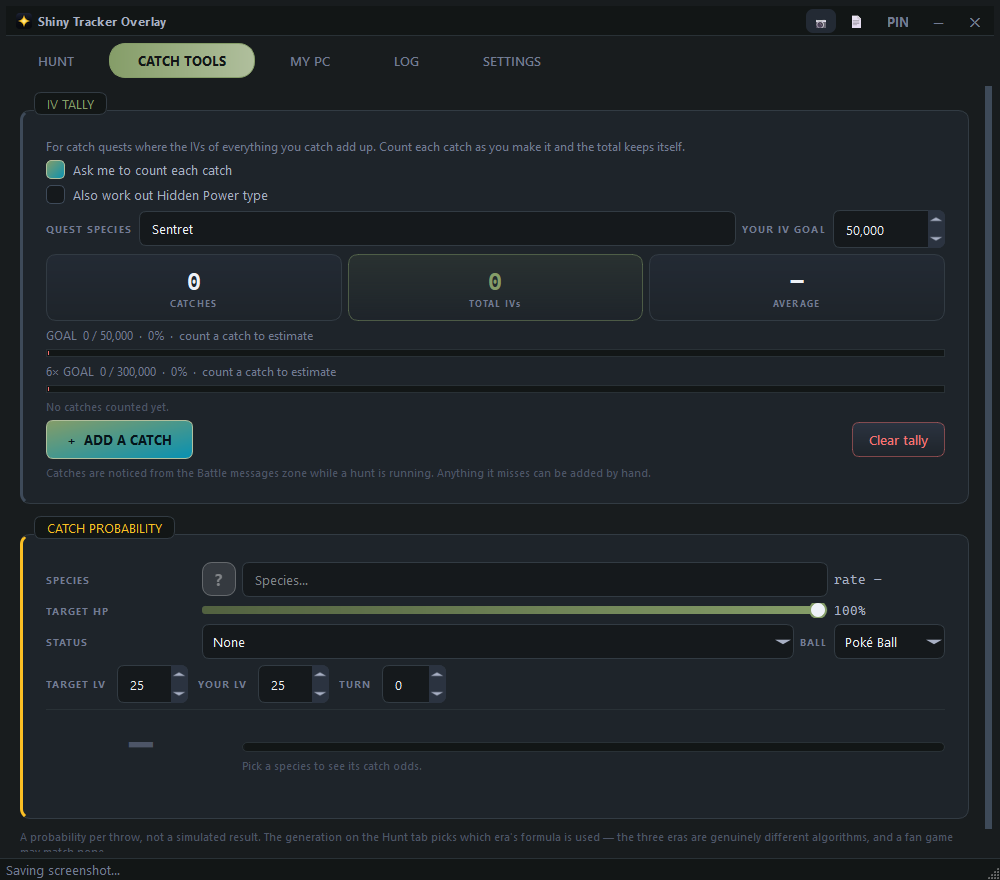
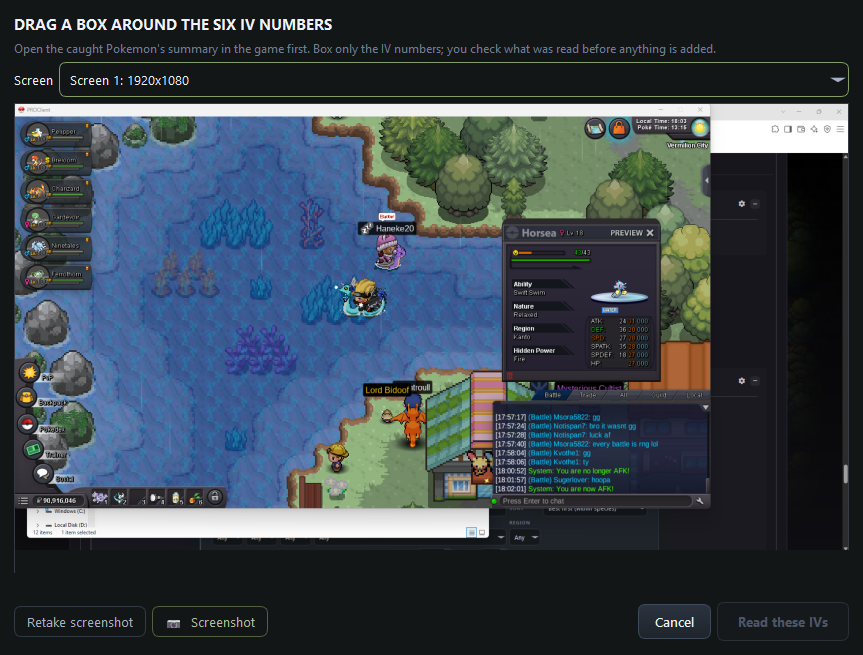
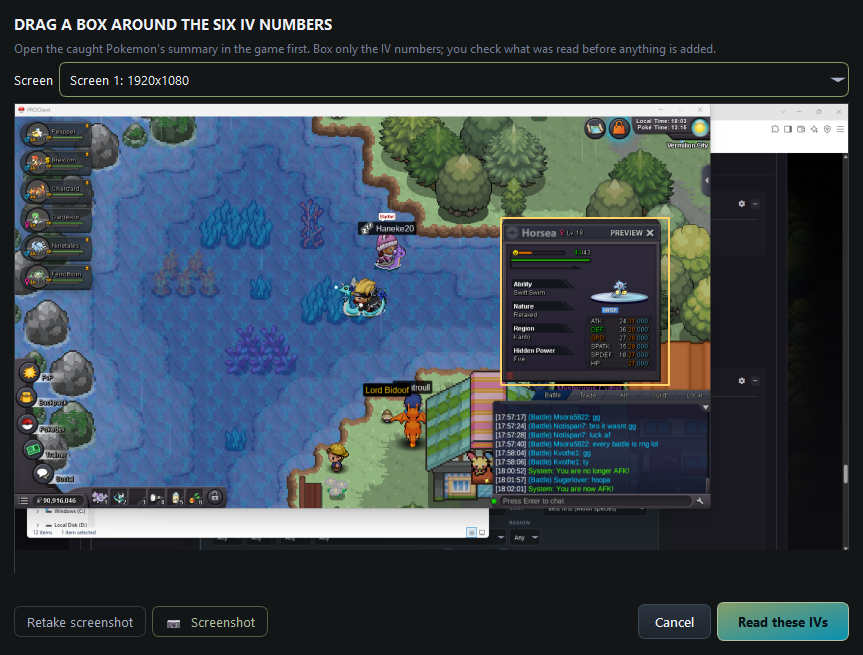
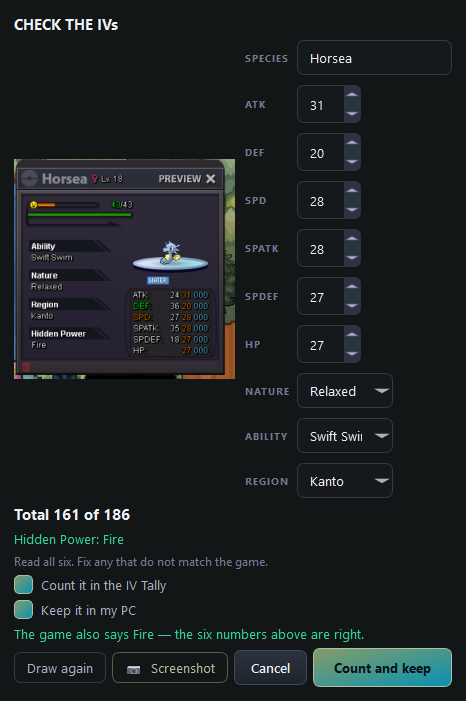
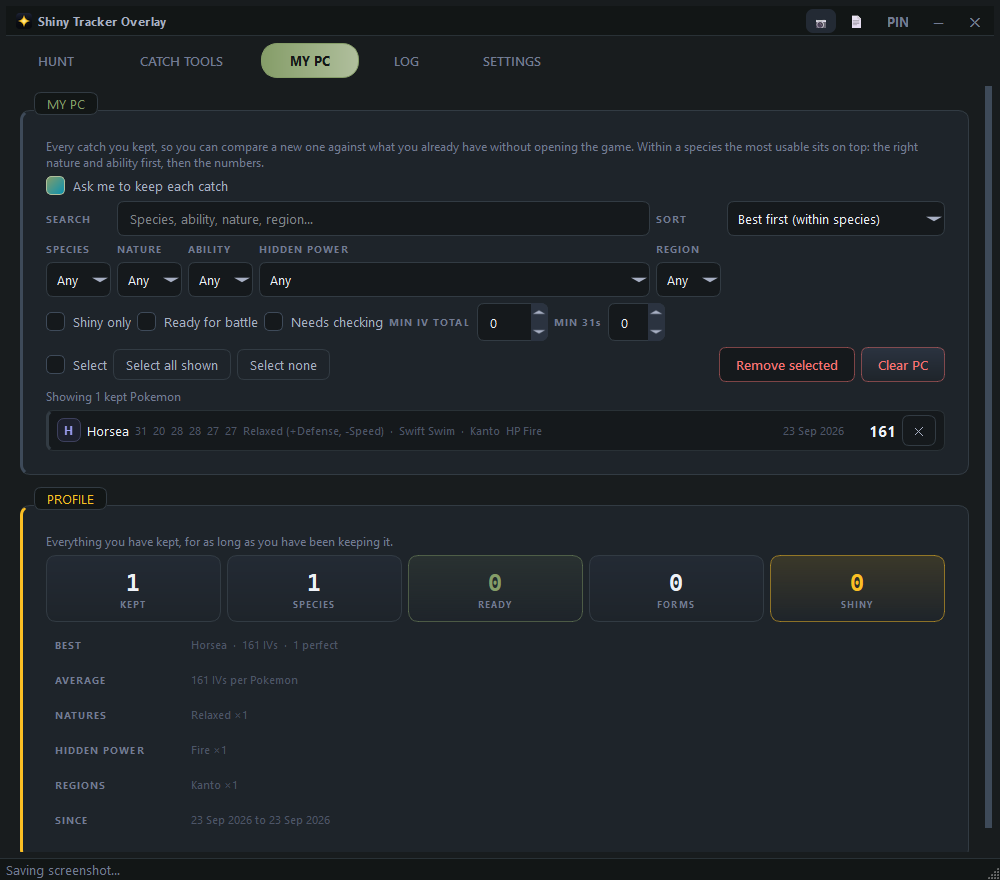
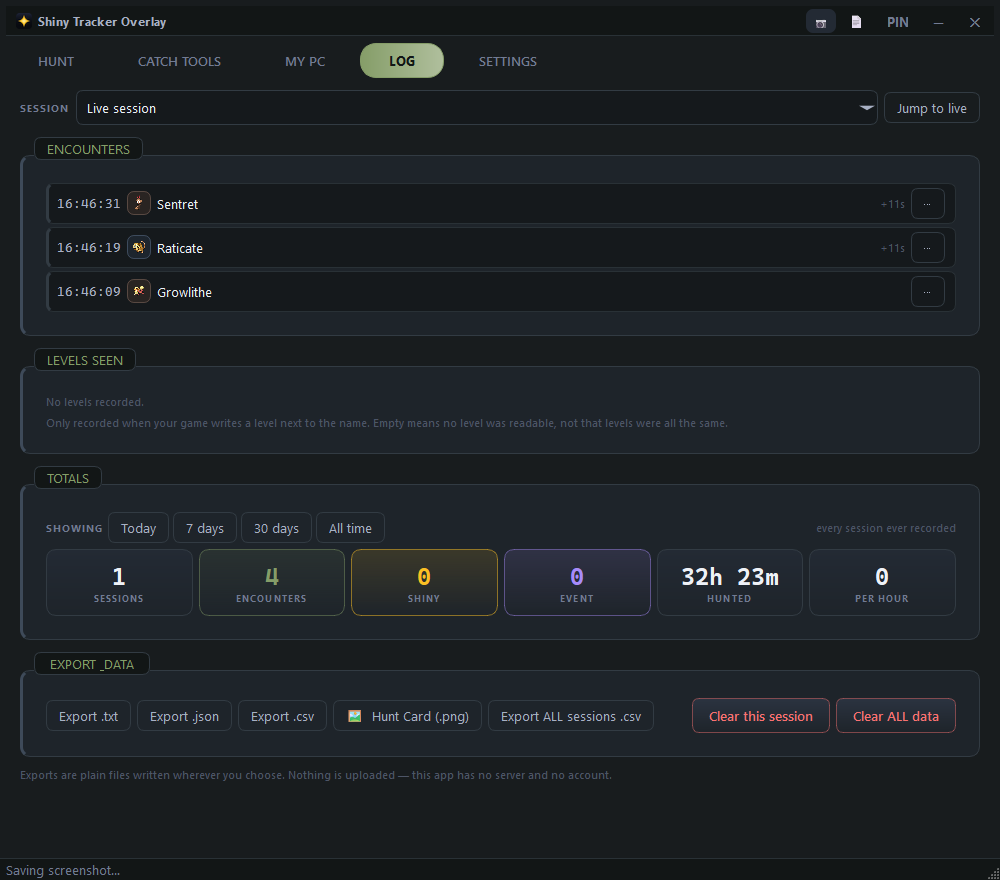
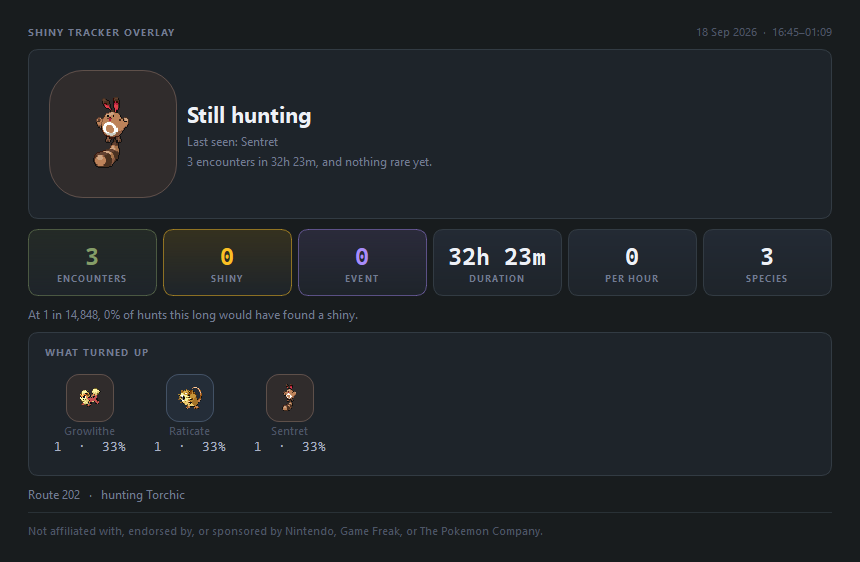
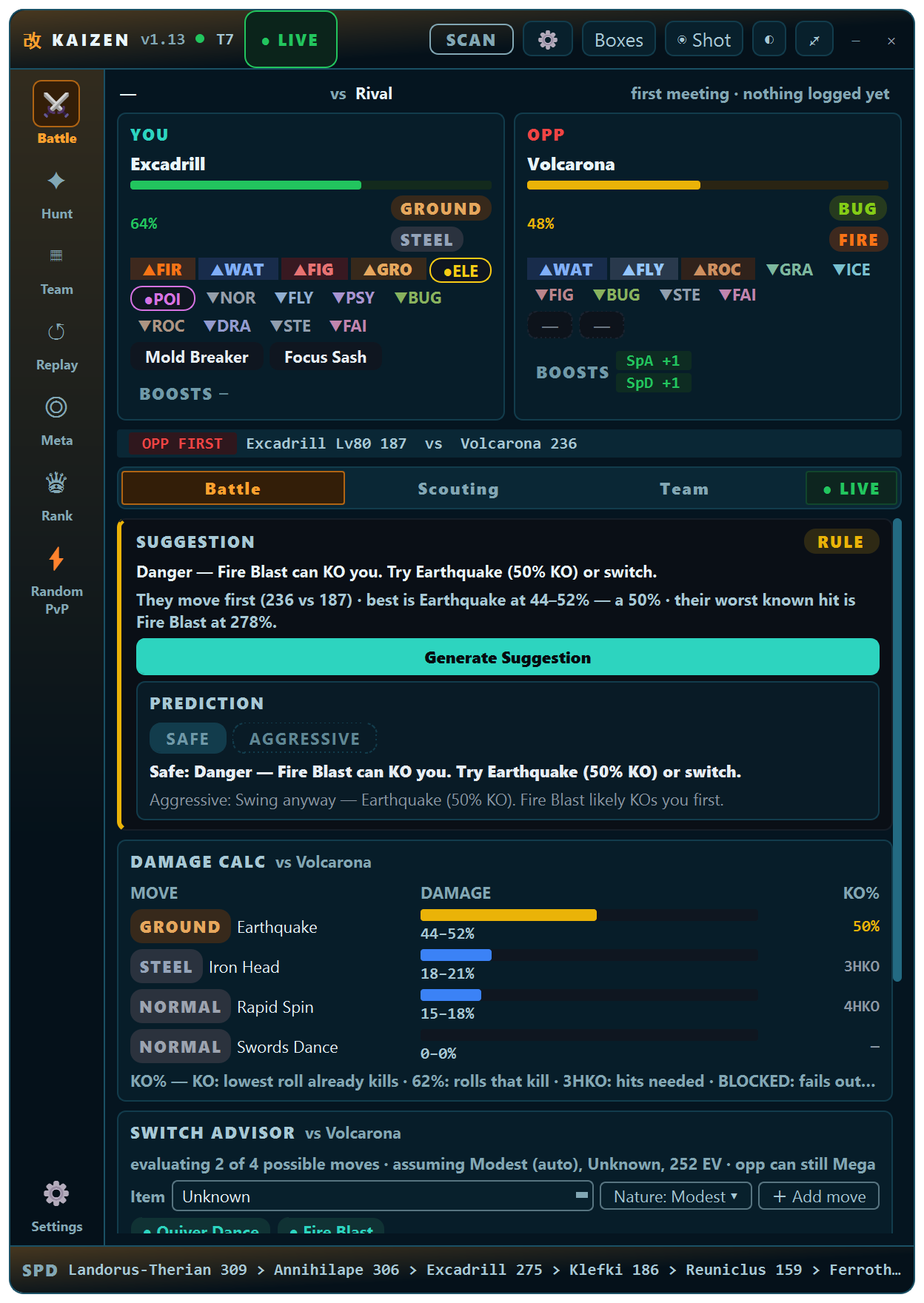
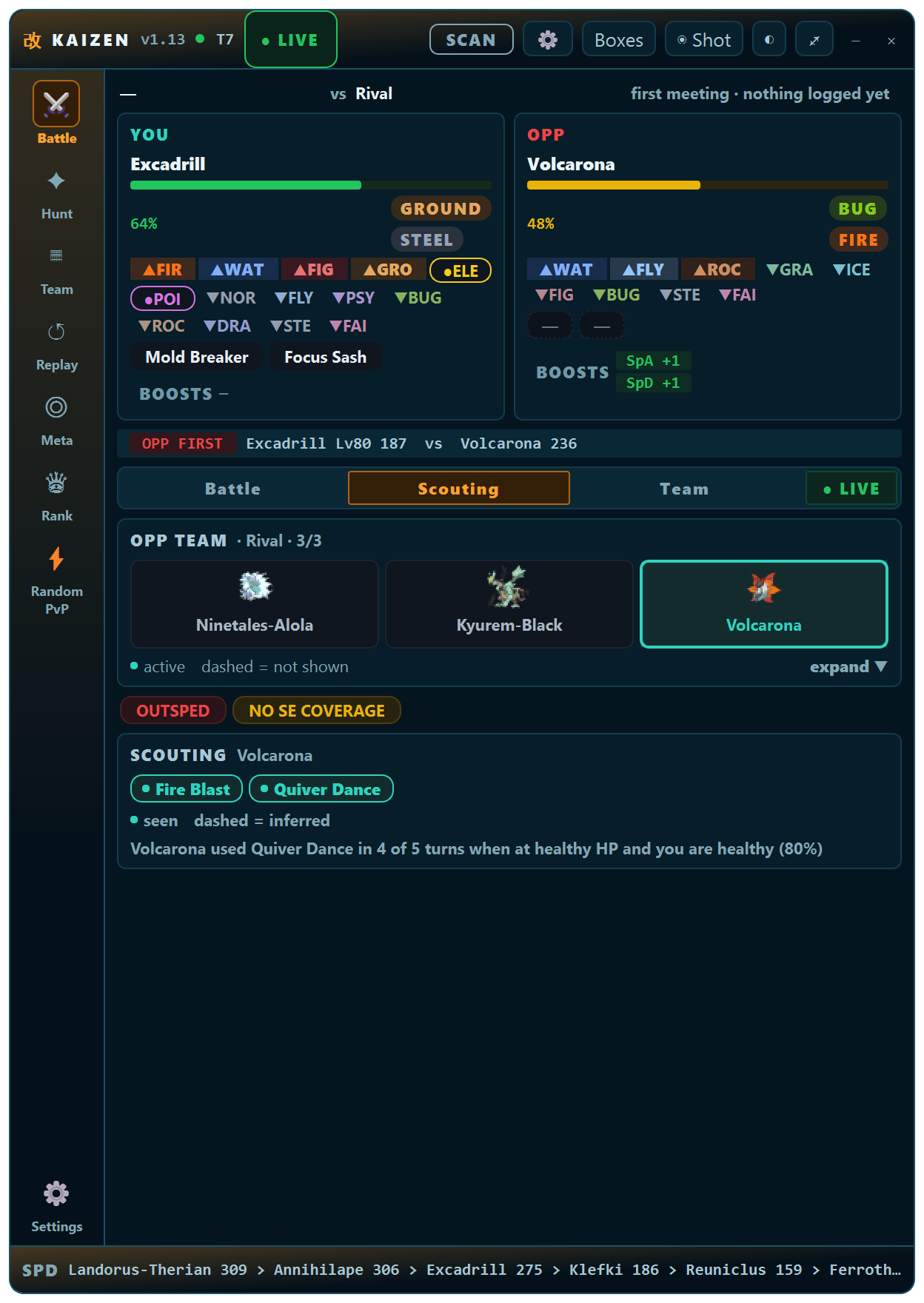
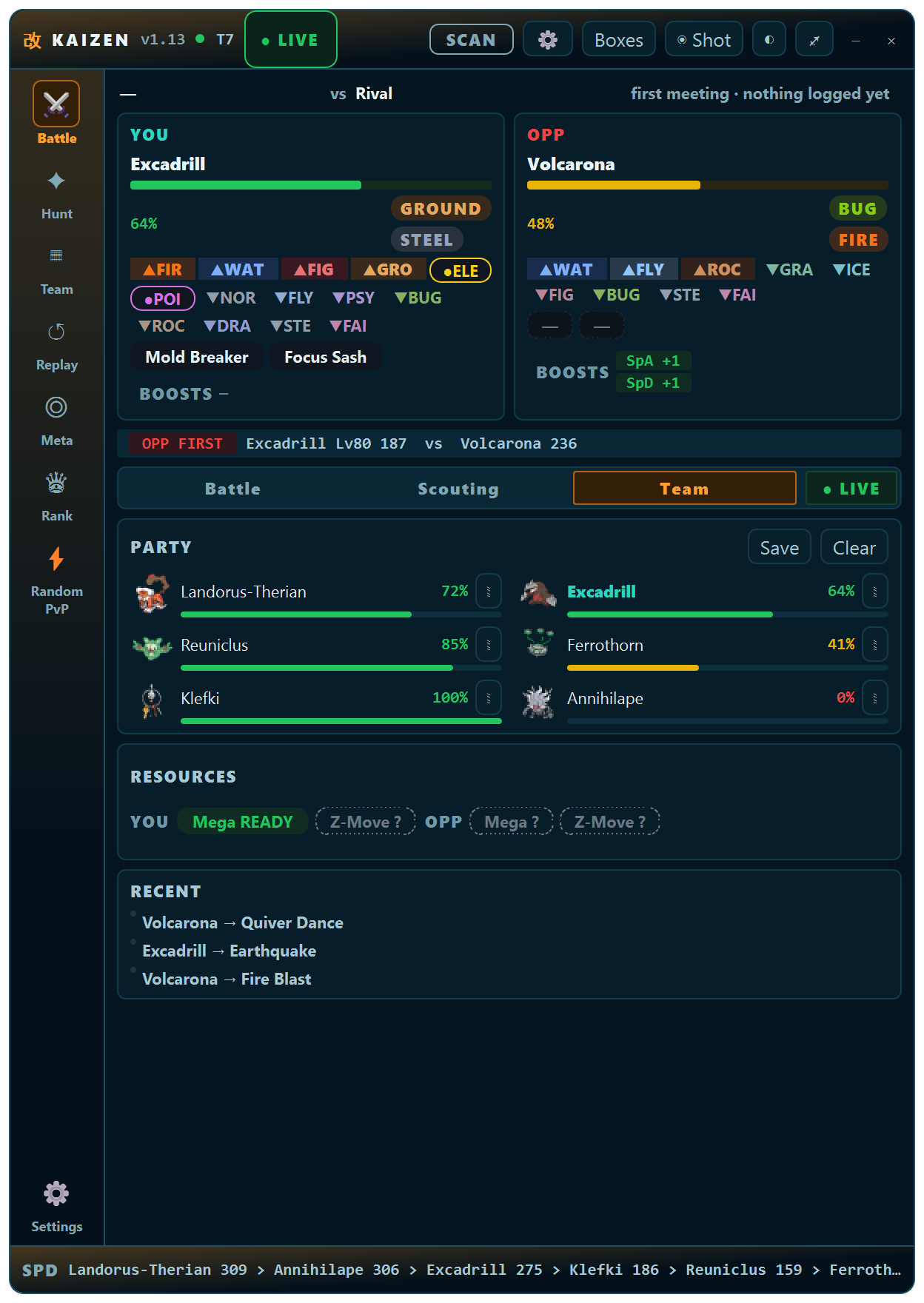
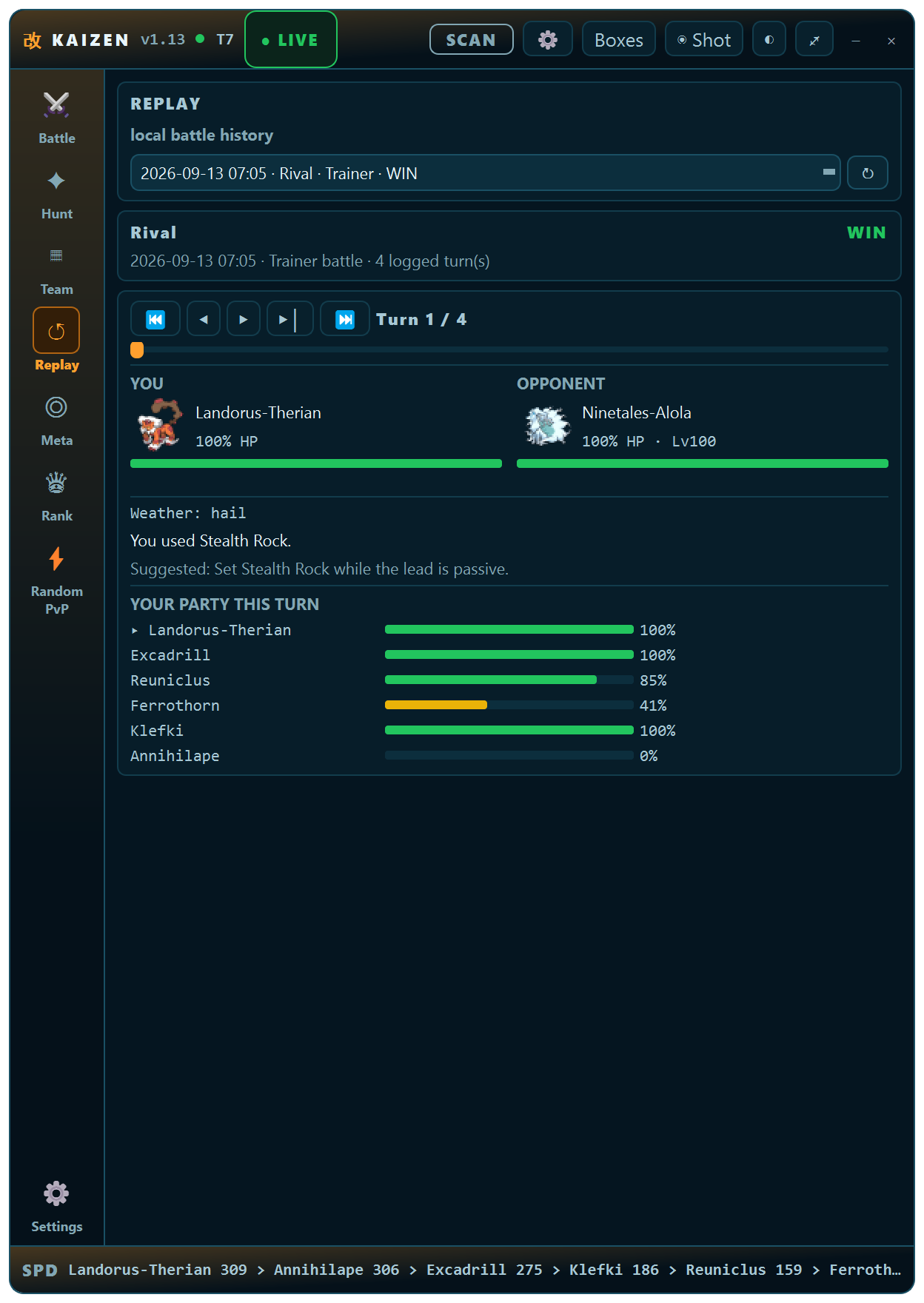
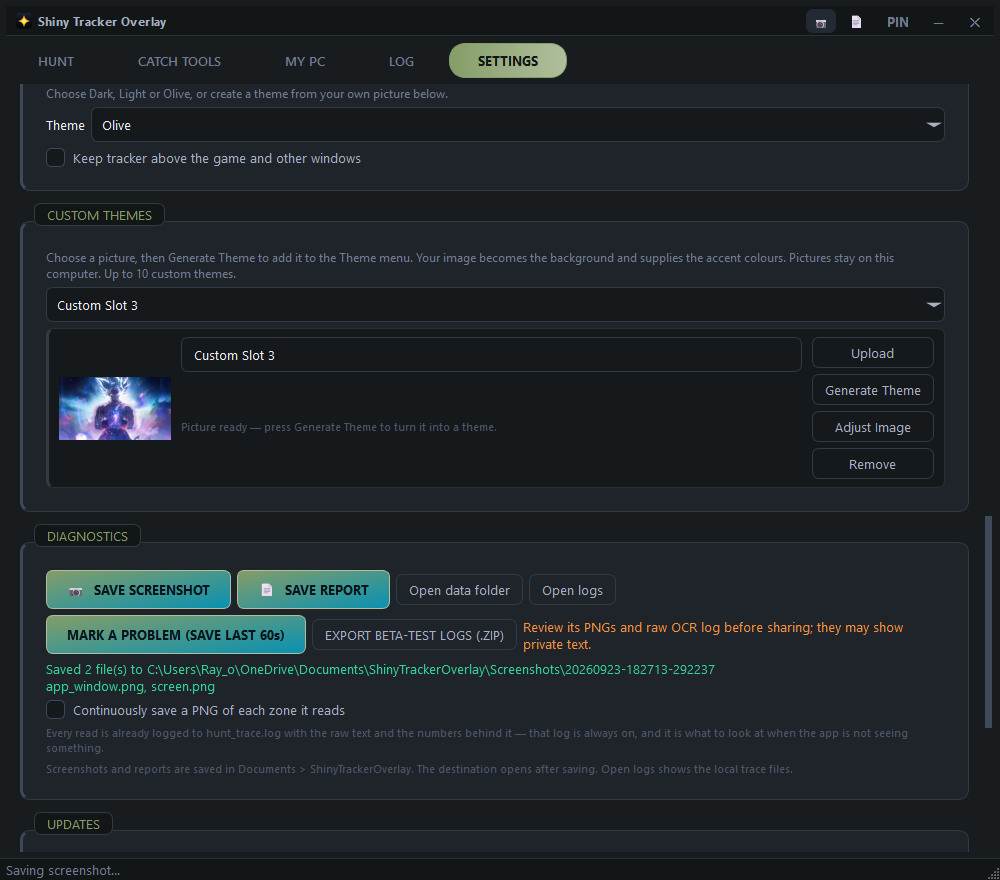
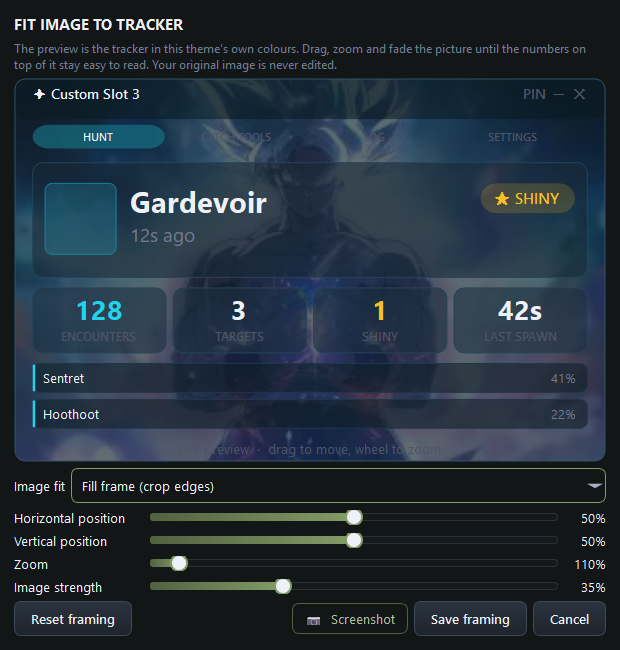
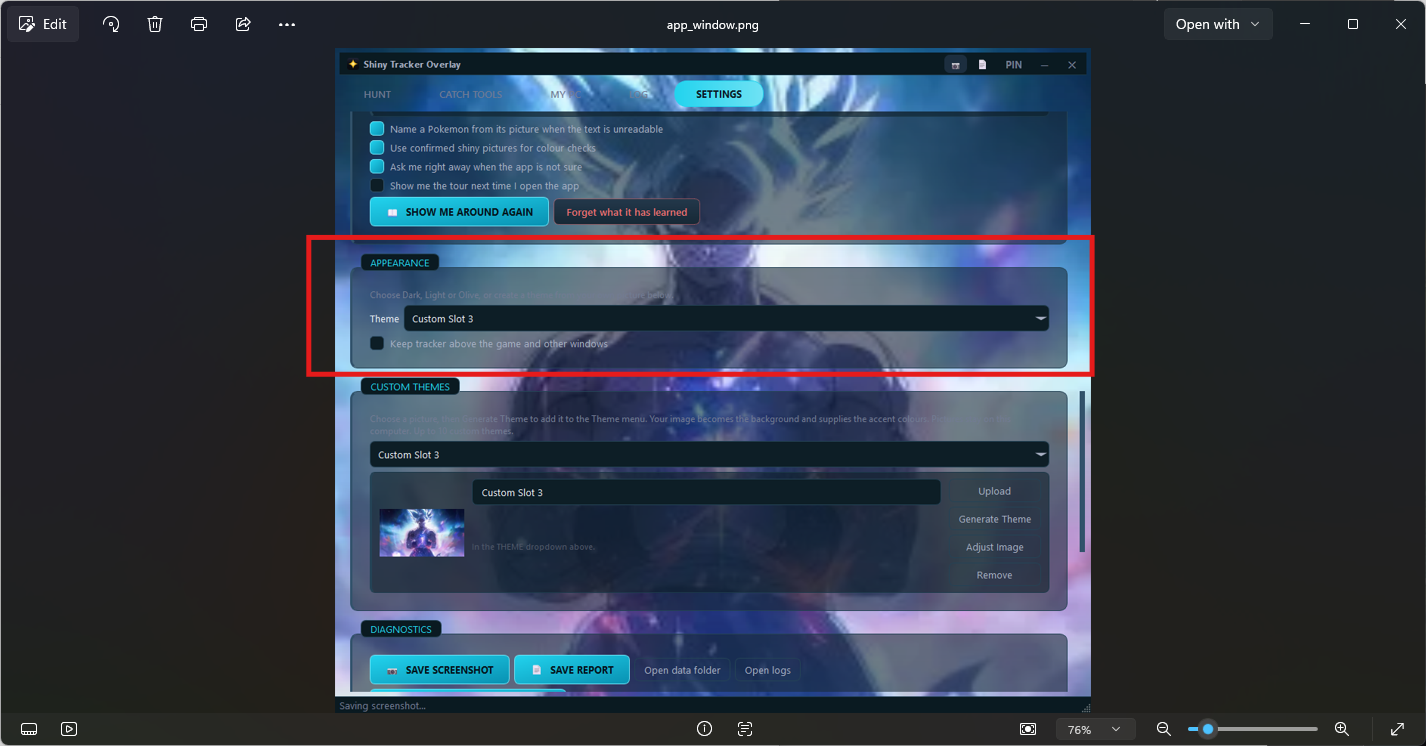
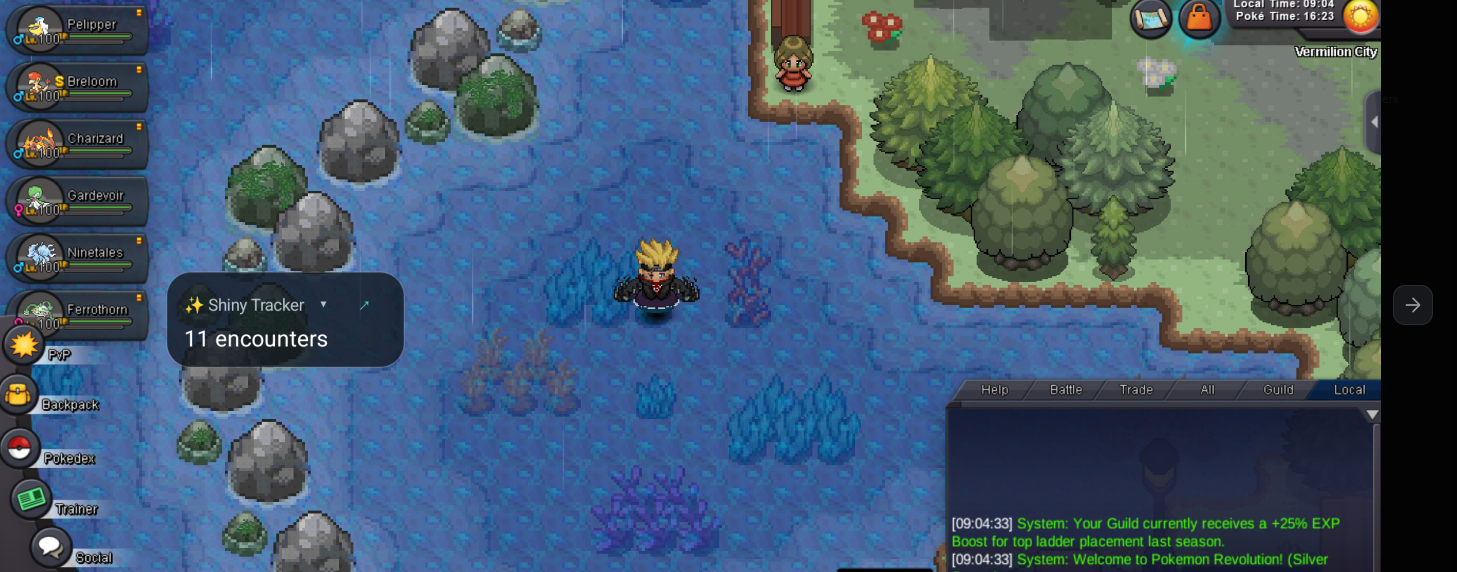
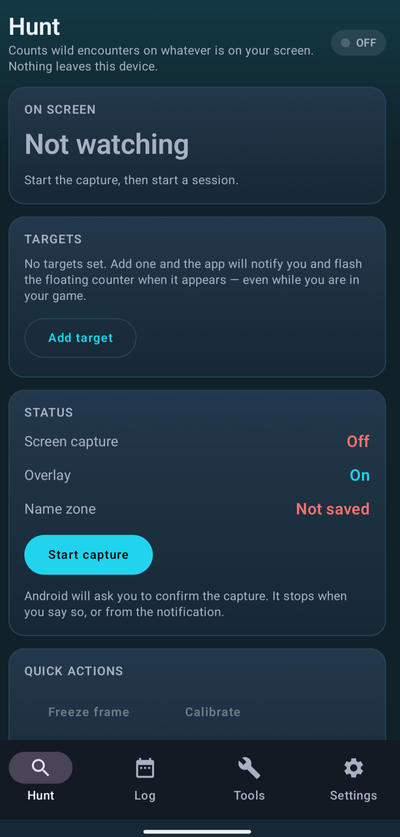
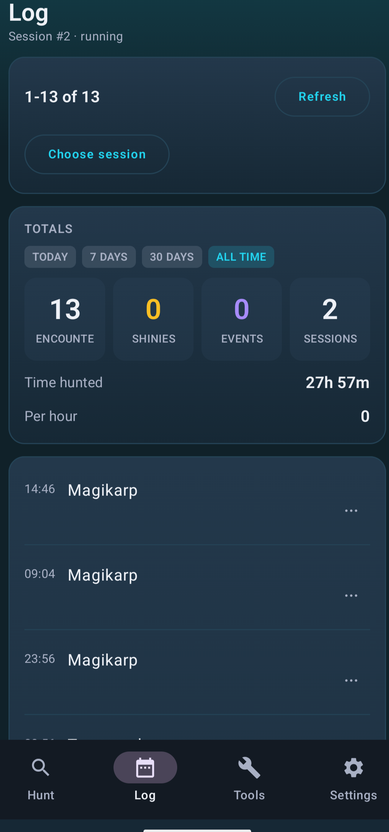
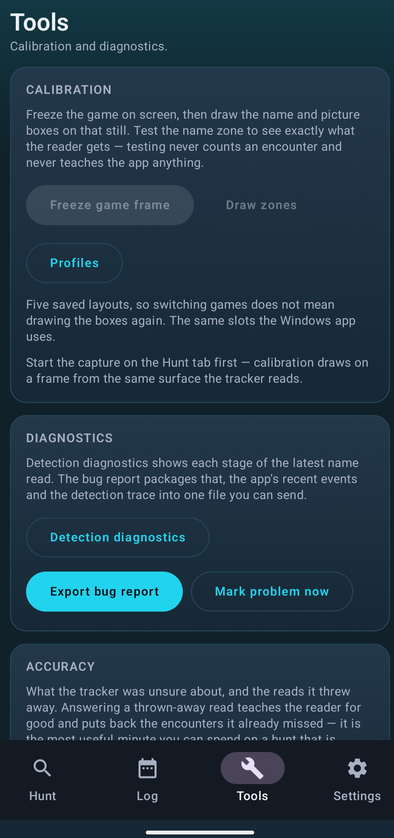
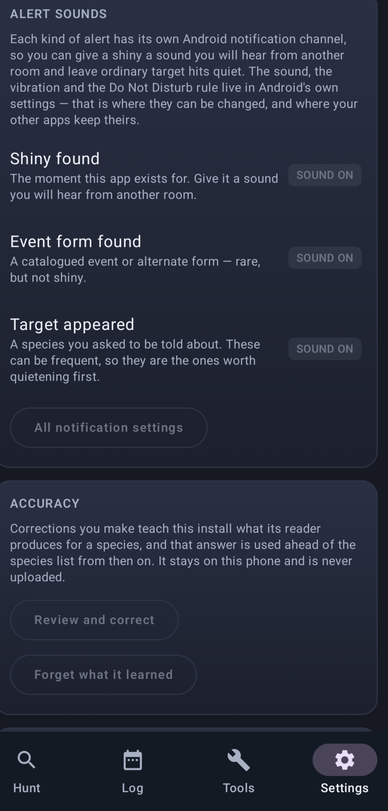
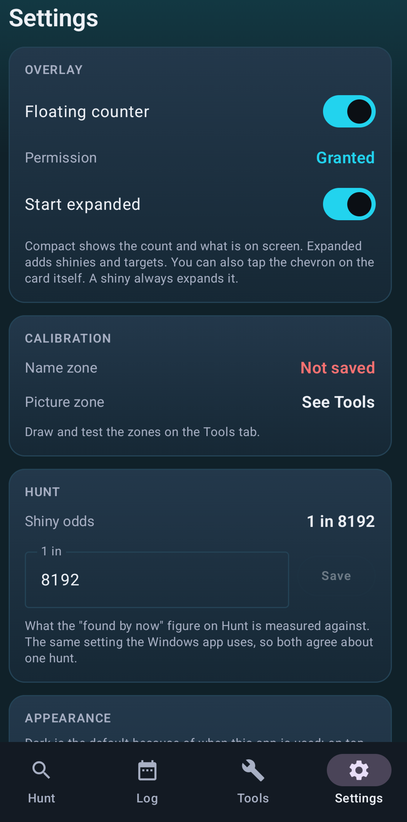
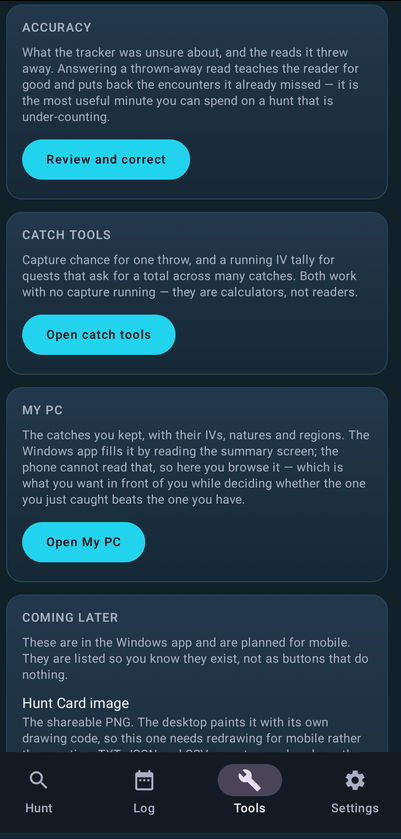
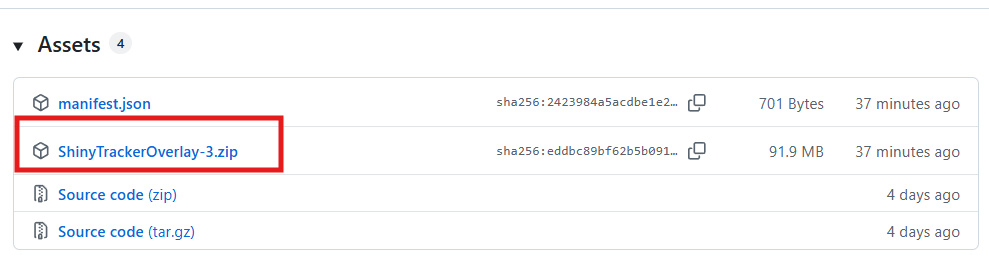
[Tool] Shiny Tracker Overlay — v3 beta Shiny Tracker Overlay is a free screen-reading companion for hunting. It watches only the small parts of the game window that you choose during calibration. It does not inject into the game, control the game, click anything, or play for you. This does not inject or automate anything with the game, it simply reads the screen, specifically text found on the screen, and relays that information to the program. It is safe to use. The app can record encounters, show measured spawn rates, alert for hunting targets, keep a searchable catch list, total IVs for catch quests, calculate catch probability, and export hunt summaries. Important beta warning: detection is approximate and shiny detection is still experimental. Always check the game yourself before leaving or running from a valuable encounter. ## Download ## Windows 10/11, 64-bit — v3: Mac and Linux in development (Need a beta tester on these systems would be nice) https://github.com/KaizenMMO/shinytracker-builds/releases ## Installation ## Extract the ZIP into a normal writable folder, keep the _internal folder next to ShinyTrackerOverlay.exe, and run the EXE. Python is not required. Because the beta is unsigned, Windows may show SmartScreen. Only choose **More info > Run anyway** if you trust the downloaded file. Once installed it has a built in auto-updater function, so no need to download a new link. ## Privacy and safety ## Hunt history, settings, learned corrections and calibration stay on your PC. - There is no account, subscription, advertising or automatic hunt-data upload. - Species data and artwork are fetched from PokeAPI, competitive set advice is fetched from Smogon through pkmn.cc, and GitHub is checked for updates. - Screenshots, reports and diagnostic ZIPs are created locally. Review them before choosing to share them because they can contain screen text. - The app is not affiliated with, endorsed by or sponsored by Nintendo, Game Freak or The Pokemon Company. ## Quick setup ## 1. Open the game in windowed or borderless mode and enter a wild battle. 2. Open Settings in the tracker. 3. Name a client and press Calibrate zones. 4. Select the battle window, then drag the a box over the battle window. The app will auto assign the regions. Works on any resolutions and multiple screens and clients. Can have 5 clients running at the same time. 5. Turn on Track now for that client. 6. Return to Hunt and press Start hunting. Screenshots of steps below ## Settings and game clients ## The Settings tab is arranged in a simple order: setup, behaviour, appearance, then support. - Game clients: save up to five different calibrations and track any combination of them into one hunt. - Text reading: shows whether OCR is ready and offers setup help if it is not. - Alerts: choose separate sounds and volumes for shiny, event and ordinary target alerts. - Accuracy & learning: decide whether confirmed pictures and corrections may help future reads. Everything learned stays local and can be forgotten. - Appearance: choose a built-in theme, keep the tracker above the game, or create a theme from your own picture. - Diagnostics: save screenshots and reports, preserve the last 60 seconds after a problem, or export a reviewable local ZIP for a bug report. - Updates: manually check whether a newer Windows build is available. ## Hunt tab ## This is the main hunting screen. - On screen now: the latest detected Pokemon, level, target status, chain, rarity and time since it appeared. - Session: give the hunt an optional name, choose the catch-calculator generation, then start or end recording. - Pace: measured encounters per hour, average and longest gaps, current drystreak, and probability estimates based on the shiny rate you enter. - Targets: add the species you care about and choose when it should alert: any encounter, shiny only, rare/event only, or one named form. - Species seen: shows what actually appeared in this session. The bars are measured shares of your encounters, not published spawn rates. Correct last fixes a wrong result and can teach the tracker. Undo last removes the latest count and can restore it until another encounter arrives. The three-dot buttons beside species open the same correction tools for the most recent encounter of that species. Recommended natures and abilities suggestions from Smogon when you hover over the Target. ## When the tracker is not sure ## The tracker does not silently guess when important evidence disagrees. - Yes, it's [species]: confirms the displayed answer and teaches from it. - No — fix it: opens the correction panel. - Skip: leaves the encounter marked unsure so it can be reviewed later. - Screenshot: saves the popup locally. ## Catch tools ## The IV Tally is for catch quests where the six IVs of every catch are added together. Set a quest species and goal, or leave the species blank to use your hunt targets. Catches can be offered automatically or added by hand. The Catch Probability card gives the chance for one throw. Choose the species, remaining HP, status condition and ball. Level and turn fields are used by the balls that need them. The generation selected on the Hunt tab chooses the formula. ## Checking a catch ## After the tracker reads a caught Pokemon's summary, check the six IVs and any nature, ability or region text before saving. - Count it in the IV Tally: adds the IV total to the current quest tally. - Keep it in my PC: stores the catch for later comparison. - Draw again: takes another screenshot and lets you select the IV area again. - Count and keep / Save: performs the selected actions. - Cancel: discards the read. ## My PC ## My PC is the permanent list of Pokemon you chose to keep. It is separate from the temporary IV Tally. Search by species, nature, ability, region or note. Use the dropdowns and checkboxes to filter for shinies, battle-ready catches, Hidden Power, minimum IV total. Use Select for removing several rows together, or the row X for one catch. Clear PC removes the whole kept list only after confirmation; it does not erase the hunt log or IV Tally. The Profile card summarises kept Pokemon, species, useful nature-and-ability matches, named forms, shinies and other lifetime details. ## Encounter log and totals ## [The Log keeps every encounter in every session. - Pick a past session or use Jump to live. - Press a row's ... button, or right-click it, to confirm an unsure result, correct it, mark or unmark shiny, remove a trainer/duplicate read, or delete it. - Load 40 more shows older encounters from the selected session. - Today / 7 days / 30 days / All time changes the period shown in Totals. - Export the selected session as TXT, JSON or CSV. - Hunt Card (.png) creates a shareable picture. - Export ALL sessions .csv writes the complete lifetime encounter list. - Clear this session removes only the selected session after confirmation. - Clear ALL data removes all sessions and encounters after confirmation. No export is uploaded automatically. ## Shareable hunt card ## The Hunt Card is a compact image containing the session's headline numbers, rare finds, measured species shares, targets and odds note. It uses the current theme and is designed for posting after a hunt. ## Custom theme image editor ## Upload a PNG, JPG or WEBP in Settings and choose Generate Theme. The image editor then lets you choose fill or fit, move the image, zoom it, and reduce its strength so the tracker text stays readable. Save framing keeps the layout; the original image is never edited. ## Feedback ## This is still a beta. So expect some bugs but if you do find them please export the log by pressing the above button and DM me on Discord at https://discord.com/users/129558483149389824 or #goatfarmer69 or join my Discord channel https://discord.gg/ZQvJafRCD If you have made it this far, I am working on 2 other PRO project, 1 is a PVP helper tool and 2 is the mobile version of this app. Screenshots of the mobile version below and PVP tool below. PVP Helper in Development Mobile Version in Development - (Could use some beta testers for mobile) Thanks in advance for your support.

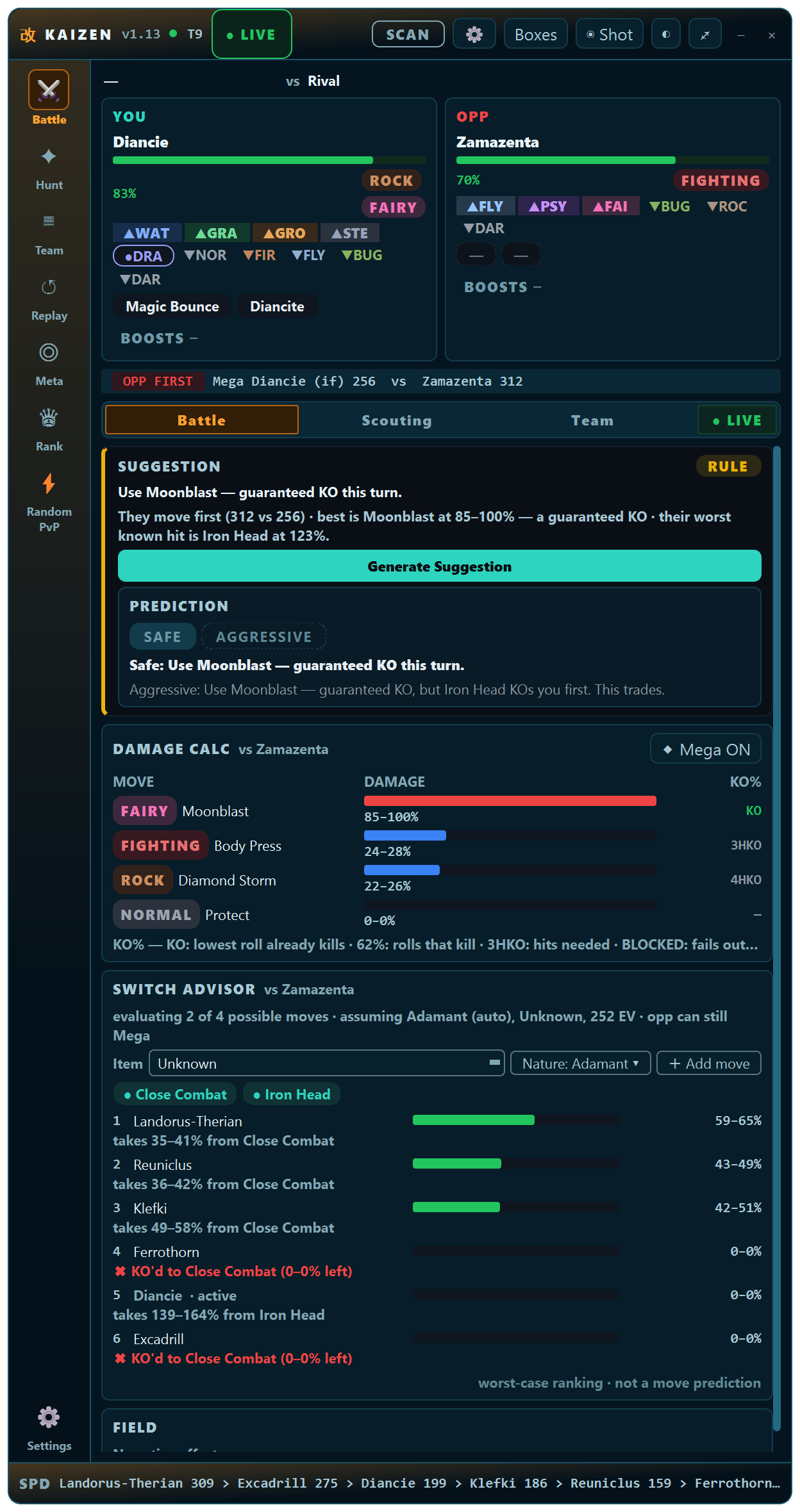
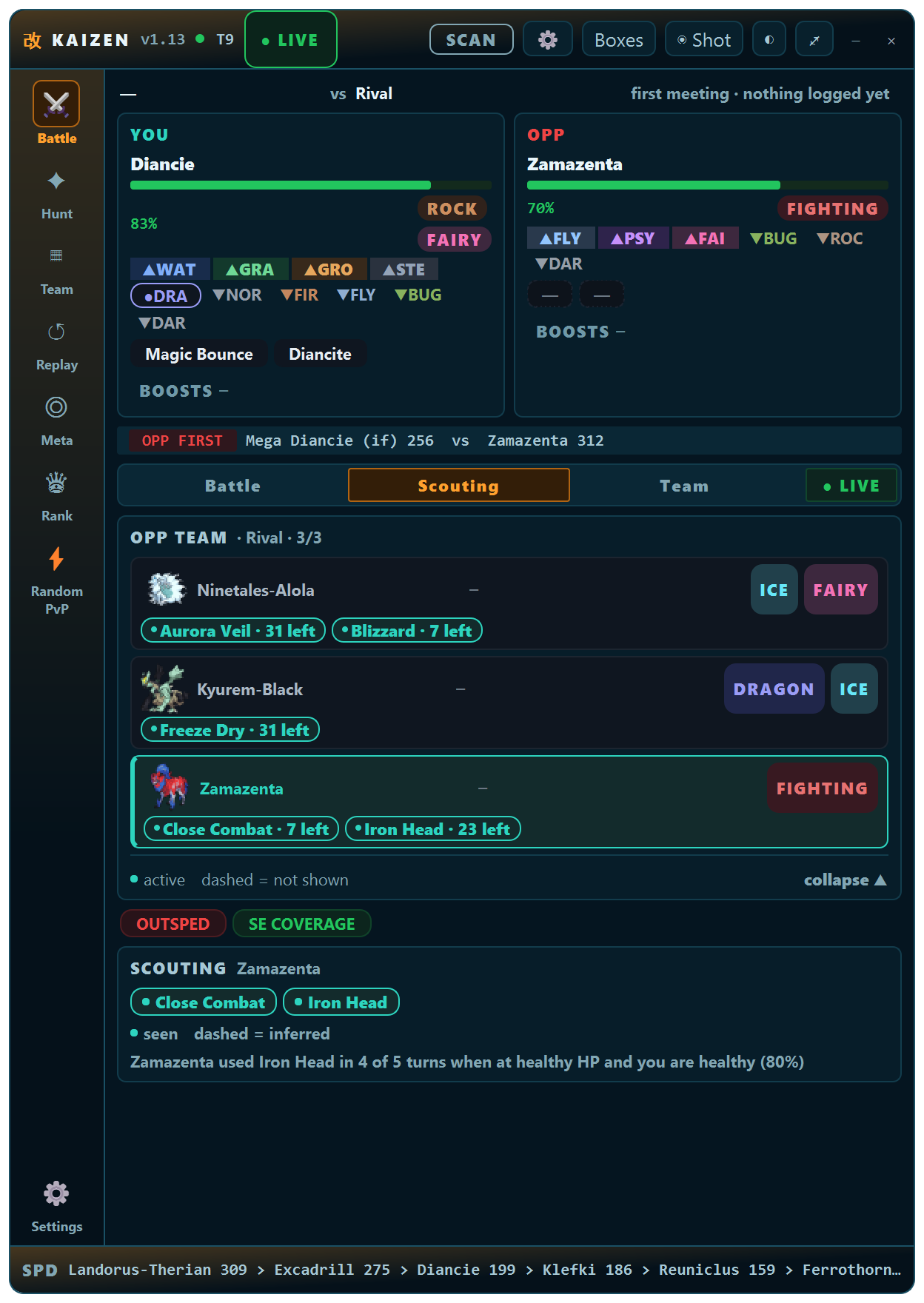
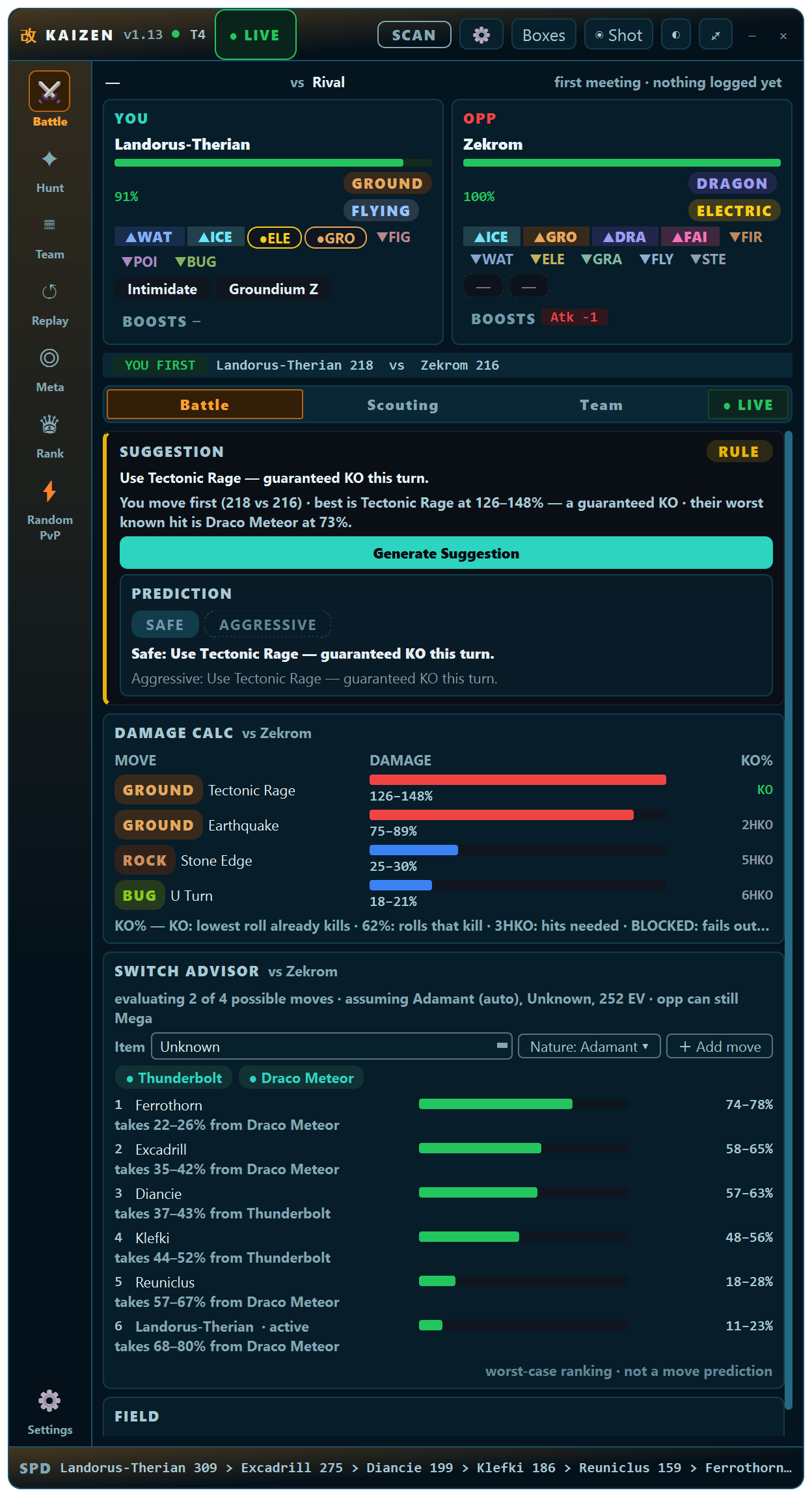
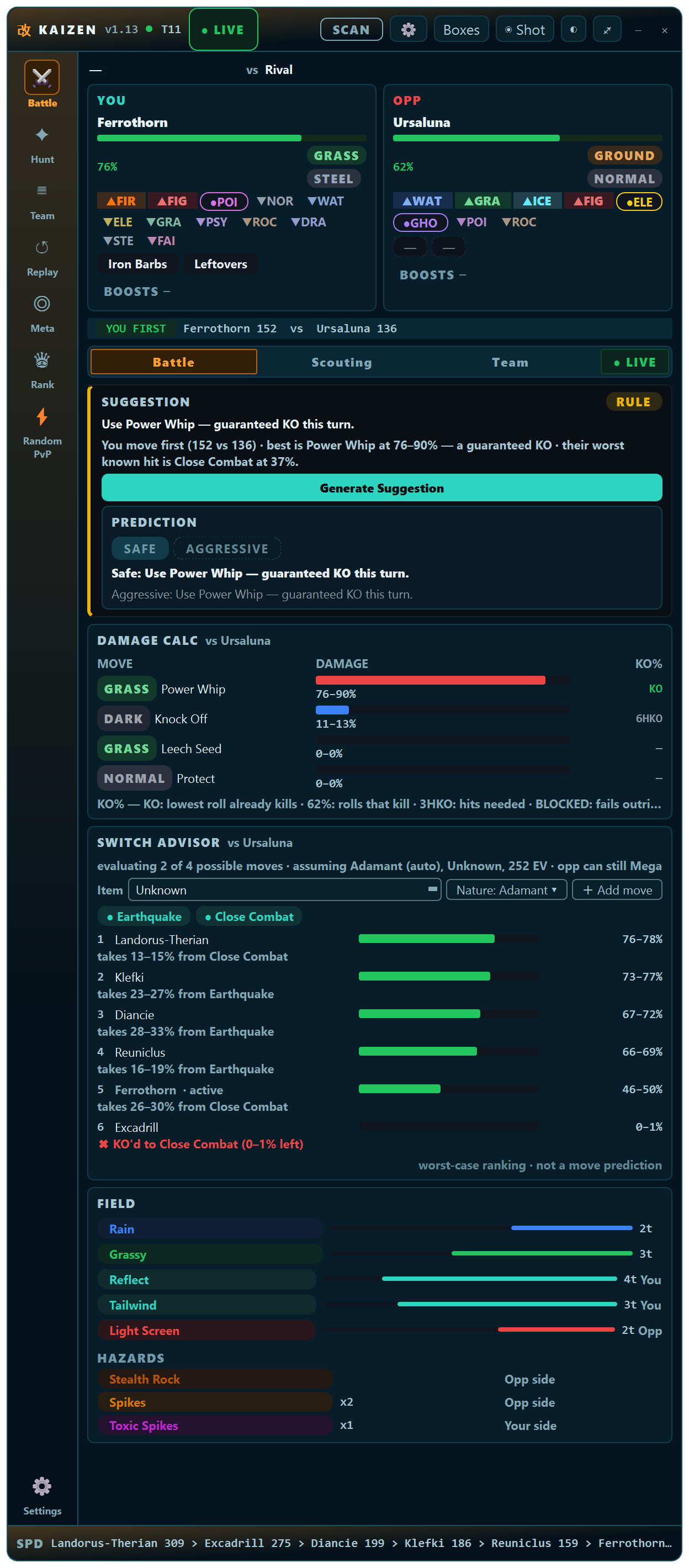
-
-1
-
Cucycuacuy joined the community
-
-1
-
Monkisha joined the community
-
Funzedits1234 joined the community
-
Xunte joined the community^bumpId like to see a purchasable item in the coin shop that you can put in your hot bar or type /pc and it would open your pc from where ever you are. would save on people running back and forth in long hunts or having 30 boxes fill up when you can just access your pc and empty them out. would also be nice in some situations like bosses etc when you need to switch up your team fast. just a QOL system to save people from constantly going to pokecenter to change teams etc.but why does it matter if they are simple to run once figured out? its pve late game content for making money etc so people want to do it the most efficient way. nothing is stopping people from trying other teams but as it stands theres nothing wrong with everyone using the same mons. you arent competing with anyone just something you do every few days for money.Hello everyone, and thank you for sharing your thoughts on this. Special thanks to Raika and H0t for staying positive and for taking the time to understand what the suggestion is actually about and explain their thoughts in depth. I appreciate everyone who took the time to explain their position and keep the discussion constructive. I don't have much to add regarding the suggestion itself, since I believe the main idea is already explained in the original post and has also been discussed by some of the people who voted +1. However, I do want to clarify a few things because I feel that some of the replies are focusing on only one part of the suggestion or misunderstanding what I meant. First, regarding the title: Ban Baton Pass - Boss Rework - Make Battles Fun The dashes are there intentionally to separate the different steps and ideas of the suggestion. When planning and organizing something, especially in a professional environment, things are normally separated into steps: Step 1: Ban Baton Pass from the current/old Boss system. Step 2: Rework the Boss system and introduce a new approach. Step 3: Make Boss Battles more fun and interesting as a result. The title is simply a short way of showing the process and the intended outcome. The most important part is obviously the final result: making Boss Battles more fun, while the first two parts describe how that could be achieved. I wanted to keep the title simple and make it immediately clear what the suggestion is about. I think that is much more appropriate than trying to explain the entire idea in the title. That is also why I don't understand some of the reactions focusing only on "Ban Baton Pass". I am not suggesting that Baton Pass should simply be removed from the current Boss system while everything else stays the same. I specifically suggested the Baton Pass ban as part of a larger Boss rework. I also want to clarify my sentence: This was apparently interpreted as me saying that I don't know what the rework should be and that the developers should come up with the idea for me. That is not what I meant. I was specifically talking about the technical implementation. I am a player, not a game developer. I don't know how PRO is programmed internally, how it's Boss system is structured, or what would be technically possible and how those mechanics could actually be implemented into the game. I can suggest the gameplay direction and what kind of experience I think would be better, but the programming and implementation are obviously something the staff team would need to determine. There is a difference between saying “I don't know how to technically implement this” and saying “I don't know what the rework should be.” I am completely fine with people disagreeing with the idea. That is the purpose of a suggestion thread. What I don't think is helpful is responding to a different version of the suggestion than the one that was actually written. This is not the first time a Boss rework has been suggested. There have been different suggestions and approaches in the past, so I don't think proposing changes to an existing system should be treated as something personal or unreasonable. Regarding players who have already invested a lot of time and Pokedollars into building Boss teams, I understand why they may be concerned about changing a system they have invested in. However, that investment was still a choice based on the current system. Players also had the option of hunting those Pokemon themselves and obtaining them as their own OT instead of buying them from other players. And even with a Boss rework, those Pokemon do not suddenly become useless. They are still Pokemon that can be used for PvP, other PvE content, future content, or simply kept as part of someone's collection. They do not disappear just because the Boss system changes. Regarding the income argument, I also understand that Bosses are an important source of Pokedollars for many players. I am not suggesting that this economic role should simply disappear. At the same time, I think it is important to separate the economic value of the current system from whether the Boss system itself could be improved. Some players may naturally be more concerned about a change because they rely on the current Boss system for income. I can understand that. However, that should not automatically mean that the system cannot be changed or improved if there is a reasonable argument that the gameplay could be better. I cannot know the personal reasons behind every -1, and I don't want to make assumptions. What I want to point out is that some of the responses in this thread have been unnecessarily hostile or personal. Disagreeing with a game suggestion is completely normal, but insults and personal attacks do not really contribute to the discussion. Finally, I am not claiming that my suggestion is perfect. I am a human, and I can make mistakes, whether they are grammatical or spelling-related, or simply because I did not phrase an idea exactly the way I had it in my head. That is normal. I always try to do some research and think about the possible consequences before making a suggestion. The purpose of a suggestion thread is to discuss ideas, improve them, and see whether something could work better for the game. Thanks again to everyone who contributed constructively. Even disagreement is useful when we can discuss the actual ideas behind it. Kind Regards, LugarioVocare05 joined the communityTramcamax joined the communityMrwilliams15 joined the community2k each, can u online now?-1Kamilkovaleko joined the communityBUMPup-1-1 Many people have spend hours of time and millions of pokedollars to have a boss team.Hello, I’d like to suggest an idea to improve the trade zone. Since players come from various regions around the world, it can sometimes be difficult to complete trades due to time zone differences. My idea is that, once an auction ends, the players involved would specify how the transaction should take place—whether it involves trading Pokémon, coins, or coin capsules—and the trade would then be carried out automatically. I believe this would make things much easier for everyone and improve the overall player experience.+1+1+1Thanks for the clarification. I ended up checking the wiki rather than relying on the old spawn lists, and that's probably the safest way to keep track of what is actually available since PRO's roster and spawn locations can change over time. The lack of an ETA for specific Pokémon also makes sense — I'd rather see them added properly than have a rushed release just to fill out the dex. Dragapult and Baxcalibur would definitely be fun additions whenever they do make it in, though. For anyone finding this old thread later, I'd use the current wiki/spawn information as the reference rather than assuming the Pokémon list in older forum posts is still accurate.