




New Trade Zone
Trade Zone is now live
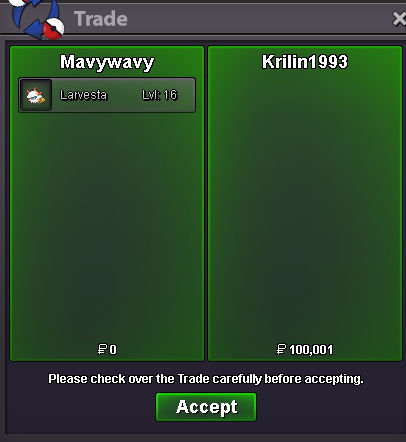
Use the new Trade Zone for auctions and instant-price trades so Pokemon and item offers are easy to find.
All Activity
Past hour
-
Selled Some clothes at Tantankare67
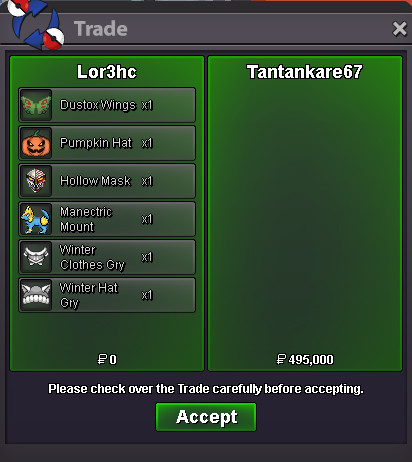
-
Chaoshunter18 joined the community
-
Hi! @Lanyru I am glad to hear you were able to find a solution! Since it has resolved i will lock this thread for you, Please feel free to reach out in the future if you have any other issues. Thanks!, Satellar 🌟Vicrow joined the communityShulky1 joined the community
Today
Dasbuhl joined the communityPokegandi joined the communityFayedflores joined the communityDezwartepiet joined the communityThank you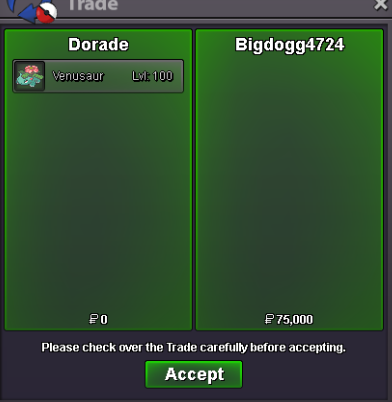 Miguelc98 joined the communityHi Staff, I'm writing this from my other account because I can't log into my main account on the website. My main account name is pop3opkl. I can log into the game (PRO Client) without any problems, but when I try to log into the website using Google Chrome, it keeps saying my password is wrong. I even changed my password and tried logging in again with the new one, but it still says it's incorrect. I've checked that I'm entering the correct password, so I'm not sure what's causing the issue. Could someone please help me figure out what's causing this? Thanks!Pop3opk joined the communityPop4opkl joined the communityHello, I´m writing regarding the issue where I can´t login into my account "Stayin" on my tablet Samsung Galaxy Tab S9 FE. I can log into the game fine through my main computer, but if I try to login through tablet, I do not receive any email for approval, do you know what can be the problem/issue? P.S.: I checked dashboard on tablet, and everything sits right when I login on my main PCTraded the bisharp, enjoyWtb red sunniesHello it is available and I'm online ingame. DM me when you arrive.Im interested in the 650k bisharp my alt acc will be in gold for it~Edit: I post this on discord as well and someone suggested unchecking the 'stream music' before login. It worked, the matter is now resolved. Thank you @94740~ Hello, i am Lanyru and i play on Silver server. After i login to my account, goes to 'loading map' then after a couple of seconds the game closes. -I have made a video which i attach here. -I have tried installing the game again. -I tried login in a few times to check if it was a one-time crash. Help! PROClient 2026-07-15 Game Crash.mp4@Rareitem Hii bro, if you want to buy my service u can pm my discord : nnvntien. please ^^ i dont understand what "-1" mean.wtb service-1hello, I cannot start the quest to get the pikachunium z crystal because the npc is not in the library, I am supposed to do a quiz it shows on youtube, I am hoping someone can help me, maybe the quest has changed. Admin in game instructed me to make a post about this, please help if possible, I dunno where I am missing the points, I already have a z ring & been hunting z crystals on trainers valley.Full region + tele subway super fast done. Welcome back to the game ^^ @Rxf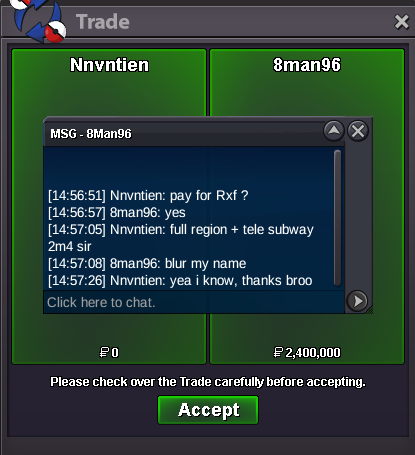
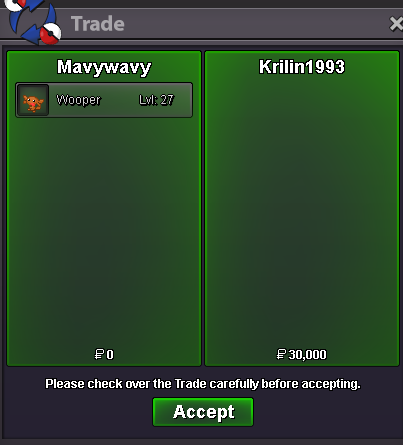
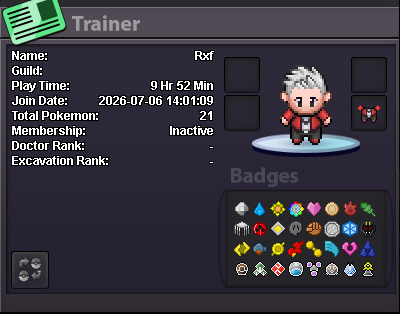 upYes so I have done that 3 times including once where I managed to time a level up and reaching 255 happiness in the same battle and I still don't have a Roseliahello i want second marowak lvl 27 :)Also, I've contacted you N978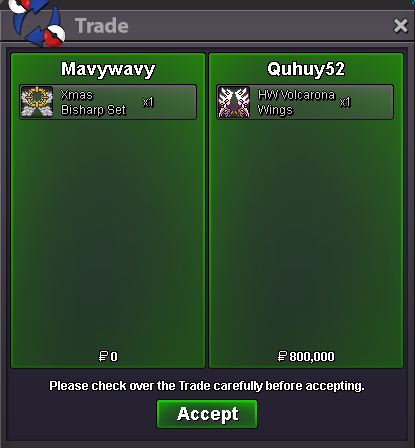
Yesterday
bump !









Account
Navigation
Search
Configure browser push notifications
Chrome (Android)
- Tap the lock icon next to the address bar.
- Tap Permissions → Notifications.
- Adjust your preference.
Chrome (Desktop)
- Click the padlock icon in the address bar.
- Select Site settings.
- Find Notifications and adjust your preference.
Safari (iOS 16.4+)
- Ensure the site is installed via Add to Home Screen.
- Open Settings App → Notifications.
- Find your app name and adjust your preference.
Safari (macOS)
- Go to Safari → Preferences.
- Click the Websites tab.
- Select Notifications in the sidebar.
- Find this website and adjust your preference.
Edge (Android)
- Tap the lock icon next to the address bar.
- Tap Permissions.
- Find Notifications and adjust your preference.
Edge (Desktop)
- Click the padlock icon in the address bar.
- Click Permissions for this site.
- Find Notifications and adjust your preference.
Firefox (Android)
- Go to Settings → Site permissions.
- Tap Notifications.
- Find this site in the list and adjust your preference.
Firefox (Desktop)
- Open Firefox Settings.
- Search for Notifications.
- Find this site in the list and adjust your preference.