New Trade Zone
Trade Zone is now live
Use the new Trade Zone for auctions and instant-price trades so Pokemon and item offers are easy to find.
All Activity
Past hour
-
Stoneyhedsjot joined the community
-
Bump. I know a staff posted my thread in staff chat saying "someone got sweep by necrozma" 90% of the Necrozma form with Solgaleo is a losing matchup.
-
Since I've seen another one, bump
-
Winpkrapp joined the community
-
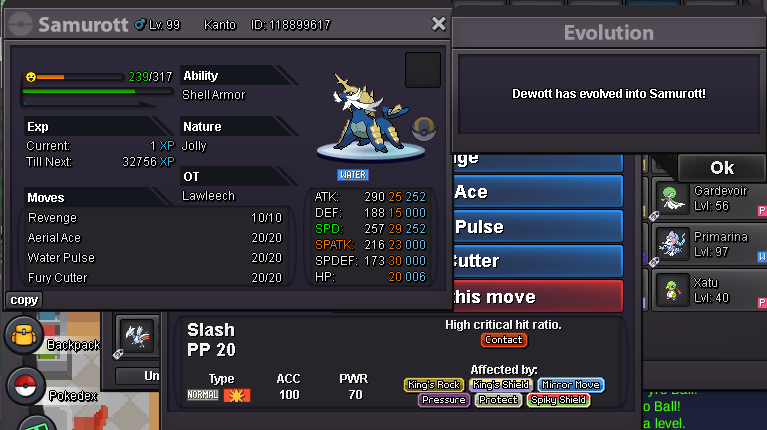
Hello! I'm really sorry to hear about what happened with your Oshawott. Unfortunately, de-evolution isn't a service we offer, as it's the player's responsibility to be careful when training and evolving their Pokémon. Therefore, we're unable to revert your Samurott back to Dewott. This policy also applies to Pokémon that evolve during an EV or Leveling Service. I understand that this was an accidental misclick and that you invested a considerable amount of money in your Oshawott. However, we're unable to reverse evolution choices, even in cases like this. If you still want to obtain a Hisuian Samurott, you'll need to get another Oshawott and evolve it accordingly. I'm sorry we can't offer you a different solution, but I hope you understand. Since there's nothing further I can do to assist you with this matter, I'll go ahead and close this thread. If you need help with anything else in the future, please feel free to create a new one. Kind regards. Hallowglow.
-
K23 joined the community
-
bump
Today
-
Tonisilver joined the community
-
Moolhoom joined the community
-
Cscqsdczs joined the community
-
Alan929 joined the community
-
Whitedevilsdf joined the community
-
Denev joined the community
-
Hello PRO Staff, I would like to sincerely ask for your help regarding a mistake I made while evolving my Pokémon. I accidentally evolved my Oshawott into Samurott due to a misclick. My original intention was to evolve it into Hisuian Samurott because my Oshawott has a Hidden Ability. Would it be possible for the staff to help me revert my Samurott back to Dewott so I can evolve it into Hisuian Samurott instead? I purchased this Oshawott at a very expensive price, so I would be extremely disappointed if I lost the opportunity to obtain the Hisuian form because of this accidental misclick. I completely understand that this was my own mistake, and I sincerely apologize for the inconvenience. I promise to be much more careful and pay closer attention when evolving my Pokémon in the future. I would be incredibly grateful if you could consider my request and help me restore it to Dewott. Thank you very much for your time, understanding, and consideration. I really hope you can help me with this. Best regards.
-
Goldenpheonie joined the community
-
-
Its a really frustrating thing when a spam single user make an acoount just to buy everything with insta prices at trade zone and also making comments like "bump" to some posts. That has been happened in the last 2 months 3 times every 10 days. Feel free to share your own thoughts for the matter. Thank you all for reading my experience

-
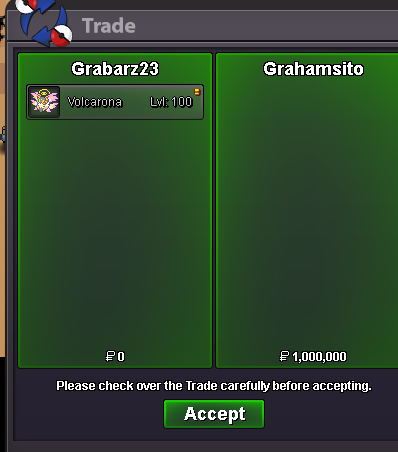
HW Volcarona sold
-
-
-
bump!
-
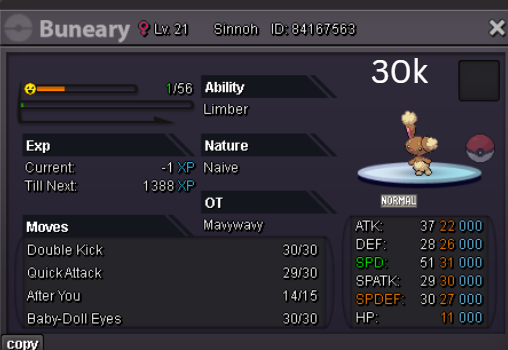
Wtb IGN : Vanthexor Server : Gold
-
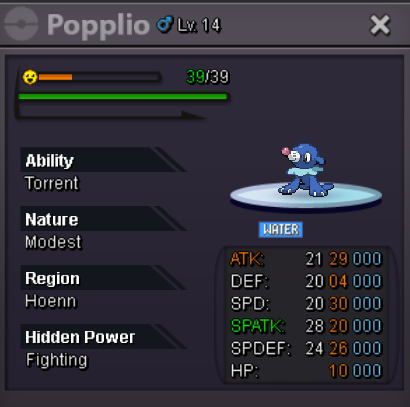
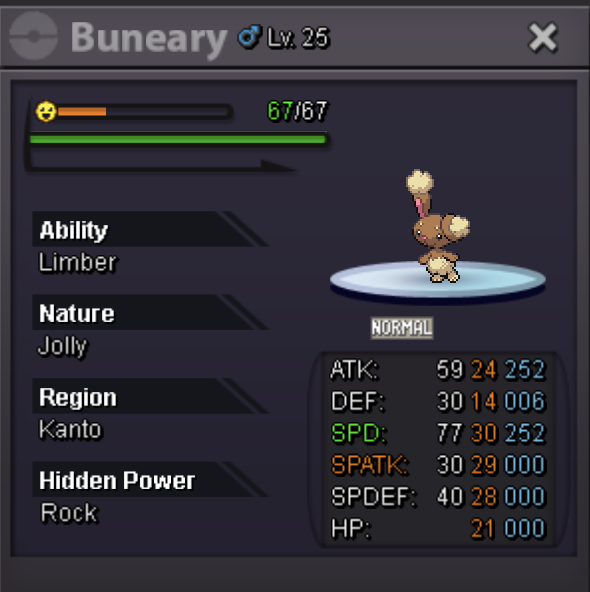
Wtb IGN : Vanthexor Server: Gold
-
Hello! I'm really sorry to hear that! Don't worry, you can still return to the Dark Realm. To do so, you'll need to defeat Horon, Thief of Souls, who is located in Dark Valley, north of Necropolis, without losing any Pokémon. Make sure to bring a full party of 6 Pokémon and that all of them have at least 1 HP left when the battle ends. If any of them faints, you'll have to wait 3 days before you can challenge Horon again. Once you've defeated him, go back and talk to Alucard, Master of Deception. He'll battle you again and send you back to the Dark Realm. However, I can't guarantee you'll be able to obtain the Clone Pokémon this time, as you didn't get it on your first attempt. I hope this helps! Kind regards. Hallowglow.
Yesterday
-
[Tool] Shiny Tracker Overlay - Windows, Linux, Mac and Android (PC v3.14 / Android v2.2) Shiny Tracker Overlay is a free screen-reading helper for encounter and shiny hunting. It counts your encounters, shows your real spawn rates, alerts you when a target or shiny appears, keeps a list of your catches, and makes a picture of your hunt to share. It only reads the screen. It does not change the game, click anything, or play for you. Beta warning: reading the screen is never perfect. Always check the game yourself before you run from a valuable encounter. === DOWNLOAD === These links never change and always give you the newest version, so you can bookmark them or pass them on. WINDOWS 10/11 (64-bit) - v3.14 https://github.com/KaizenMMO/shinytracker-builds/releases/latest/download/ShinyTrackerOverlay-Windows.zip LINUX (64-bit, X11 or Wayland) - v3.14 https://github.com/KaizenMMO/shinytracker-builds/releases/latest/download/ShinyTrackerOverlay-Linux-x86_64.tar.gz MAC (M1 or newer, macOS 13 or later) - v3.14 https://github.com/KaizenMMO/shinytracker-builds/releases/latest/download/ShinyTrackerOverlay-Mac-AppleSilicon.dmg ANDROID (64-bit phones and tablets, Android 10 or newer) - v2.2 https://github.com/KaizenMMO/shinytracker-builds/releases/download/android/ShinyTracker-Android.apk All releases and notes: https://github.com/KaizenMMO/shinytracker-builds/releases Already have it? You don't need to download again. The app tells you when an update is out. === WHAT'S NEW === PC v3.14 - Fixed: the app could refuse to start after you had taught it both the normal and a special form of the same Pokemon. If it wouldn't open for you, this version fixes it, and your hunts are still there. - Settings > UPDATES has a "Copy link" button for Windows, Linux and Mac, so you can send a friend the right download. Android v2.2 - No more setup. Go into a wild battle and the app finds the battle on screen by itself, and follows it if it moves. - Updates now download and install from inside the app. The NEWS tab in the app lists every change. === GETTING STARTED === WINDOWS Unzip the download into a normal folder (for example a new folder in Downloads) and run ShinyTrackerOverlay.exe. Keep the _internal folder next to it. If Windows shows a blue SmartScreen warning, choose More info > Run anyway. After this the app updates itself. LINUX Unzip the download and run ShinyTrackerOverlay from the new folder. It needs Tesseract (the text reader). If it's missing, the app shows the exact install command for your system with a Copy button. MAC Open the DMG and drag the app into Applications. The first time, macOS blocks it because it isn't registered with Apple: go to System Settings > Privacy & Security and press Open Anyway (only once). The app helps you install Tesseract and asks for Screen Recording permission, which it needs to see the game. Intel Macs are not supported. PC SETUP (all computers) 1. Open the game in a window (or borderless) and go into a wild battle. 2. In the tracker, open Settings, name a client and press Calibrate zones. 3. Select at least Name + level. The other zones make it more accurate. 4. Turn on Track now for that client, then go to Hunt and press Start hunting. The tour in Settings walks you through the rest. ANDROID 1. Copy the Android link into Chrome on your phone. Paste it into the address bar rather than tapping it inside Discord, whose built-in browser often drops the download. 2. If Chrome says the file might be harmful, tap Download anyway (the message disappears after a few seconds). 3. Open the file when it finishes. Android asks you to let Chrome install apps: turn that on and go back. 4. Tap Install. If Play Protect says it doesn't recognise the app, tap More details > Install anyway. This happens with any app that isn't from the Play Store. 5. Open Shiny Tracker and press start on the Hunt tab. When Android asks to share your screen, choose "Share one app" and pick the game. 6. Allow "Display over other apps" so the floating counter can appear. 7. Go into a wild battle. The app finds it by itself and starts counting. Older 32-bit phones can't run the app. === PRIVACY === - Your hunts, settings and setup stay on your computer or phone. - No account, no subscription, no ads, and nothing is uploaded. === FEEDBACK === Reports help a lot. The easiest way is the Send to developer button (Settings on PC, Tools on Android). It sends me what I need to fix things. Add a short note if you can. Or reply here with: the app version, your device (Windows / Linux / Mac / phone model), what you expected, and what happened. Please don't post private chat or account names.
-
any update? i still havent received my items. At this point, I'd rather have my 1 CC back that I used
-
up
-
Would be cool to ba able to select the mounts we want to be random. So we dont get random Xmas Mount while in middle summer. =D
-
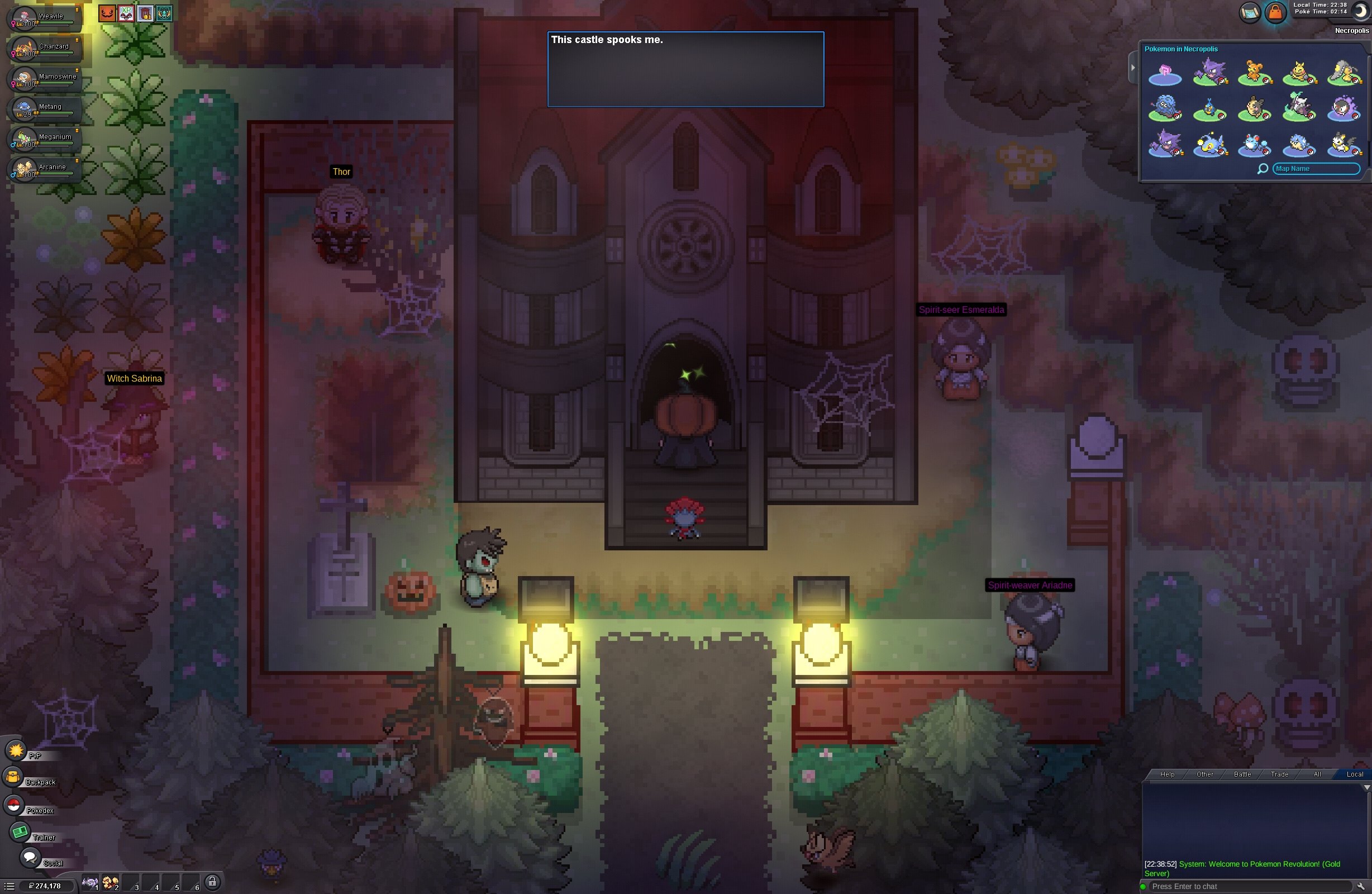
I was trying to complete the Darkrai quest in the game. Since I don’t know English, I was following a wiki guide to figure out how to proceed. While I was attempting to rescue the Growlithe in the Dark Realm, I died once; then, thinking I would be able to re-enter the Dark Realm, I accidentally exited the area. There was a red warning message, but because I didn’t understand it, I assumed I could just go back. Now, I can no longer return to the quest, and I don’t know what to do. Could you please help me?
-
Hello! That's great news! I'm really glad I could help you! Since everything has been resolved, I'll go ahead and close this thread. If you need any further assistance in the future, please feel free to create a new one. Best of luck with the Lake Trio! Kind regards. Hallowglow.
-
Hello! Thank you so much for your help and for recovering the item for me. Everything is working properly now, and I can continue the quest. I'm really sorry for the trouble—it was my fault for not being careful enough. I will definitely pay more attention in the future. Thanks again!
-
Hey, this is indeed an issue and its already known. Each of these cases will get fixed overtime with the ongoing reworks to the spawns. Greetings~
-
You may just be hunting in areas which have more available forms versus where you were hunting during summer.
-
bump!
-
Hello! Thank you so much for your patience and for providing all the information. The team has recovered the item for you, so you should now be able to interact with the statue and continue with the quest. In the future, please be more careful when progressing through quests and handling quest-related items. Some actions may not be reversible, and I can't guarantee that lost or traded items will always be recoverable. Please let me know if everything is working properly now! Kind regards. Hallowglow.