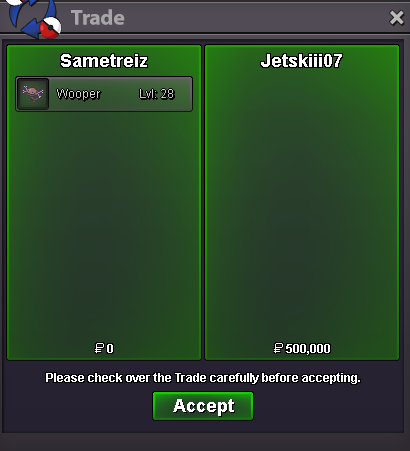
New Trade Zone
Trade Zone is now live
Use the new Trade Zone for auctions and instant-price trades so Pokemon and item offers are easy to find.
All Activity
Past hour
-
Hi! @Vicrow I apologize that we were not able to help resolve your issue quickly, as staff, we volunteer to help and in a lot of cases we are really busy both inside the game and outside. I am able to continue with the refund if you would like, but if you would prefer otherwise than that is fine. In which case let me know and i will close the thread. Again i apologize we were not able to resolve this quicker, there is a specific process we go through for these issues to make sure they're done correctly. Thanks, Satellar ⭐
-
Ksao joined the community
-
Starp0tato joined the community
-
Botmin joined the community
-
it happens 5 time daily , just from nowherere the client stops working Any idea how this can be fixed ?
Today
-
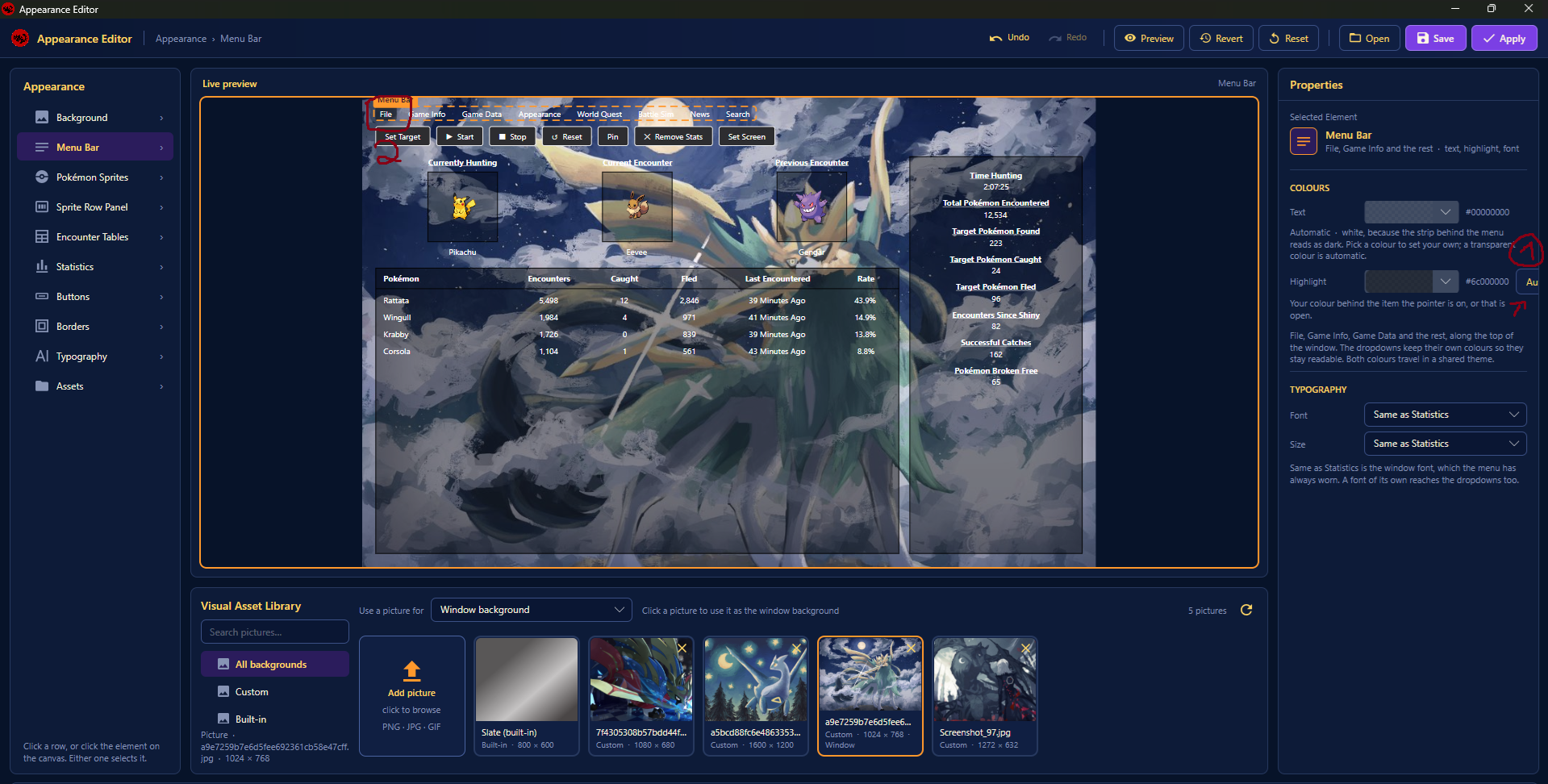
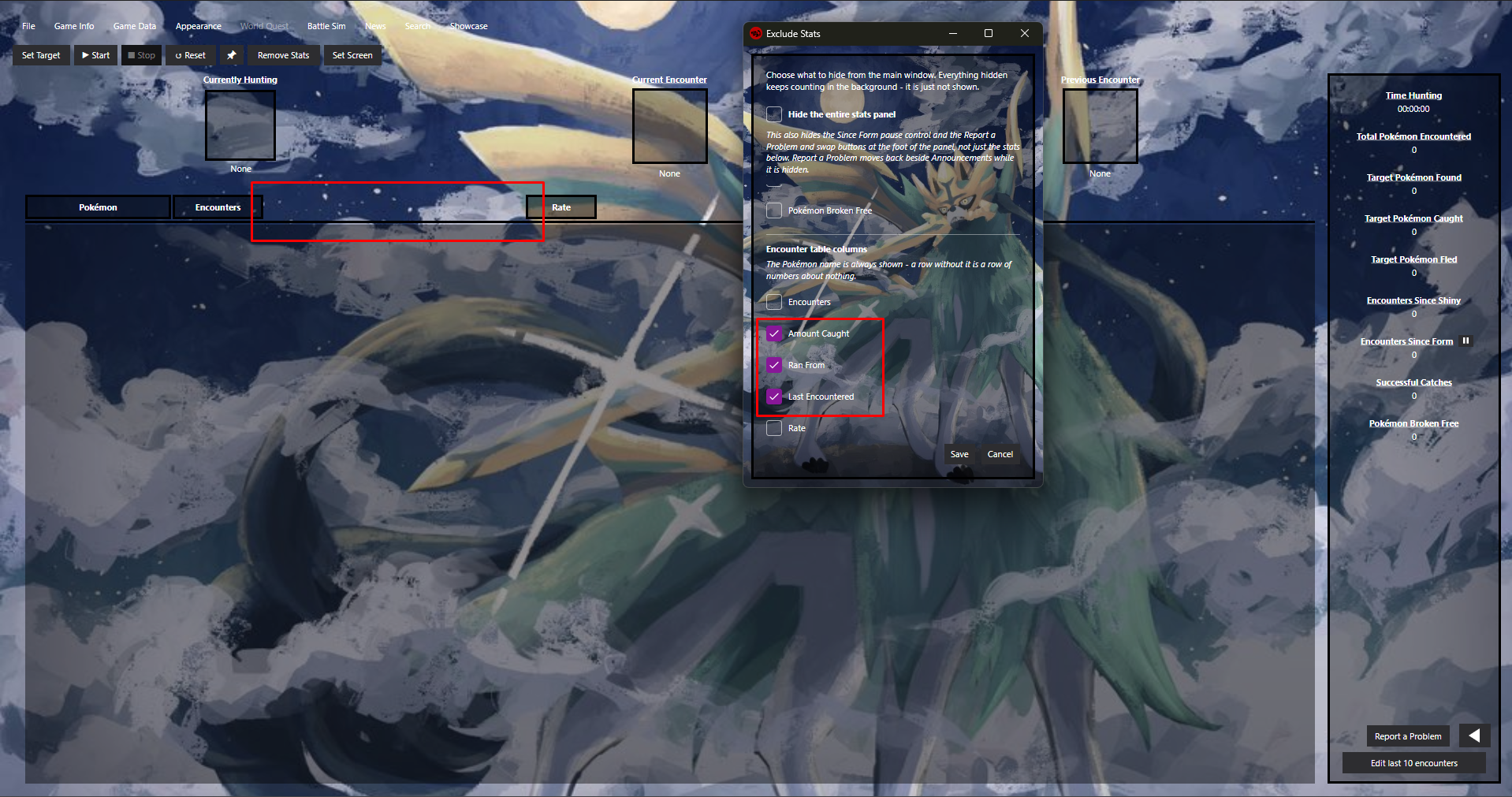
Hi, I have used the Tracker for a few days now and I like it so far. The main reason I use this Tracker above others is because of the automated tracking for each Client. Makes it way easier to keep track on each account. The tracker is pretty neat and has worked almost flawlessly (it double tracks some encounters from time to time, but other than that it runs smoothly. I was kinda experimenting with the appearence settings and i stumbled upon some small issues: 1) Some textbox was cut off and you cant properly read what it should say. 2) When trying to highlight the Menu Bar with Black color, it only highlighted the "File" instead of the whole menu bar. Removing stats in the encounter table columns will result in a gap, I kind of wish the "Rate" Column would be right next to the "Encounters" column. Additionally, I have a question regarding storing statistics; Yesterday I was tracking all of my encounters, but when I opened the Tracker today, they were missing. Are the Encounters stored in any file? It would be nice if you could export/import tracking data, to make hunts that last over days trackable. I couldn't find anything in the files I've looked through, so I was wondering. Other than that the Tracker looks really awesome so far, thank you for creating this tracker. Operating system: Windows Pro Tracker version: Latest Windows release (idk where to find the exact version i downloaed) PRO client version: Latest PRO Client release
-
Gfdagglm joined the community
-
hy maam thank you for your time but no need to exchange it i will do on my own ty i will the gengar mount then i will buy the sceptile mount noo need to exchange it ty its taking lot og time thank u so much vicrow
-
bump!
-
Uchiha67 joined the community
-
Spectralmama joined the community
-
^^ Give the man his tombstone +1
-
Iamahumann joined the community
-
+1 , we need atleast some rewards that can make us hunt 12 hrs straight.
-
Fixed Mistake I made for sobble and mudkip this is the correct locations.

 Just reaching out to see if there is a restriction on how many accounts can come from the same Public IP? I have 5 every few months? There are me, my wife, 2 kids who live with us full-time, and my wife's oldest son who visits during school holidays? We all just started and love this game, soI'm just making sure there will be no issue on the next school holidayLunelipfer joined the communityThundergod12 joined the communitySkizz1 joined the communityFew Halloween quest done! Thnx much, Glhf! Happy Halloween
Yesterday
+1, or atleast give a reward Like rr shards or something Like that for every Team doing the 10k to get on the ladder. So more Teams actually try ( which would also raise the amount of teams that can get in with the 50% rule )bump!The main portion of boss speedruns is spent fighting bosses, meaning Pokémon selection, movesets and battle strategies play a huge role in achieving the fastest times. When someone discovers an optimal team or strategy, others can quickly copy it. This shifts the competition away from experimenting with different Pokémon and strategies, towards simply optimising routing, boss selection or execution. While those aspects still require skill, it may take away from one of the most interesting parts of speedrunning, being discovering new strategies and finding creative ways to outperform other runners. Hiding Pokémon and movesets during runs could encourage players to experiment independently rather than immediately copying the current top runner’s setup. This could lead to more variety, innovation and interesting competition, rewarding those who put time into developing their own strategies. So...this poll lets runners decide: Yes means you can choose whether to hide this information, while No means everyone must keep it public. Once more runners get involved and submit runs, reversing this decision could be difficult. I'm drafting some rules, so please vote and share your thoughts. Thread regarding the game submission request for Speedrun.com: PRO on Speedrun.com - Game Request Submitted - General Game Talk - Pokemon Revolution Online+1 Couldn't agree more.I would like to propose a reward structure that could preserve the exclusivity of Haunted Cave Depth while making the contest more worthwhile for everyone participating. Instead of relying entirely on the top 50% leaderboard qualification, I suggest introducing a points-based milestone alongside the existing ranking system. For example: - Top 3 teams: 48 hours of Haunted Cave Depth access. - Any team reaching a predetermined points threshold: 24 hours of Haunted Cave Depth access. This means teams that perform exceptionally well still receive the full 48-hour access as their competitive reward, while teams that don't make the top 3 but manage to reach the required points threshold can still earn 24 hours of access through their own performance. I believe this would be a reasonable middle ground. It doesn't make the exclusive cave freely accessible, nor does it take away the competitive advantage of the highest ranking teams. Instead, it gives other participants a realistic target to work towards and ensures that 12 hours of dedicated hunting can still result in something worthwhile, even if RNG doesn't go in their favour. The points threshold can be determined by the staff based on average scores from previous contests to ensure that it remains challenging but achievable. Ultimately, I believe the goal should be to reward competitive performance without making the efforts of everyone outside the qualifying positions feel wasted. +1 if you agree with the suggestion, -1 if you disagree. Feel free to share your own ideas or alternatives as well, since this is open for discussion.just edited the post, can you see the image now?@Krypple Cant see your screen, if possible post it again and we can help.Hello @Parshansingh If still not resolved, be sure to check all the spots. Here a screen.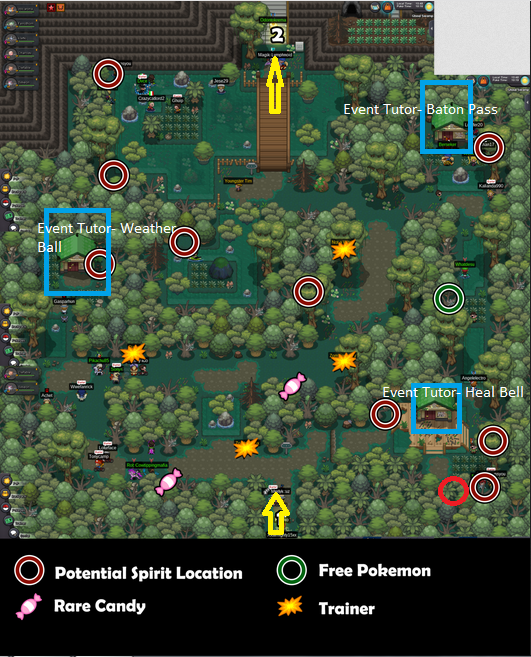 @Redtalon23
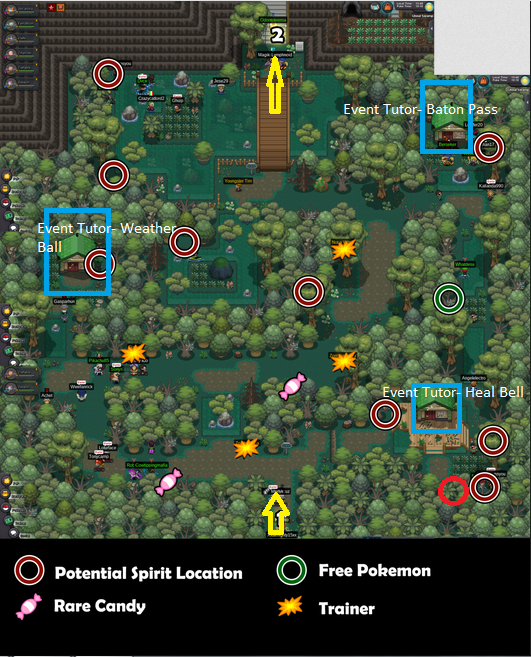 this one
 Hi!! I found all blue poke balls and got only 2 spirit and i’ve already checked all the possible locations several times, but nothing. I don’t know what else to do. This is the first event I’ve ever taken part in, please help!!!Our network is looking to expand with more service providers in Silver and Gold server! If you offer any service in PRO (Leveling / EV / Quests / Z Crystals / Dungeons or Event Quests , please contact demonvibewow in discordThank you for trusting us