New Trade Zone
Trade Zone is now live
Use the new Trade Zone for auctions and instant-price trades so Pokemon and item offers are easy to find.
All Activity
Past hour
-
Diamondark joined the community
-
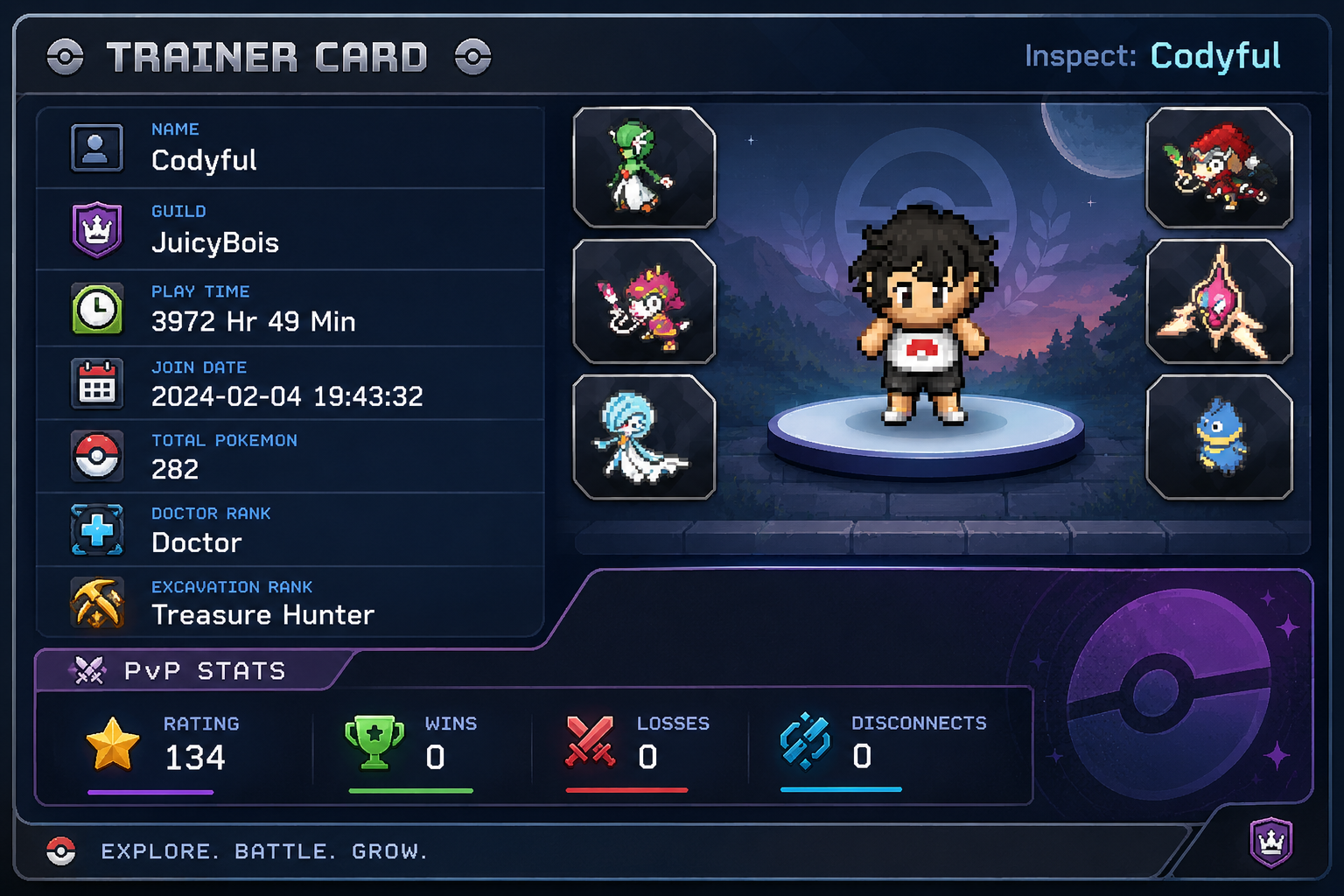
+1,just change the wins and loss in trainers card to current season instead of unranked.
Today
-
Zigzagrayo joined the community
-
-
+1
-
Make a new Player UI. The bottom I used AI as a example.
-
Shebas09 joined the community
-
-
Make HM fly be used outside of battle. Everytime you use, it can be 2500 Pokedollars. Make subway a PVE Trainer Subway same with Teleportation quest.
-
Siro239 joined the community
-
Peongyujie joined the community
-
Enigellence joined the community
-
Xfyy joined the community
-
Xfyy10 joined the community
-
Good day @Scorpilee I apologize for the delay in response. I will be looking into your issue. Once I have an update I will reach back out. Regards, Bitterblade
Yesterday
-
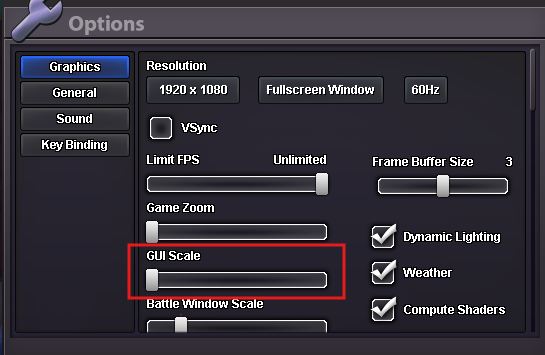
Good day @Emiliogp99 As stated, you can increase you GUI size via the in-game menu. The in-game menu can be access by pressing the ESC key or clicking the hamburger menu on the left side of your money in the bottom left corner of the game window. Once you open the Menu, select Options and then you can use the slider to change your GUI Scale. I hope this information finds you well and I look forward to your response. Regards, Bitterblade
-
Sek26 joined the community
-
Good day @Kancilindo Access to Shamouti Island for the Legendary Bird quest requires all non-legendary caught data for the Kanto region. According to our database, you are missing the caught data for Marowak. Can you catch a Marowak or evolve a Cubone and then try to access the island again? I look forward to hearing from you. Regards, Bitterblade
-
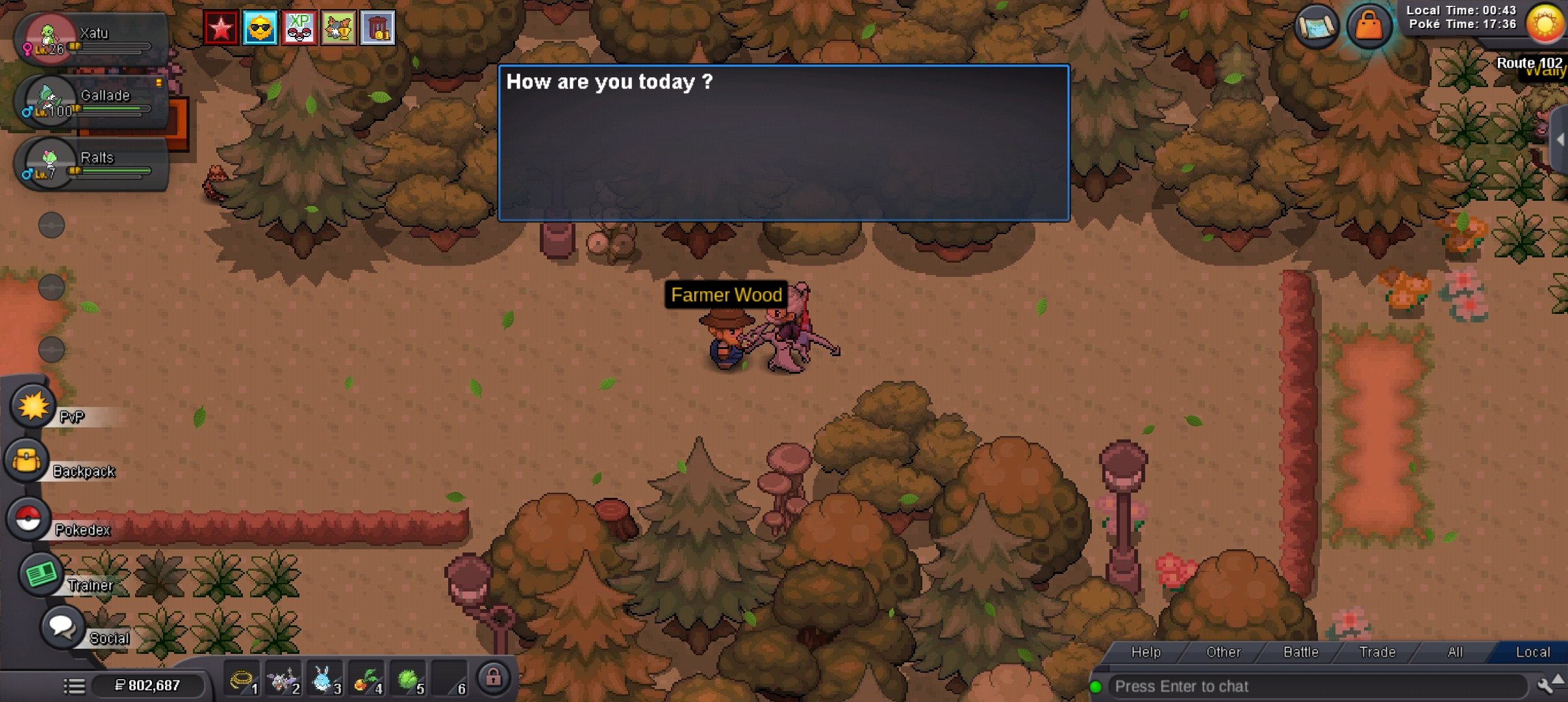
Good day @Gesoa I apologize for the issues you are experiencing. Can you please provide me a screenshot of the dialogue that Farmer Wood gives you when you try to show him a Tauros? I look forward to hearing from you. Regards, Bitterblade
-
Chthonic joined the community
-
Hi, I need some help with the Gardevoirite & Galladite quest. I’m following the quest guide on the PRO Wiki: https://wiki.pokemonrevolution.net/index.php?title=Gardevoirite_%26_Galladite_%28quest%29� I first tried showing Farmer Wood a Tauros, but nothing happened. I then tried the Ralts step. I have tested both a female Ralts and a freshly caught male Ralts with 110+ total IVs (the male one had 131 total IVs), but nothing changes regardless of which Ralts I show him. When I talk to Farmer Wood, he only says “Hi Gesoa / How are you today?” and there is no additional dialogue or quest progression. I can interact with Wally, but he doesn't challenge me to a battle. Could someone please check my quest progress and let me know if I'm missing something or if my quest is stuck? Thank you for your help!
-
Hello! Your Soccer Grookey has been recovered and can be found in the last slot of your PC. For future reference, please use the Restore Pokémon Mega Thread or the official Discord #request-chat channel if you accidentally release a Pokémon again. Kind regards. Hallowglow.
-
tanks for the lemons foot also tracker is cool i guess
-
Hello! I'm sorry you're experiencing this issue. This problem should have been resolved with the latest patch, so please make sure you have the most recent version of the game client. I recommend completely deleting the current game client from your PC, including any remaining files and the old downloaded ZIP file. Please also check your antivirus and remove any PRO files that may have been quarantined or blocked. After cleaning any remaining files from your PC, download the latest version of the client again. You can also try adding the PRO game folder to your antivirus' exclusions or trusted files, and if necessary, try using the 32-bit version of the client If you're still unable to run the game after trying these steps, please let us know and we'll be happy to assist you further. Kind regards. Hallowglow.
-
i caught a soccer grookey yesterday and most likely released it because i cannot find it anymore. Sadly i dont have the id for it since i didnt pay attention while mass releasing. Is there a way to go through my history of released pokemons to get it back? tysm for your time
-
guild is getting full come fast to join our family before it's full!!!
-
i keep getting the message failed to load il2cpp , and the game pokemon pro is a virus trojan what should i do ? the game doesnt wanna load
-
bump! back in business
-
Hey, ive been hunting Misdreavus on Route 209 in Sinnoh for more than 2 days now, and it says in the pokedex that it spawns all day long, on grass and water, but i only encountered it all this time only at night. Is there an issue with the spawning time ?
-
bump
-
bump
-
bump
-
bump
-
Hello! I'm very sorry for the inconvenience you're experiencing. In order to resolve this issue, please make a new post in the 2FA - Recovery and Assistance section. The appropriate team will be able to review your case and assist you further there. As there is nothing more we can assist you with from this section, I will proceed to close this thread. If you need any further assistance in the future, please feel free to create a new thread and we'll be happy to help. Kind regards. Hallowglow.
-
Hello, You know the email but not receiving the email? Can you elaborate the issue?