




New Trade Zone
Trade Zone is now live
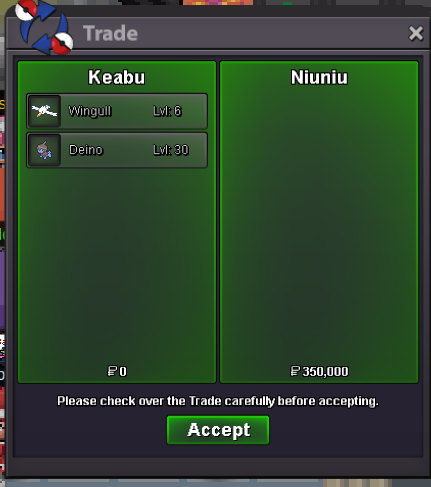
Use the new Trade Zone for auctions and instant-price trades so Pokemon and item offers are easy to find.
Leaderboard
-
Yoyomane
Registered User11Points8Posts -
Shekhar786
Suspended9Points490Posts -

Lacomus
Registered User8Points9601Posts -

StevenJohnson
Registered User6Points1339Posts



Popular Content
Showing content with the highest reputation on 12/10/23 in Posts
-
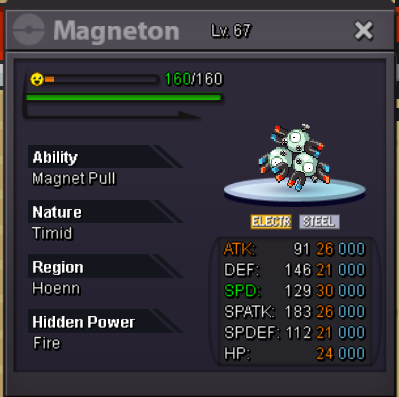
11 pointsGreetings, We need a buff or a bug fix because if I throw out Magnezone magnet pull a ferrothorn should not be able to hard switch same time I throw mine out. That defeats the purpose of magnet pull. I'd say the same thing for uturn mega Scizor it doesn't get countered if it can jus uturn out. Mega scizor should either be slower or it shouldn't be ale to pull out. That's not how it works that doesn't make sense if my ability is MAGNET PULL!11 points
-
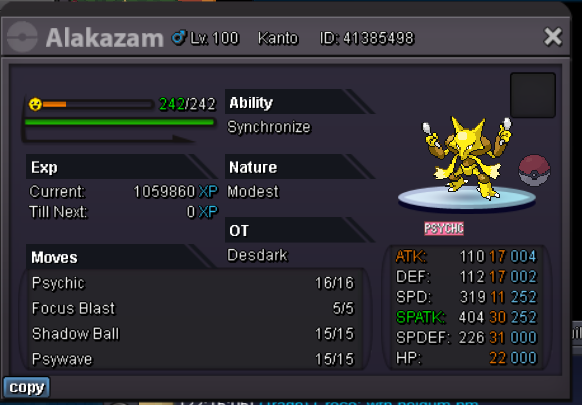
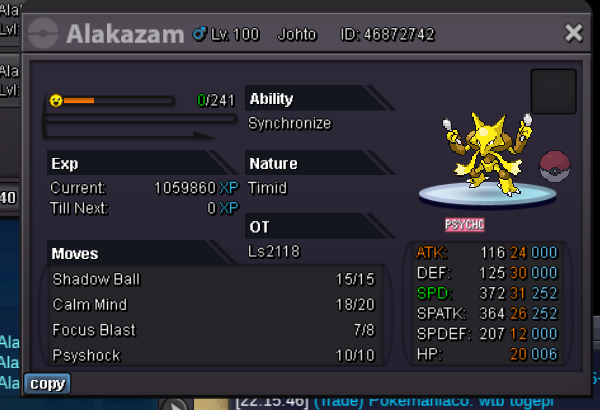
3 pointsACCEPTED PAYMENTS Pokedollars IV Reroll: 500K Nature Reroll: 250K Coin Capsule: 350K CONTACTS In-game: Shekhar786/RoyalNGR Discord: shekhar786 TRAINED All Prices (below the image) are negotiable to a reasonable degree.


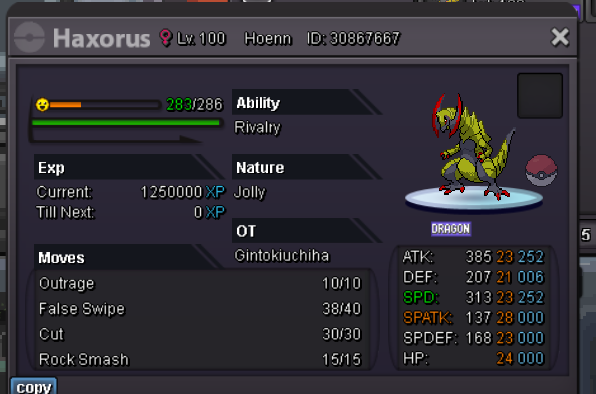


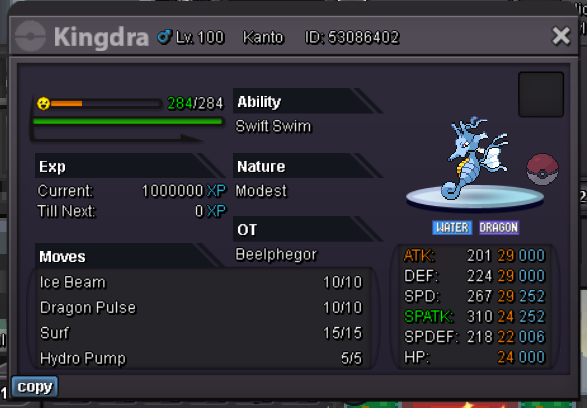
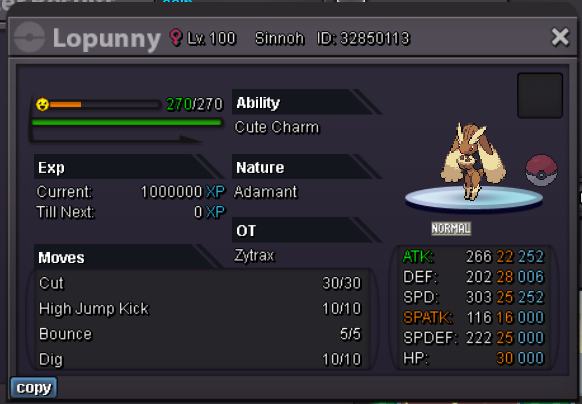


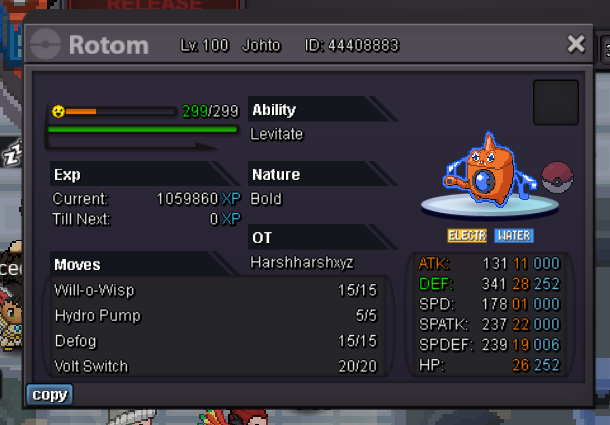

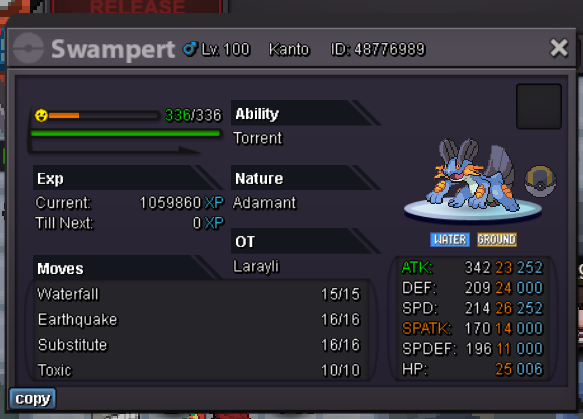


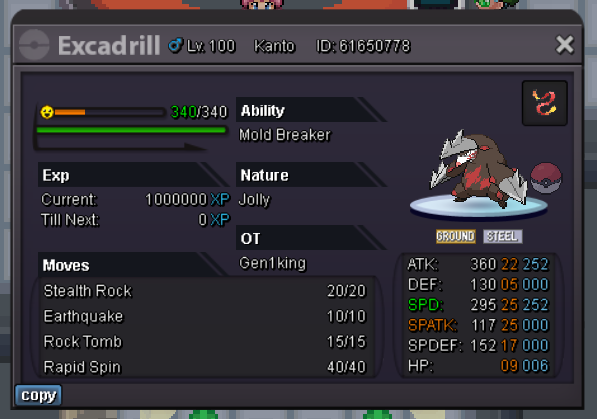


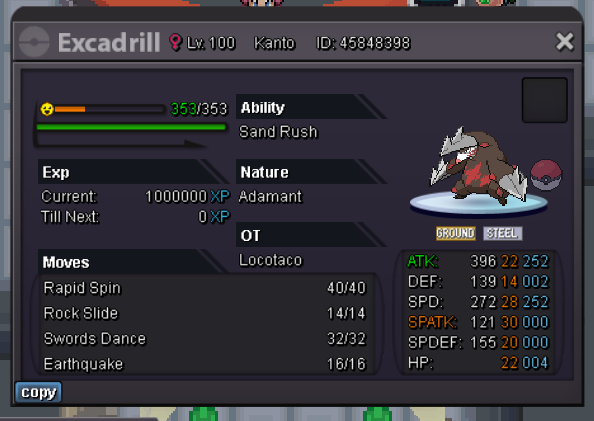


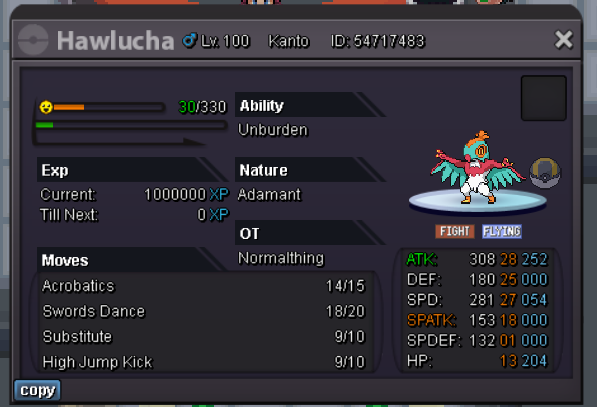

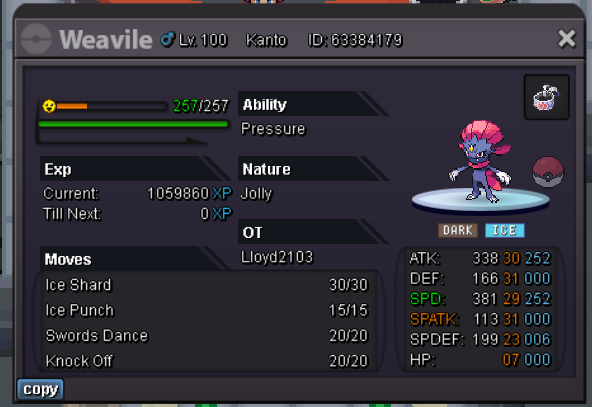


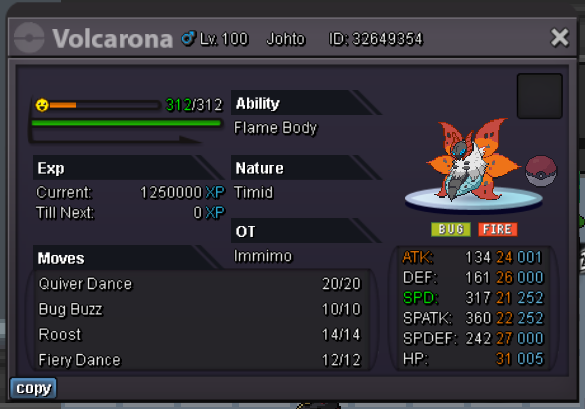


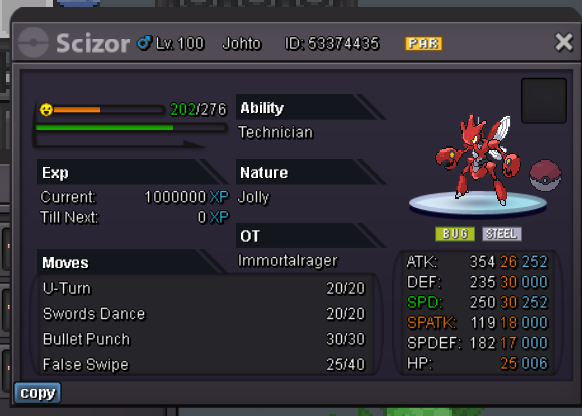
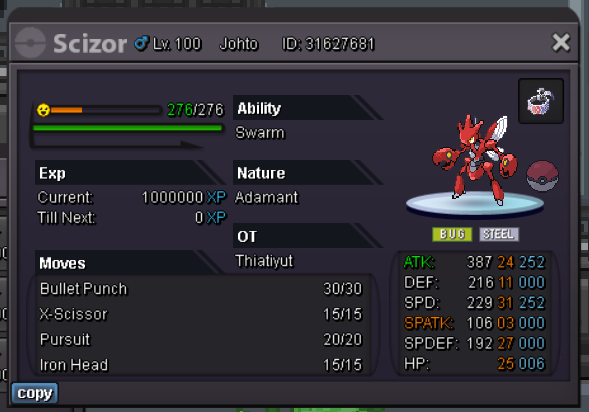
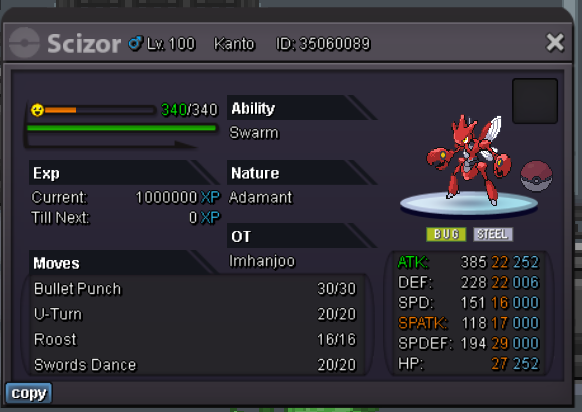

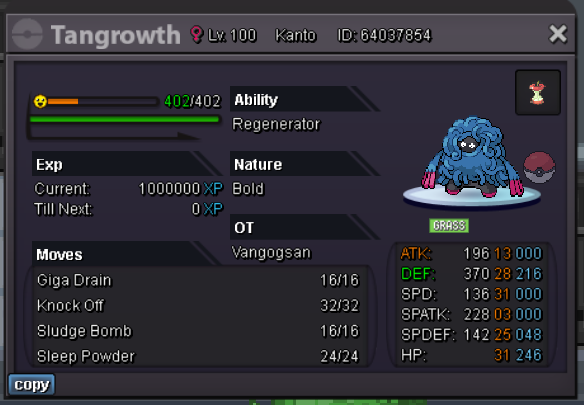


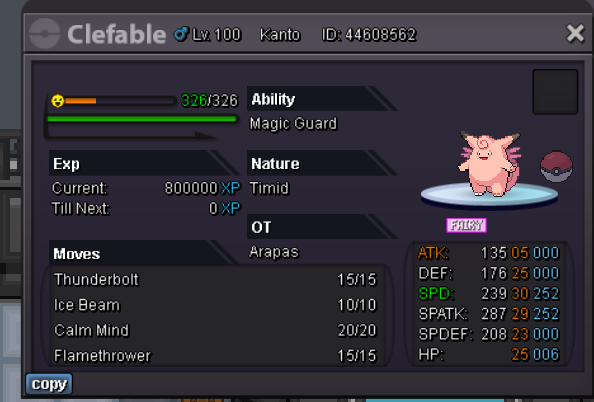

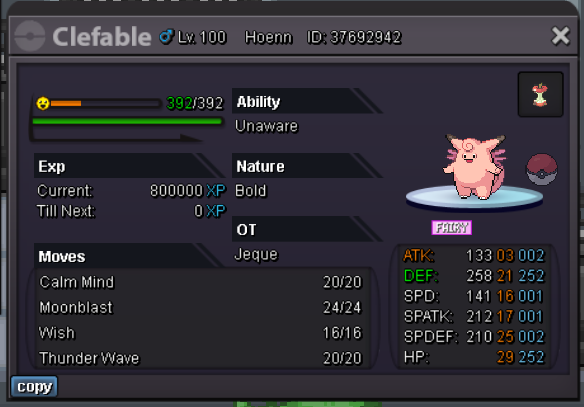


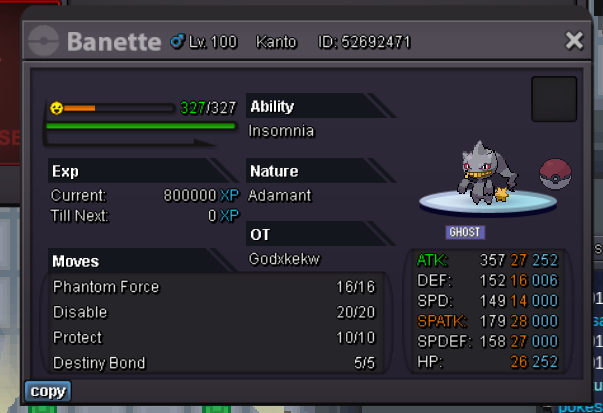

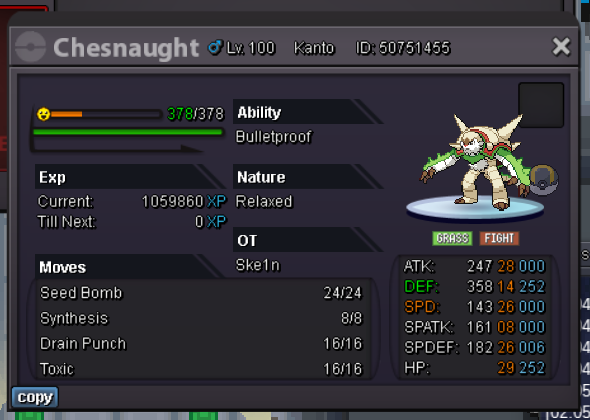


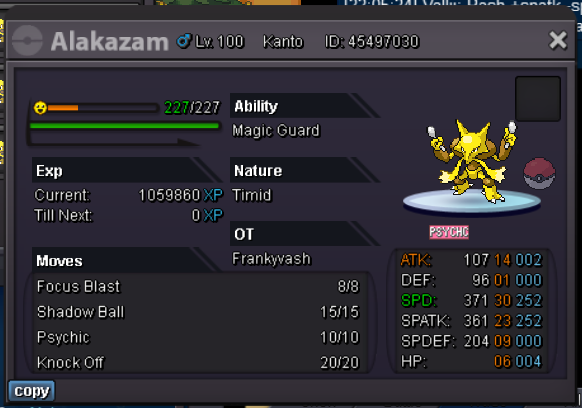











 3 points
 -
3 points
-
3 points
-
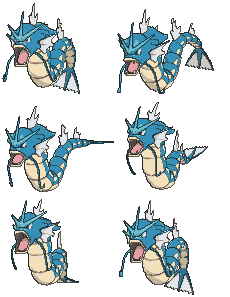
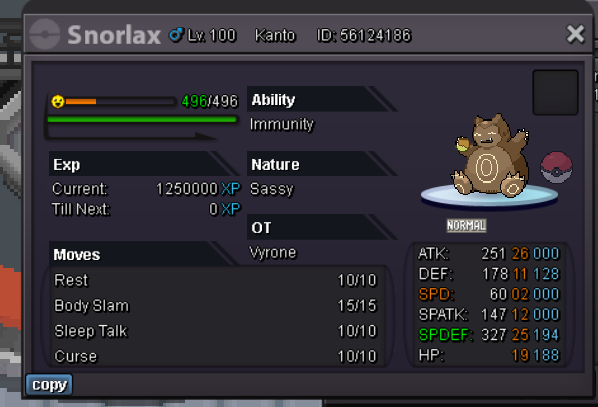
Start Offer: 400k Min Bid: 100k Insta: 3m CC(350k) - IV Reroll Ticket(500k) - Rare Candy(6k) Accepted. Auction will end after 2 days from first Bid!
 2 points
 -
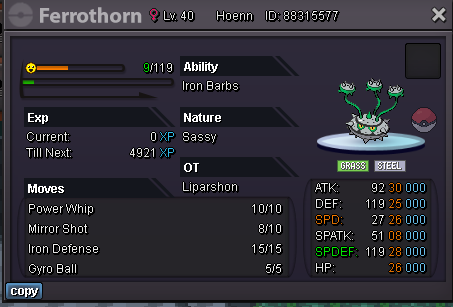
2 pointsStarting offer : 500k Min bid : 200k End: 48h after first bid Accepted Currencies: coin capsule 380k iv reroll 500k (liparshon alt acc)

 2 points
 -
2 points
-
2 points
-
2 points
-
2 points
-
Of course. Every hour i check it.2 points
-
2 points
-
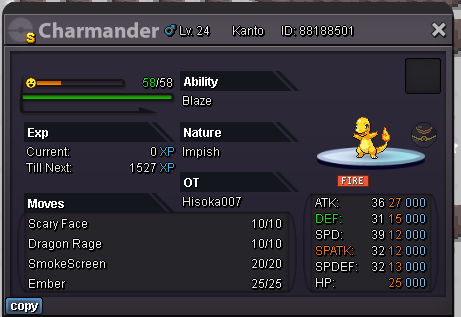
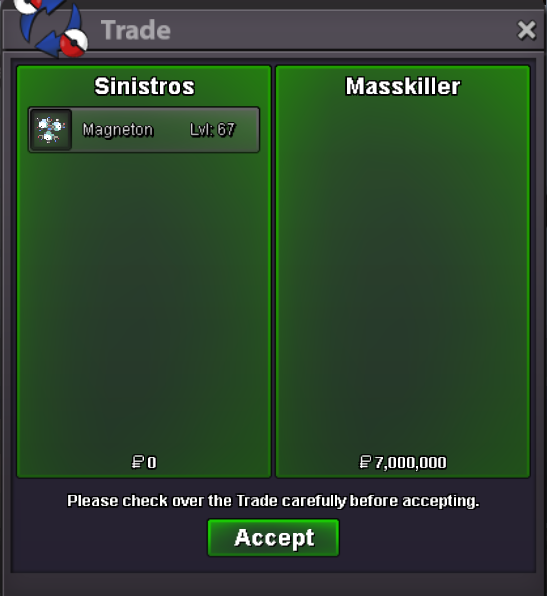
1 pointAuction start offer is 35M Auction ends after 5days from start offer Accept money only. Min bid is 1m Insta is 50M Goodluck count down: https://countingdownto.com/?c=5189995
 1 point
 -
1 point
-
1 point
-
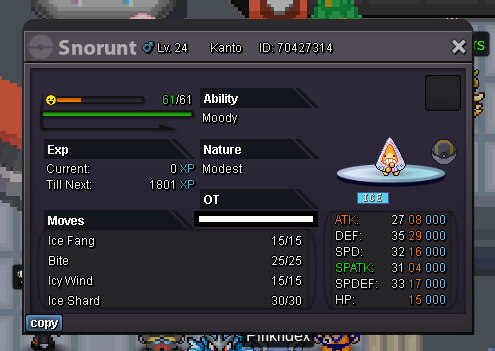
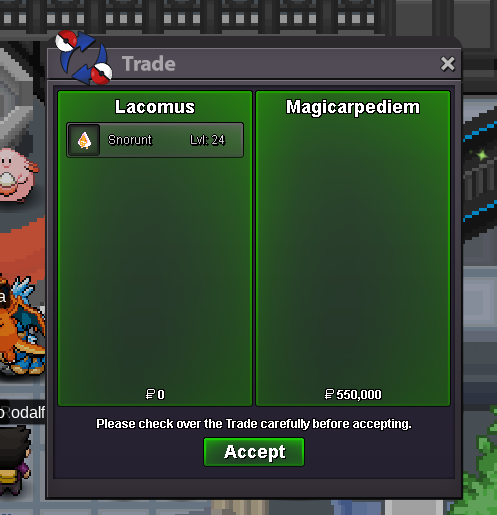
Start: 10k Min bid: 10k Duration: 5 hours (from the first bid) Payment: Pokedollars Insta: N/A Note: Gold Server Closed: @Magicarpediem 550k
 1 point
 -
1 point
-
1 point
-
1 point
-
1 point
-
1 point
-
1 point
-
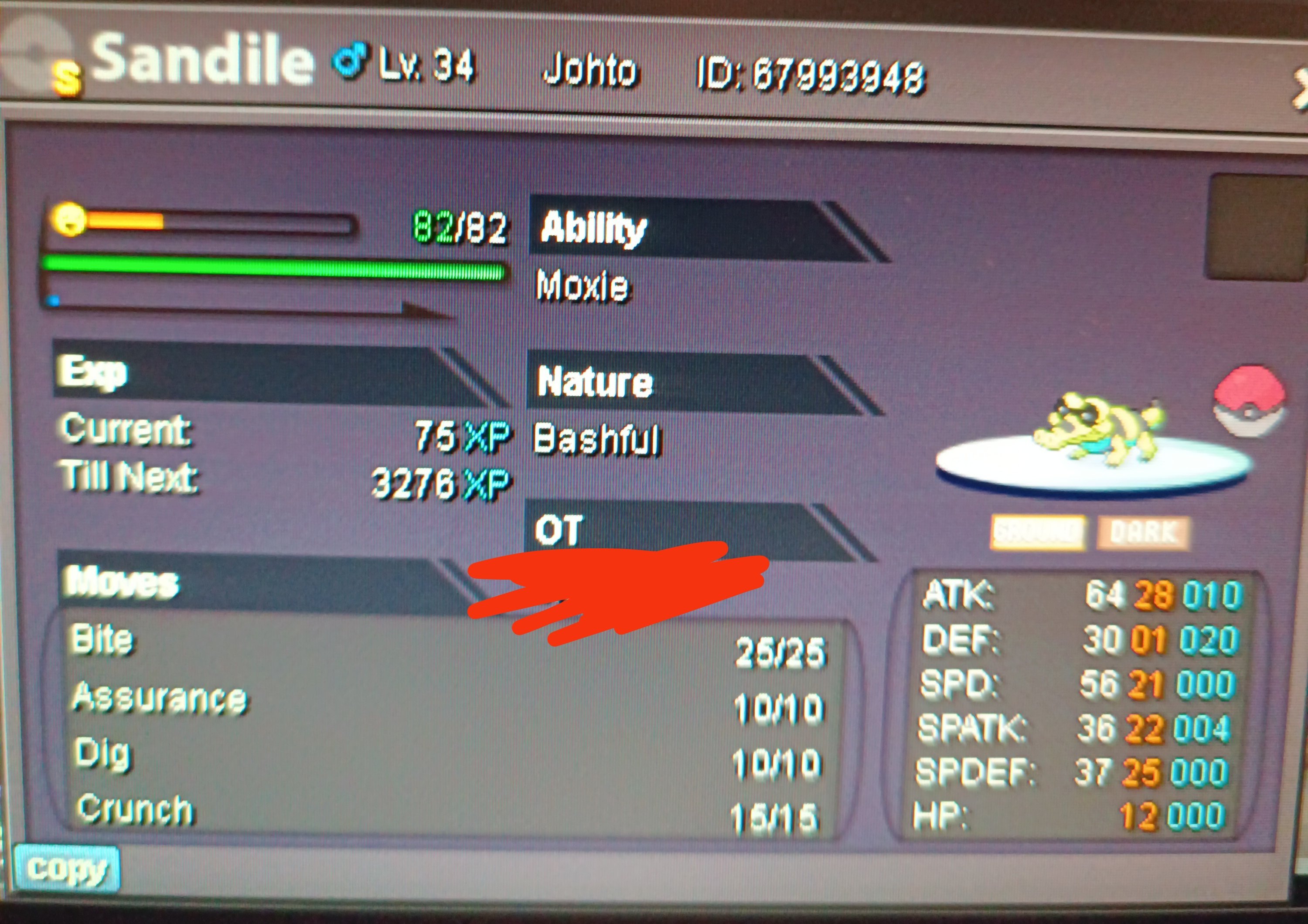
1 pointStart 15m Minimum bid 500k Insta 28m 72 hours after the first bid Accept cc 390k Reroll ticket 480k Gl
 1 point
 -
1 point
-
1 point
-
1 point1 point1 pointAuction will end 24h after first bid Start with 1m MIn bid 100k Accepted payment : CC 400k each IV Reroll 500k each No Insta
 1 point1 point1 point1 pointThank you, good luck in the game1 point1 point1 point1 point1 point1 pointgood prices / best mons at the end what a great shop 🙂 wtb meta 🙂1 point1 point1 point1 point1 point1 point1 point1 point1 point+1, absolutely necessary here. Great idea man. I agree with @Chitti678, sometimes you have literally no clue what it does and you have to search the internet for like five minutes to see the specifications of that item in PRO (and even just in general). Hope it’ll get implemented.1 point1 pointGreetings @1tengen You are not allowed to add an Insta Price once your auction starts. I have removed it from your post. Your auction will continue with NO Insta Price. I kindly advise you to carefully read Auction Rules to ensure that your future auctions will be in accordance with our rules. Kind regards1 point1 point1 point




























Account
Navigation
Search
Configure browser push notifications
Chrome (Android)
- Tap the lock icon next to the address bar.
- Tap Permissions → Notifications.
- Adjust your preference.
Chrome (Desktop)
- Click the padlock icon in the address bar.
- Select Site settings.
- Find Notifications and adjust your preference.
Safari (iOS 16.4+)
- Ensure the site is installed via Add to Home Screen.
- Open Settings App → Notifications.
- Find your app name and adjust your preference.
Safari (macOS)
- Go to Safari → Preferences.
- Click the Websites tab.
- Select Notifications in the sidebar.
- Find this website and adjust your preference.
Edge (Android)
- Tap the lock icon next to the address bar.
- Tap Permissions.
- Find Notifications and adjust your preference.
Edge (Desktop)
- Click the padlock icon in the address bar.
- Click Permissions for this site.
- Find Notifications and adjust your preference.
Firefox (Android)
- Go to Settings → Site permissions.
- Tap Notifications.
- Find this site in the list and adjust your preference.
Firefox (Desktop)
- Open Firefox Settings.
- Search for Notifications.
- Find this site in the list and adjust your preference.