New Trade Zone
Trade Zone is now live
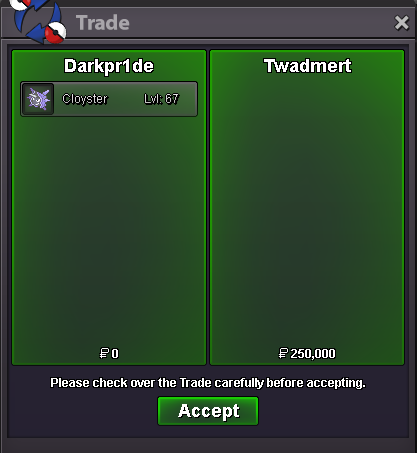
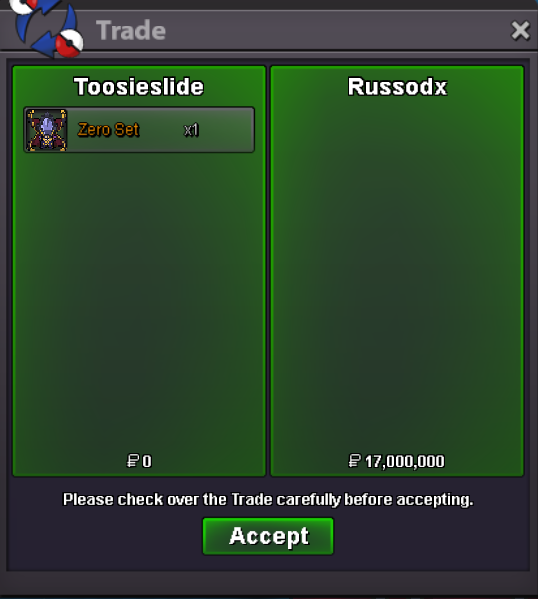
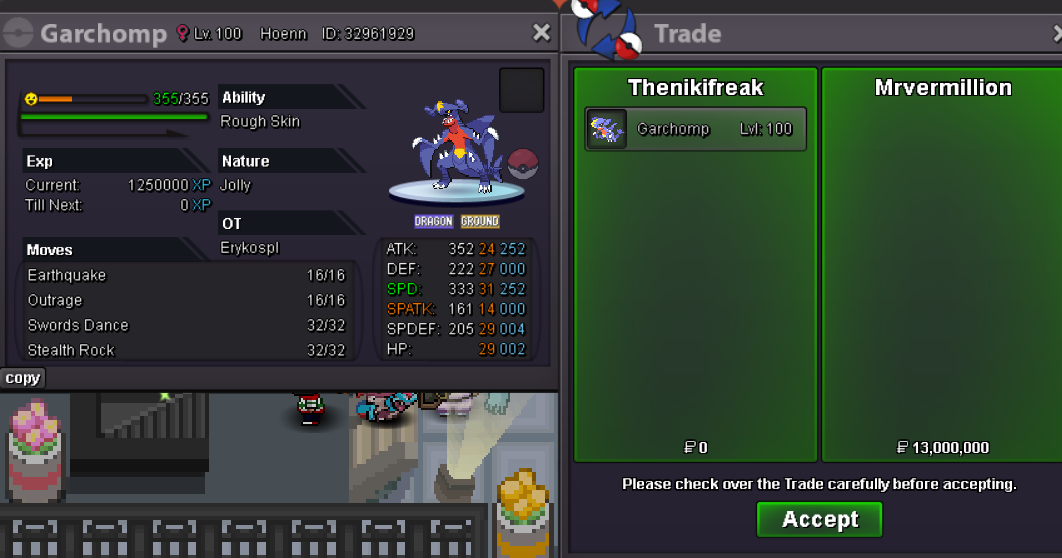
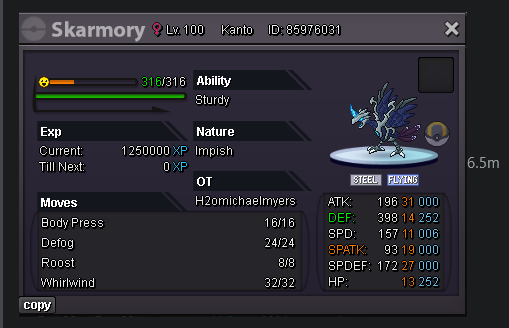
Use the new Trade Zone for auctions and instant-price trades so Pokemon and item offers are easy to find.
Leaderboard
-

Shishagames
Registered User6Points92Posts -
Stonky17
Registered User5Points101Posts -

Artic
Registered User4Points470Posts -

Darkpr1de
Registered User2Points458Posts




Popular Content
Showing content with the highest reputation on 05/10/26 in Posts
-
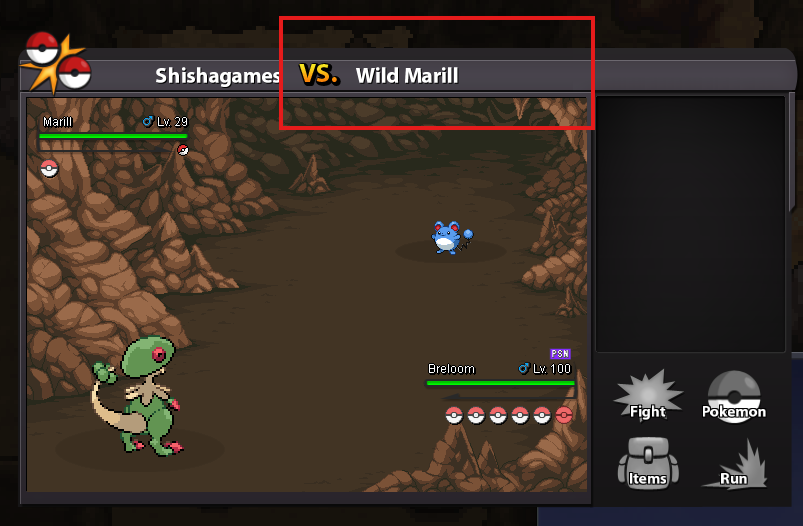
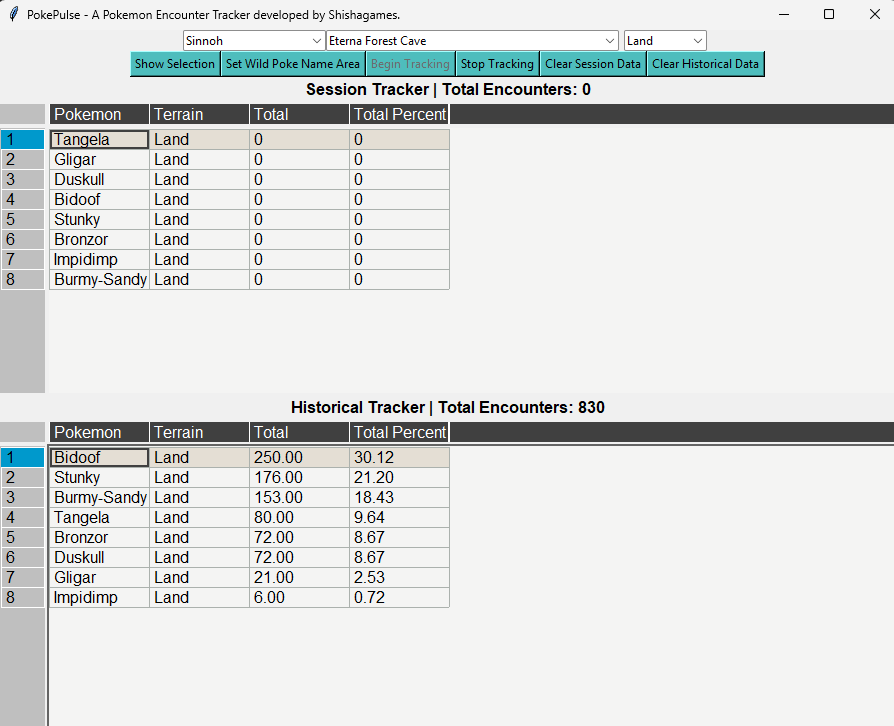
PokePulse: A Pokemon Encounter Tracker PokePulse is a Pokemon encounter tracker written purely in Python. This tracker is written and tested in Windows (Linux support may follow in the future). This has been a passion project of mine for roughly the last year and as of now, it is in a stable state where I feel comfortable sharing it with you all. PSA: PokePulse is not a Bot and will NOT play the game for you. This application's only ability is to take a screenshot and parse the text from the screenshot. Spoiler How does it work? PokePulse uses utilizes the mss Optical Character Recognition (OCR) module to parse out the name of the Wild Pokemon that has been encountered and then updates both a Session Tracker and a Historical Tracker. The UI is built using Tkinter. The focal point of this tracker is to provide a higher confidence in the tracking capability first. While I understand that it is plain, it was designed to be a functional application that provides data rather than a pretty application that you want to stare at all day. How to Acquire? The .zip file can be downloaded from Google Drive. Once downloaded, extract the files into a dedicated folder on your system. Once the files have finished extracted, you are ready to begin setup and use. How to Update? When an update is released, you will need to download the new .zip file from the Google Drive link. Then extract the files in the exact same folder that your current version is in. When it extracts, it will ask you if you wish to replace files of the same name. Select "Yes to all files". This will replace and update everything except your data files. Once the files have finished extracted, you are ready to use the tracker once again. Note: if spawns in a hunting area have changed, they will no longer appear in the Session Tracker; however, you will see them in your historical tracker. If you would like this information to no longer be there, you can delete the row in the table of the Historical Session and once you encounter your next Pokemon it will update and remove it from the historical data that is saved. Setup Once you have downloaded and extracted the files, run the PokePulse.exe. After you run the application, you will need to go through some setup. First, you need to select the hunting information associated with your planned hunt. There are three options here: - "Select a Region": Associated with the Kanto, Johto, Hoenn, Sinnoh, Event Maps, Pinkan Island, and Excavation - "Select a Hunting Location": The Routes, Cities, etc. that exist within the selected region. - "Land": Hunting Terrain (the other option is Surf) NOTE: For best results, it is recommend to use with at least client resolution of 1024x768 or higher. Lower resolutions may result in missed encounters. Spoiler Once you have input your desired hunting information, click the "Show Selection" button to populate the spawns of that area. After you have populated the spawns, you need to set the area for the application to read. The best way to do this is to encounter a wild Pokemon and then click the "Set Wild Poke Name Area" button. The area that you need to select is a rectangle a bit larger than the size of the "VS. Wild <Pokemon Name>" text area. It is recommend to give the area a bit of space to the right to account for longer Pokemon names (e.g., Exeggutor-Alolan) Spoiler Once you have set your area, click the "Begin Tracking" button to have your encounters tracked. Bells and Whistles PokePulse has two trackers built in: Session Tracker and Historical Tracker. The Session Tracker tracks your current hunting session while the Historical Tracker keeps track of your encounters over all sessions. The data table for the Session and Historical Tracker are interactable. These tables can have rows added (e.g., shiny, form, etc.) that can be manually updated along the way. While these tables allow for things such as column deletion, do not delete the columns. Doing so will break the structure of the table so no touchy. Furthermore, the tables have the following columns: - Pokemon: The name of the Pokemon - Terrain: Identifies the method of hunting required. - Total: The total you have encounter (either in that session or all time). - Total Percent: The percentage (out of 100%) that the Pokemon is associated with. Session Tracker The Session Tracker comes with the following information: - Current Encounters - The total count of encounters that you have had since loading the app. - Session Timer - The amount of time you have been tracking your session. Note: if you wish to reset your session data, select the "Clear Session Data". Caution, this will permanently remove the data from the session tracker. Spoiler Historical Tracker The Historical Tracker keeps track of the sum of the total encounter for have for this particular hunting location. This is updated every encounter and persist through all session. Note: if you wish to reset this data, click the "Clear historical Data". This will delete the data that exists in the associated data file for this route. USE WITH CAUTION. Spoiler TODO List: - Opaque Overlay (Unsure of the design) - Automatic location change - UI cleanup - DARK MODE FAQ - I changed my color customization in the tables, how can I change it back to the default? If you have changed the color customization in the tables and wish to reset them, you will need to edit the file in your local .config folder. (.config/pandastable/default.conf). Remove the color information and the default will be restored. - Can this tracker count Event Forms or Shiny? No, not on its own; however, you can add a row in the Historical Session table that will need to be manually updated. If you choose to do this, you must ensure that you add a value for all columns except Percent (as this is recalculated on ever spawn). - Can I delete columns in the table? While you have the ability to delete the columns in the table, be advised that removing certain columns (e.g., Pokemon) will lead to failure to track or unexpected behavior. With that being said, it is recommended to not delete columns. Known Bugs - For some lower resolutions, it has been seen that the tracker does not properly read the Pokemon. - Multi-counting Pokemon will occur if you select an area to track and then you cover that area / uncover it. If you encounter any bugs, please comment on this thread with the steps to reproduce said bug and I will try to address them when I can. HUGE shoutout to the players that have assisted me in play testing the alpha version of this to sort out some initial bugs. @Mrboston, @Stuck, @Farigiraf Without you all, I would not have felt comfortable making it to the finish line.




 6 points
 -
2 points
-
2 points
-
Hi PRO Team, I would like to suggest a small improvement regarding the current World Quest system. At the moment, some World Quests begin during unfavorable timezones for certain regions. For example, the recent WQ started around 2 AM IST and was completed before many players from that timezone even had the opportunity to log in and participate. My suggestion is that instead of the World Quest closing immediately once the required IV target is reached, it could remain active for the full 24-hour duration. The required IV amount would still act as the minimum completion goal for the server, but players could continue contributing afterward and still receive the normal percentage-based rewards/tickets based on their total contribution. This would help improve timezone fairness and allow more players to participate, while still keeping the current contribution and competition system intact. Regards RJLL0071 point
-
1 pointStart: 1.5m each min bid: 200k each time: 24 hours each insta: n/a payment: *cc: 500k *iv rr: 700k *rare candys: 5k *pokedollars (not bundle auction) (15 minutes rule applied) gl and ty for participate!
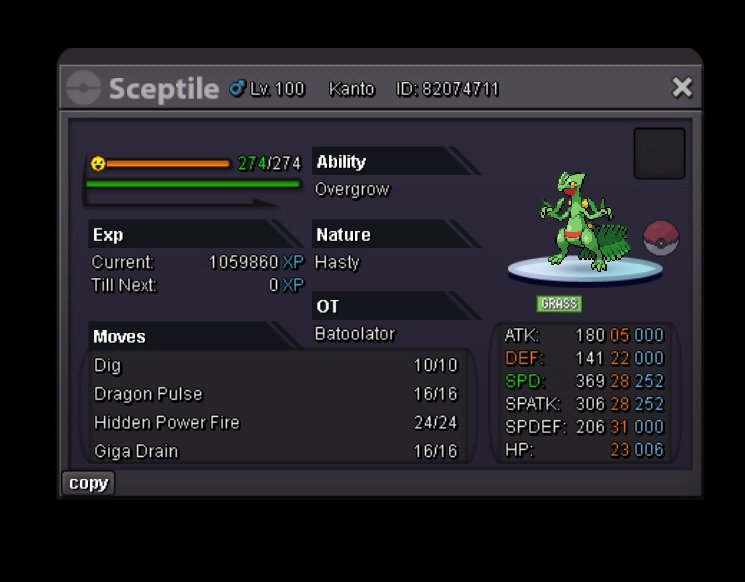
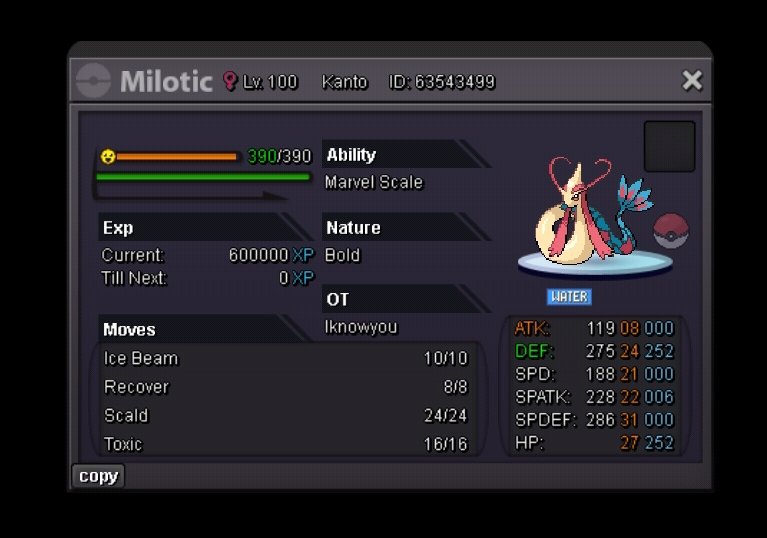 1 point
 -
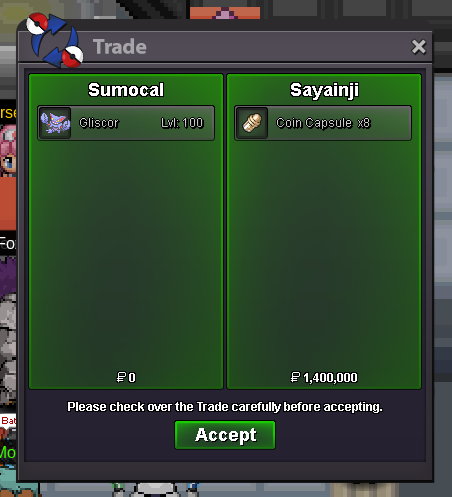
1 pointStart Price: 5m End Point: 72 hours after the start price is met Minimum Raise: 100k Accepted Payments: Pokedollars Coin Capsules (1 CC = 480k) IV Reroll Tickets (1 IV Reroll = 730k) Apply rule: 15 minutes
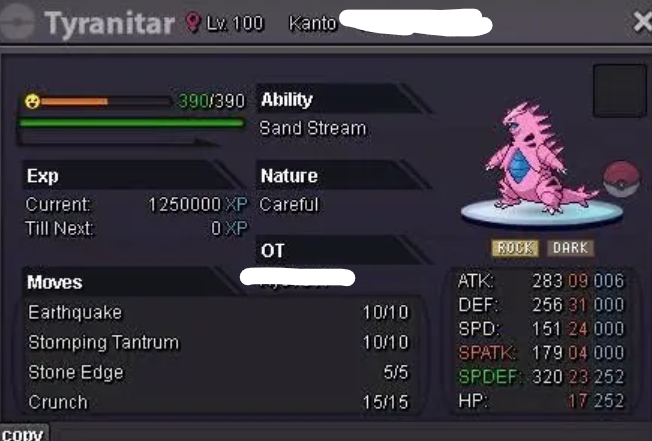 1 point
 -
1 point
-
1 point
-
1 point
-
1 point
-
1 point
-
1 point
-
1 point
-
1 point
-
1 point
-
1 point
-
1 point
-
1 point
-
1 point
-
1 point
-
1 point
-
1 point
-
1 point
-
1 point
-
1 point
-
1 point
-
1 point
-
1 point
-
1 point
-
1 point
-
1 point
-
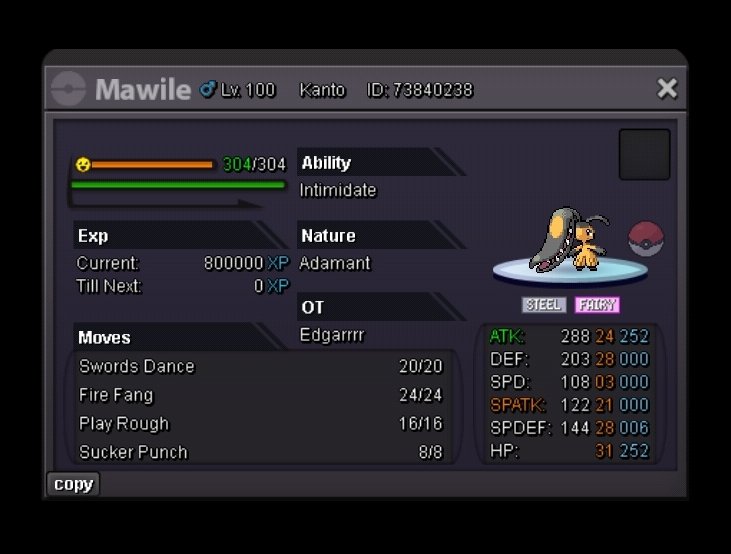
[Closed] - Epic Jolly Magikarp | Epic Jolly Swinub | Epic Adamant Mawile | Semi-Epic Adamant Bisharp
1 pointSorry, Minimum bid is 100k. Your bid must be 500k to be valid1 point -
1 point
-
1 point
-
1 point
-
1 point
-
1 point
-
1 point
-
1 point
-
-1 The whole point of a world quest is to be fully done when the quest been completed, you don't complete a quest on other games and expect to still be able to do it after completing the quest, otherwise everyone who takes part would go on and get the 3% goal instead of only happily take the 0.5% goal. I've been told by wally himself that the timezone the world quest starts by is UTC+0.1 point
-
1 point
-
1 point
-
1 point
-
1 point1 pointHello @Vilo2591, You are not allowed to revoke your bid. Please review the trade and auction rules. Sincerely, Tandemaus1 point1 point1 point1 pointCongratulations @Pokehunter279 you won the auction. PM for collection.
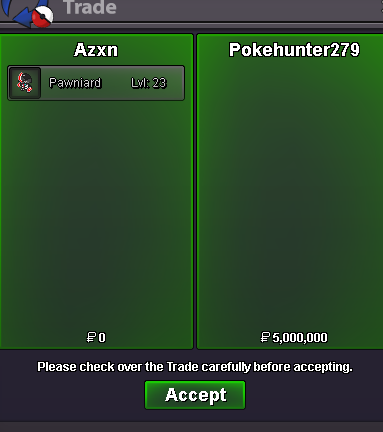 1 point1 pointWhat is the role of a Moderation Staff member? PRO's Moderation Team is a group of staff who provide support for players and ensure that PRO is kept in order. The Moderation Team make sure that users follow PRO's Rules and support players on the forum and in-game. Moderator [RECRUITMENT IS OPEN] A Moderator's primary focus is in PvP, and Chat violations. They maintain order in-game and make sure that users are following the rules. Moderators handle Reports, Appeals, and the PvP subforums. A good candidate for Moderator is someone who's an experienced member of PRO and has good knowledge in the PvP and Chat rules. Moderator is the most recruited role in PRO, it's important that Moderators would be able to put aside at least one hour per day for their duties. Trade Moderator [RECRUITMENT IS OPEN] TMods are supposed to do three main activities: dealing with reports in the Report Center, making sure the Trade subforums are all in order and that every topic is following the Trade Rules, and moderating chat channels in-game. TMods are the principal forces responsible for watching over Trade Chat in-game, but they also moderate everywhere there could be an infraction. TMods will step in if a player needs help with a general, non-role-specific issue that any staff member could address effectively. A good candidate for a Trade Moderator is someone who's an experienced member of PRO and has good knowledge in the Trade, PvP and Chat rules. Requirements Even if you don't meet the requirements, small exceptions may be made if the rest of your application is promising. (Mandatory) requirements must be met in order to apply. At least 200 hours in-game playtime. Able to dedicate yourself to staff work and deliver efficiently. 18 or older is preferred, applications from younger applicants will be considered if exceptional Can understand English at an advanced level. (Mandatory) You can still be accepted if you are from an area that isn't listed. These are just our priorities based on our highest userbase countries. What we look for in applicants. Strong communication. Open-mindedness. A positive attitude. Good organisation skills. Able to work in a team. Can work under pressure. Application The application form is below. Please fill it in and submit it as a new topic Here. We are aware that the questions might looks hard or "too serious" for a voluntary/not-paid position, however it's important to know who we have in front of us when we read their applications. This because the quality of staff is reflected on the community and the greater the staff is and the better the results will be. The previous questions were telling us almost nothing and this would lead to a lot of time potentially wasted from both sides. Your application and results must remain confidential. We ask all applicants to keep the fact they have applied secret. Sharing your application status will result in the rejection of your application. Please be aware that all staff work is voluntary! This is not a career. When applications are open, there will be an announcement on our Discord Server and this post will be featured on the front page of the forum.1 point