




New Trade Zone
Trade Zone is now live
Use the new Trade Zone for auctions and instant-price trades so Pokemon and item offers are easy to find.


Suz
Registered User
-
Joined
-
Last visited
Everything posted by Suz
-
It's a bug. It should be fixed.
-
Merry Christmas for all!! ❤️ Same here. I have completed the WQ on gold. But I am unable to get the ticket. Have a nice day! Thank you
-
-
-
+1 This feature will really help a lot. You can't always use showdown calculator. Because some play on mobile. Opponent stats should be locked. Only the user should see his own pokemon stat.
-
-
-
-
2.9m here
-
starting both of them
-
-
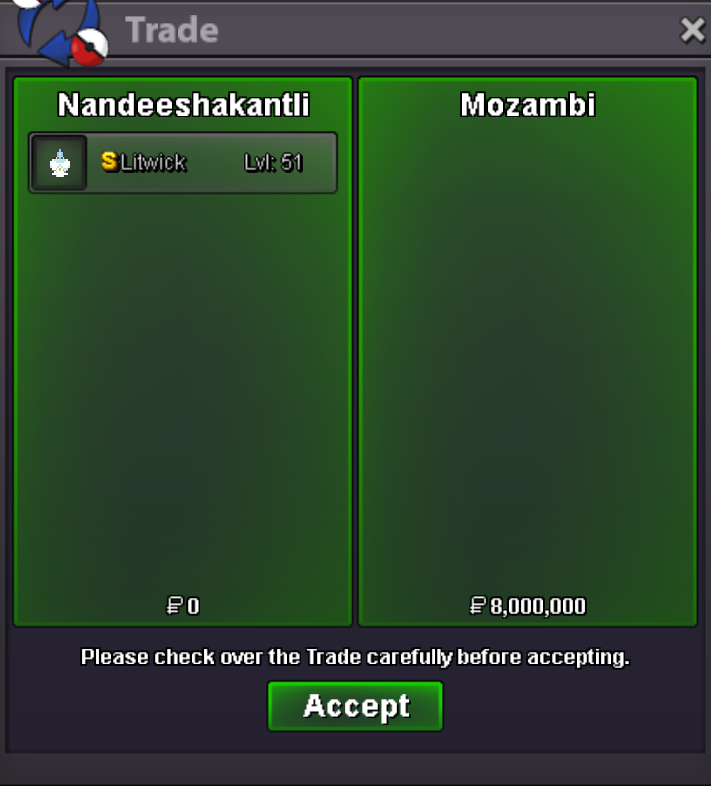
Sold to Mozambi Thank you ❤️
-
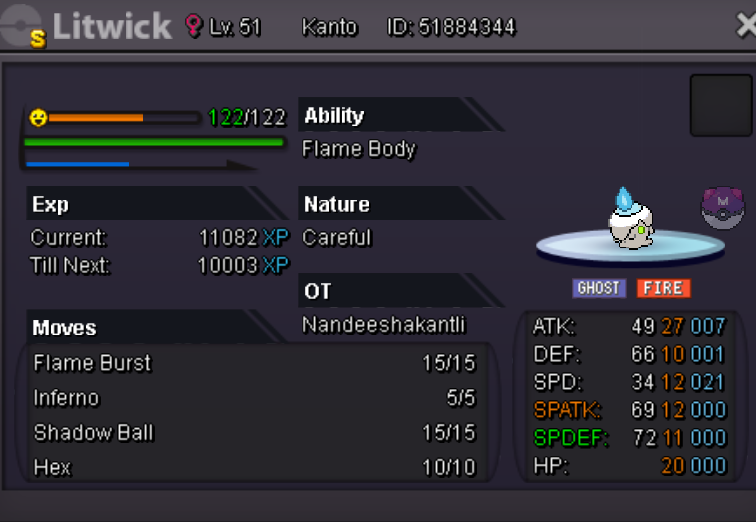
Auction over. Thank you ❤️ @MozambiTell me when you are online so I can trade you the litwick
-
-
Around 11hours left. Bid fast
-
-
-
-
S.O. 8m Ends 2 days after the first bid Rules: 1) Fake offers will be reported 2) Enjoy bidding
-
If it is possible to start C5 then I will start
-
-
People even use UU pokemons in normal PvP
-
I did like the idea. I say this should be made into 2 area's - OU PvP, UU PvP, . Using only OU or only UU is should be done through separate PvP area like creating a partition between them while matching. This enables to play OU or UU or anything.
-
Yes, I lost 3 candies. Also EVS items I guess I think this bug is with many people. So please find a way fix it for everyone who has this problem.
-
Bump
