New Trade Zone
Trade Zone is now live
Use the new Trade Zone for auctions and instant-price trades so Pokemon and item offers are easy to find.


Xdzin
Suspended
-
Joined
-
Last visited
-
Xdzin changed their profile photo
-
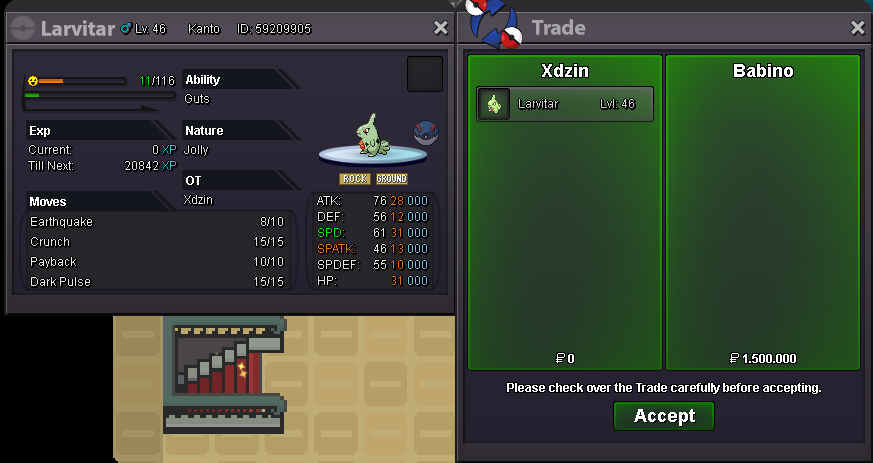
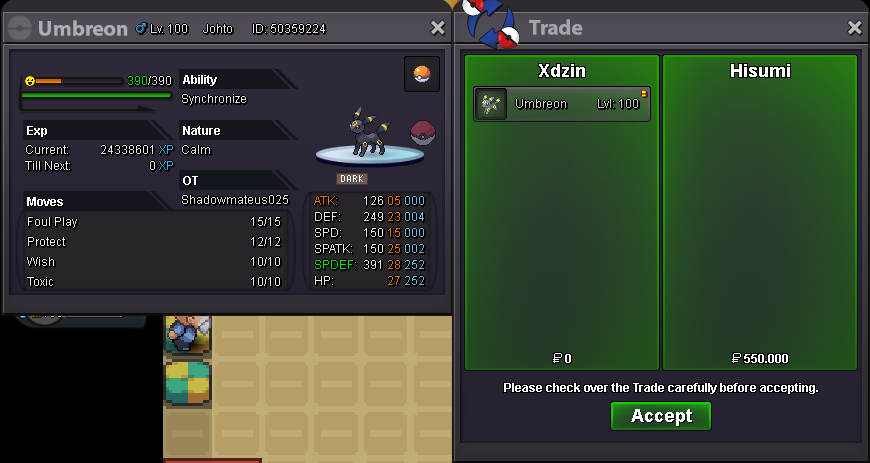
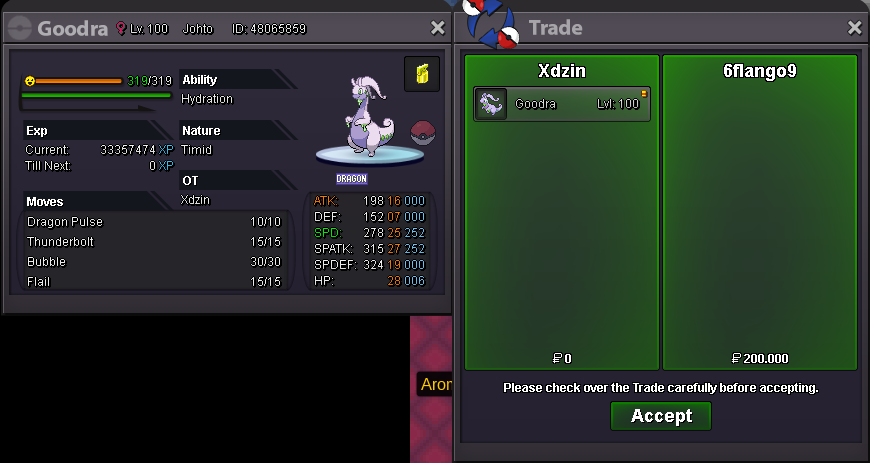
Larvitar bought by @Babino Umbreon bought by @Hisumi Goodra bought by @6Flango9
-
-
+1 most pro players are stall, which will be the next stallbreaker banned here? breloom? any mold breaker?
-
I will put it soon
-
-
-
-
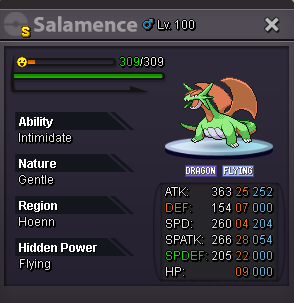
gold server bids are welcome, as long as the player comes to get the silver S.O: 20M MIN BID: 250K INSTA: 27M TIME: 3 DAY AFTER STARTING, PLUS A FEW HOURS TO FINISH AT 7PM (GTM -5) FOR EXAMPLE: STARTED AT 4PM, THEN IT'S 3 DAY + 3H Pokedollars Coin Capsules: 400k Reroll Tickets: 700k rare candy 6k


-
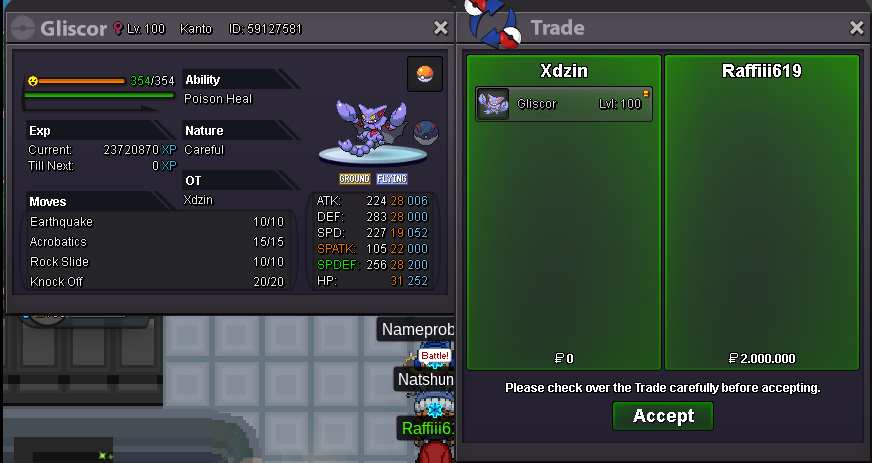
Gliscor bought by @raffiii619
-
Sableye bought by @Chris

-
up
-
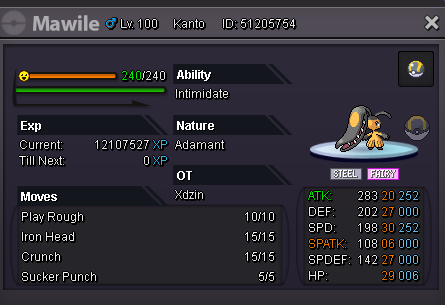
S.O: 1M MIN BID: 100K INSTA: 3M TIME: 1 DAY AFTER STARTING, PLUS A FEW HOURS TO FINISH AT 7PM (GTM -5) FOR EXAMPLE: STARTED AT 4PM, THEN IT'S 1 DAY + 3H Pokedollars Coin Capsules: 400k Reroll Tickets: 700k rare candy 6k
-
up
-
S.O: 5M MIN BID: 200K INSTA: no insta TIME: 2 DAY AFTER STARTING, PLUS A FEW HOURS TO FINISH AT 7PM (GTM -5) FOR EXAMPLE: STARTED AT 4PM, THEN IT'S 2 DAY + 3H Pokedollars Coin Capsules: 400k Reroll Tickets: 700k rare candy 6k

-
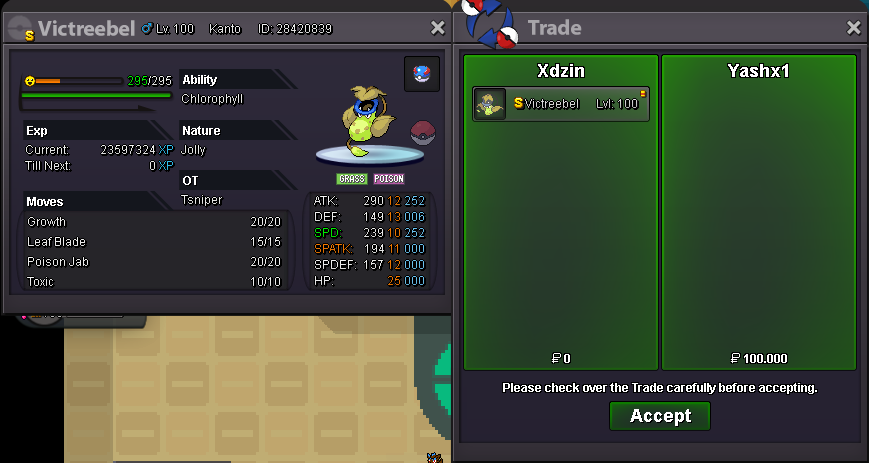
Gliscor bought by @Punisherishere Victreebel shiny bought by @YashX1