Skip to content
View in the app

A better way to browse. Learn more.

Pokemon Revolution Online

A full-screen app on your home screen with push notifications, badges and more.

To install this app on iOS and iPadOS
  1. Tap the Share icon in Safari
  2. Scroll the menu and tap Add to Home Screen.
  3. Tap Add in the top-right corner.
To install this app on Android
  1. Tap the 3-dot menu (⋮) in the top-right corner of the browser.
  2. Tap Add to Home screen or Install app.
  3. Confirm by tapping Install.
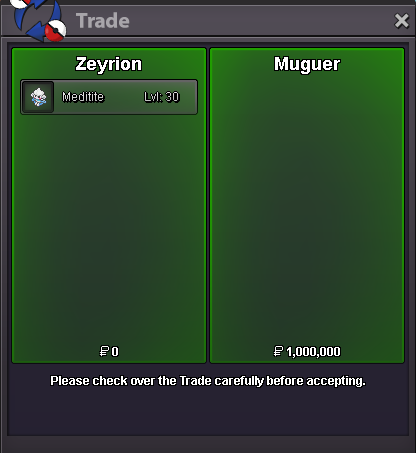
New Trade Zone
Trade Zone is now live
Use the new Trade Zone for auctions and instant-price trades so Pokemon and item offers are easy to find.
Open Trade Zone

Zeyrion

Registered User
  • Joined

  • Last visited

Everything posted by Zeyrion

  1. No idea if this has been suggested at all yet but in future i would like it if plan big rework changes such as the one with the bosses to make a disscusion thread on the forum so you could gauge feedback from the community before hand and maybe find a better compromise that the majority of the player base agrees with also its nice to get updates on whats going on from time to time, Gives us something to look forward too.
  2. Sold insta to moltenm3tal
  3. 24 hours left!
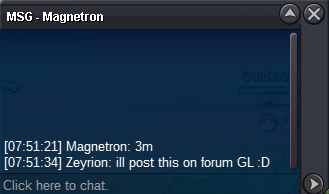
  4. Offer of 3m from magnetron ingame
  5. Started by Harshharshxyz ends in 48 hours from now
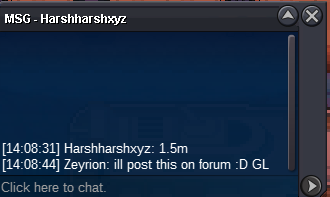
  6. c.o 3.7m by Bhimoso insta 5m 48 hour auction from first bid 100k min raise ends 04/07/2020 14:08pm GMT+1
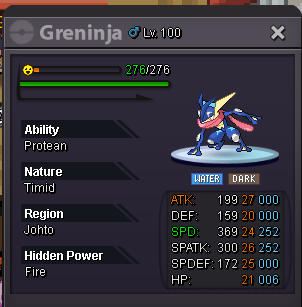
  7. Can be closed
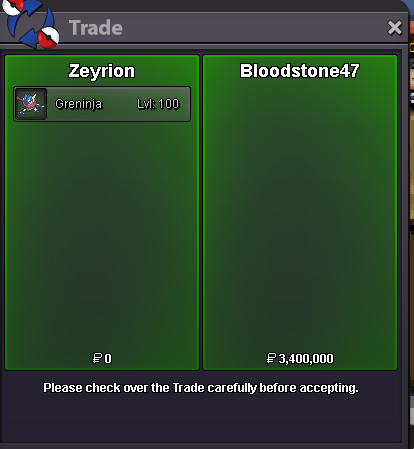
  8. winner is bloodstone47 with 3.4m thanks everyone!
  9. 4 Hours left :)
  10. 24 hours left insta added :D
  11. Ends in 48 hours From now GL guys
  12. c.o 3.4m by bloodstone47 insta 4m Min Raise 100k 48 Hour Auction from first bid Ends 02/07/2020 12:45pm GMT+1
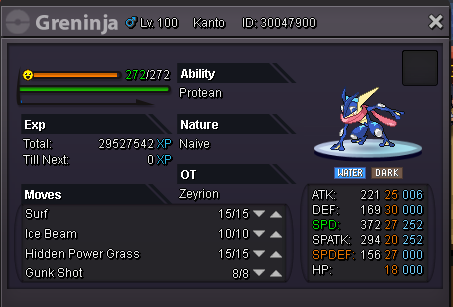
  13. Ended as muguer as the winner
  14. they also bid 900k as the forum one came through
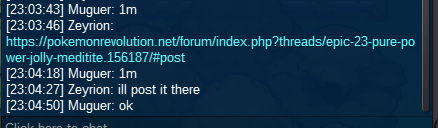
  15. As i got a bid last minute in game aswell ill extend the auction 15 minutes c.o is 1m by Muguer screenshot shortly
  16. Started by kenzothepug ends in 48 hours from now :D
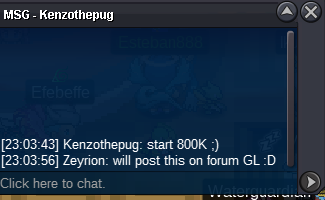
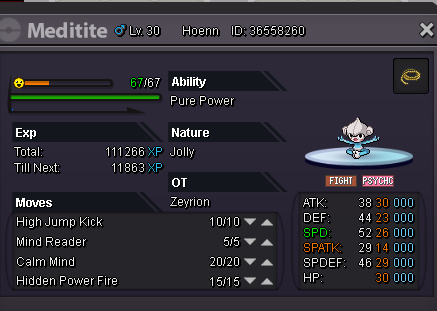
  17. s.o 800k 48 hour auction from first bid min raise 100k Insta 2.2m
Account

Navigation

Search

Search

Configure browser push notifications

Chrome (Android)
  1. Tap the lock icon next to the address bar.
  2. Tap Permissions → Notifications.
  3. Adjust your preference.
Chrome (Desktop)
  1. Click the padlock icon in the address bar.
  2. Select Site settings.
  3. Find Notifications and adjust your preference.