




New Trade Zone
Trade Zone is now live
Use the new Trade Zone for auctions and instant-price trades so Pokemon and item offers are easy to find.


Vangogsan
Registered User
-
Joined
-
Last visited
Everything posted by Vangogsan
-
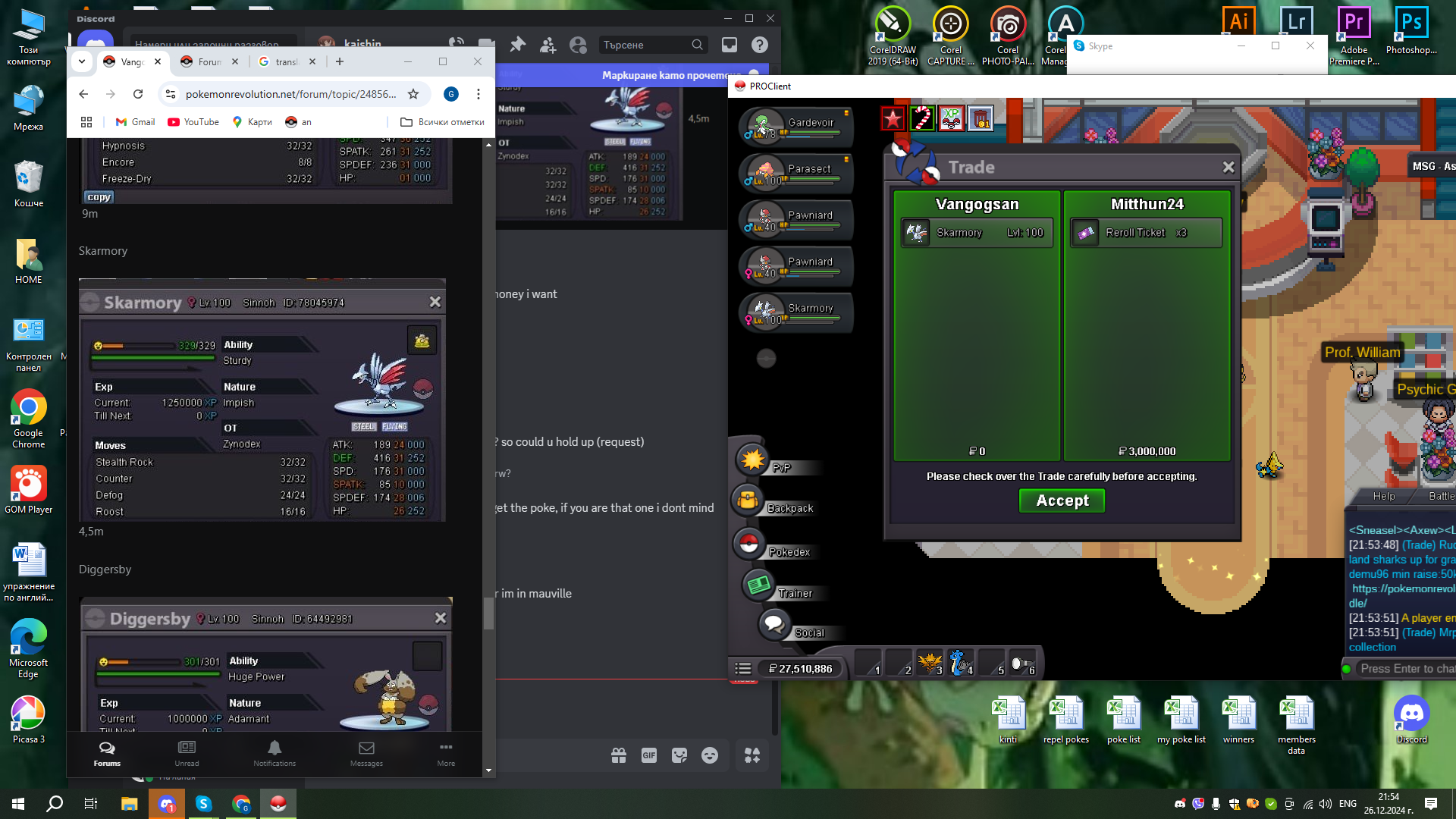
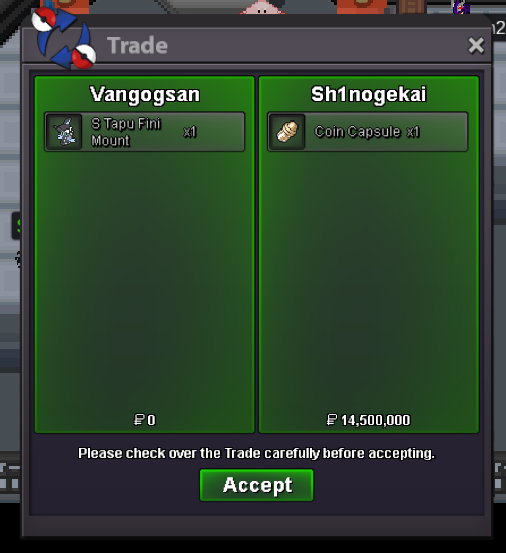
<<< Hi , welcome to my shop !!! >>> If you like to buy something you can do comment under the topic or contact me in game / discord ( vangogsan#9278 ) Trades will be upload in the topic Payment method`s: Pokedollars coin capsule - 500k - iv reroll -700k - nature reroll - 350k rare candies - 7k Prices are not negotiable , BUT APPLY 20% TO ALL IN THE SHOPT !!! TRADES WILL BE MADE FROM Am1damaru ACCOUNT Normal Pokemons for sell A B C D E F G H I J K L M N O P Q R S T U V W X Y Z Shiny and Event Pokemins


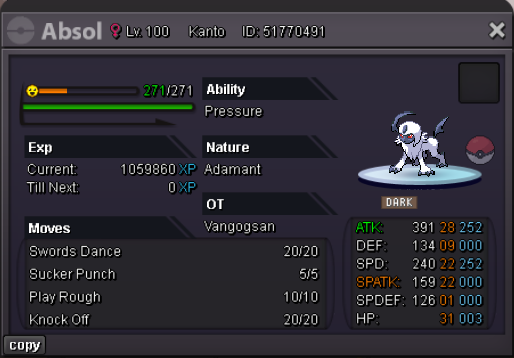
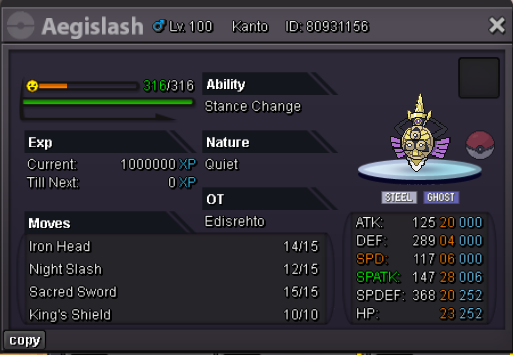
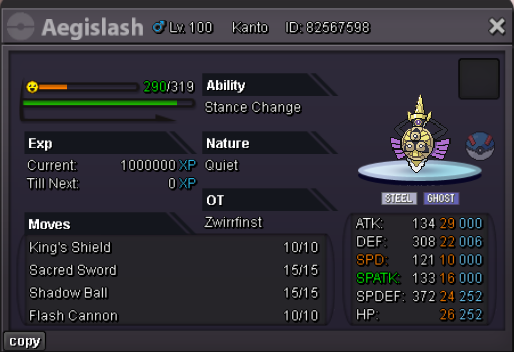
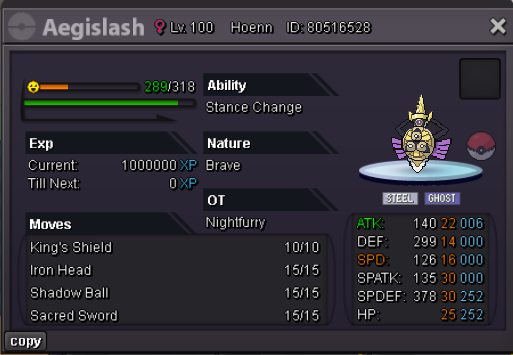
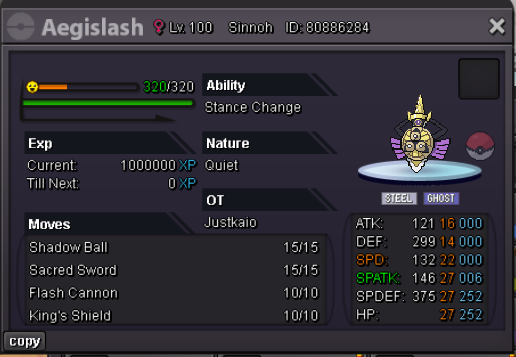
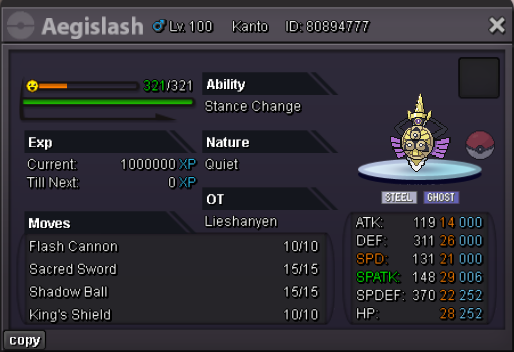
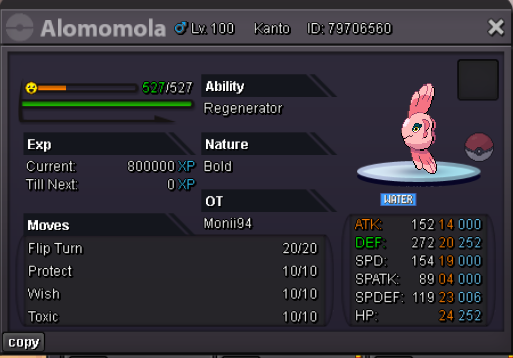
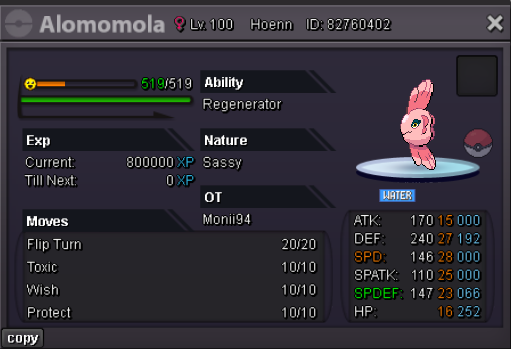
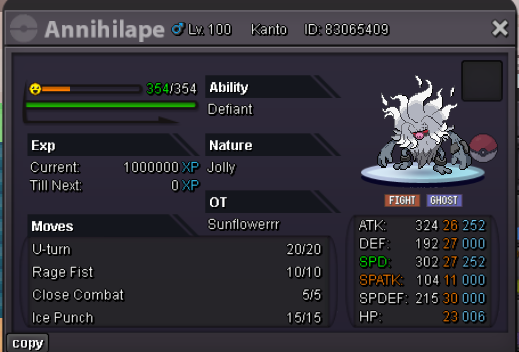
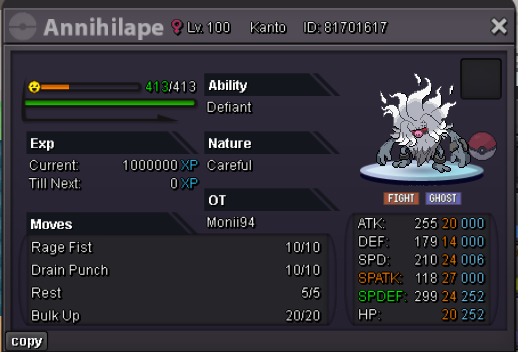
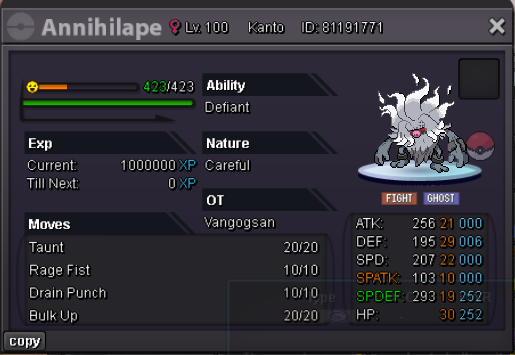
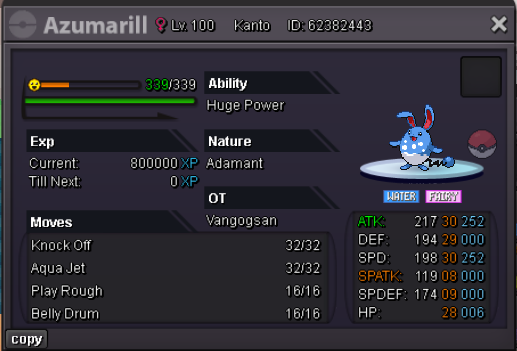
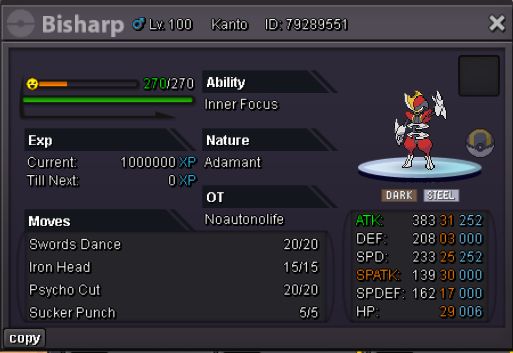
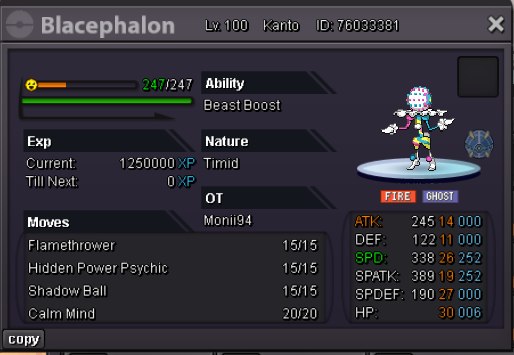
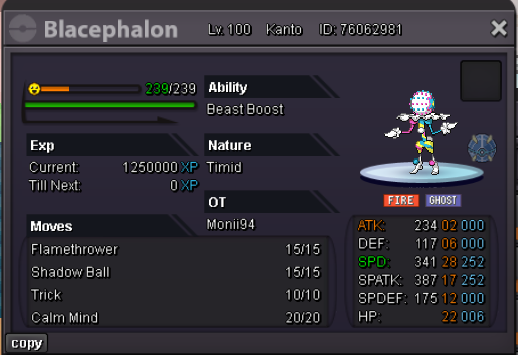
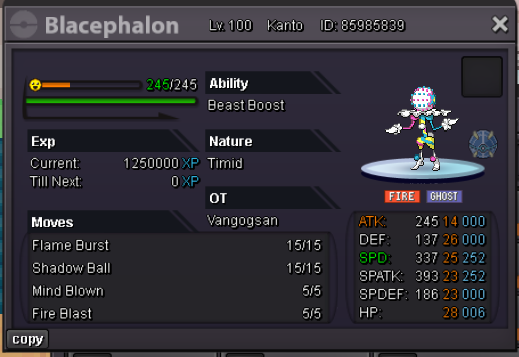
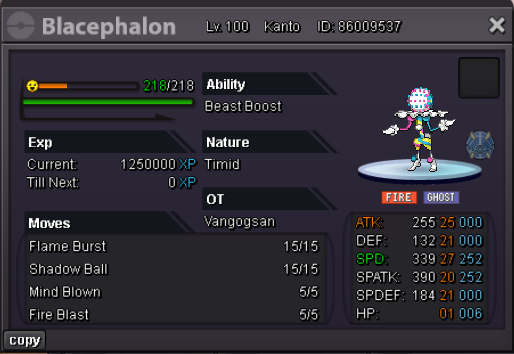
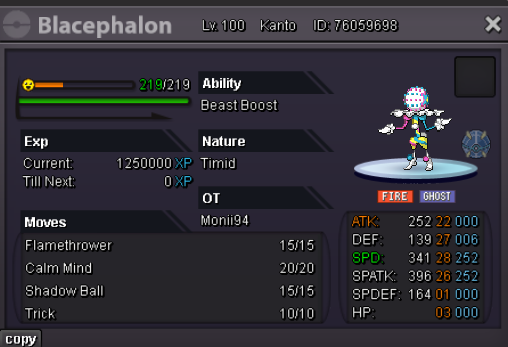
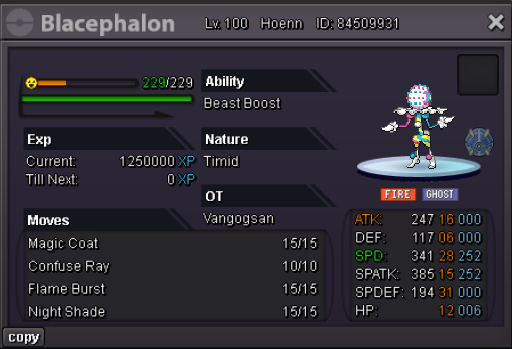
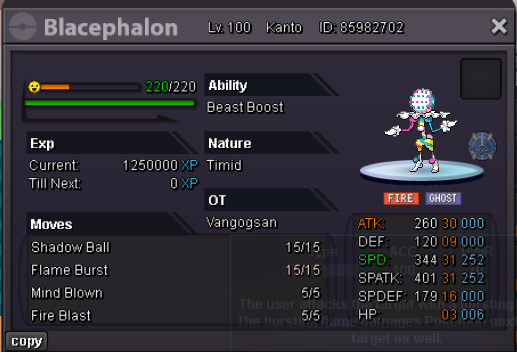
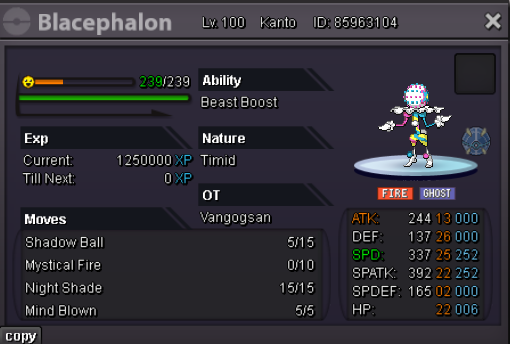
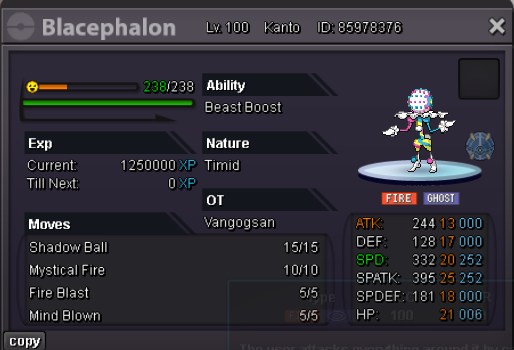
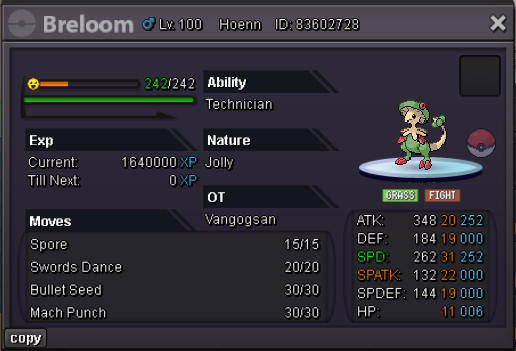
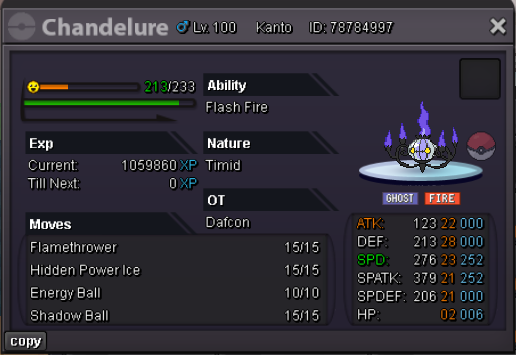
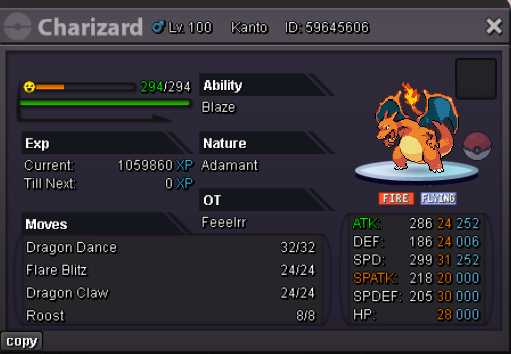
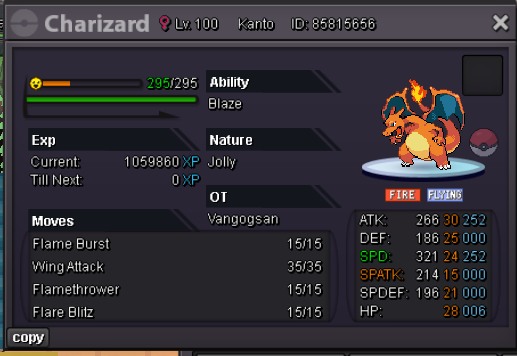
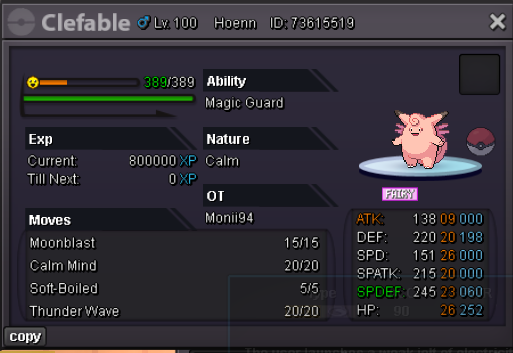
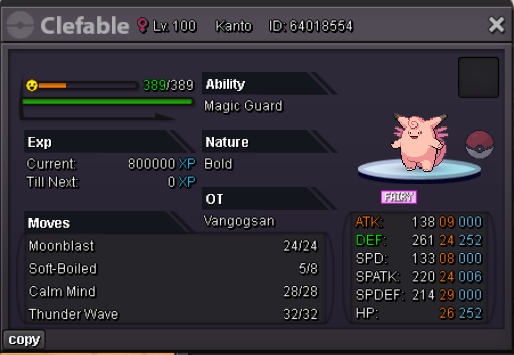
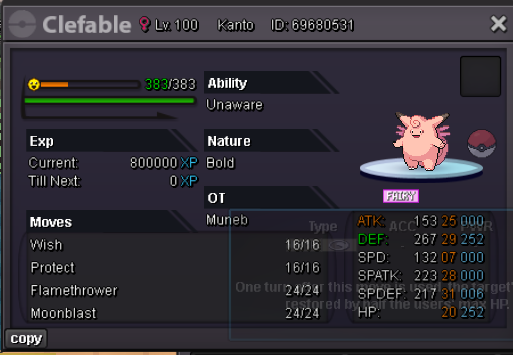
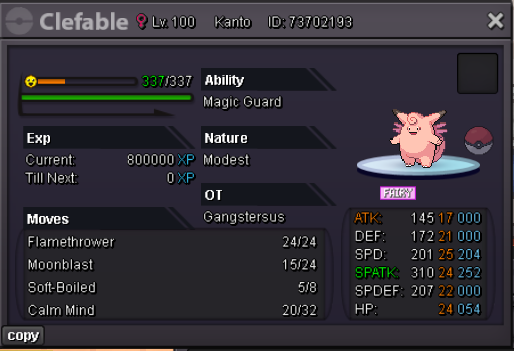
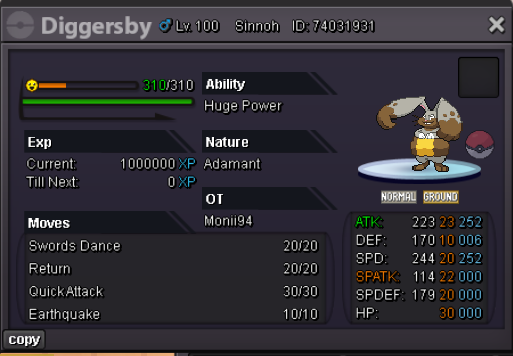
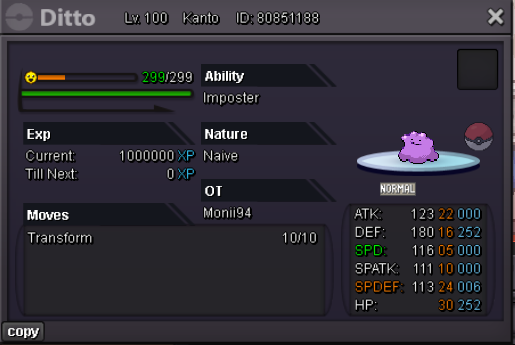
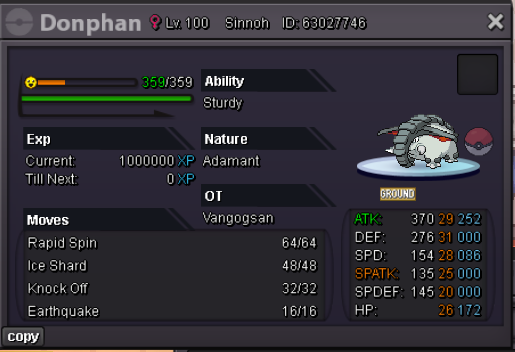
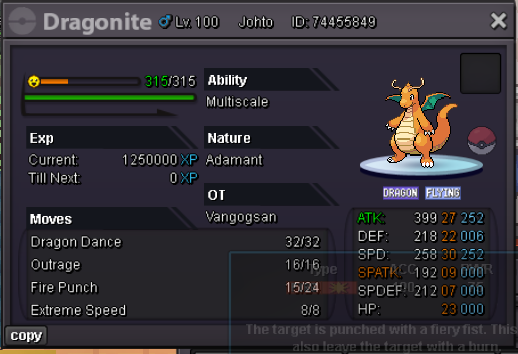
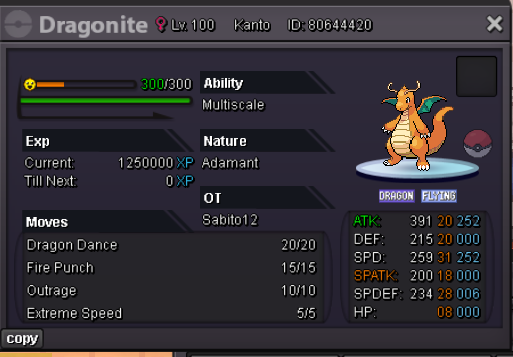
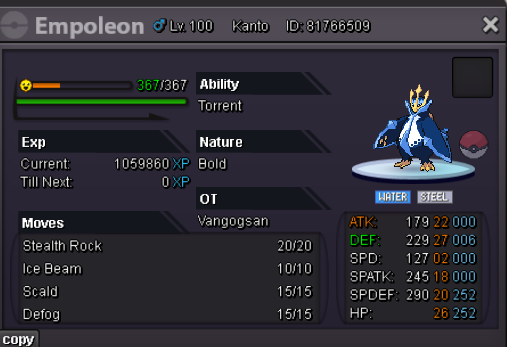
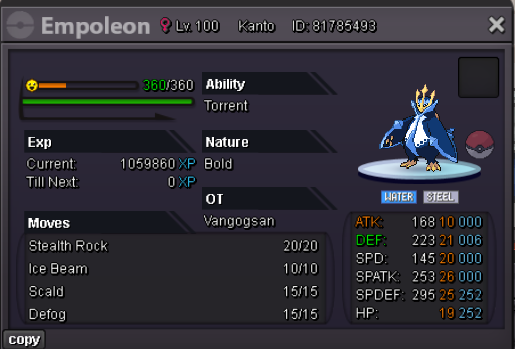
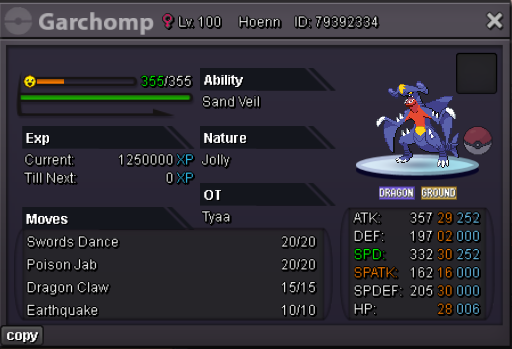
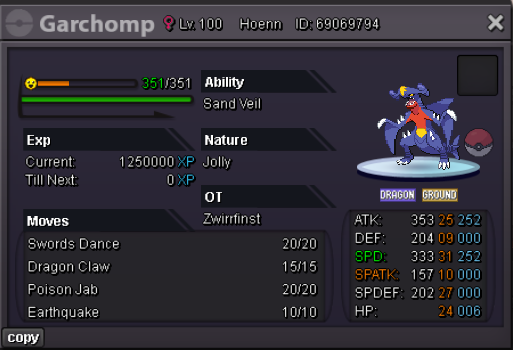
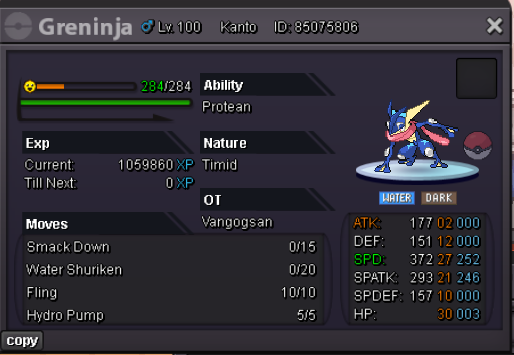
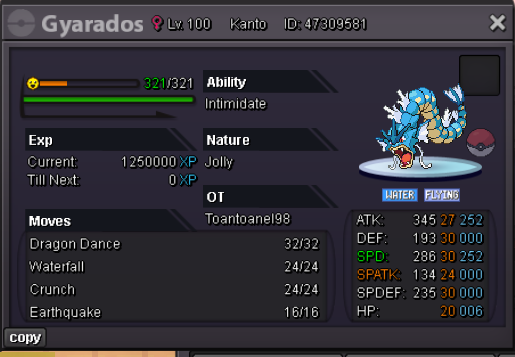
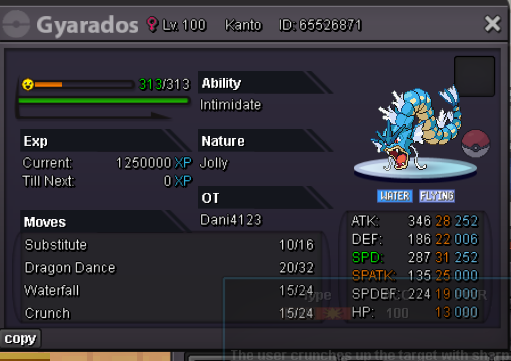
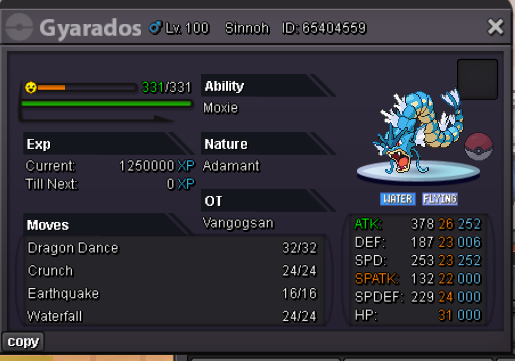
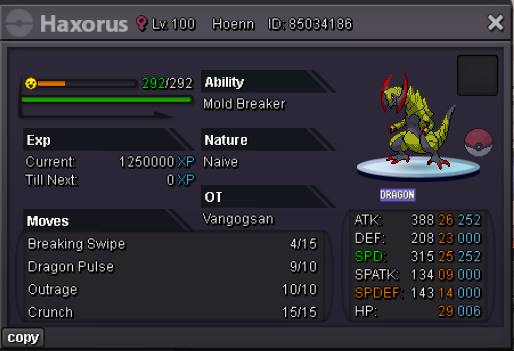
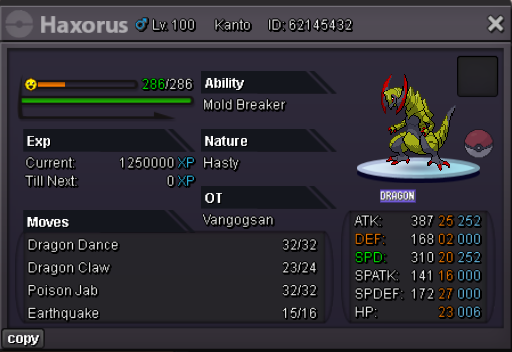
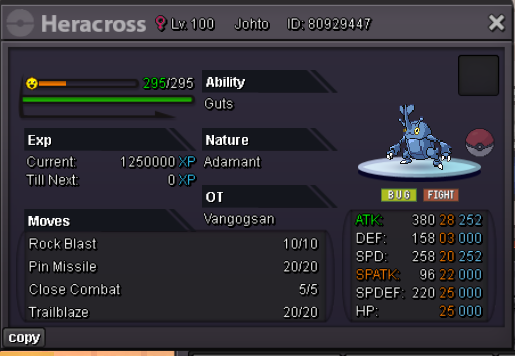
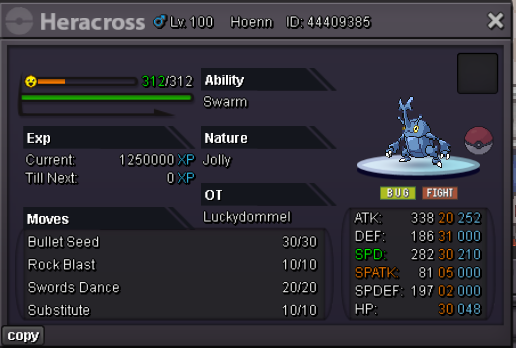
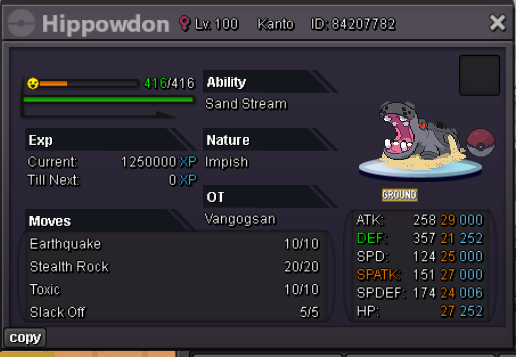
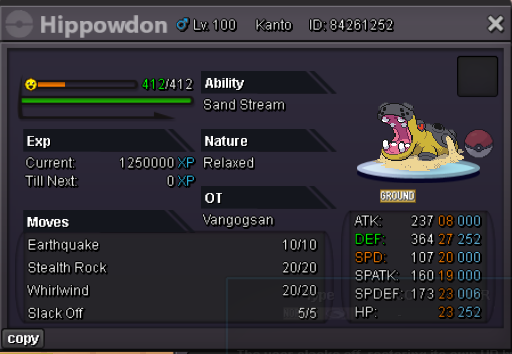
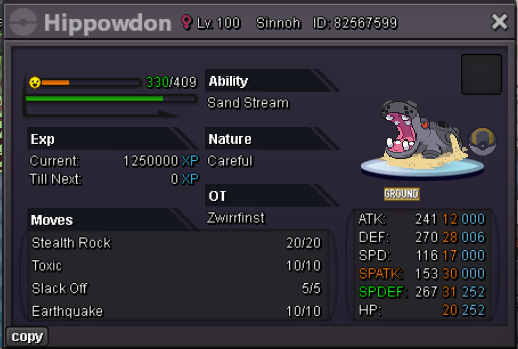
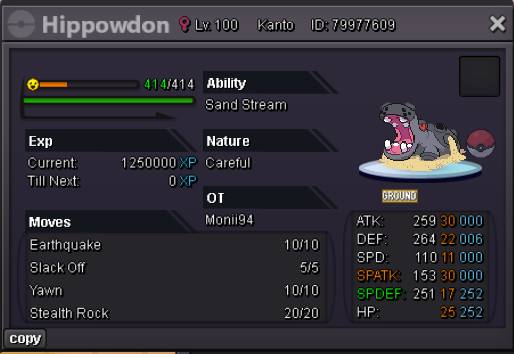
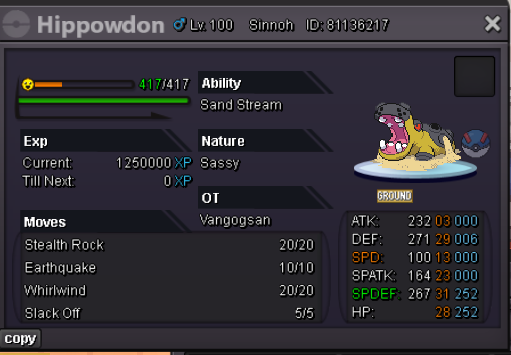
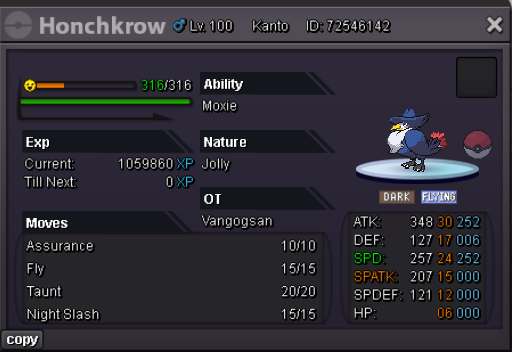
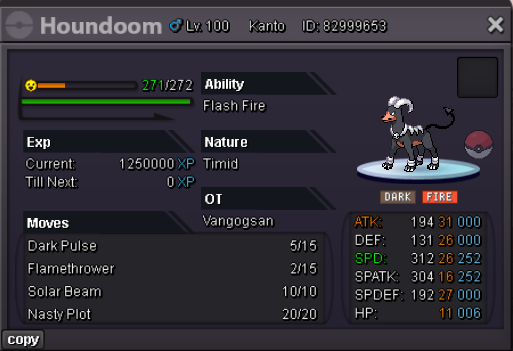
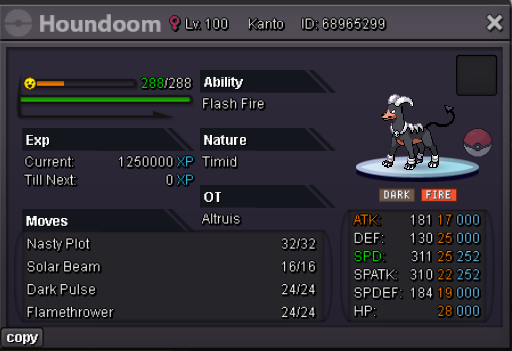
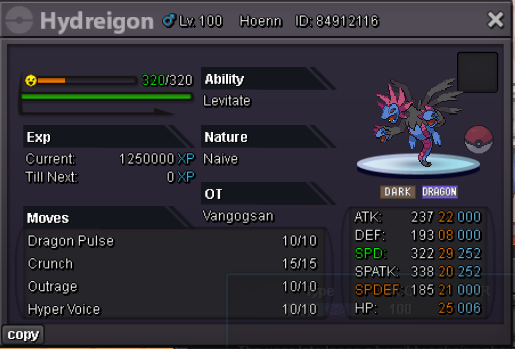
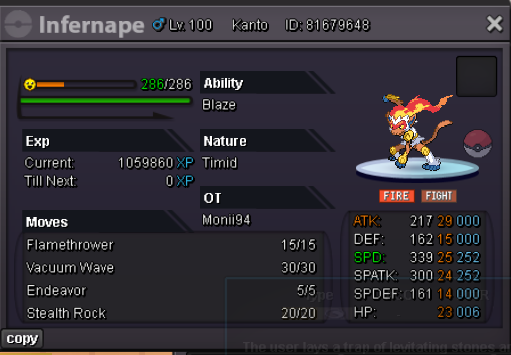
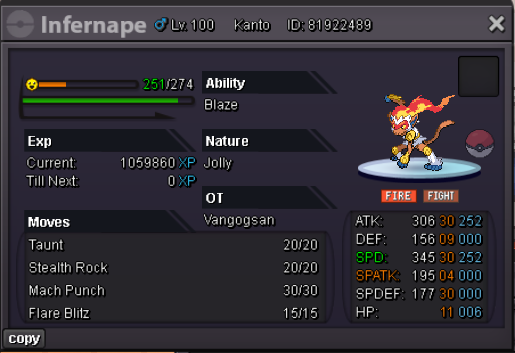
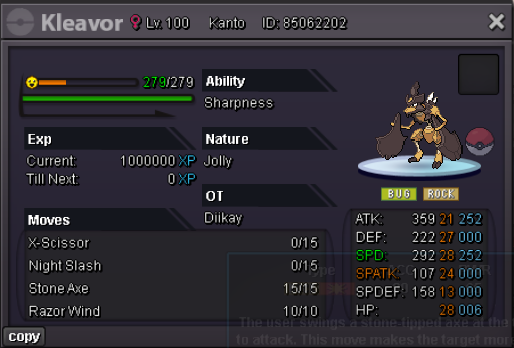
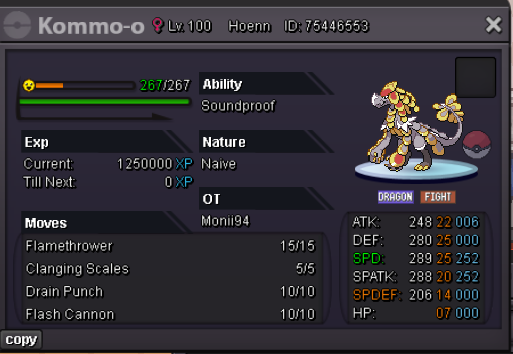
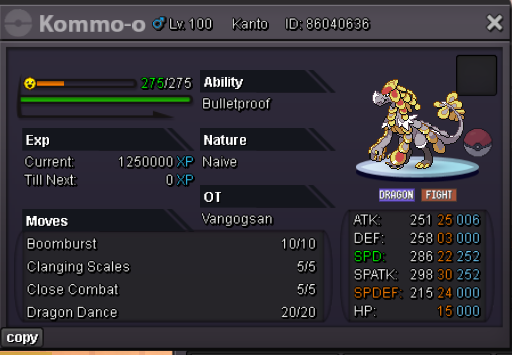
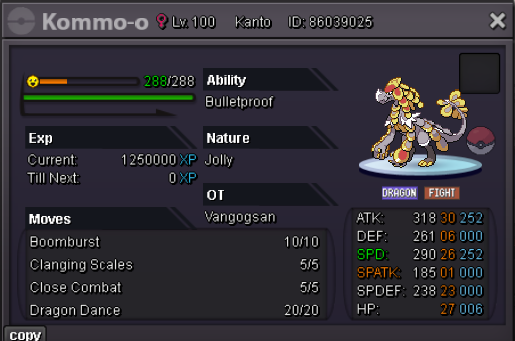
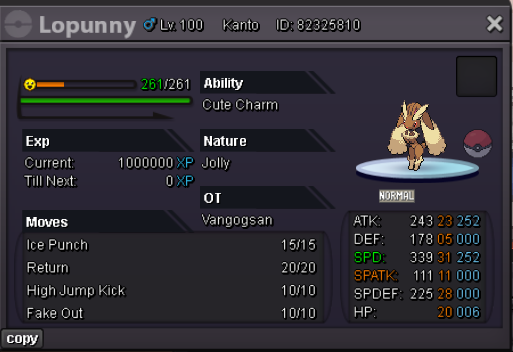
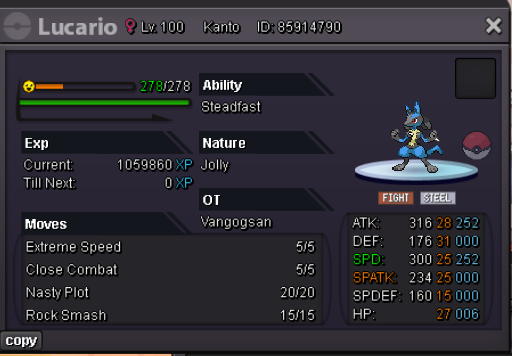
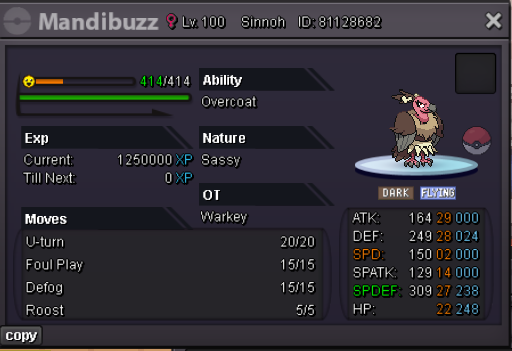
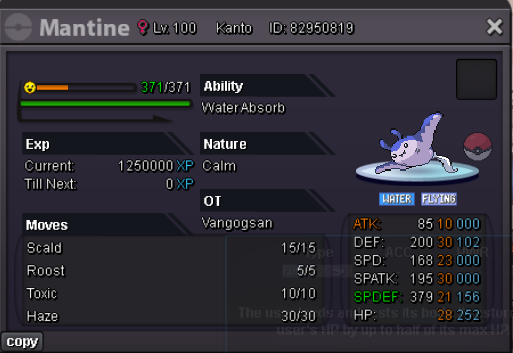
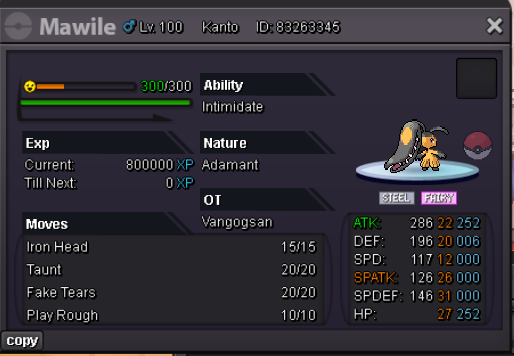
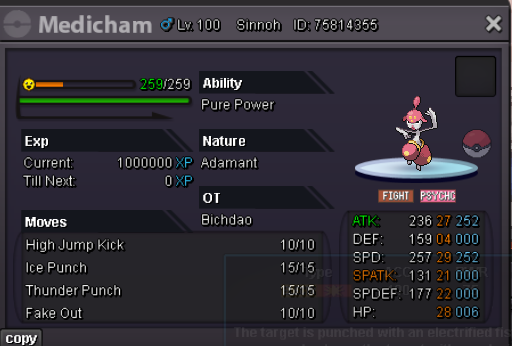
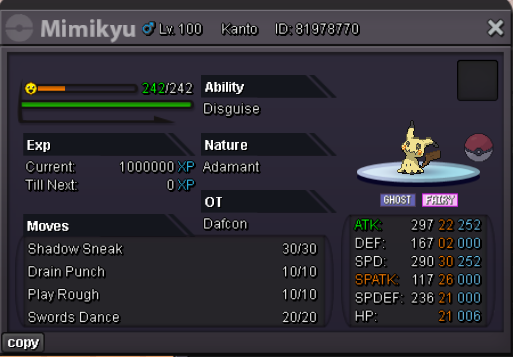
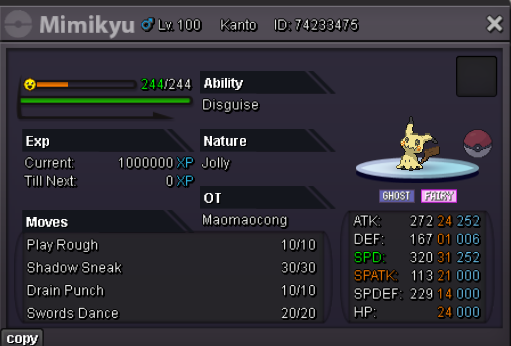
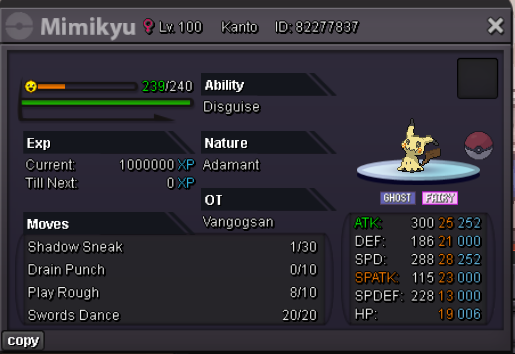
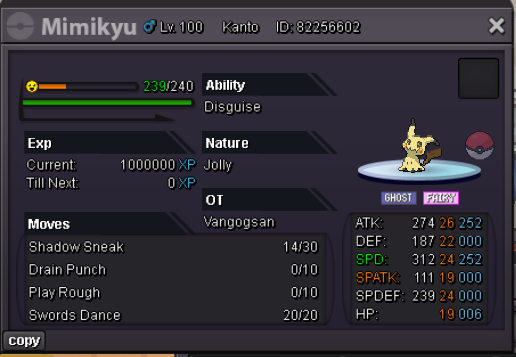
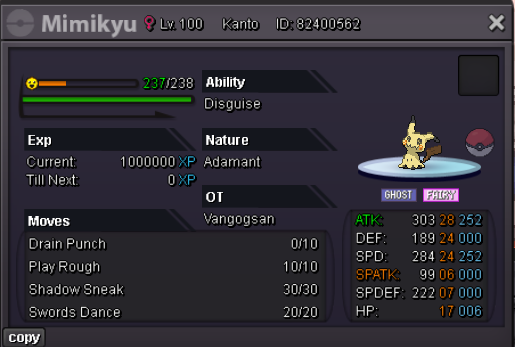
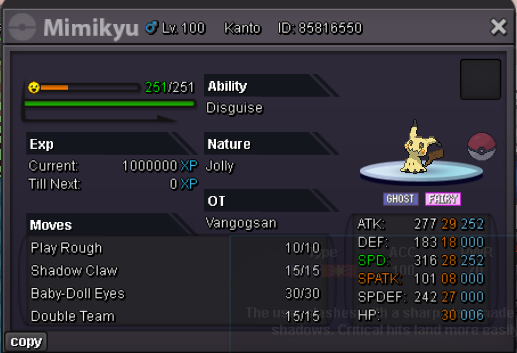
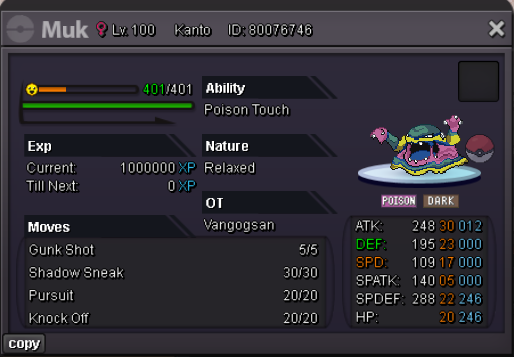
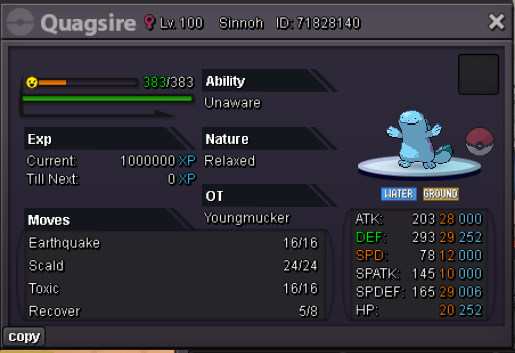
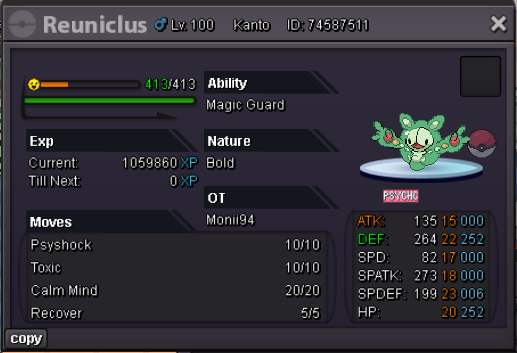
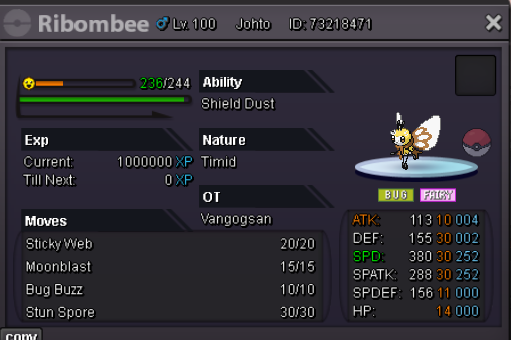
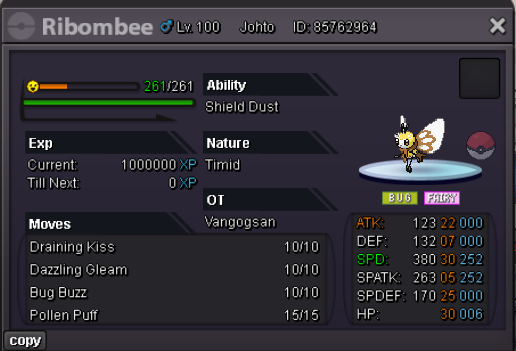
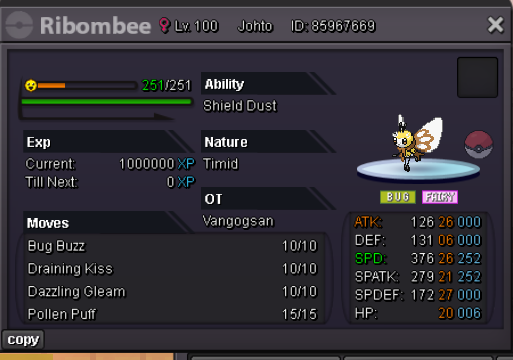
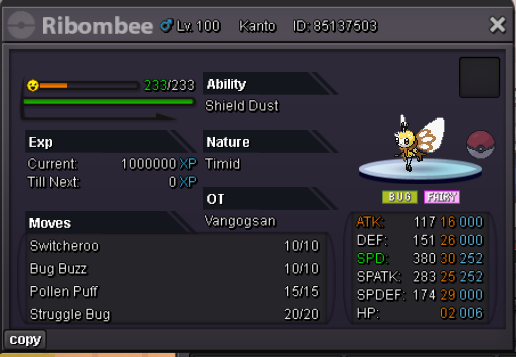
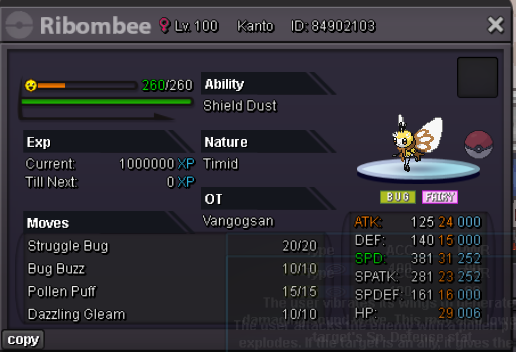
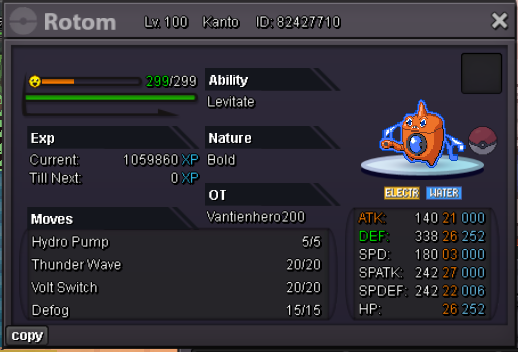
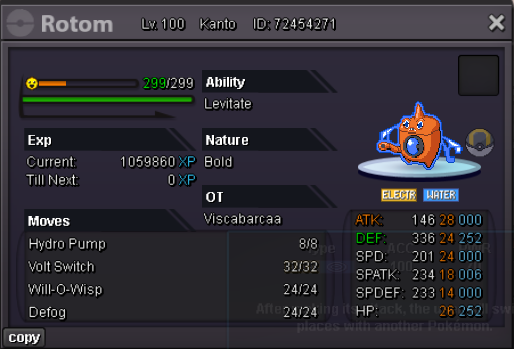
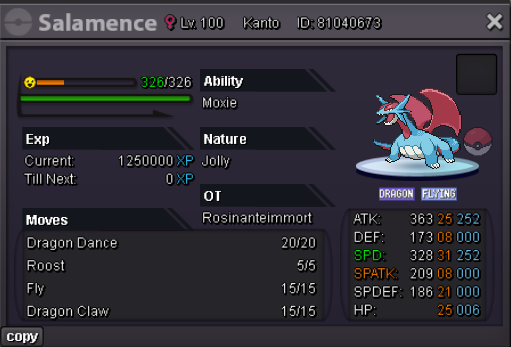
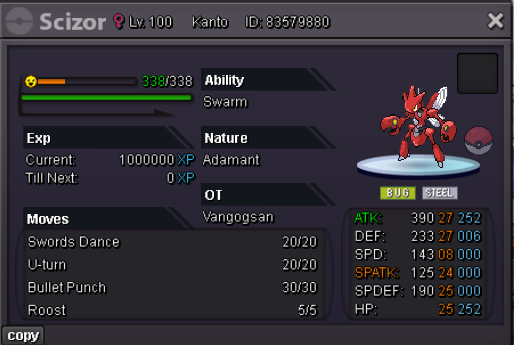
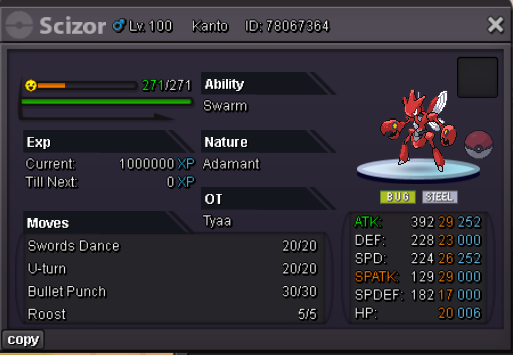
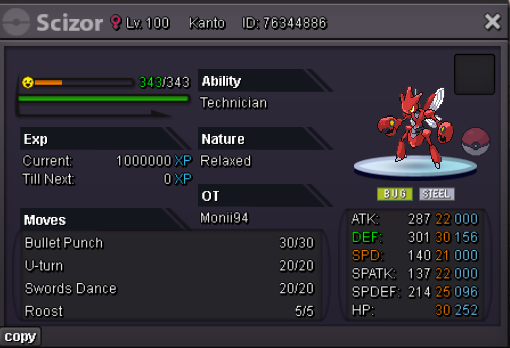
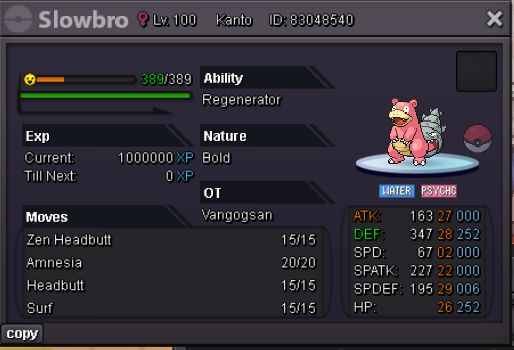
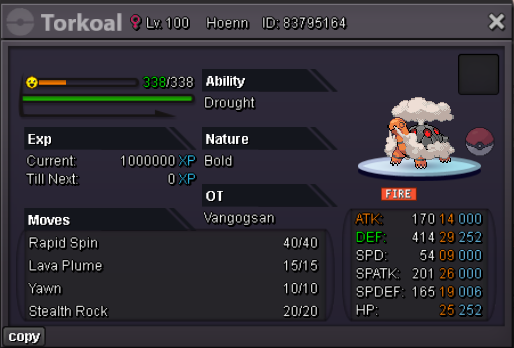
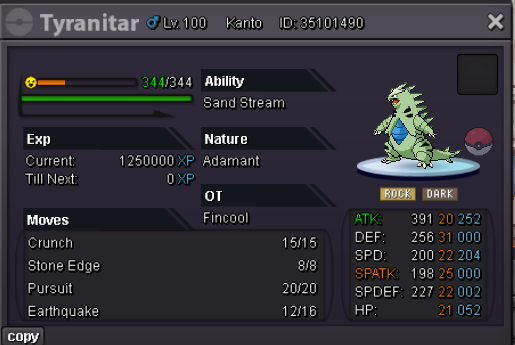
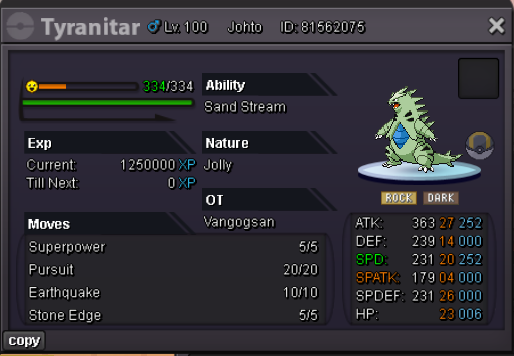
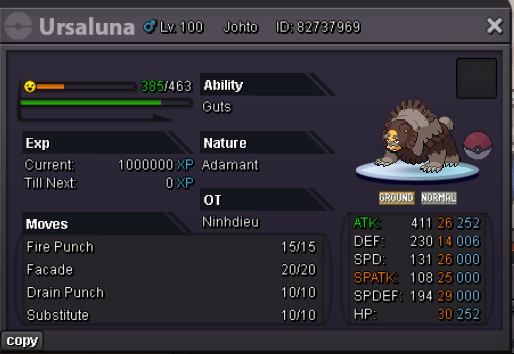
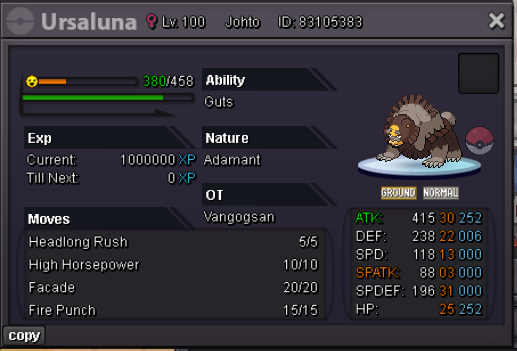
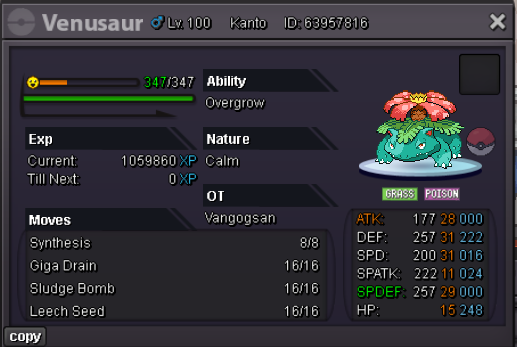
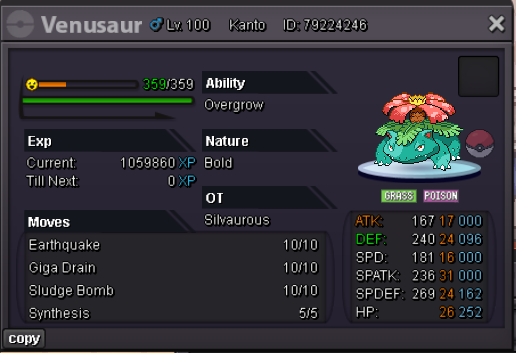
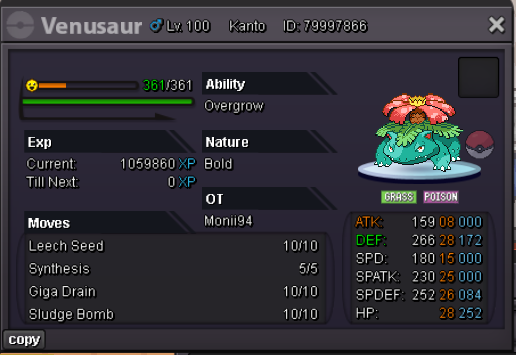
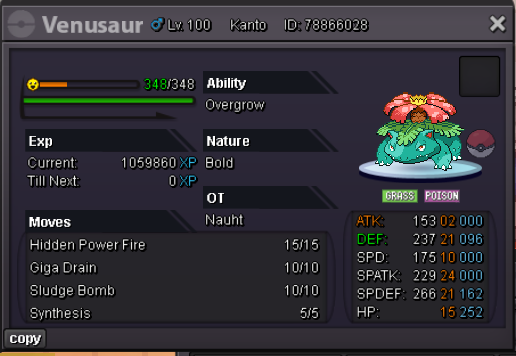
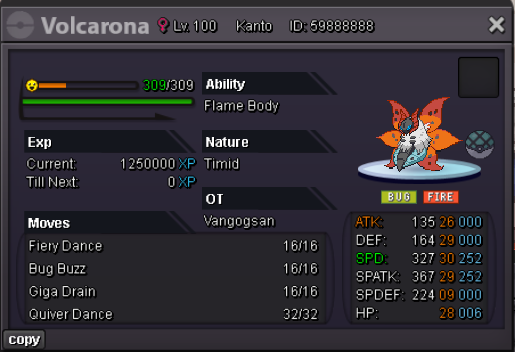
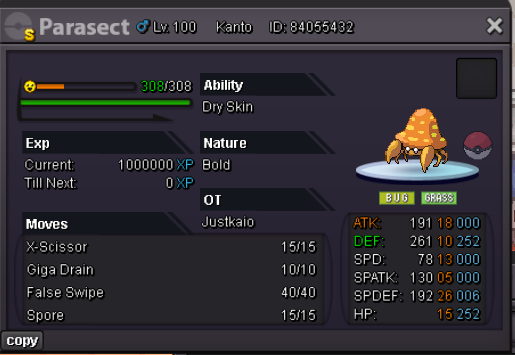
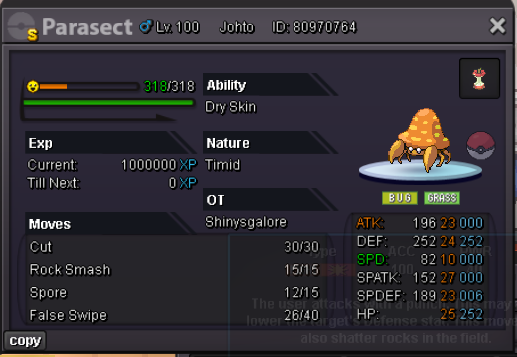
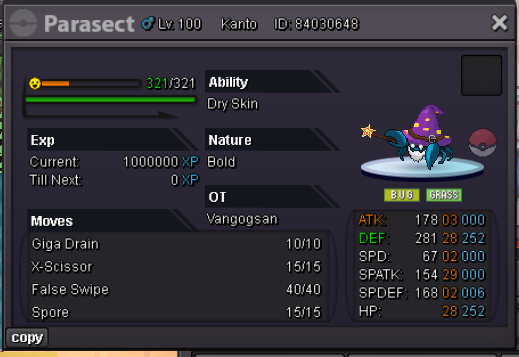
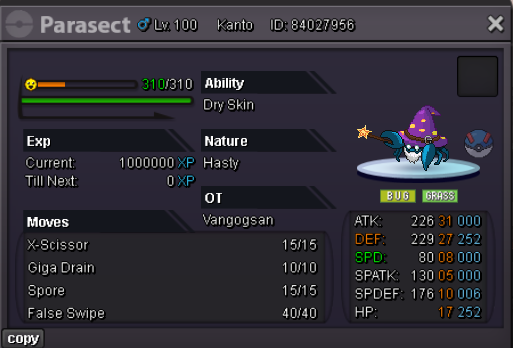
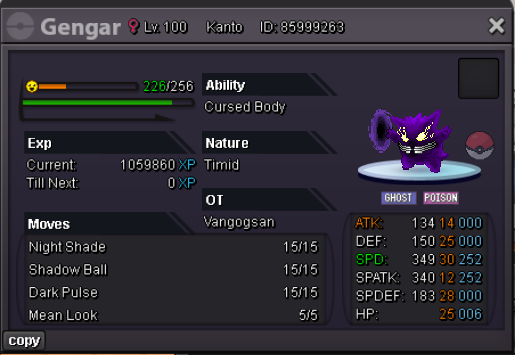
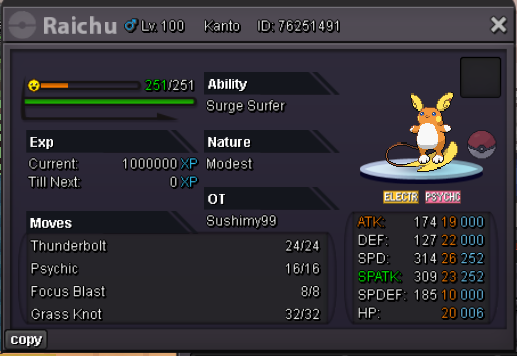
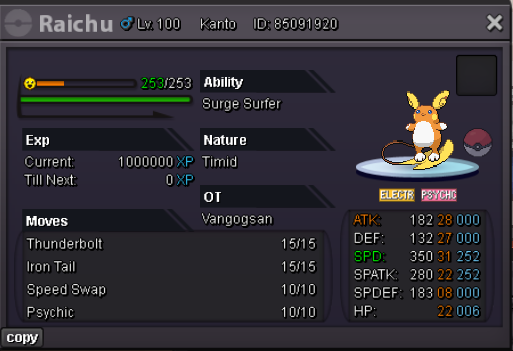
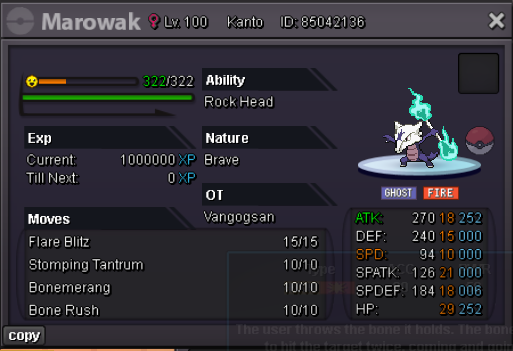
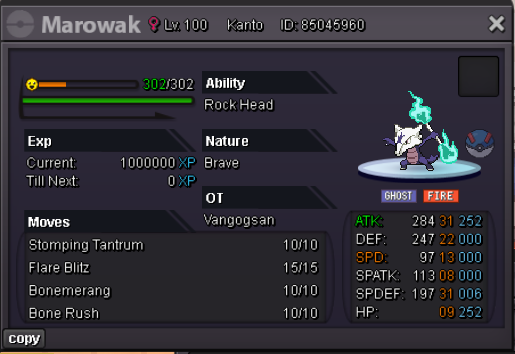
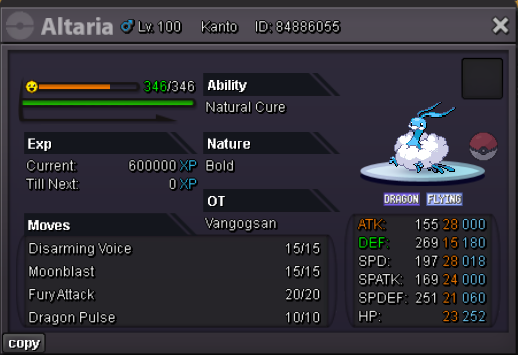
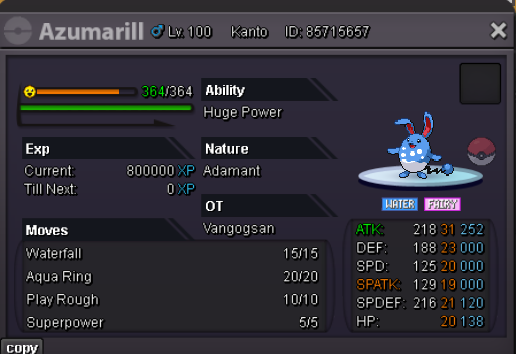
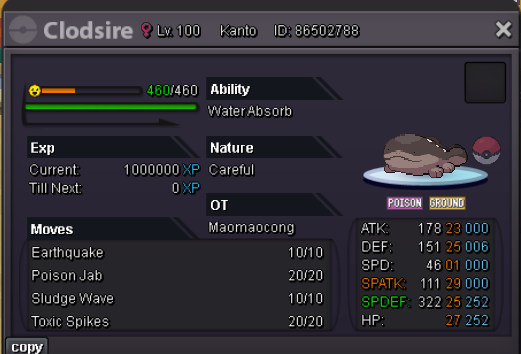
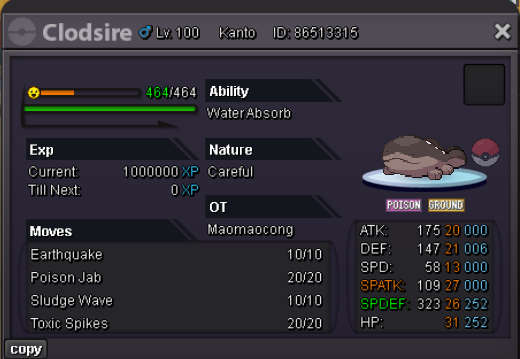
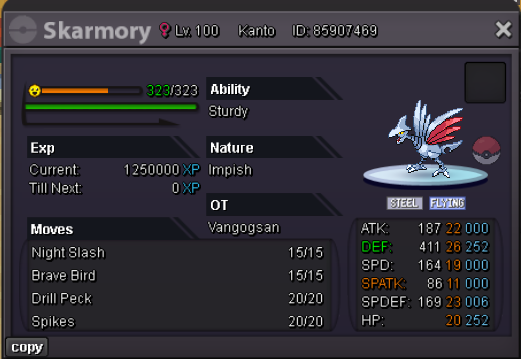
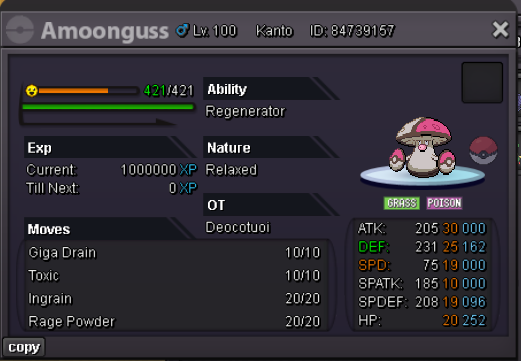
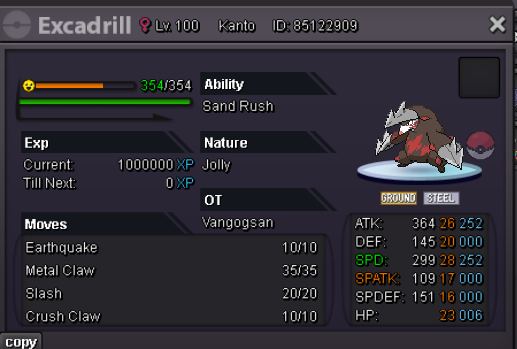
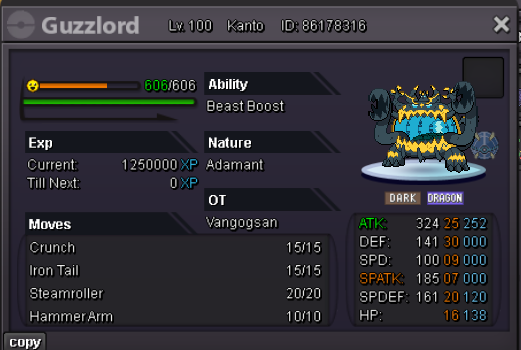
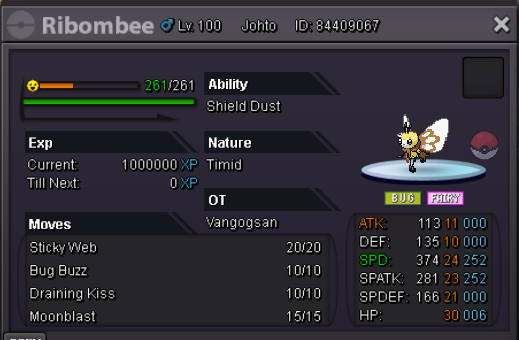
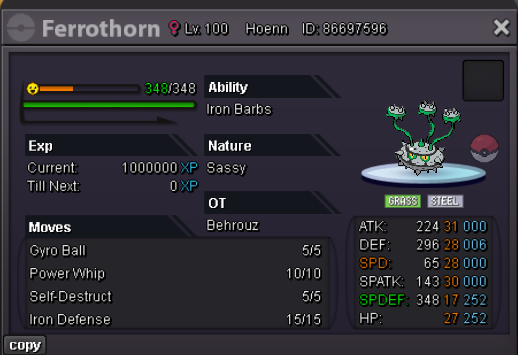
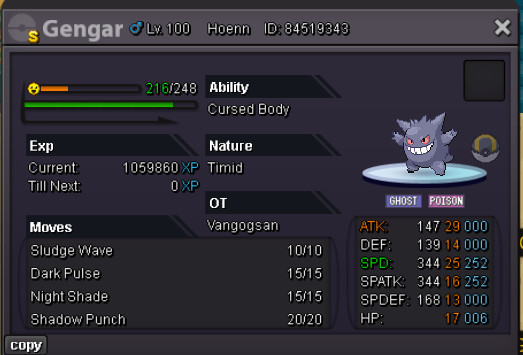
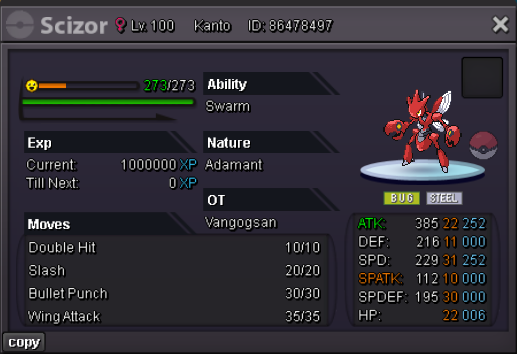
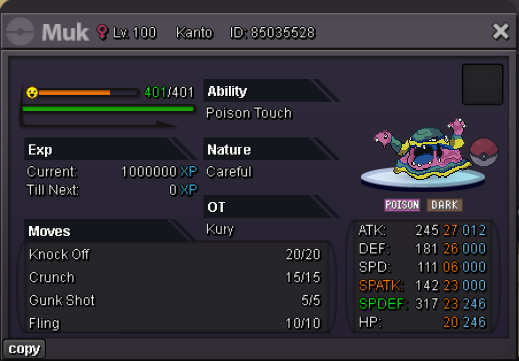
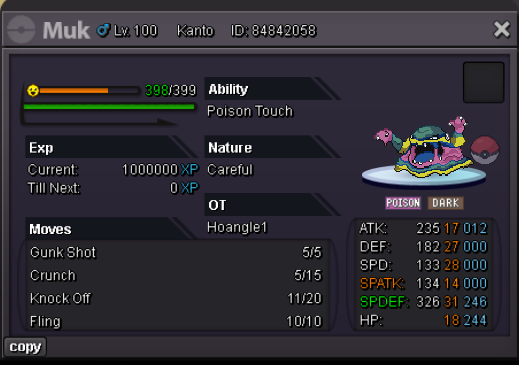
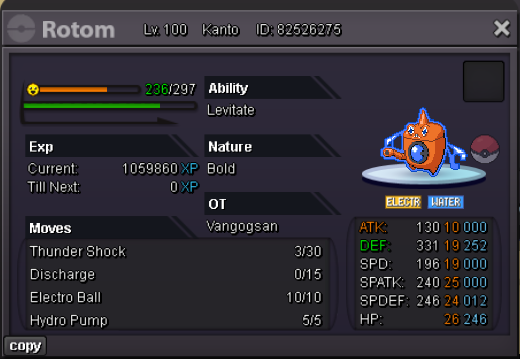
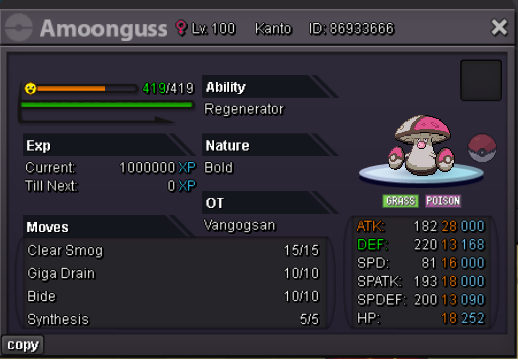
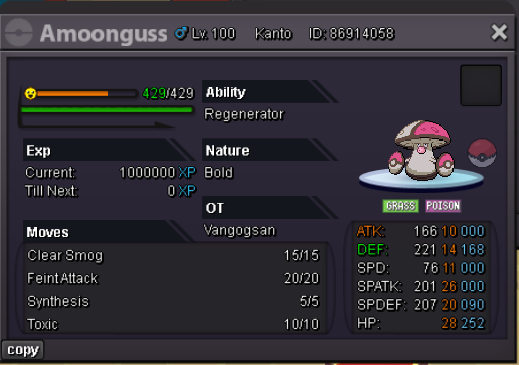
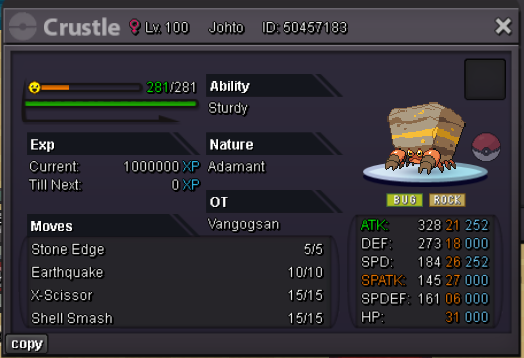
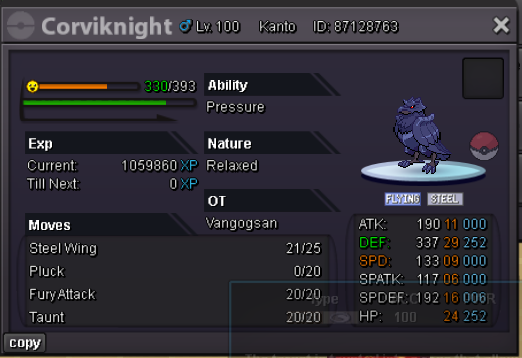
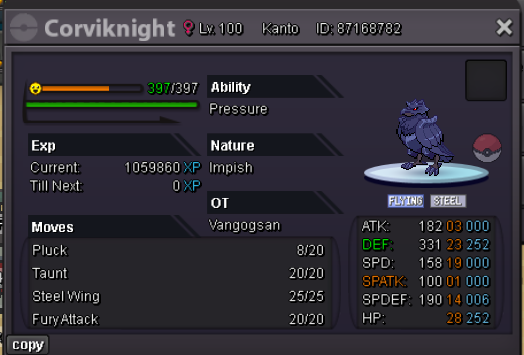
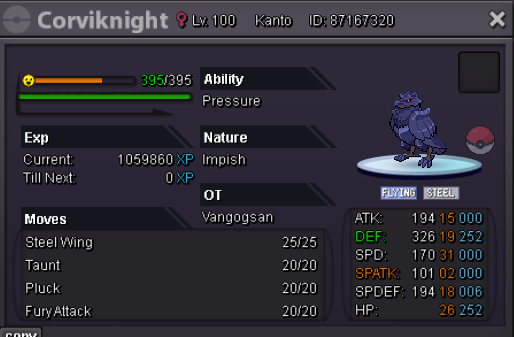
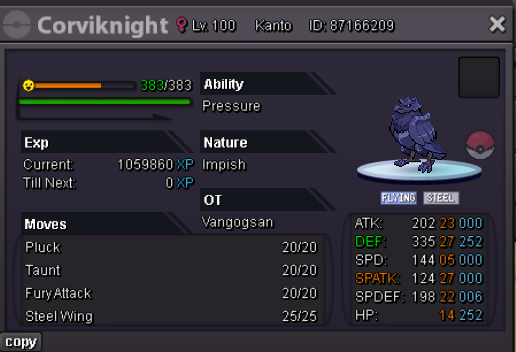
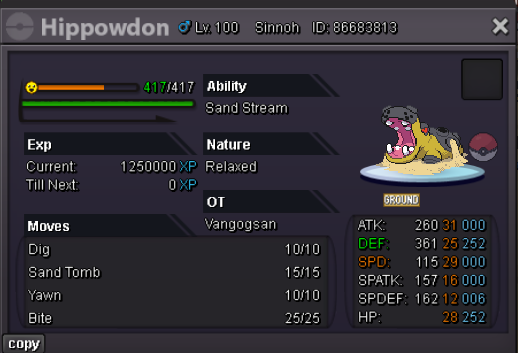
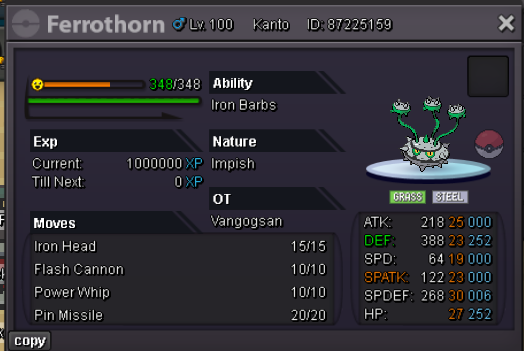
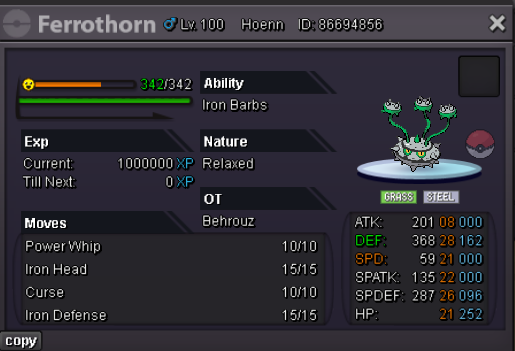
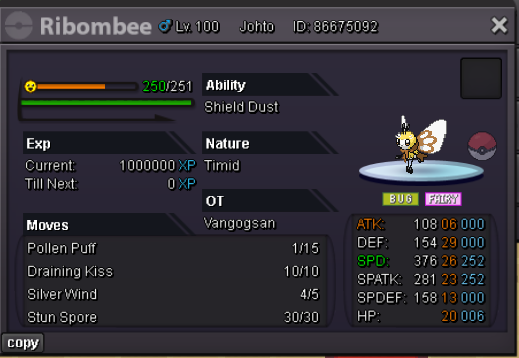
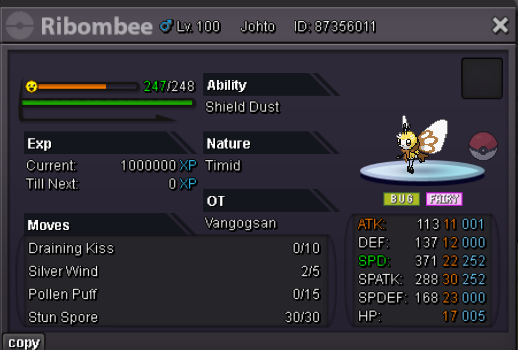
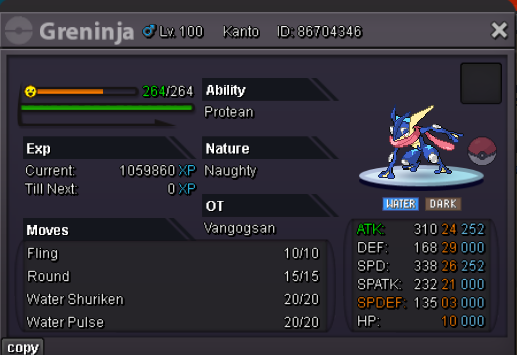
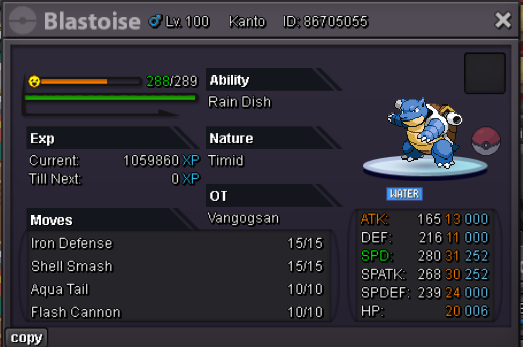
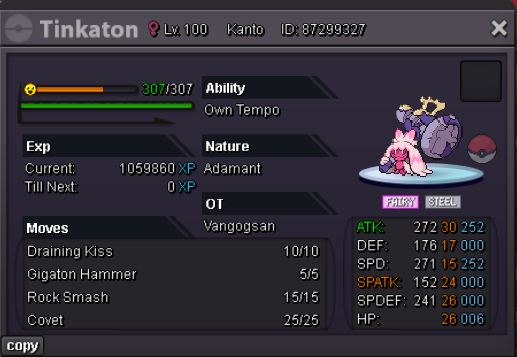
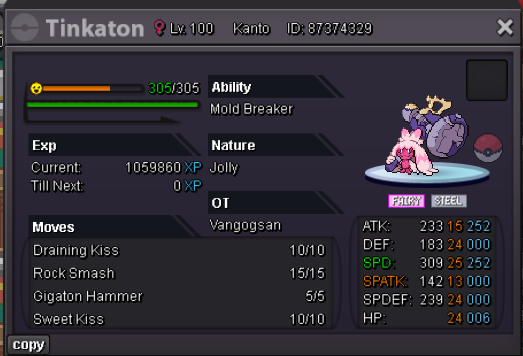
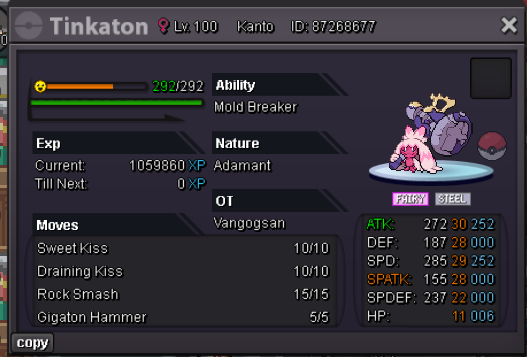
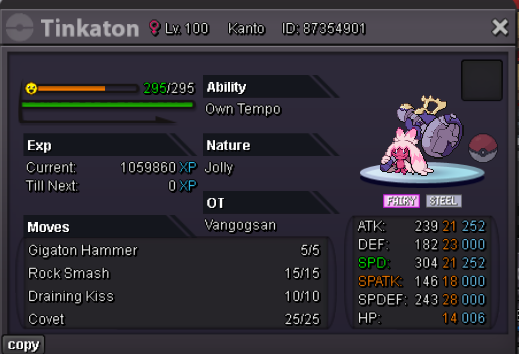
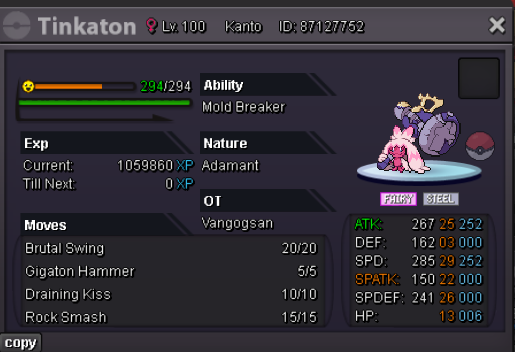
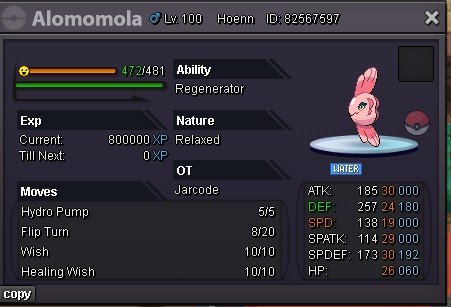
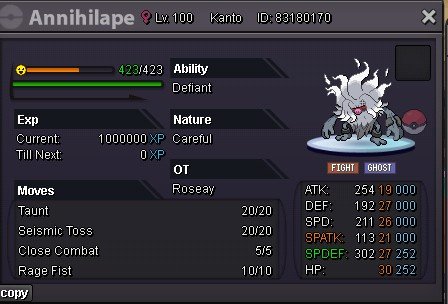
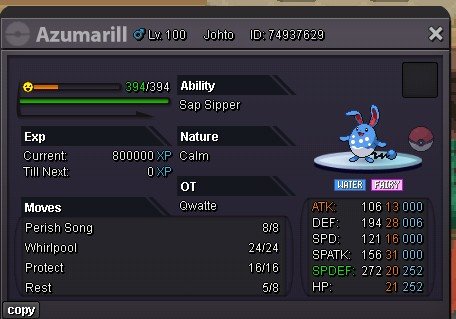
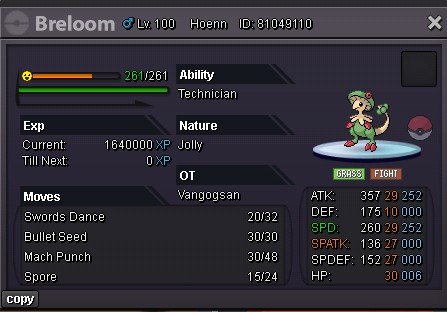
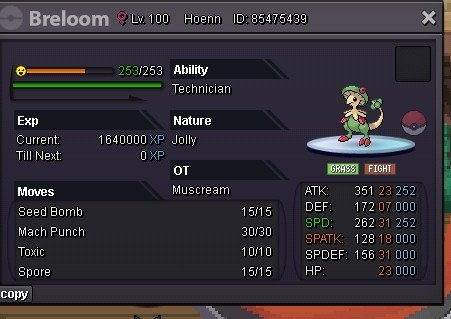
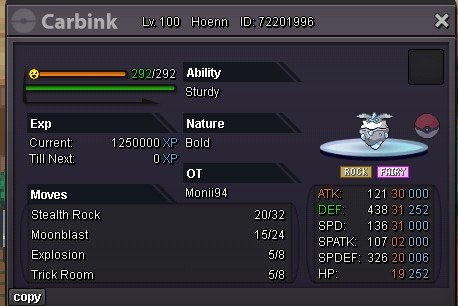
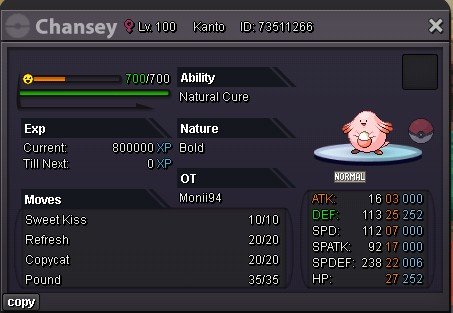
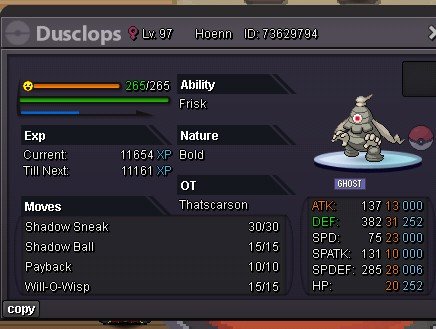
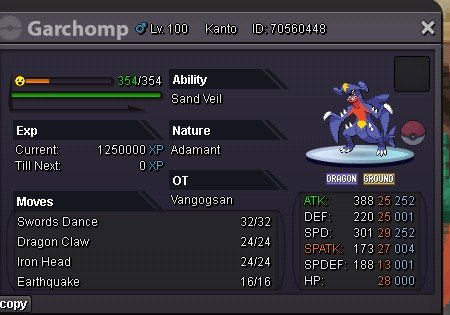
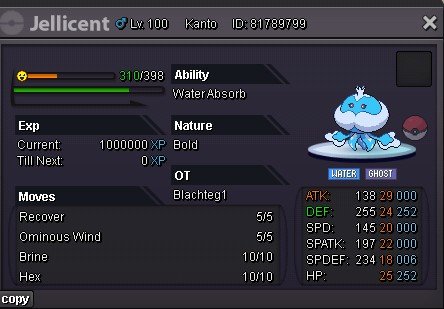
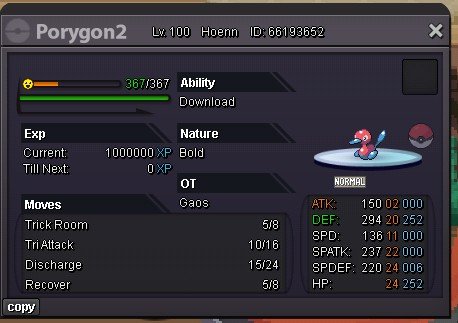
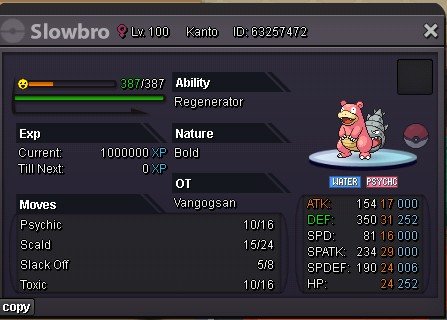
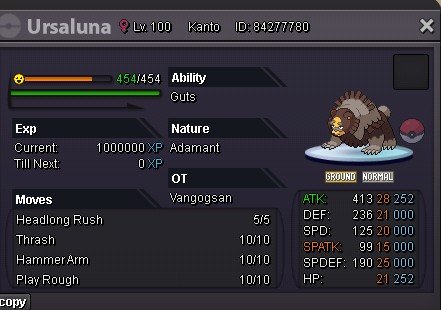
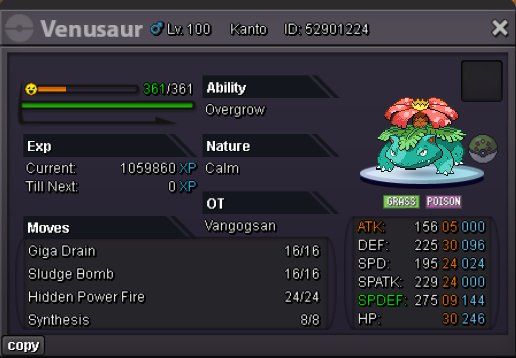
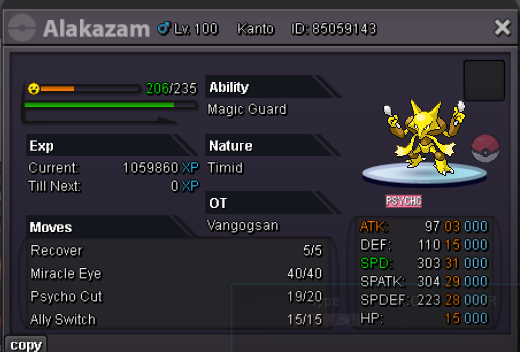
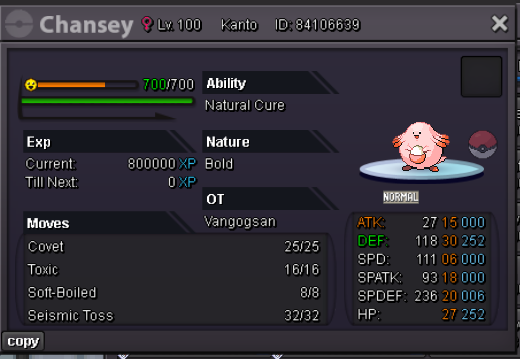
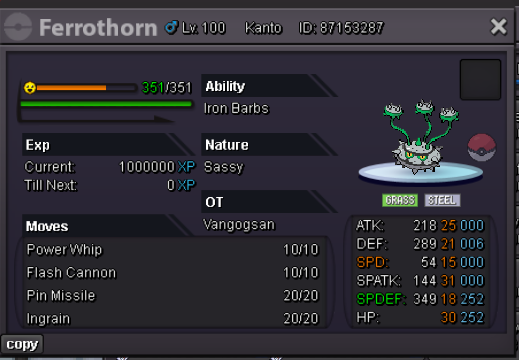
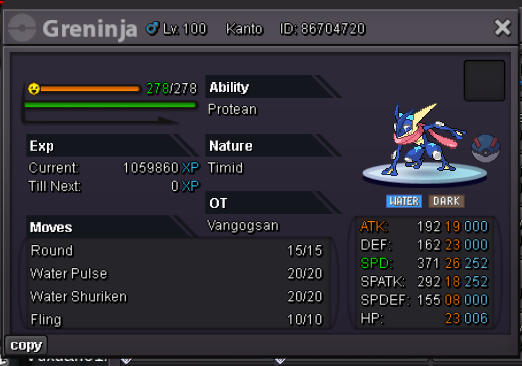
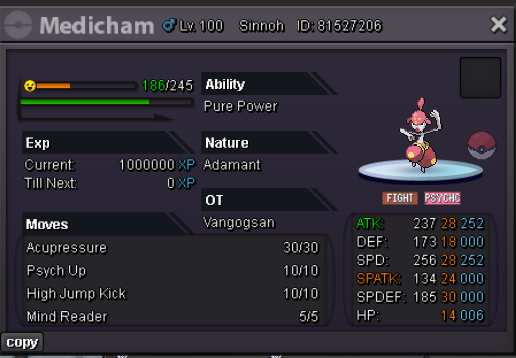
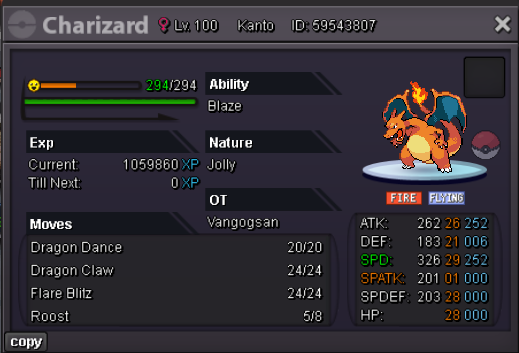
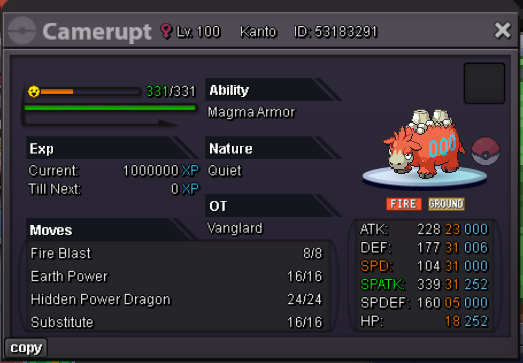
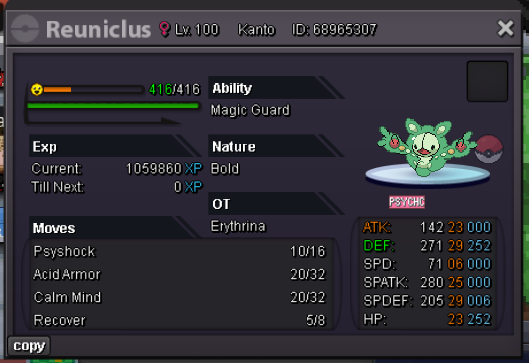
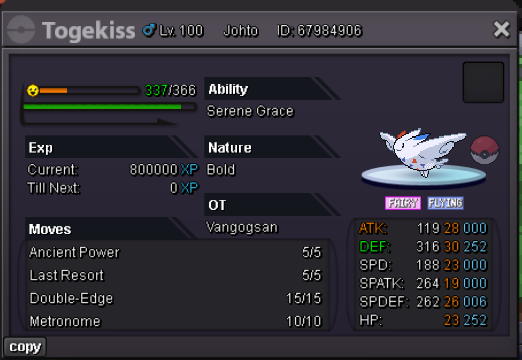
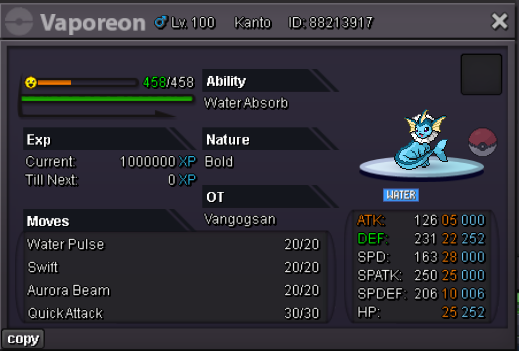
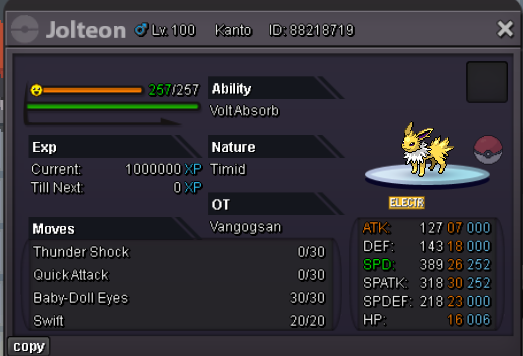
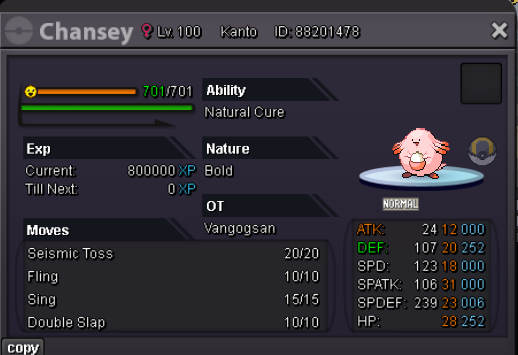
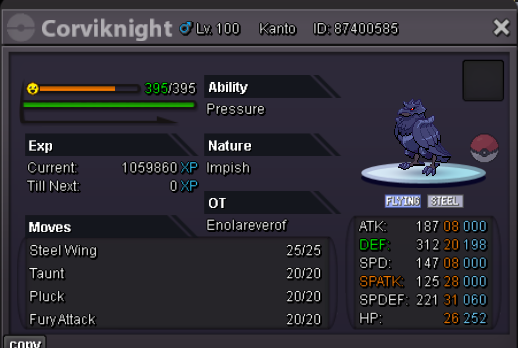 20msold for 5m
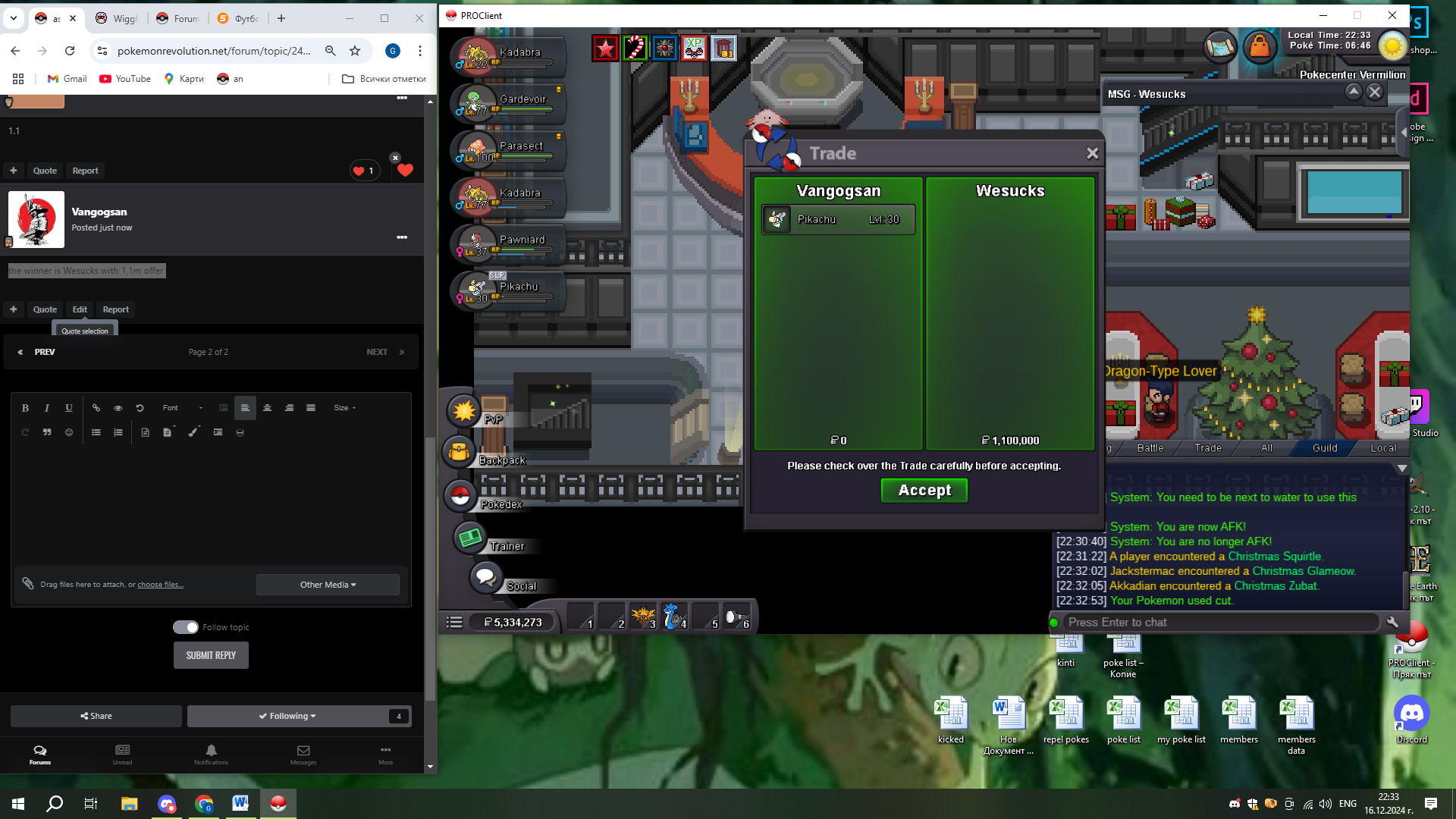
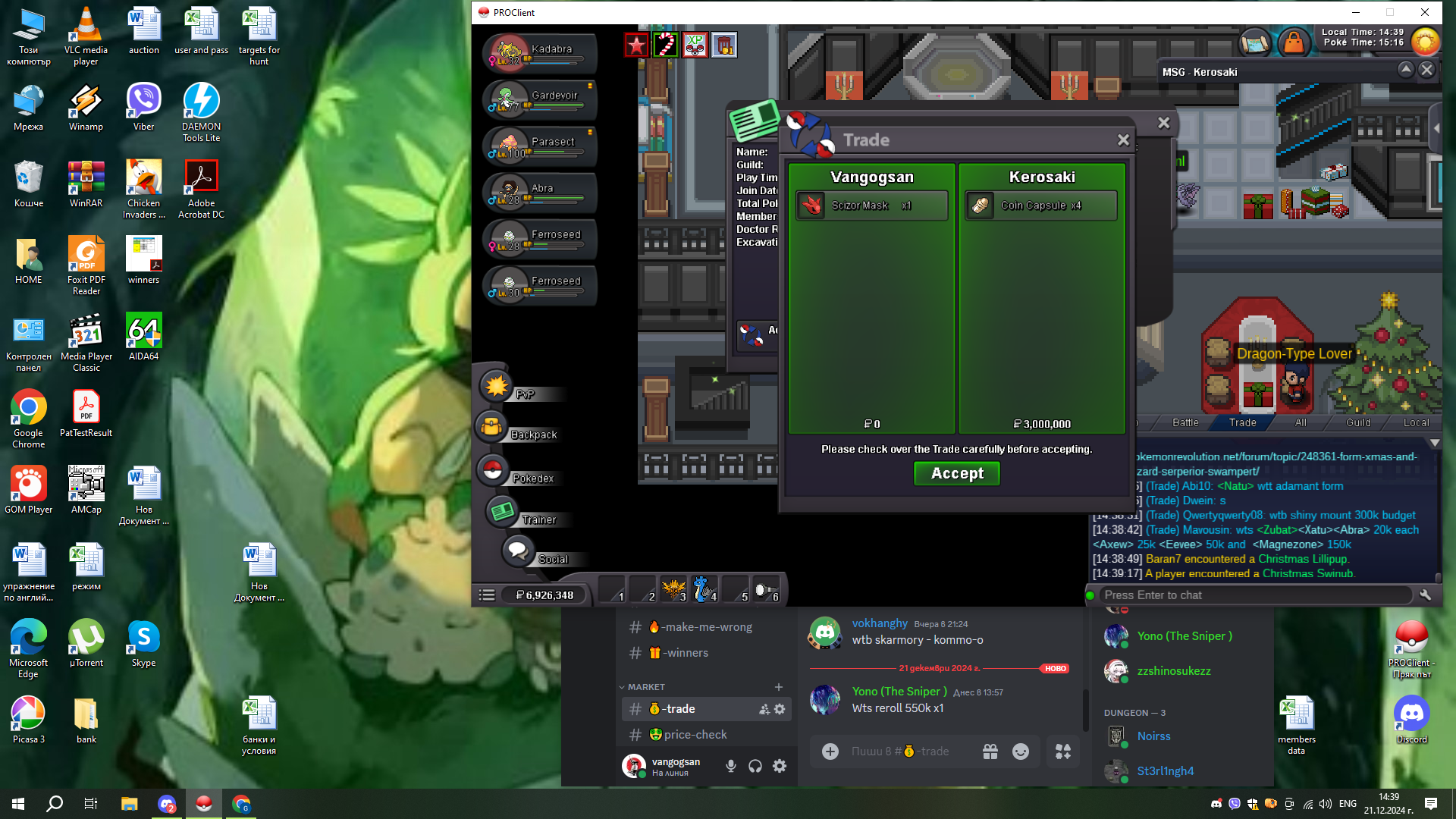 upWhen i battle the player @Itssoham i used poison jab vs his haxorus, he got the first poision from poision jab, then he eat lum berry and recover it from. The second poision came from poision toutch right after he eat the berry. So my question is : is it that right - to poision 2 times one pokemon in the same turn ?the winner is Wesucks with 1,1m offer1m by Hexnightshade
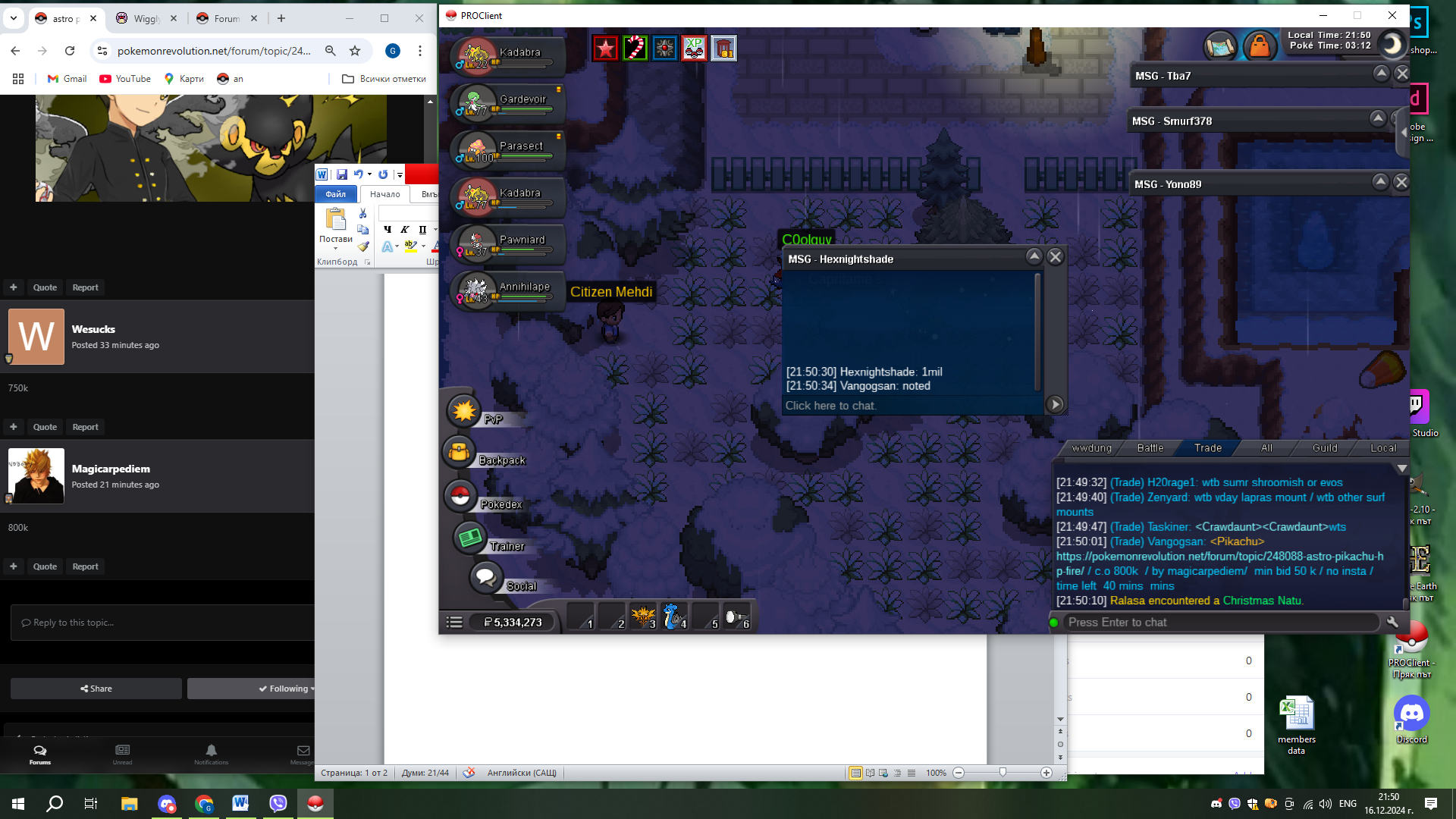 300k by Drpanda22fr
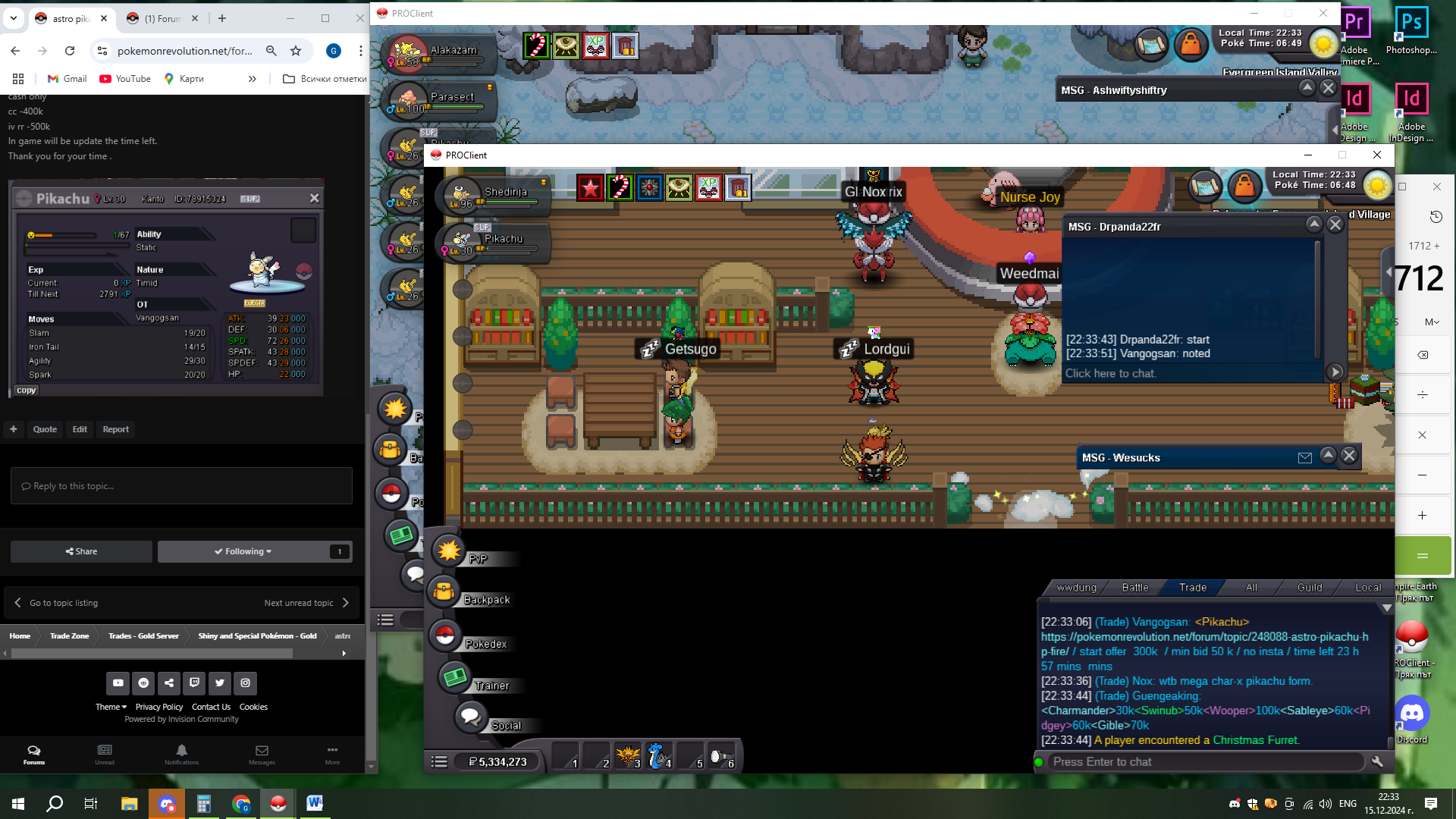 Start Point: The auction start at 15.12.2024 - 22:30 Bulgarian time and will last 24h Price: Start offer is 300k Min. Raise: 50k Insta price: No insta End Point: The auction end at 16.12.2024 at 22:30 Bulgarian time. If a bid is received in the final 15 minutes of the auction, the end point will be delayed by 15 minutes from that bid, and will be delayed by 15 minutes for each new bid thereafter, until the current offer has been held for a full 15 minutes. Must be accurate to the minute that the auction is set to end. Accepted Payment(s): cash only cc -400k iv rr -500k In game will be update the time left. Thank you for your time .
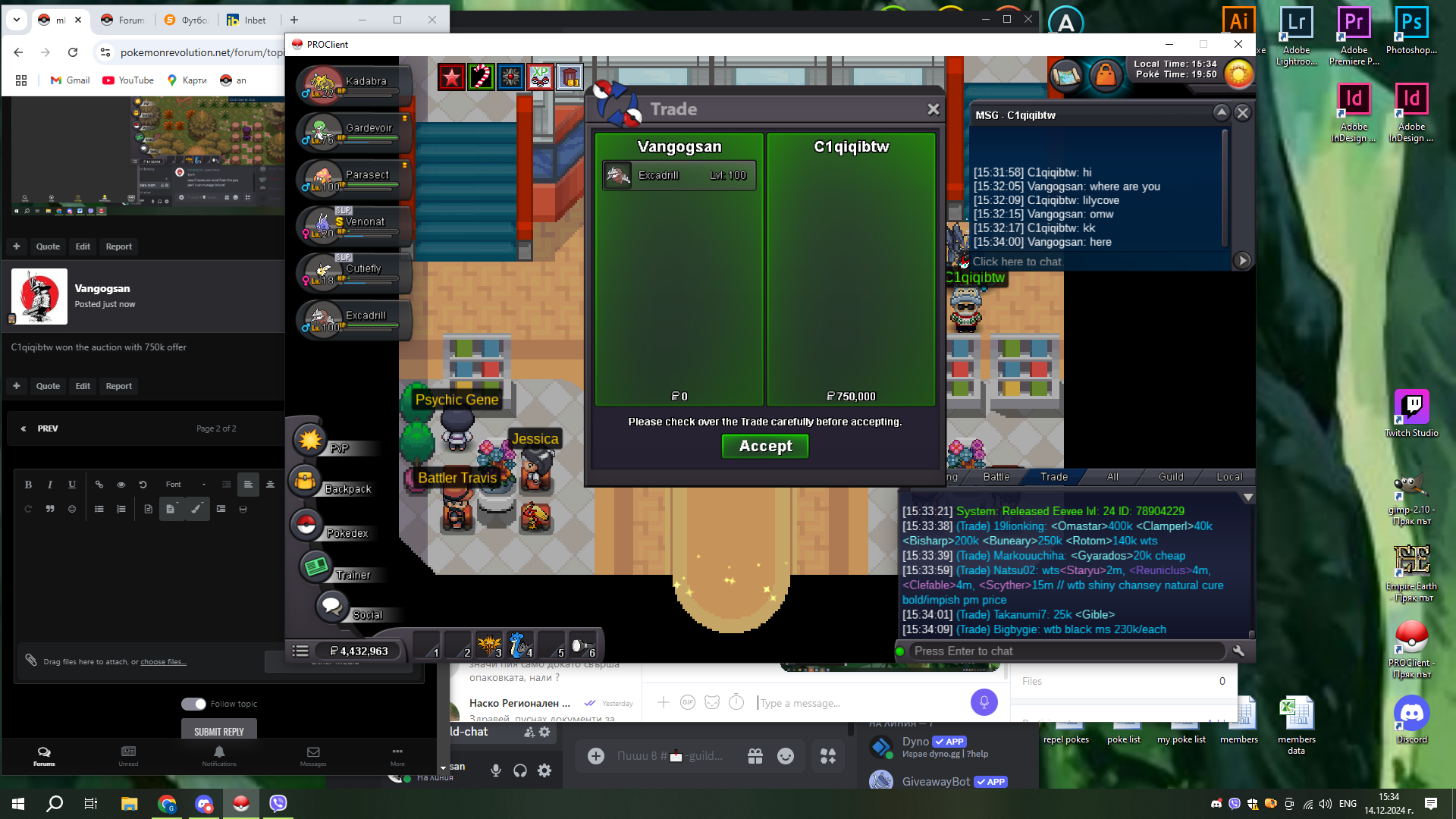
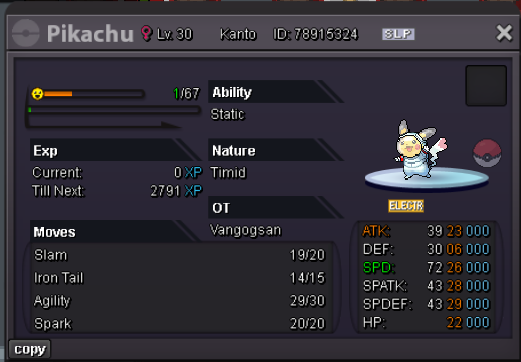 C1qiqibtw won the auction with 750k offer750k by C1qiqibtw
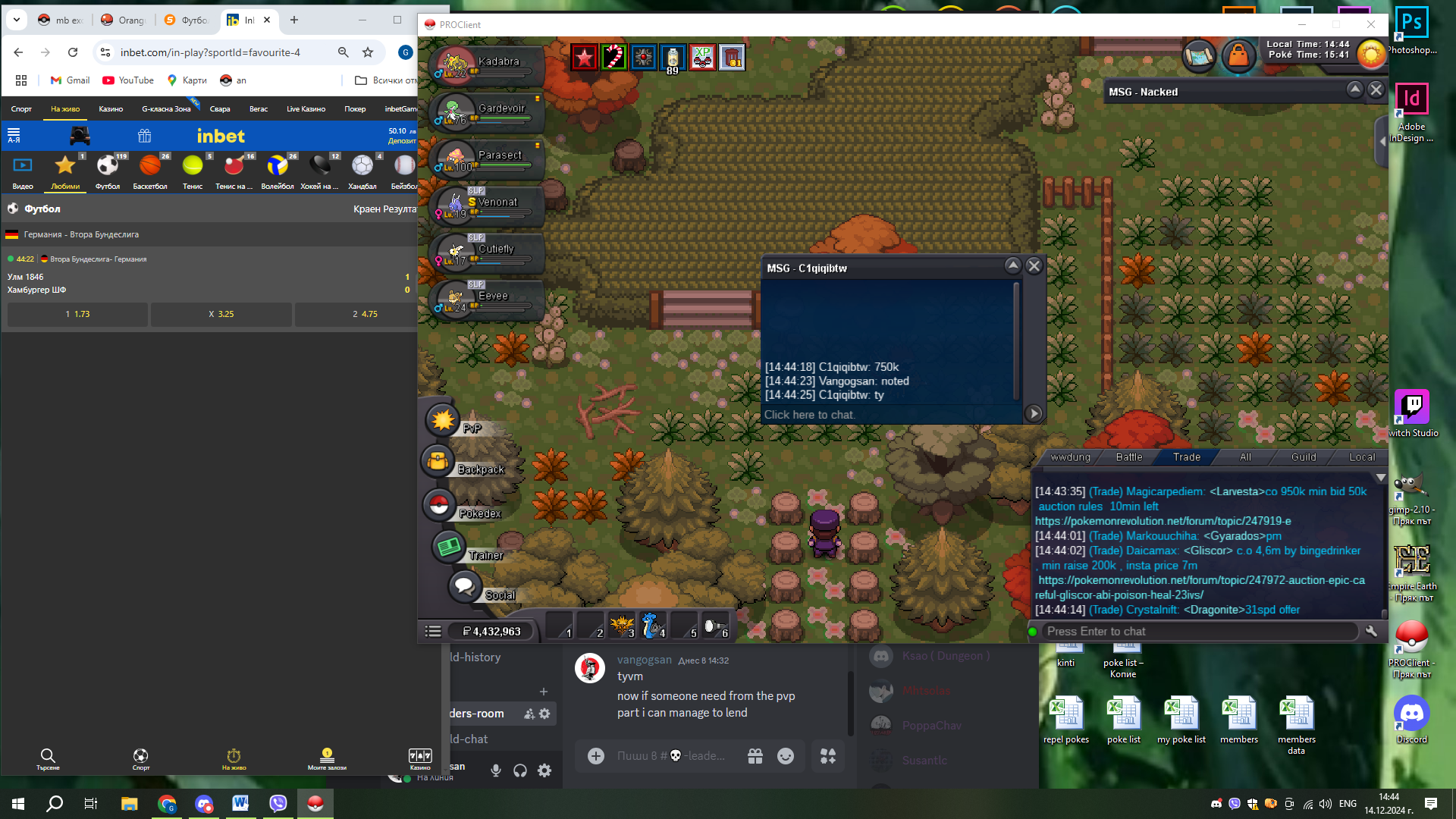 650k by scaryninja
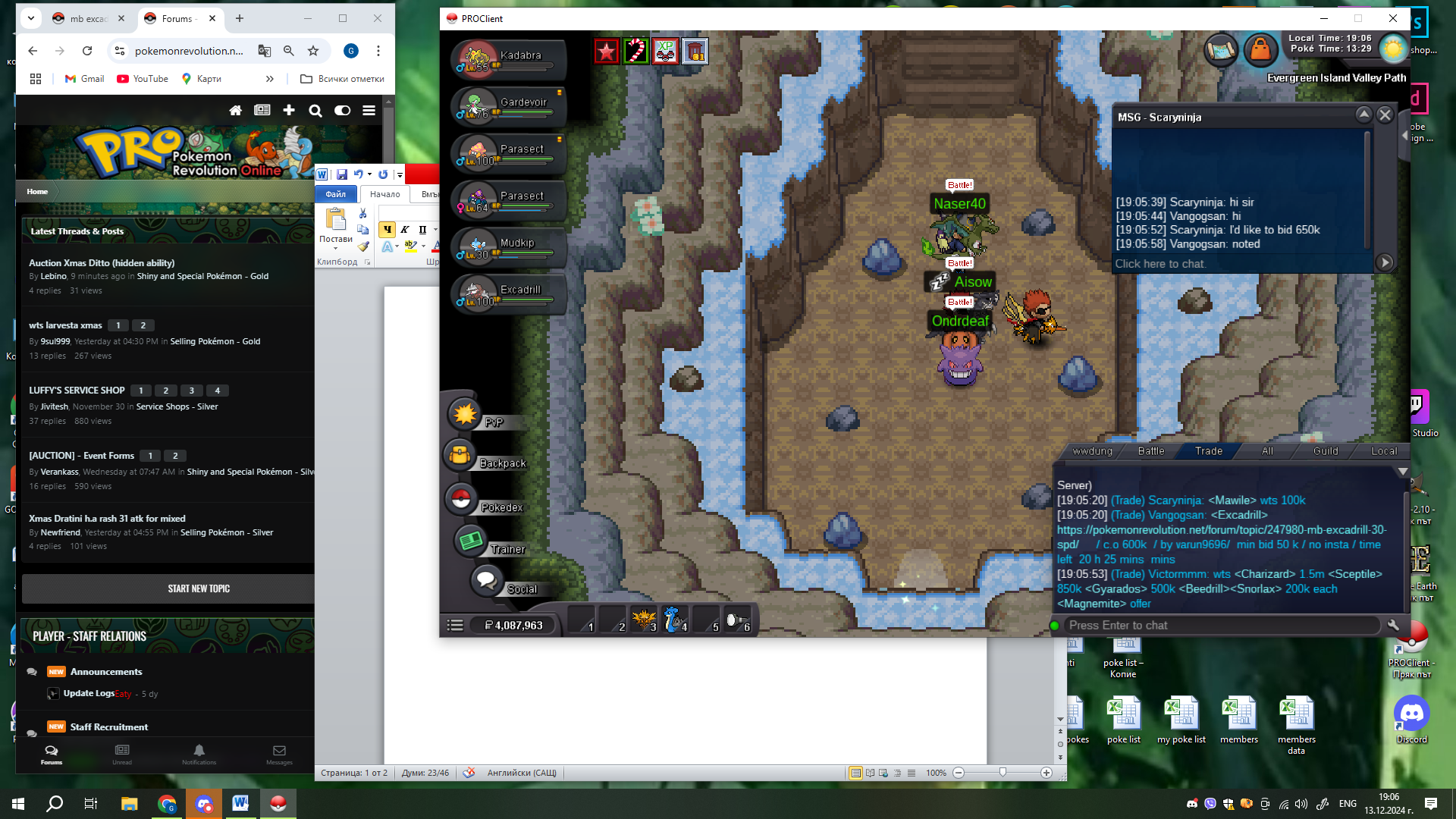 600k by Varun9696
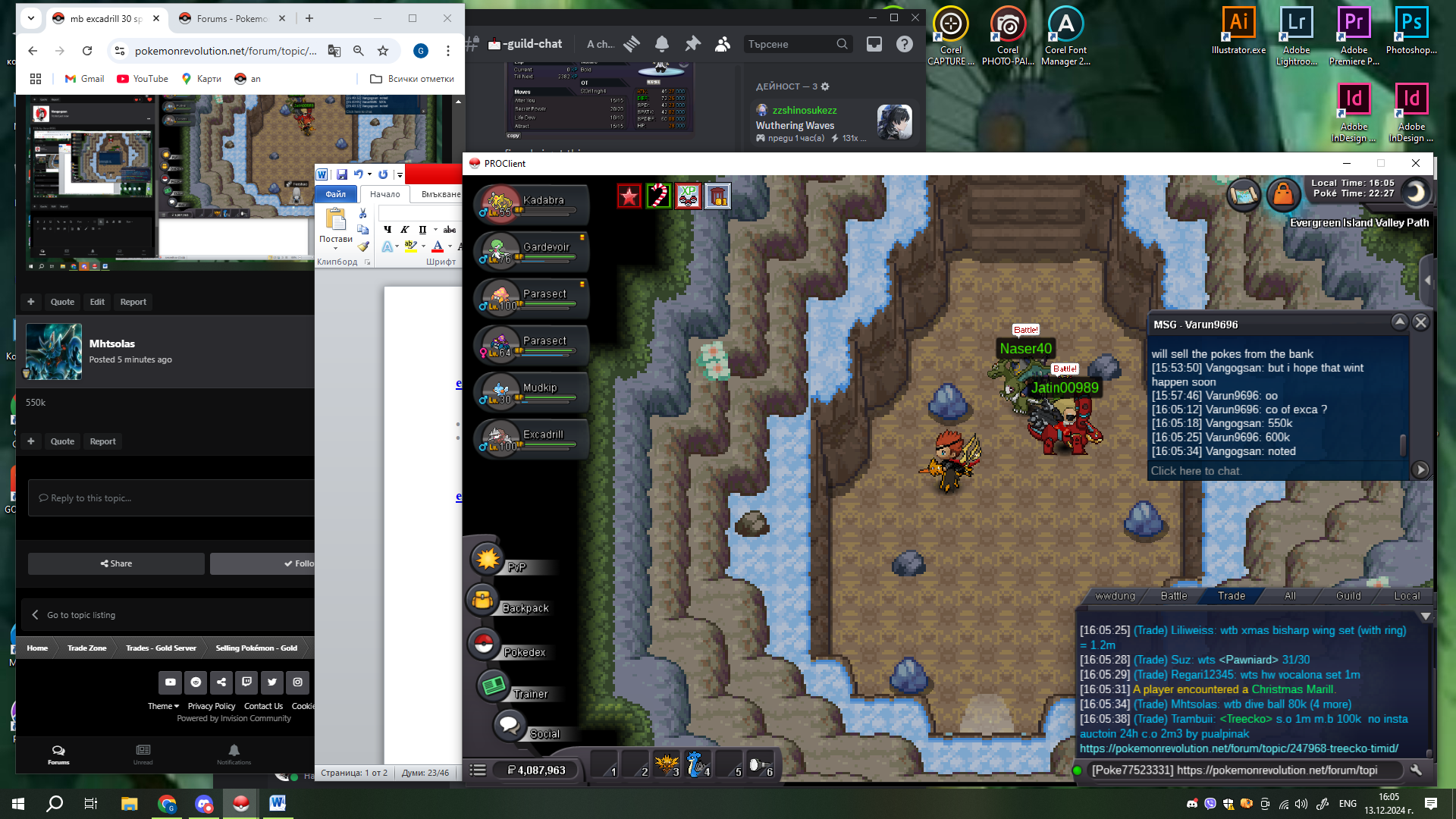 500k by Varun9696
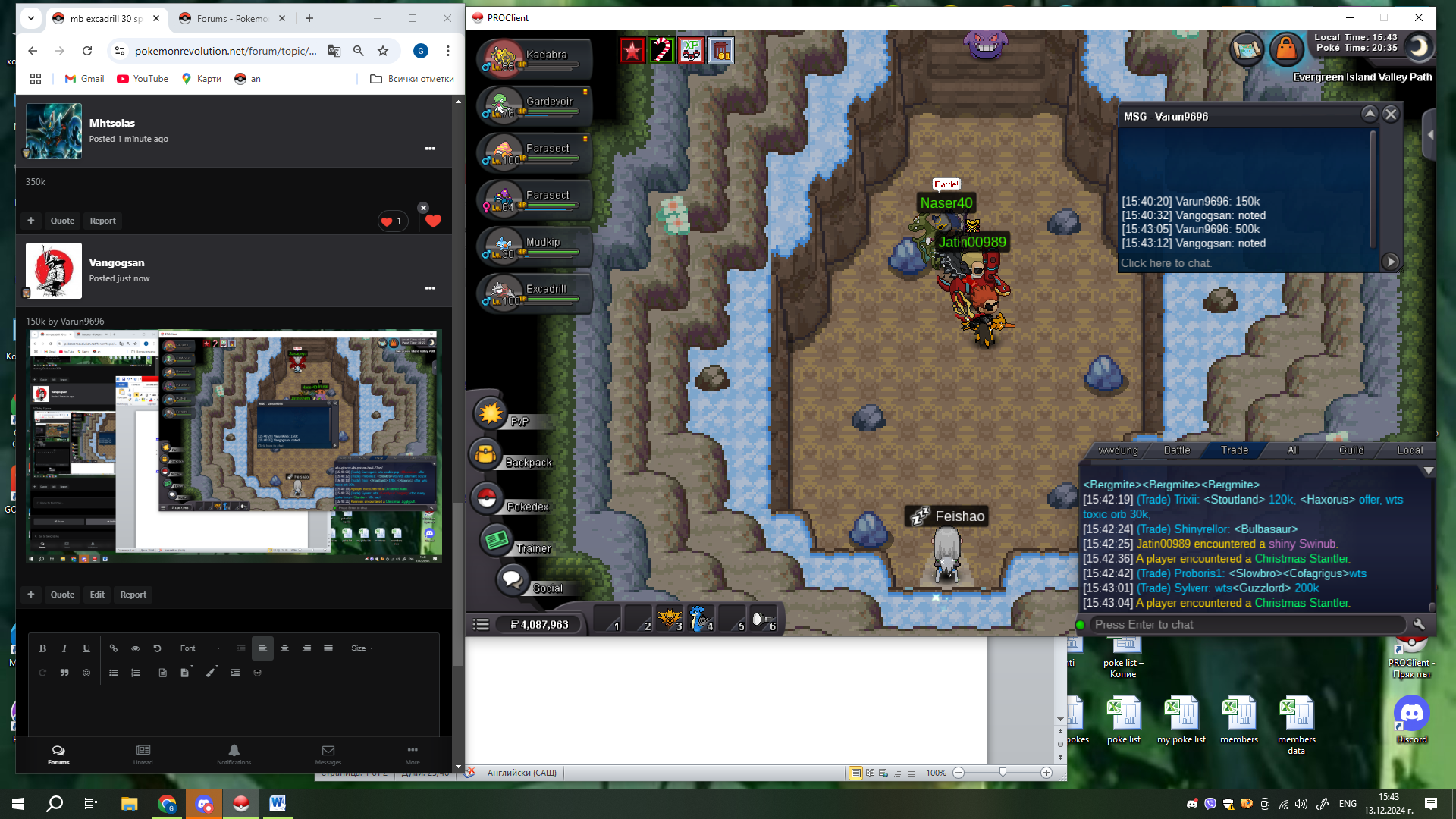 150k by Varun9696
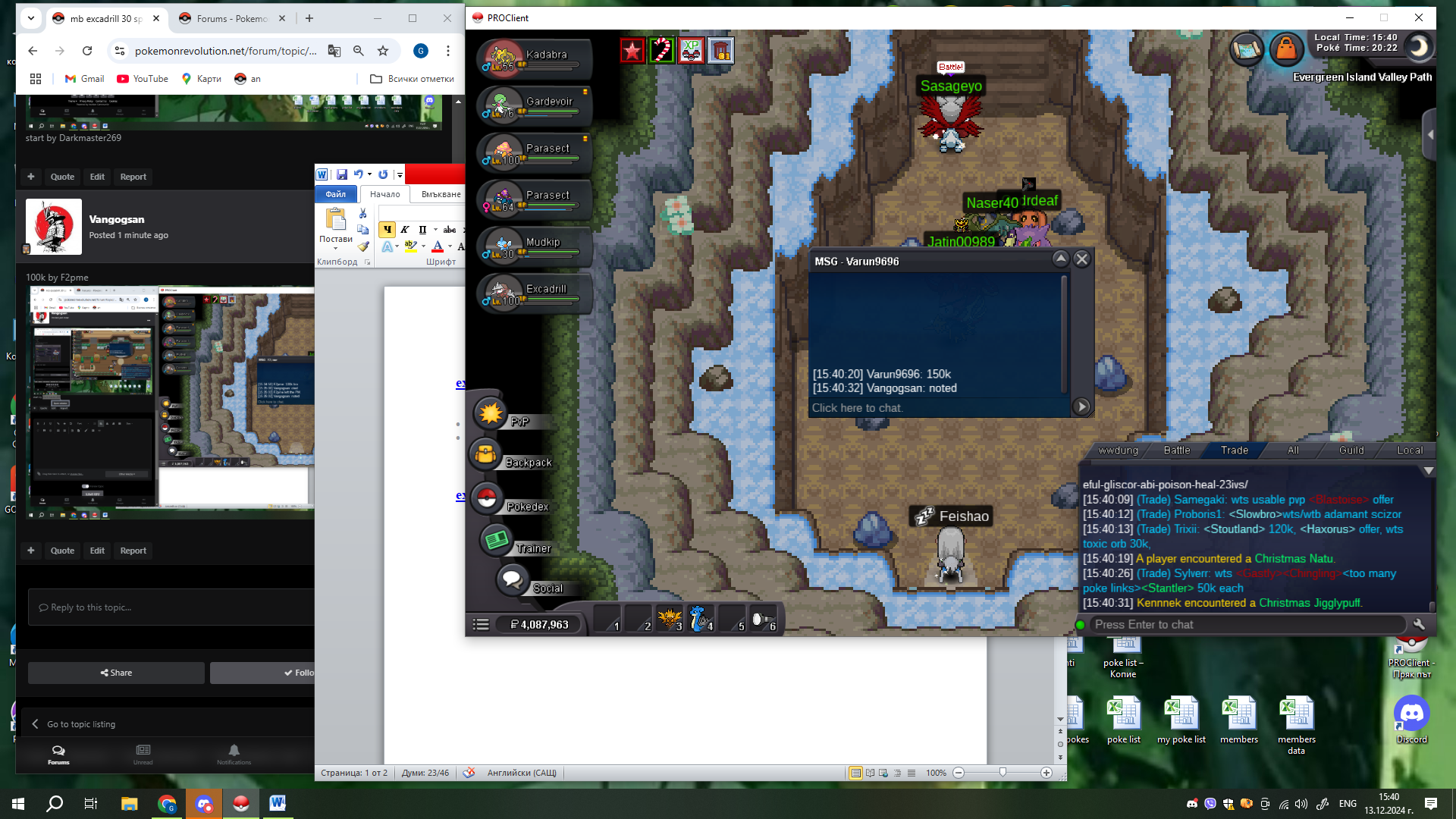 100k by F2pme
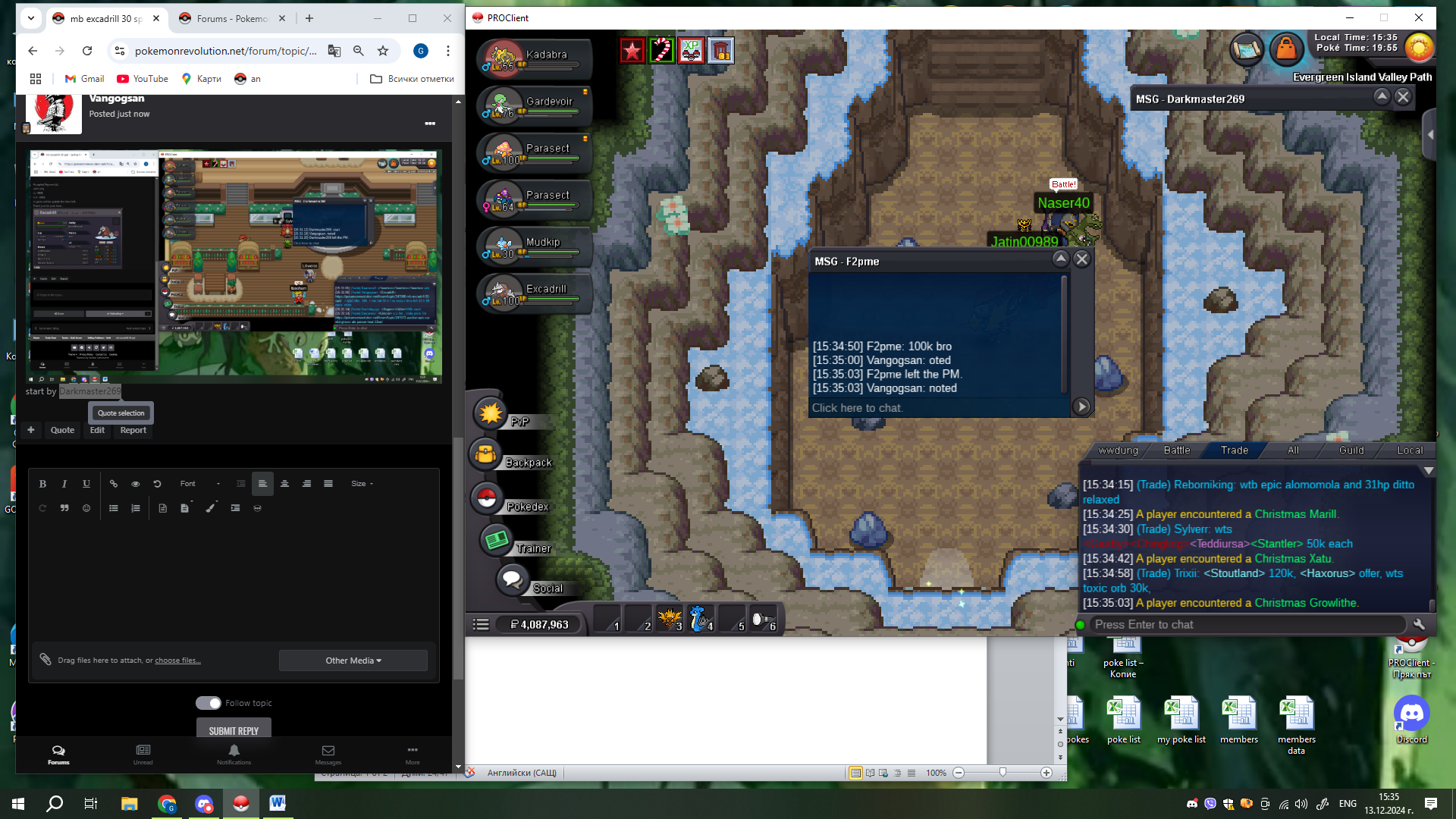 start by Darkmaster269
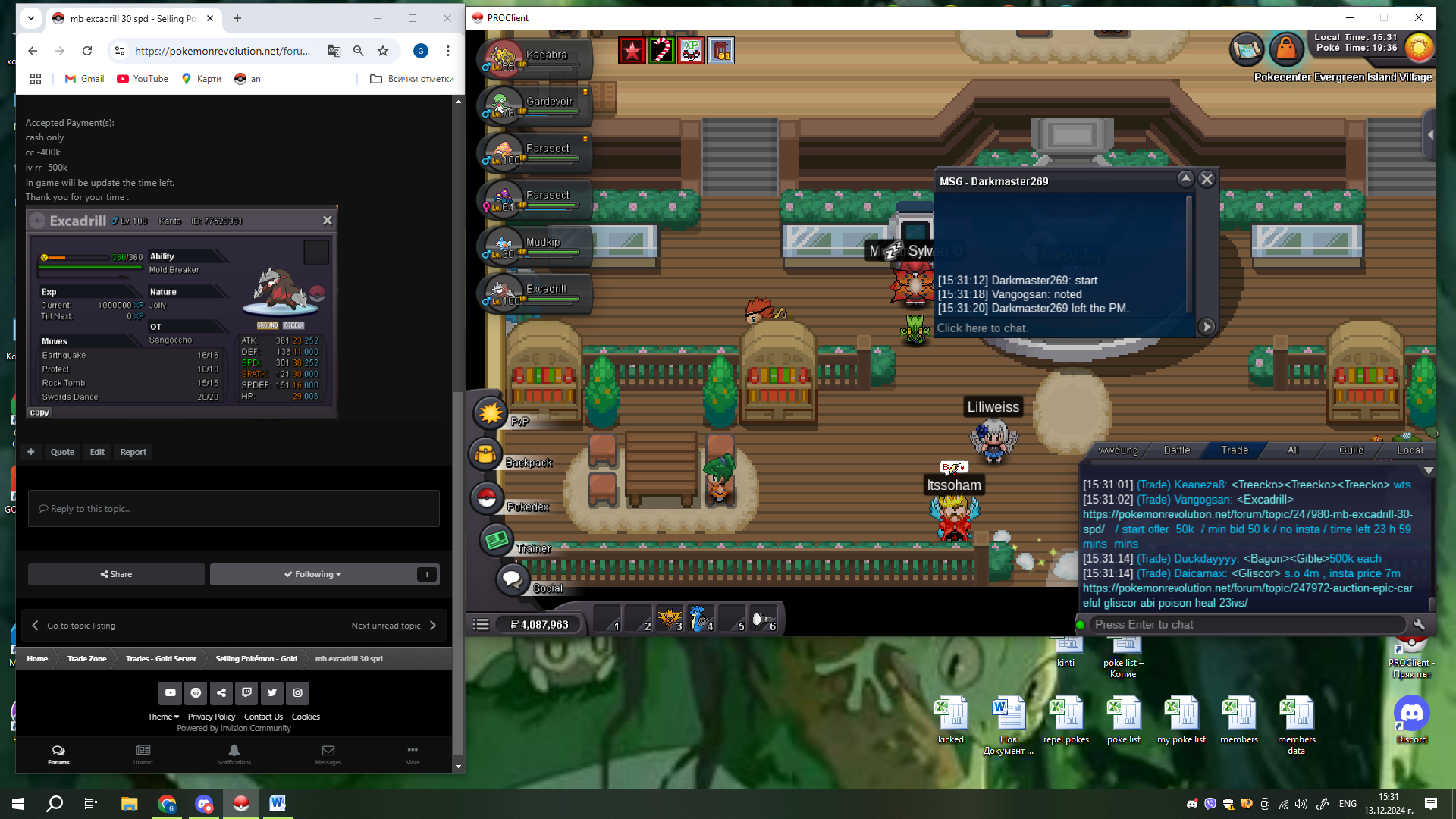 Start Point: The auction start at 13.12.2024 - 15:30 Bulgarian time and will last 24h Price: Start offer is 50k Min. Raise: 50k Insta price: No insta End Point: The auction end at 14.12.2024 at 15:30 Bulgarian time. If a bid is received in the final 15 minutes of the auction, the end point will be delayed by 15 minutes from that bid, and will be delayed by 15 minutes for each new bid thereafter, until the current offer has been held for a full 15 minutes. Must be accurate to the minute that the auction is set to end. Accepted Payment(s): cash only cc -400k iv rr -500k In game will be update the time left. Thank you for your time .
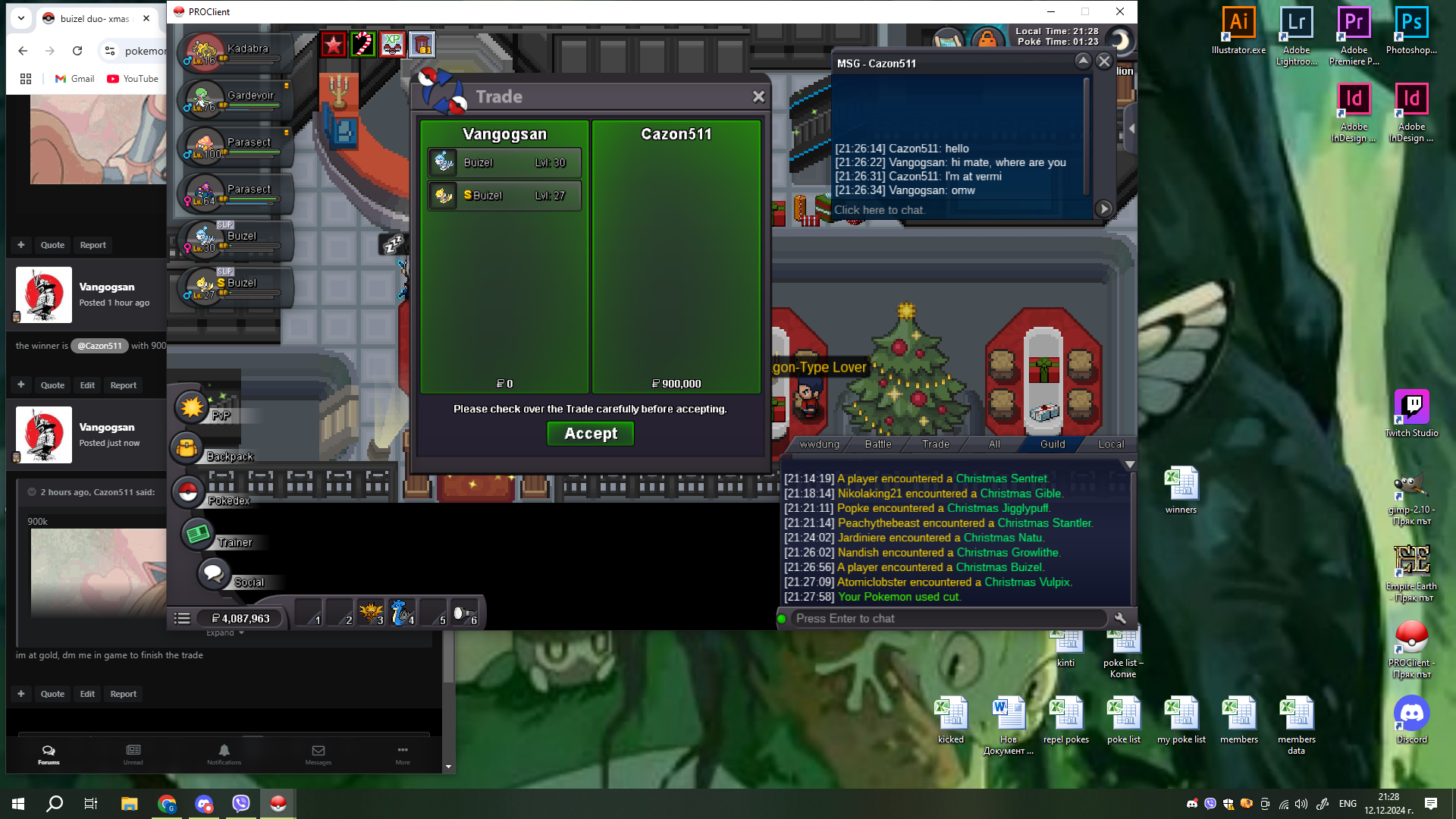
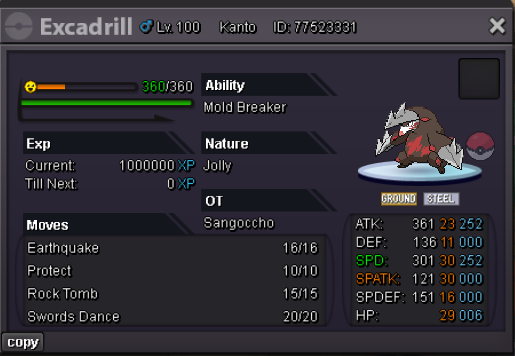 im at gold, dm me in game to finish the tradethe winner is @Cazon511 with 900k bid


Account
Navigation
Search
Configure browser push notifications
Chrome (Android)
- Tap the lock icon next to the address bar.
- Tap Permissions → Notifications.
- Adjust your preference.
Chrome (Desktop)
- Click the padlock icon in the address bar.
- Select Site settings.
- Find Notifications and adjust your preference.
Safari (iOS 16.4+)
- Ensure the site is installed via Add to Home Screen.
- Open Settings App → Notifications.
- Find your app name and adjust your preference.
Safari (macOS)
- Go to Safari → Preferences.
- Click the Websites tab.
- Select Notifications in the sidebar.
- Find this website and adjust your preference.
Edge (Android)
- Tap the lock icon next to the address bar.
- Tap Permissions.
- Find Notifications and adjust your preference.
Edge (Desktop)
- Click the padlock icon in the address bar.
- Click Permissions for this site.
- Find Notifications and adjust your preference.
Firefox (Android)
- Go to Settings → Site permissions.
- Tap Notifications.
- Find this site in the list and adjust your preference.
Firefox (Desktop)
- Open Firefox Settings.
- Search for Notifications.
- Find this site in the list and adjust your preference.