




New Trade Zone
Trade Zone is now live
Use the new Trade Zone for auctions and instant-price trades so Pokemon and item offers are easy to find.

Panosbat
Registered User
-
Joined
-
Last visited
-
+1 coz id cook you bozo
-
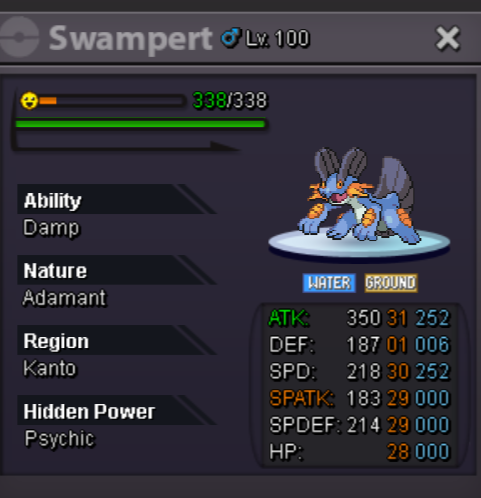
Starting Offer:700k Min bid:100k Auction ends 24h after the first bid
-
Arise! I drew hw Bisharp,Pangoro,Machoke and Scizor.

-
3
-
800k
-
Ralts ball Odish ball Pika ball Spheal ball Rowlet ball


-
Username: Panosbat Server: Silver Timezone: GMT+3:00
-
Start Point/Price: 500k End Point: 24hours after s.o. is met Min. Raise: 100k
-
idk cube coz the sound q makes and 2=b 5=e
-
Panosbat changed their profile photo
-
Sr for being late and thanks you for solving my problem I was able to teleport to sinnoh without needing to beat her again I have already the first 4 badges and everything seems right
-
I was talking to Hannah boss and when I pressed yes to transport me to sinnoh it disconnected me and now she is not there I need help what can I do? I tried to relog a couple times but still she is not there I tried to restart my client as well but it didn't work. Plz can sb find a solution to this?Coz PRO is an amazing game and I don't want to lose all my process. Well to my mind a solution could be that if there is sb that have the rights to teleport me in the first town of Sinnoh. Ty for ur time I hope to take this issue into consideration.

