New Trade Zone
Trade Zone is now live
Use the new Trade Zone for auctions and instant-price trades so Pokemon and item offers are easy to find.

N1ghtmarex
Suspended
-
Joined
-
Last visited
Everything posted by N1ghtmarex
-
Start
-
500k
-
-
bump
-
Bump
-
1.6m
-
its been 4 years bro, i have dig now x) but thanks
-
1.1m
-
Indeed
-
I dont see anyone saying this in the auction. But omw olivine.
-
If no one bid in the last 15 minutes u cant just add 15 minutes iirc.
-
My bad tought someone had offerd.
-
1.3m togekiss
-
Only togekiss still available.
-
Tyranitar was sold for 6m haha
-
At the moment you might be glad with a pvp or pve coin purchase, but if u regret it later and dont use the item at all it would be nice to be able to return it for 40-50℅ of the purchase value. And since u dont get a full return either way it doesnt impact the economy that much, since its money already earned. 1+
-
1.2m clef
-
1m clefable.
-
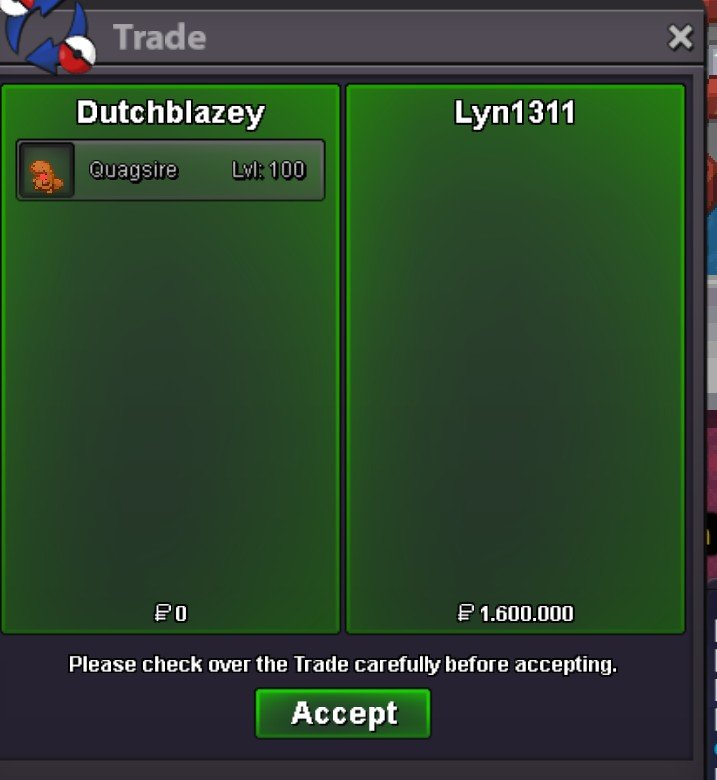
The auction has been won by @Lyn1311 at 1.6m. Please contact me via discord KebabBanaan#2970 or ingame Dutchblazey to pick it up.end date is now 18:20 gmt 21-04-2023. current offer 1.5m by @Acetzyi would rather keep it then haha, maybe look for something you can afford instead? 🙂Starting offer = 1.5m minimum offer = 100k end date = 24h after s.o. Payment methods = pokedollar $ cc 350k
 i am still looking for a shiny totodile and shiny chikorita, if u happen to sell one contact me on KebabBanaan#2970 on discord or on Dutchblazey in game. i am interested in other rare shiny aswell, but these are what i prefer.can be closed.