




New Trade Zone
Trade Zone is now live
Use the new Trade Zone for auctions and instant-price trades so Pokemon and item offers are easy to find.

N1ghtmarex
Suspended
-
Joined
-
Last visited
Everything posted by N1ghtmarex
-
sold at insta
.png.a39bca85d0d369e0cfc90139f8c33775.png)
-
Auction starting offer = 500k minimum raise = 100k end date = 4:00 GMT 11/6 instant = 1.5m payment methods : pokedollar cc = 400k
.png.91a840c3c1a5484a78447a10adc7a0e8.png) starting offer = 1m minimum raise = 100k instant = 1.5m end date = 3:44 GMT 10/6 payment methods = pokedollar cc (400k)
starting offer = 1m minimum raise = 100k instant = 1.5m end date = 3:44 GMT 10/6 payment methods = pokedollar cc (400k).png.c0d516247c501d7587fa26159f6a7ad5.png) congrats @Thanhtd2919 u won, please contact me in game n1ghtmarex or on discord emiel0998starting offer = 500k minimum raise = 100k instant buy = 1.5m end date = 6:44 gmt 05-06 payment methods = pokedollar cc = 400k
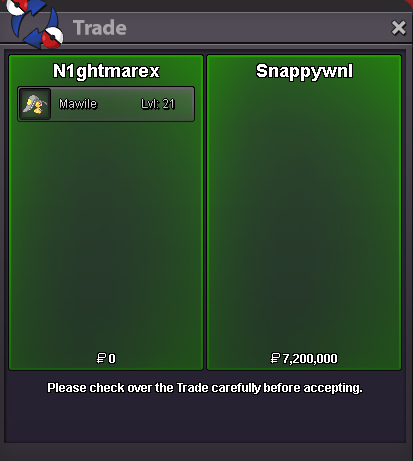
congrats @Thanhtd2919 u won, please contact me in game n1ghtmarex or on discord emiel0998starting offer = 500k minimum raise = 100k instant buy = 1.5m end date = 6:44 gmt 05-06 payment methods = pokedollar cc = 400k.png.53dfd49bc709bc612019e6dfa6525095.png) Looking to buy a shiny charmander Contact me on discord emiel0998200k mawileCongrats @SnappyWNLwon, the auction ended.Not yet Around 4 hours remain.no the auction ends at the 17th at GMT 15:49@SnappyWNLthere is no instaEnd date is 17-5 GMT 15:49Auction Starting offer : 5m End date : 17-5 GMT 15:49 Minimal raise : 200k
Looking to buy a shiny charmander Contact me on discord emiel0998200k mawileCongrats @SnappyWNLwon, the auction ended.Not yet Around 4 hours remain.no the auction ends at the 17th at GMT 15:49@SnappyWNLthere is no instaEnd date is 17-5 GMT 15:49Auction Starting offer : 5m End date : 17-5 GMT 15:49 Minimal raise : 200k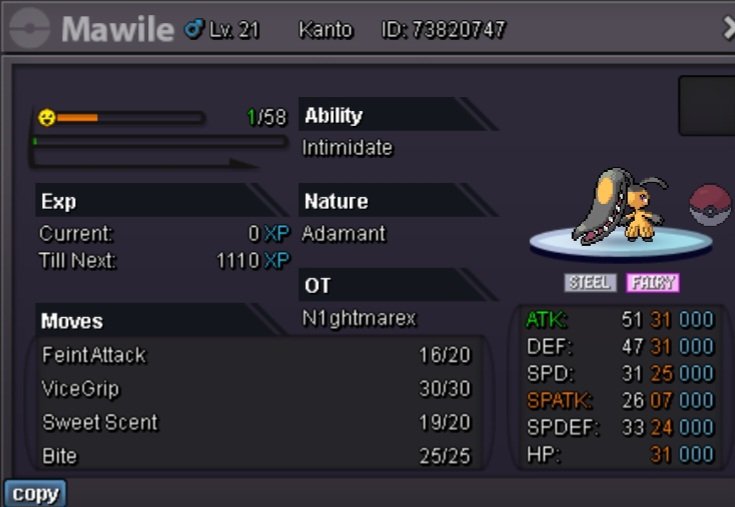 Auction Starting price : 5m Duration : 72h after starting offer Instant buy : 10m minimum raise : 100k payment methods : cc = 400k Pokedollar
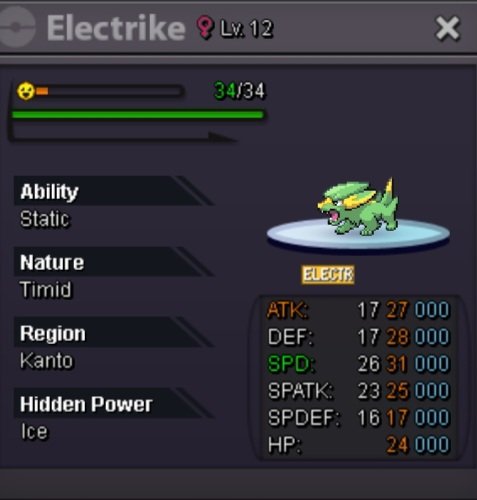 If i had anything left to giveaway i would leave it to my guild and friends. But i wont even get that chance.
.png.041336a939357cfe10d110c73827a28d.png)
.png.e3b74a4fd03ddd8c91d922ad24607ef8.png)
.png.a877a32743b300730b5717734bca5485.png)
.png.62a8afae009bcbb889a504d9176606d2.png)
.png.22fd69a902c260ff49107c7b68e6ef2c.png)
.png.9d459f5e22273b69b927fd62c5c5aefe.png)
.png.7825b89bfd5d54cea3e496c3457c8522.png)


Account
Navigation
Search
Configure browser push notifications
Chrome (Android)
- Tap the lock icon next to the address bar.
- Tap Permissions → Notifications.
- Adjust your preference.
Chrome (Desktop)
- Click the padlock icon in the address bar.
- Select Site settings.
- Find Notifications and adjust your preference.
Safari (iOS 16.4+)
- Ensure the site is installed via Add to Home Screen.
- Open Settings App → Notifications.
- Find your app name and adjust your preference.
Safari (macOS)
- Go to Safari → Preferences.
- Click the Websites tab.
- Select Notifications in the sidebar.
- Find this website and adjust your preference.
Edge (Android)
- Tap the lock icon next to the address bar.
- Tap Permissions.
- Find Notifications and adjust your preference.
Edge (Desktop)
- Click the padlock icon in the address bar.
- Click Permissions for this site.
- Find Notifications and adjust your preference.
Firefox (Android)
- Go to Settings → Site permissions.
- Tap Notifications.
- Find this site in the list and adjust your preference.
Firefox (Desktop)
- Open Firefox Settings.
- Search for Notifications.
- Find this site in the list and adjust your preference.