




New Trade Zone
Trade Zone is now live
Use the new Trade Zone for auctions and instant-price trades so Pokemon and item offers are easy to find.

Flickshot
Registered User
-
Joined
-
Last visited
-
Flickshot - GOLD server Been a while Keita ❤️🩹 Hope you're doing fine since last I heard from you.
-
Flickshot changed their profile photo
-
Has to be: Ability: Regenerator Nature: Bold/Relaxed 20+ IVs overall at least DON'T OFFER SLOWBROS TRY TO MENTION A PRICE
-
Username: Ranl Server: Gold Country/Timezone: India/GMT+5:30
-
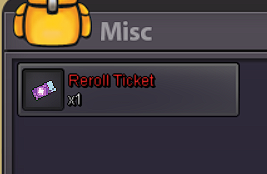
2.6m1.8m-1 Those are anime based rules that you're proposing. PRO is based on the Gen 7 mechanics, that means, in PvP, it's mechanics are almost similar to that of Gen 7 on Pokemon Showdown. Although some new players might struggle in PvP at first, they'd gradually end up with all the good stuff, Mega Stones, Z-Crystals, etc. as PRO is an MMO game, where players slowly make progress into more of the stuff. Also Z-Crystals are already available through various quests already, just missing few Pokemon-Specific ones. Not quite sure what you meant to say in the last line.-1 The reason why it is not fruitful in the end as it opens up opportunities for possible trolling and time-stalling for the player on the other end. I am listing some cases in the following: You disconnect in a battle and you decide you wanna let this one battle slide cuz you maybe have some work to do, but the opponent has to hang around for another 2-3 mins(guessing you're also suggesting a timer for the reconnect window) without anything to hear from you, which is borderline disturbing for them. Another point would be someone who is gonna deliberately troll their opponent. Let's say, your opponent disconnects once(implying on purpose), then returns after 1-2 mins plays for a bit, then again goes off for a bit and on and on and on. This here also suggests that, if this is implemented, the PvP rules would need a revamp around stalling and others, which in showdown is non-existent for casual plays. Conclusion: Overall it is not worth the effort and a good step to prevent yourself from disconnecting would be to get better internet, it is fairly cheap nowadays and with 5G in the play even better. Suggestion would be to play PvP during suitable internet conditions. Also something you may or may not be aware is that the game already has a reconnect window of 1 minute, I believe, not really sure of the exact time but it is just enough and has helped tons.Better late than never(talking about my vote here). +1. Strongly agree, and it wouldn't hurt at all to have a Hindi chatroom given the Indian players in the game. Would also be an incentive rather, that will make us recommend the game more and more.4214Hello Raichu-Alolan is only catchable during outbreaks for now.Hello. I suddenly found this in my main account- RanadeepMCPE, on the other side which doesn't have story done with zero badges I am in silver server with that side right now but I keep transferring from time to time. At first it may seem like a PvP reward of some sort but I haven't reached Top 3 once but have reached ladder a few times consecutively this year so it is unlikely for me to have gotten it that way. I hope this helps fix whatever issue is there regarding this. Thanks
 +1What is the c.o rn?469k


