




New Trade Zone
Trade Zone is now live
Use the new Trade Zone for auctions and instant-price trades so Pokemon and item offers are easy to find.

Bijoumode
Registered User
-
Joined
-
Last visited
Everything posted by Bijoumode
-
520k
-
Congrats @Themarvelman - Contact me when you can get online to do the trade
-
20 mins left!
-
Halfway through - 2hrs 30mins left!
-
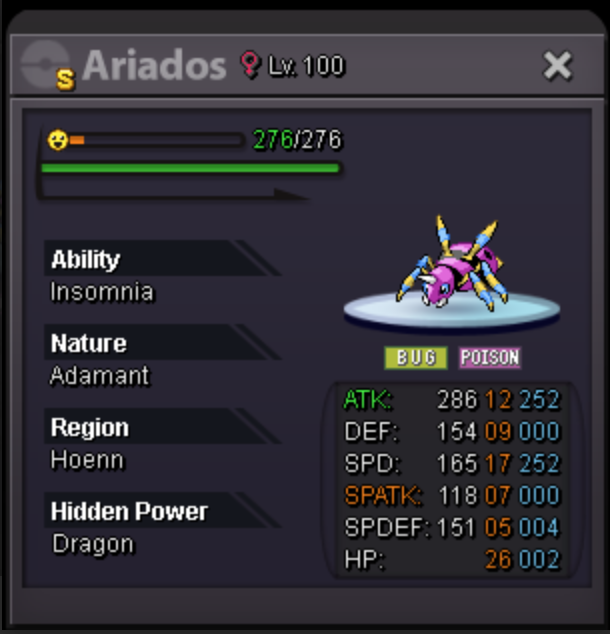
⭐ SHINY SALE ⭐ STARTING OFFER - ONLY 5k Ends 5hrs after S.O Min Raise: 5k Accepted Payment - PokeDollars, CC (450k) CURRENT OFFER: 100K BY @Themarvelman

-
20hrs left on Charizard 2 & 3!
-
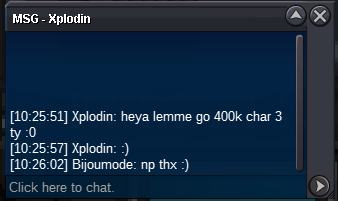
400k on Charizard 3!
-
32hrs left on Charizard 2 & 3!
-
40hrs left on Charizard 2 & 3!
-
Cancel
-
wtb lvl services for 6 mons
-
wtb

-
Apologies for the issues, images are now fixed.
-
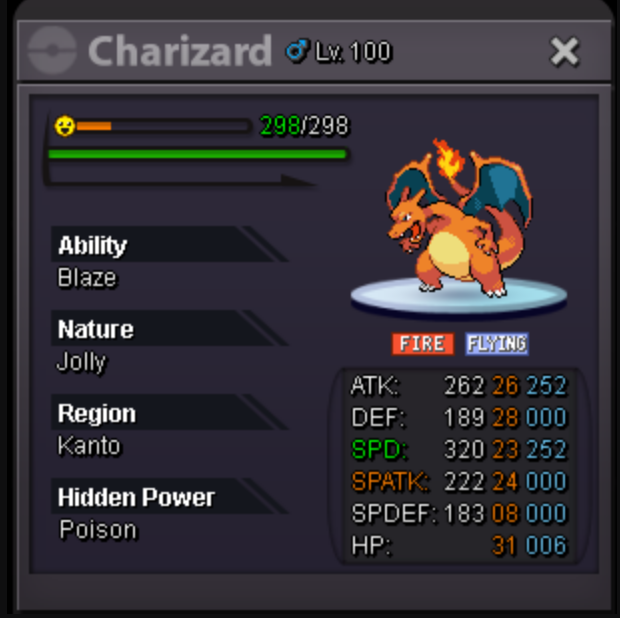
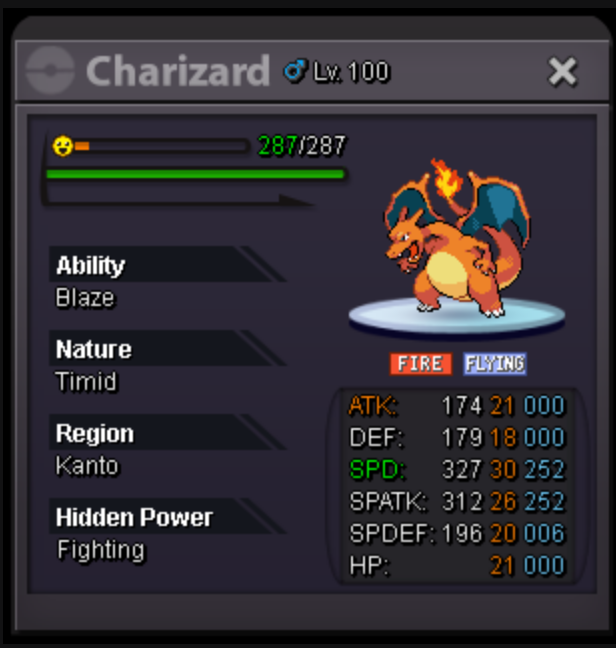
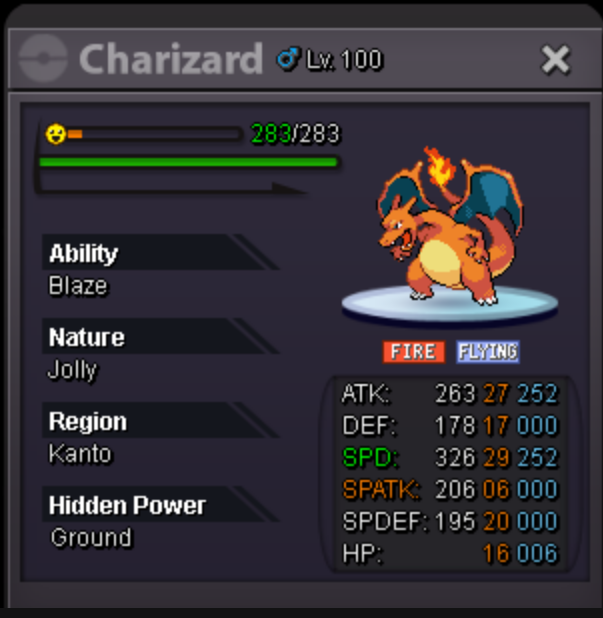
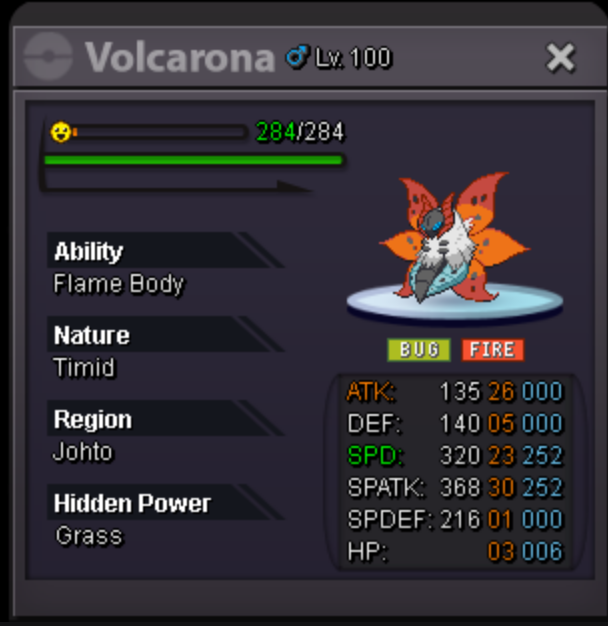
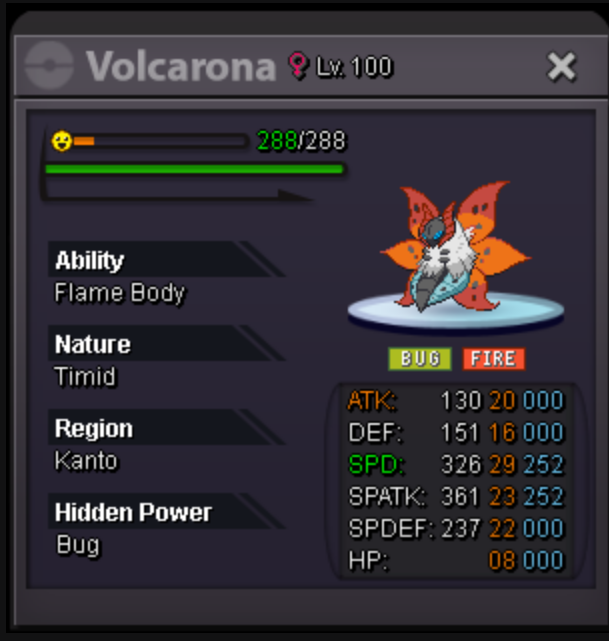
🔥 FIRE SALE 🔥 STARTING OFFER - ONLY 200k Each Ends 48hrs after S.O Min Raise: 50k Accepted Payment - PokeDollars, CC (450k) Bidding CHARIZARD 1 - S.O - 200k CHARIZARD 2 - C.O - 300k by @Trafa1gar CHARIZARD 3 - C.O - 600k by @Xplodin VOLCARONA 1- S.O - 200k VOLCARONA 2 - S.O - 200k CHARIZARD 1 S.O - 200k CHARIZARD 2 C.O - 300k CHARIZARD 3 C.O - 600k VOLCARONA 1 S.O - 200k VOLCARONA 2 S.O - 200k GOOD LUCK!
-
+ wtb azumarill 4 230k
-
wtb bisharp 5 - 230k
-
WTB ANY Event Form for Pawniard or Larvesta (or evos) Price Range - 1 to 2m per mon DM me with offers (Christmas Pawn and Larv are particularly preferred)
-
1.6
-
1.4m
-
1.1m
-
2.2m
-
2m
-
how much for xmas teddiursa?
-
500k
-
ignore actually

